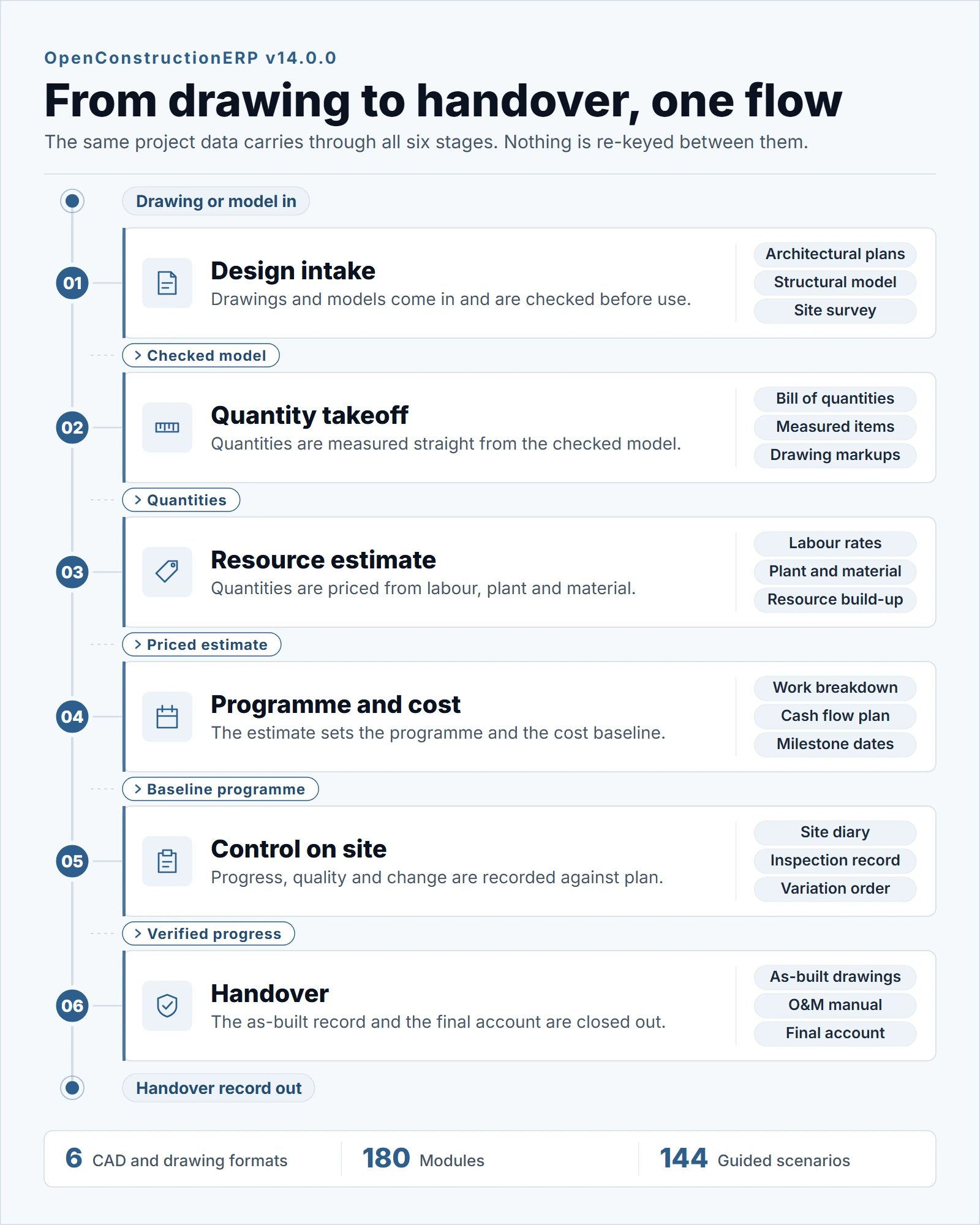
The idea has not moved: give construction teams one platform they can run themselves, with their data staying theirs. What has moved is the amount of the job it covers. You can bring in a drawing or a model, measure quantities off it, price those quantities against a real regional cost base, build and cost the programme, control change and quality while the work happens, and close the account at handover, without leaving the platform and without sending your project to anyone else's cloud.
What changed between v10 and v14
Four releases went by and the centre of gravity shifted from estimating to the whole project. Version 10 was already a capable open estimating platform. Version 14 is a platform that can be held responsible for a project: it knows what was planned, what was actually built, what it cost, what it will cost by the end, and who signed for each of those answers.
The biggest additions, in the order a project meets them:
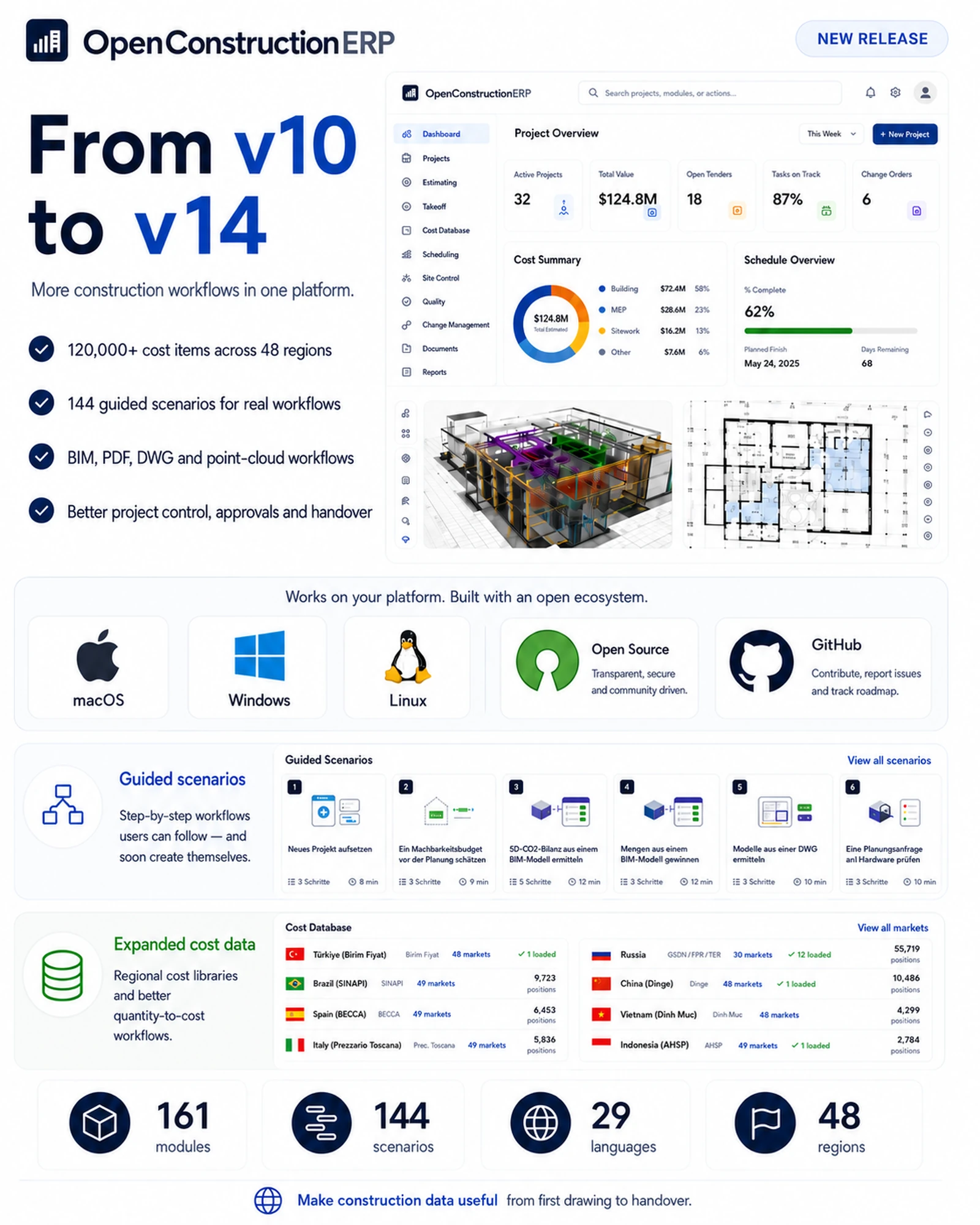
- More than 120,000 cost items across 47 countries, so an estimate starts from a priced basis rather than a blank sheet.
- Quantity takeoff from the formats you already have: PDF drawings, DWG, IFC and RVT models, and point clouds.
- Design options compared side by side, on quantities and cost, before one of them is chosen.
- Validation that runs before a bill of quantities leaves your desk, rather than after somebody else finds the problem.
- Issues raised directly from a PDF or a BIM model, carrying the view they were raised from.
- Planned against actual progress, critical path, delays, resources, budgets and a forecast of the final cost.
- Document workflows and ISO 19650 approvals, punch lists, materials, logistics, prefabrication tracking, commissioning and handover.
Cost data: more than 120,000 items across 47 countries
An estimate is only as good as the basis under it. The cost database now holds more than 120,000 priced items covering 47 countries, each with a unit, a base rate in the local currency, classification codes such as DIN 276, NRM and MasterFormat, and a component breakdown into material, labour and equipment where that breakdown exists. Item descriptions are carried in multiple languages, so a German cost item stays readable to a team working in English and the other way round.
That matters most at the moment a quantity becomes money. A measured area can be matched against the cost base, priced, and traced back to the line on the drawing it came from, which is what makes an estimate defensible when somebody asks where a number came from six months later.
Quantities from the drawings you already have
Most projects do not arrive as a clean model. They arrive as a PDF, an older DWG, an IFC export of uncertain quality, and a folder of scans. The takeoff tools take that as the normal case. You can measure lengths, areas and counts by clicking directly on a PDF, calibrate the scale from two known points, and switch between square metres, cubic metres and pieces without redoing the measurement. Models are read through a conversion pipeline rather than a proprietary reader, so DWG, IFC and RVT all land in the same canonical form.
Where the platform proposes something, it says so. Extracted schedules and suggested quantities come back with a confidence score and wait for a person to confirm them. Nothing is applied to a bill of quantities because software felt confident about it.
Control: what was planned, what happened, what it will cost
Project control in v14 answers three questions at once. What did we say we would do, what have we actually done, and where does that leave the final account. Planned against actual progress, the critical path and the delays sitting on it, resource and budget consumption, and a forecast of cost at completion are all computed from the same records that the estimate and the programme were built from, so the forecast moves when the site moves.
Change is treated as a first-class part of that picture rather than an exception to it. Variations, claims and their evidence, cost and value reconciliation, and earned value all read from the same baseline, which is what makes it possible to say not just that a project is late, but what the lateness is going to cost.
Documents, approvals and handover
A construction project is also a very large amount of paper that has to be issued, reviewed, approved and found again years later. Version 14 covers document workflows and ISO 19650 approval routes, transmittals and correspondence, submittals and requests for information, punch lists, materials and logistics, prefabrication tracking, commissioning and handover with an asset register at the end of it. The point of putting them in the same system as the estimate is that a handover document can be traced back to the element, the quantity and the cost line it belongs to.
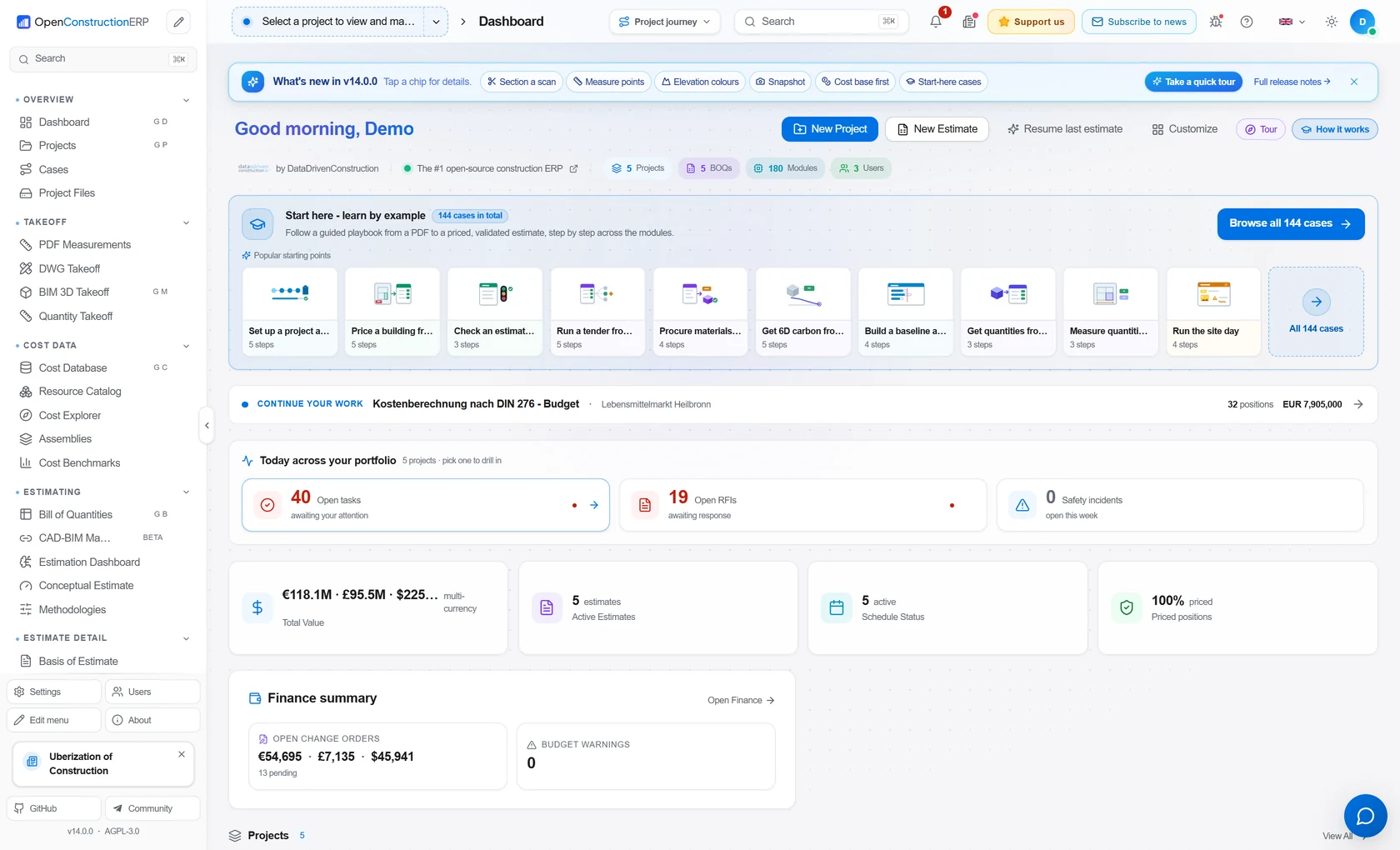
144 guided scenarios
The platform ships with a library of 144 guided scenarios. They are not feature descriptions. Each one walks a real construction process end to end, step by step, across whichever modules that process actually touches: pricing a building from a PDF, running a tender from a bill of quantities, procuring materials, checking an estimate before it goes out, getting quantities from a model, running the site day. They exist because the hardest part of adopting a platform this wide is not learning a screen, it is knowing which six screens a job needs and in what order.
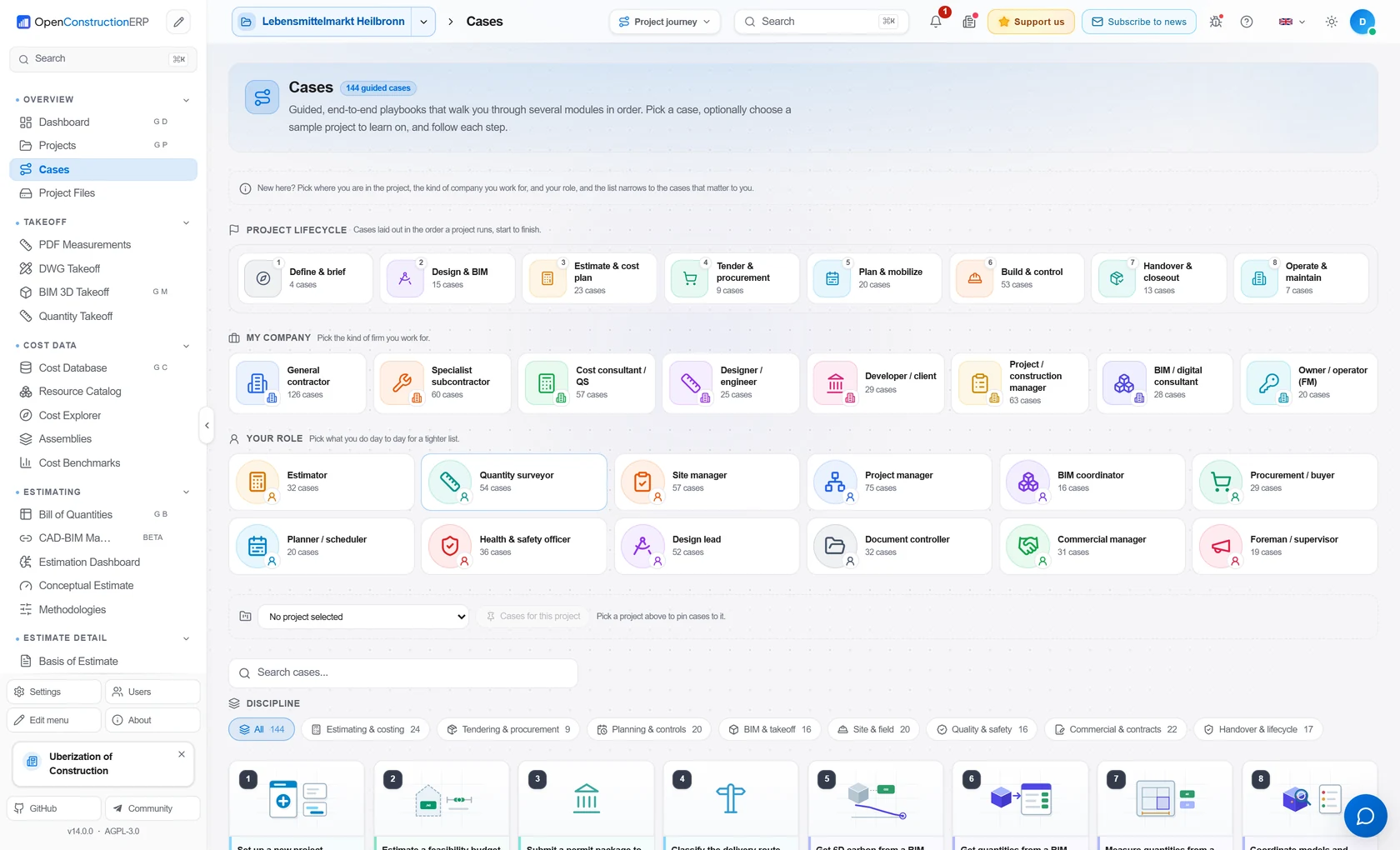
They are arranged the way people actually look for them. By stage, from brief and design through estimating, tender, mobilisation and construction to handover and operation. By the kind of firm you work for, whether that is a general contractor, a specialist subcontractor, a cost consultant, a designer, a developer or an operator. And by role, so a quantity surveyor, a site manager and a document controller each see the cases that belong to their day rather than the whole library at once.
The next step is letting teams write their own. Company-specific workflows captured the same way, kept internally or shared with the wider community.
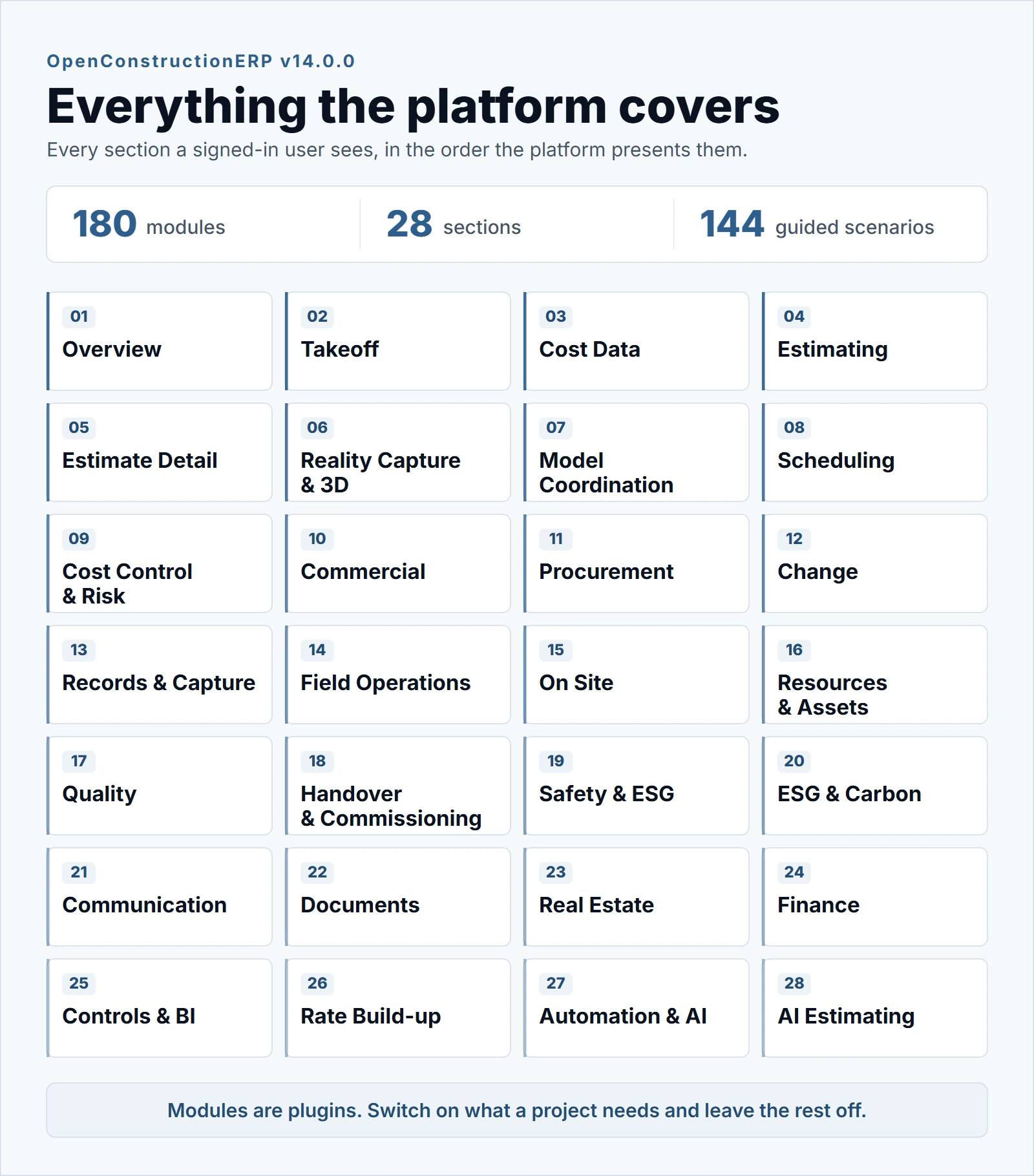
Where version 14 stands
All of it is open source under AGPL-3.0 and runs on your own hardware. The core is deliberately light: PostgreSQL is the only mandatory dependency, and a small deployment fits on a 2GB server. Nothing about a project leaves the machine you put it on.
Install or upgrade
pip install --upgrade openconstructionerp
Desktop installers are on
openconstructionerp.com/download.
If you run an external PostgreSQL through DATABASE_URL, nothing
about that connection changes. Questions or trouble upgrading, write to
info@datadrivenconstruction.io.
Try v14.0.0 today.
Live demo in your browser, or self-host in five minutes. AGPL-3.0, no signup required.