Measure straight on the PDF
Set the scale, trace the area, and every measurement lands in a ledger that carries its sheet and its revision into the bill.
Quantity Takeoff
Bill of Quantities
Start with 190+ built-in modules, then build or install your own. From estimating to BIM to the field, with an open API, webhooks and a module builder so the platform becomes exactly the software your business runs on.
Up and running in one command
pip install openconstructionerp
docker compose up -d


 +
more modules
See the module system
+
more modules
See the module system
The whole chain in one take: drawing to takeoff, bill, markups and site inspection, on one data model.
Measure, price, plan, buy, build and settle in one app, nothing retyped. Open source (AGPL-3.0), self-hosted, exports open formats.

Set the scale, trace the area, and every measurement lands in a ledger that carries its sheet and its revision into the bill.
Bill of Quantities
Layers stay separate, so a secant-pile line is measured as itself rather than as part of the sheet it was drawn on.
Quantity Takeoff
Every element is countable, filterable by level and discipline, and links straight to a bill position.
Quantity Takeoff

A bill line opens into the resources it was priced from, each carrying its own class and its own currency. Turkish supply stays in lira, the admixture in euros, under one dollar total.
4D Schedule · 5D Cost
Every rate carries a minimum, an average and a maximum, and says how many estimate lines cite it.
Bill of Quantities
Browse unit and composite rates by region and catalogue, or keep your own, and pull a rate with the labour, material and equipment behind it straight into the bill.
Bill of Quantities

Budget, committed, actual and forecast on one screen, with earned value read off the same data rather than typed into a separate sheet. It will tell you the performance index you need from here to land on budget.
Cost-Value Reconciliation
The programme is generated from bill positions and stays linked to them, so a quantity that moves takes the dates with it.
4D model · Earned value
Each risk priced and rated on the same project, so the contingency you carry is a sum of named exposures rather than a percentage on the bottom line.
Change Orders
 04
04

Every query carries its discipline, its due date and whose move it is, and an answer that arrives with cost in it turns straight into a variation.
Variations · Submittals · BIM viewer
Each inspection carries its checklist, its result and its date, so a failure becomes a task with an owner rather than a note on somebody's phone.
Punch list · NCR · Handover
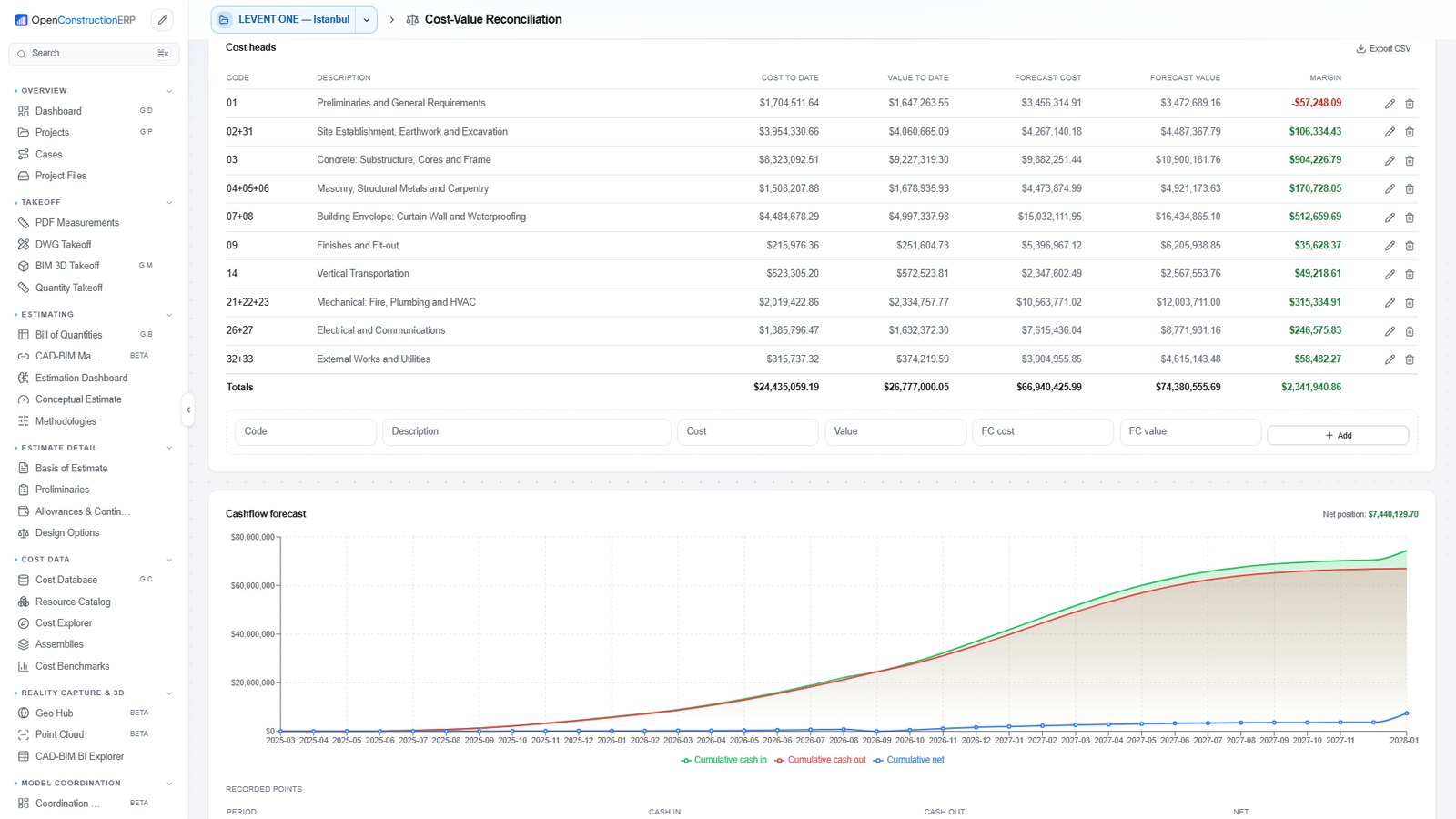
Cost against value by cost head, with forecast and margin on every line, over a cash-flow curve that runs to completion. One head is showing a negative margin, which is rather the point of running the reconciliation.
Cash flow · Payment applications
Back to 01. A revision arrives and the same four stages run again, on the same data.
Four roles run the cycle above. 19 more run their own part of it, and each one gets a different set of modules.
Estimating, tendering, BIM, quantities, programme, quality, safety, cash flow, site. Switch on what your job needs, write your own.
Download
A native desktop build for Windows, macOS and Linux. One installer brings the full platform with its own built-in database, so there is nothing else to set up. Free, open source, and your data never leaves your disk.
Windows 10/11 - 64-bit installer
macOS 10.15+ - Apple Silicon
AppImage, deb and rpm
curl -fsSL https://openconstructionerp.com/install.sh | shOne command and you are running
Install, then run
pip install openconstructionerpOne line, app plus database
docker compose upInterface, catalogues and reports switch language together, so a designer in Warsaw and a site manager in Lyon read one project in their own languages. Try it here.
Estimating, takeoff, scheduling, documents, quality and CAD/BIM import, all in the download. Cost data for 40+ markets and 44 interface languages come with it. No paid tier, no seat count.
No account and no cloud in the middle. Projects stay in a folder on your own disk, and everything keeps working with the network switched off.
Database, server and interface ship as one program. Updating means running the next installer, and removing it leaves only your data folder.
A strong IT team and a budget for development.
A laptop you already own, and about ten minutes.
One build runs on a laptop, a rented server or your own rack. Start small, move up later, rewrite nothing.
3 GB of memory is the floor. The office and the site open the same project in a browser.
The whole team, from anywhere Server install guideRuns inside your own network. Drawings, costs and contracts stay on hardware you control.
The company, nothing leaves the building The compose fileClosed ERPs make you work their way and bill every change. With open code the software fits your company, and what you build stays yours.
Change the software itself
Run it the way your company works
Connect it to the tools you already run
The platform sits at the open centre of your software. Open formats, a documented API and webhooks keep estimate, model and finance in step, and nothing is trapped.
AI-ready data and API
Bills, cost breakdowns and claims go straight into finance, no re-keying.
Models and drawings come in from your authoring tools, review issues go back.
Drawings, contracts and reports stay in sync with your document store.
Live project figures feed your dashboards instead of being pasted in.
Activities and dependencies move both ways between schedule and estimate.
Project events start your workflows, and your workflows call the API back.
Trademarks belong to their owners; shown to indicate compatibility.
No lock‑in, by design.
Every figure is exportable, the formats are open, and the same documented API that runs the app is open to you. Your data stays yours - you can always take it with you.
Read the integration and API docsShort walkthroughs on a real project in the app, from installing it to handing the job over.
 4:41
How to Install OpenConstructionERP | Windows Setup & First Project
Install on Windows, open the sample project, set language and region, pick modules, invite your team.
4:41
How to Install OpenConstructionERP | Windows Setup & First Project
Install on Windows, open the sample project, set language and region, pick modules, invite your team.
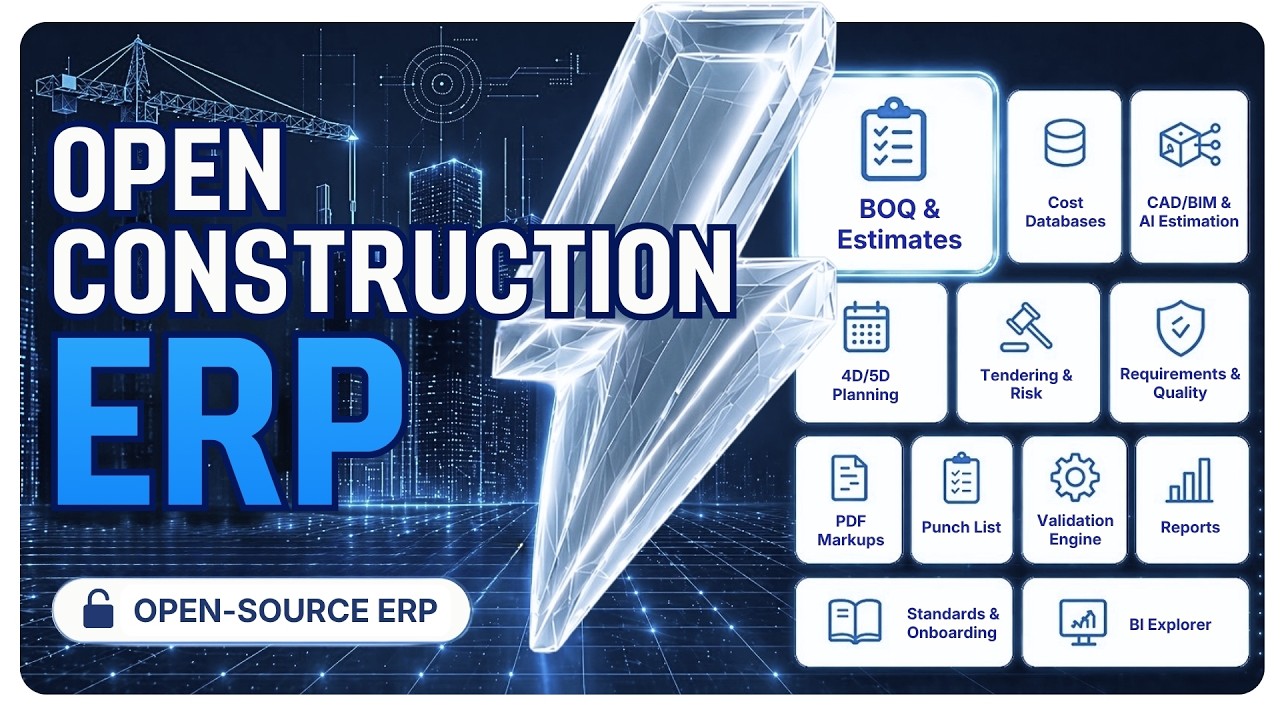 12:00
Quantities, BOQ and AI estimating. On your own laptop.
A short walkthrough of the whole pipeline, drawing in, tender out.
12:00
Quantities, BOQ and AI estimating. On your own laptop.
A short walkthrough of the whole pipeline, drawing in, tender out.
 4:48
Build a Construction Estimate Step by Step
Builder's Playbook: Getting Started
4:48
Build a Construction Estimate Step by Step
Builder's Playbook: Getting Started
 5:55
Mengen aus PDF und DWG ermitteln
Lernprojekt Landshut
5:55
Mengen aus PDF und DWG ermitteln
Lernprojekt Landshut
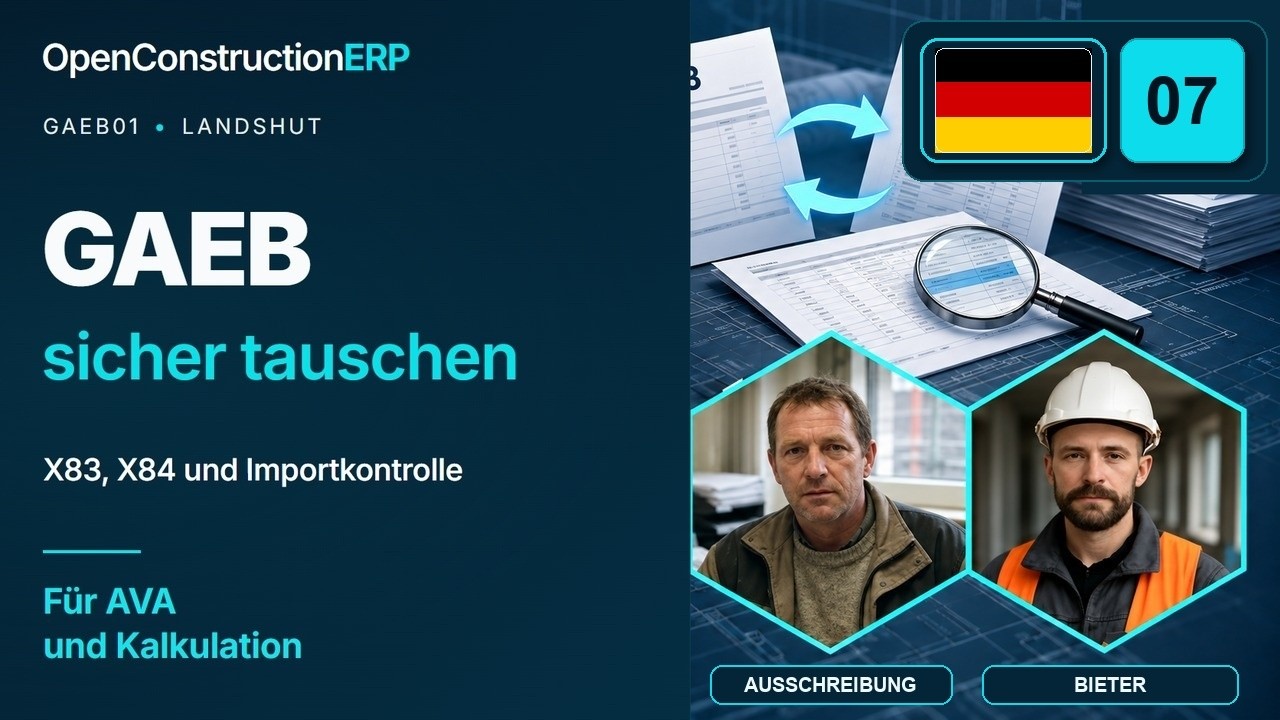 5:34
GAEB-Dateien kontrolliert austauschen
Lernprojekt Landshut
5:34
GAEB-Dateien kontrolliert austauschen
Lernprojekt Landshut
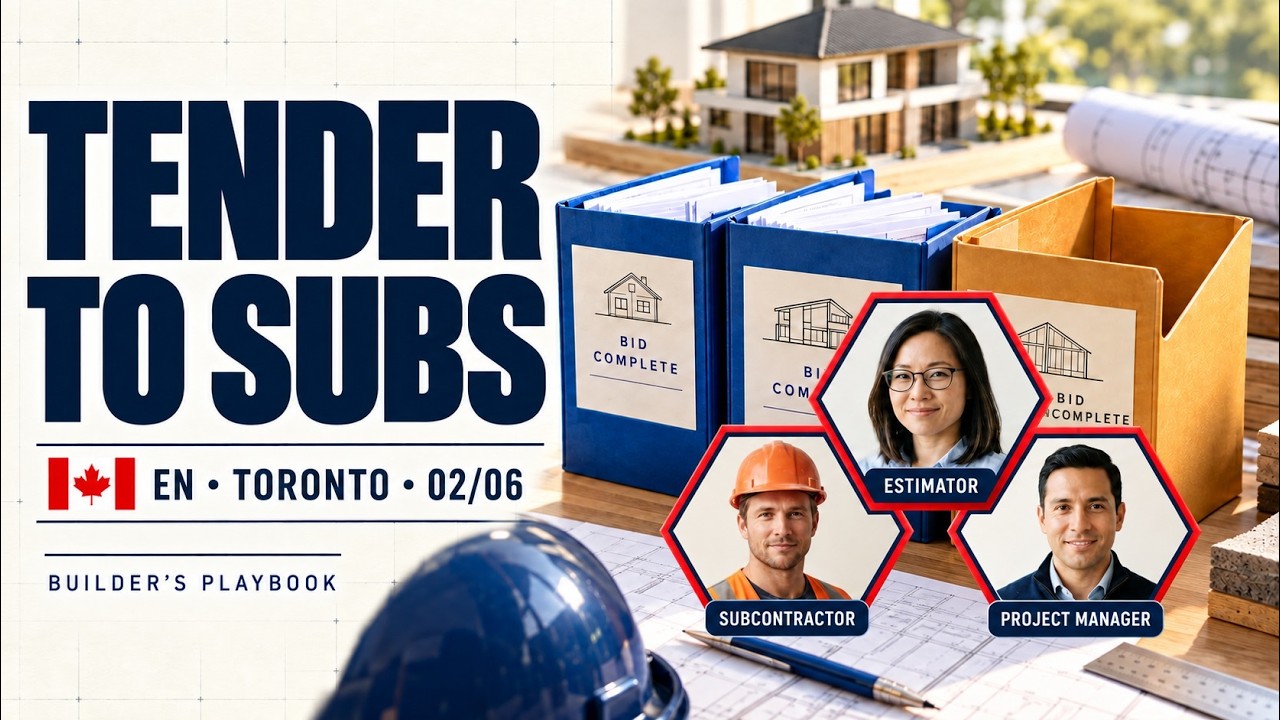 4:23
Tender Work to Subcontractors
Builder's Playbook Canada: Ontario
4:23
Tender Work to Subcontractors
Builder's Playbook Canada: Ontario
 4:45
Manage Construction Change Orders
Builder's Playbook Canada: Ontario
4:45
Manage Construction Change Orders
Builder's Playbook Canada: Ontario
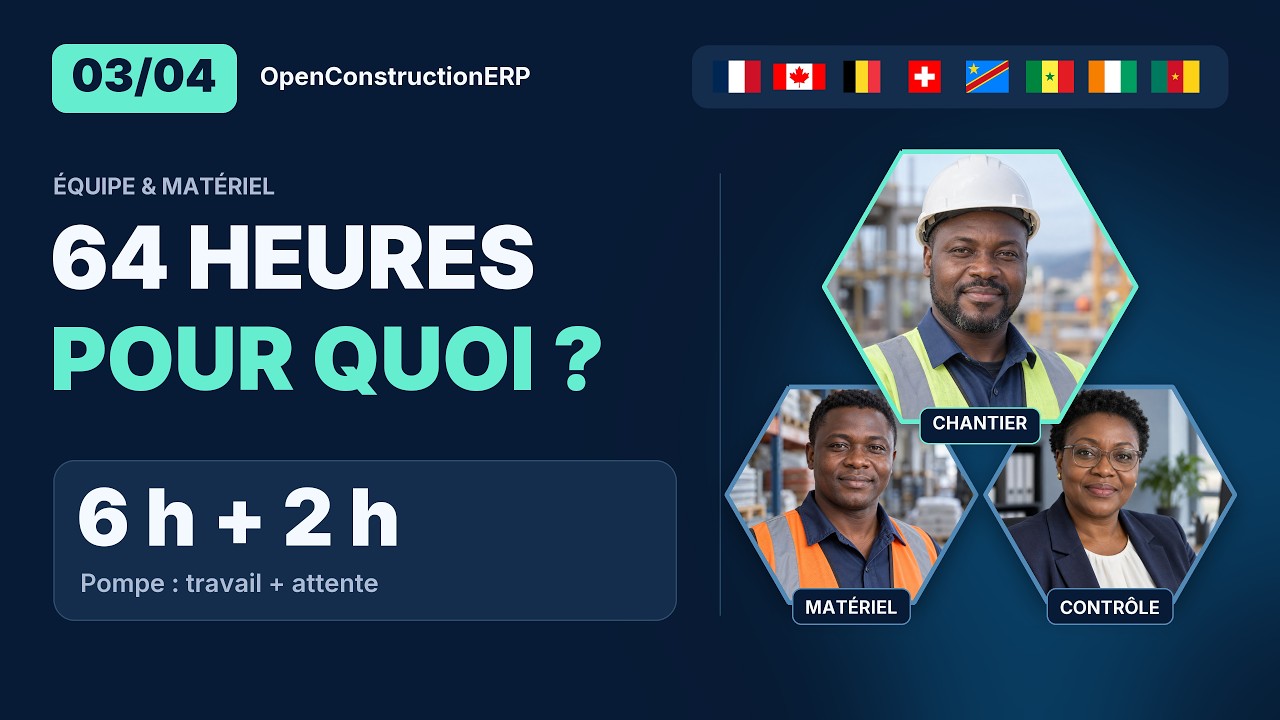 5:23
Chantier : suivre les heures et le matériel
Builder's Playbook : gestion de chantier
5:23
Chantier : suivre les heures et le matériel
Builder's Playbook : gestion de chantier
 3:44
Réception des travaux et déficiences
Builder's Playbook Québec
OpenConstruction Academy
Full series in English, German and French
All videos on YouTube
3:44
Réception des travaux et déficiences
Builder's Playbook Québec
OpenConstruction Academy
Full series in English, German and French
All videos on YouTube
Each one walks a real construction workflow step by step, with what to do and why at every stage.
293 playbooks across 8 disciplines
Written for a marketGermany13Australia10Brazil10Canada10China10Spain10United Kingdom10Hungary10India10Mexico10New Zealand10Russia10Saudi Arabia10United States10South Africa10





What ships in the box on the current release. Cost data, CAD formats, modules and licensing, with the headline figures in one place.
ready-to-use cost items across trades and assemblies.
native CAD ingest, DWG, RVT, IFC, DGN, DXF and GLB into one canonical format.
plug-in modules covering the full site workflow, projects, BOQ, takeoff, tenders and more.
open-source core under AGPL-3.0. No vendor lock-in. Your data stays yours.
Pick the kind of company you run and the platform switches on the modules that role needs, wired together in one database. Hover a profile to see its module honeycomb light up.
Every profile keeps the always-on platform core: projects, the cost database, resource catalog, assemblies, dashboards and admin. Profiles never lock anything away, they simply lead with the modules that matter most for the work, and you can add or drop any module later.
 PDMS
PDMS
 Brevart
 Tekhne
 ATMIID
 Optimum Technology
 Erbud
Erbud
 AtkinsRéalis
 Mace Group
 Swietelsky
 Teichert
 Elevait
 MAD Engineers
 Construccions 360 Plus
PDMS
Brevart
Tekhne
ATMIID
Optimum Technology
Erbud
AtkinsRéalis
Mace Group
Swietelsky
Teichert
Elevait
MAD Engineers
Construccions 360 Plus
Construccions 360 Plus
PDMS
Brevart
Tekhne
ATMIID
Optimum Technology
Erbud
AtkinsRéalis
Mace Group
Swietelsky
Teichert
Elevait
MAD Engineers
Construccions 360 Plus
 LMH
LMH
 ILO
ILO
 Niven Builders
 DK Construction
 Consolis
 Colas
Colas
 Max Bögl
 Colas Rail
 Unispace
 Arkad
Arkad
 Basil Read
 C&C Consulting
LMH
ILO
Niven Builders
DK Construction
Consolis
Colas
Max Bögl
Colas Rail
Unispace
Arkad
Basil Read
C&C Consulting
C&C Consulting
LMH
ILO
Niven Builders
DK Construction
Consolis
Colas
Max Bögl
Colas Rail
Unispace
Arkad
Basil Read
C&C Consulting
 Tegrity Contractors
 PW Pole Barns
 Digitarh
 Overzicht
 CSTB
CSTB
 Midea
Midea
 Forida
 Yutopias
 Matrits
 Virtuza
Tegrity Contractors
PW Pole Barns
Digitarh
Overzicht
CSTB
Midea
Forida
Yutopias
Matrits
Virtuza
Virtuza
Tegrity Contractors
PW Pole Barns
Digitarh
Overzicht
CSTB
Midea
Forida
Yutopias
Matrits
Virtuza
 Sodexo
Lodha GroupLodha Group
Sodexo
Lodha GroupLodha Group
 IC İçtaş
L&QL&Q
IC İçtaş
L&QL&Q
 Rhomberg Sersa Rail Group
 The Beck Group
 Woolpert
 Stecol
 Tucrail
Sodexo
Lodha GroupLodha Group
IC İçtaş
L&QL&Q
Rhomberg Sersa Rail Group
The Beck Group
Woolpert
Stecol
Tucrail
Tucrail
Sodexo
Lodha GroupLodha Group
IC İçtaş
L&QL&Q
Rhomberg Sersa Rail Group
The Beck Group
Woolpert
Stecol
Tucrail
AGPL-3.0 on GitHub. Issues and the roadmap live there, so what's coming next and what broke last week is all on the commit log.
Every issue and roadmap item is public on GitHub. Open an issue with a precise description and we implement it and credit you.
Plain facts you can check yourself: an open licence, open formats and your data on your own server.
Behind every rate sits its recipe: the labour hours, materials and machine time the work really takes, ready to reprice for your market.
 Russia · CWICRGESN / FER / TER
 TurkiyeBirim Fiyat
 ChinaDinge
 BrazilSINAPI
 Spain · AndaluciaBCCA · FIEBDC-3
 Italy · ToscanaPrezzario Regione Toscana
 VietnamDinh Muc
 IndonesiaAHSP
 GreeceGGDE
Worked examples from the bases above
Every base has its own line items and article codes. Priced bases are shown in euro for a like-for-like comparison; the coefficient bases show resource quantities from the national norm. Every description stays in the language you picked.
A straight side-by-side. Commercial suites lead on a few long-paid integrations; elsewhere OpenConstructionERP matches or beats them, at zero licence cost.
| Capability | OpenConstructionERP | Enterprise estimating suite | Heavy civil bid tool | Legacy construction ERP |
|---|---|---|---|---|
| Open-source core (AGPL-3.0) | ✓ | ✕ | ✕ | ✕ |
| Self-host on your infra | ✓ | ~ | ✕ | ~ |
| AI takeoff from PDF / photo | ✓ | ~ | ✕ | ✕ |
| Multi-CAD ingest (DWG / RVT / IFC / DGN / DXF / GLB) | ✓ | ✓ | ✕ | ✕ |
| 120,000+ cost items out of the box | ✓ | ~ | ✓ | ~ |
| Real-time multiplayer (CRDT) | ✓ | ✕ | ✕ | ✕ |
| 44 languages in core i18n | ✓ | ~ | ✕ | ~ |
| Modular plugin architecture | ✓ | ✕ | ✕ | ✕ |
| Typical cost / seat / yr | € 0 · self-host | Per-seat licence | Per-seat licence | Per-seat licence |
| Implementation / onboarding | € 0 · docs + community | Paid onboarding project | Paid onboarding project | Paid onboarding project |
| Contract term | None · cancel anytime | 1-3 yr lock-in | 1-3 yr lock-in | 3-5 yr lock-in |
Every feature is a self-contained package. Drop it in, pull it out - the running install picks it up in seconds, zero downtime.
Each feature is a Python package with a manifest, added without a rebuild. Typed APIs, generated OpenAPI spec.
make module-new# Sign in and keep the access token $ TOKEN=$(curl -s -X POST http://localhost:8080/api/v1/users/auth/login \ -H "Content-Type: application/json" \ -d '{"email": "you@example.com", "password": "..."}' \ | jq -r .access_token) # Create a project $ curl -X POST http://localhost:8080/api/v1/projects/ \ -H "Authorization: Bearer $TOKEN" \ -H "Content-Type: application/json" \ -d '{"name": "Logistics Hub", "region": "DACH", "classification_standard": "din276", "currency": "EUR"}' # → HTTP 201 Created, the new project as JSON # Every route: http://localhost:8080/api/docs
# backend/app/modules/punchlist/manifest.py
from app.core.module_loader import ModuleManifest

manifest = ModuleManifest(
    name="oe_punchlist",
    version="0.1.0",
    display_name="Punch List",
    description="Track deficiencies and snag items with photo evidence",
    category="core",
    depends=["oe_projects"],
    auto_install=True,
    enabled=True,
)

# The loader finds the package and mounts its router
# at /api/v1/punchlist.
Deliberately boring choices. All open-source.
OpenConstructionERP grows out of a decade of open construction‑tech research. The cost database, CAD parsers and ML models it depends on were built and refined inside the same open lab, and ship as part of the same ecosystem.
For the past decade our team has worked on resource management for construction projects. Along the way we got curious about how the industry’s tools came to be - from the first attempts at design automation to today’s ERP platforms - and that turned into a couple of longer pieces (“The Lobbyists’ Wars and the Development of BIM” and “The History of the BIM Map”). It’s hard to see where things are heading without a sense of how we got here.
We’ve written a fair amount on these topics over the years, and some of it found a wide readership. Alongside the writing, we’ve consulted for construction and consulting firms, developers, and software vendors on how they handle project data - treating it as the basis for decisions rather than a byproduct of them. That work let us see the industry from both sides: the people who build the tools, and the people who use them every day. A lot of those observations ended up in the book Data-Driven Construction, now available in 16 languages (datadrivenconstruction.io/books).
Two other problems kept us busy. One was helping non-developers get into proprietary file formats that were never meant to be opened. The other was finding a cleaner way to describe construction work through a resource model. Both produced free tools: the DDC CAD/BIM converters (IFC, DWG, DGN → structured data) on GitHub, and CWICR, a multilingual database of construction works and resources - over 120,000 items in 11 languages, published as OpenConstructionEstimate-DDC-CWICR.
All of it was groundwork for something we’d wanted to build for a long time: an open, modular ERP for construction. The latest generation of tooling finally made it practical to pull the methodology, data models, and earlier implementations together into one platform. It’s now public and open source.
In our experience the best ideas tend to come out of conversation - and out of disagreement. If the questions around construction’s move toward “Uberization,” and toward more transparent cost and time estimation, are interesting to you, we’d be glad to have you in that discussion.
DataDrivenConstruction Team
datadrivenconstruction.io
A team has built OpenConstructionERP over more than six years, and the code is reviewed, tested and published through one maintainer account, so the GitHub contributor list shows fewer people than actually took part. How we work
 AECOM
AECOM
 Drees & Sommer
 VINCI Energies
 Lindner
 Artelia
 bechtle
 Merck
Merck
 RBS wave
AECOM
Drees & Sommer
VINCI Energies
Lindner
Artelia
bechtle
Merck
RBS wave
RBS wave
AECOM
Drees & Sommer
VINCI Energies
Lindner
Artelia
bechtle
Merck
RBS wave
 Shapemaker
 Scholze-Thost
 VRAME
VRAME
 AXIA Energia
 AFRY
AFRY
 Hofschröer
 TDF
TDF
 Renaissance Construction
Shapemaker
Scholze-Thost
VRAME
AXIA Energia
AFRY
Hofschröer
TDF
Renaissance Construction
Renaissance Construction
Shapemaker
Scholze-Thost
VRAME
AXIA Energia
AFRY
Hofschröer
TDF
Renaissance Construction
 Hyundai AutoEver
 Sintagma
 Trafikverket
 TMM Group
 Dar Al Riyadh
 pbs Ingenieure
 ZPP
ZPP
 SCON GmbH
Hyundai AutoEver
Sintagma
Trafikverket
TMM Group
Dar Al Riyadh
pbs Ingenieure
ZPP
SCON GmbH
SCON GmbH
Hyundai AutoEver
Sintagma
Trafikverket
TMM Group
Dar Al Riyadh
pbs Ingenieure
ZPP
SCON GmbH
Most civil design files are basically data prisons. Loads of useful info, alignments, surfaces, quantities, just sitting there, locked inside formats that were never meant to play nice with anything outside their original software. I’ve wasted way too much time trying to answer simple questions like ‘how many manholes are in this job?’ or ‘what’s the volume by phase?’, only to find out the data’s buried five layers deep in a DWG or DGN. Data Driven Construction fixes that. Their converters crack open these closed formats and give you structured data you can actually use, in Power BI, in Excel, or even in an LLM prompt if you’re doing something fancy. It’s not flashy, but it’s insanely useful. If you’re trying to move beyond screenshots and PDFs and actually use your design data, this is the kind of tool that makes it possible. It’s the difference between guessing and knowing. And honestly, it’s saved me more than a few Saturday mornings.

Be part of the movement with DataDrivenConstruction! Let’s make true freedom in data formats a reality and catalyze a new era of productivity and innovation in construction. The real and necessary journey from closed to “open” formats has not even started: True freedom in data formats, free from proprietary ties and accessible to all, is what we need to unlock innovation and collaboration across the construction industry, particularly benefiting the 99% of construction, i.e. SMEs and unchaining the sector for accelerated growth.

Run it yourself for free under AGPL-3.0, choose a commercial plan when you need support or a converter license, or become a partner.
The full open-source platform. Run it on your infra, no strings attached.
Bring the platform to companies you already know, and charge for what you add.
Discovery → workshop → modules picked → built → deployed on your hardware. Source delivered.
Hands-on sessions: estimating, BIM-to-BOQ, AI takeoff, GAEB pipelines. Recorded for your team library.
Standards mapping, cost-DB strategy, pipeline architecture, code review.
Public workshops shown below. Many major enterprise engagements remain under NDA.
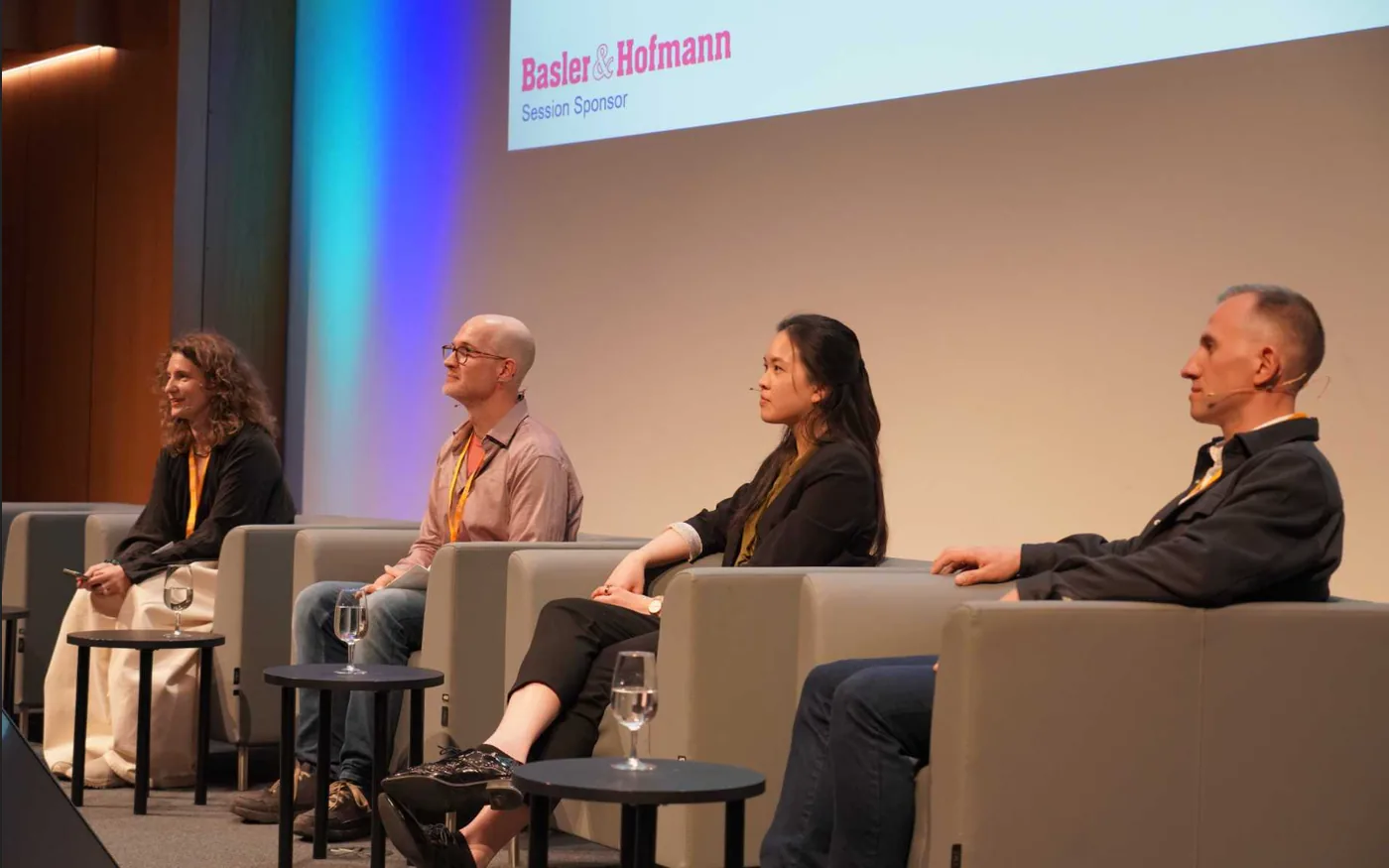


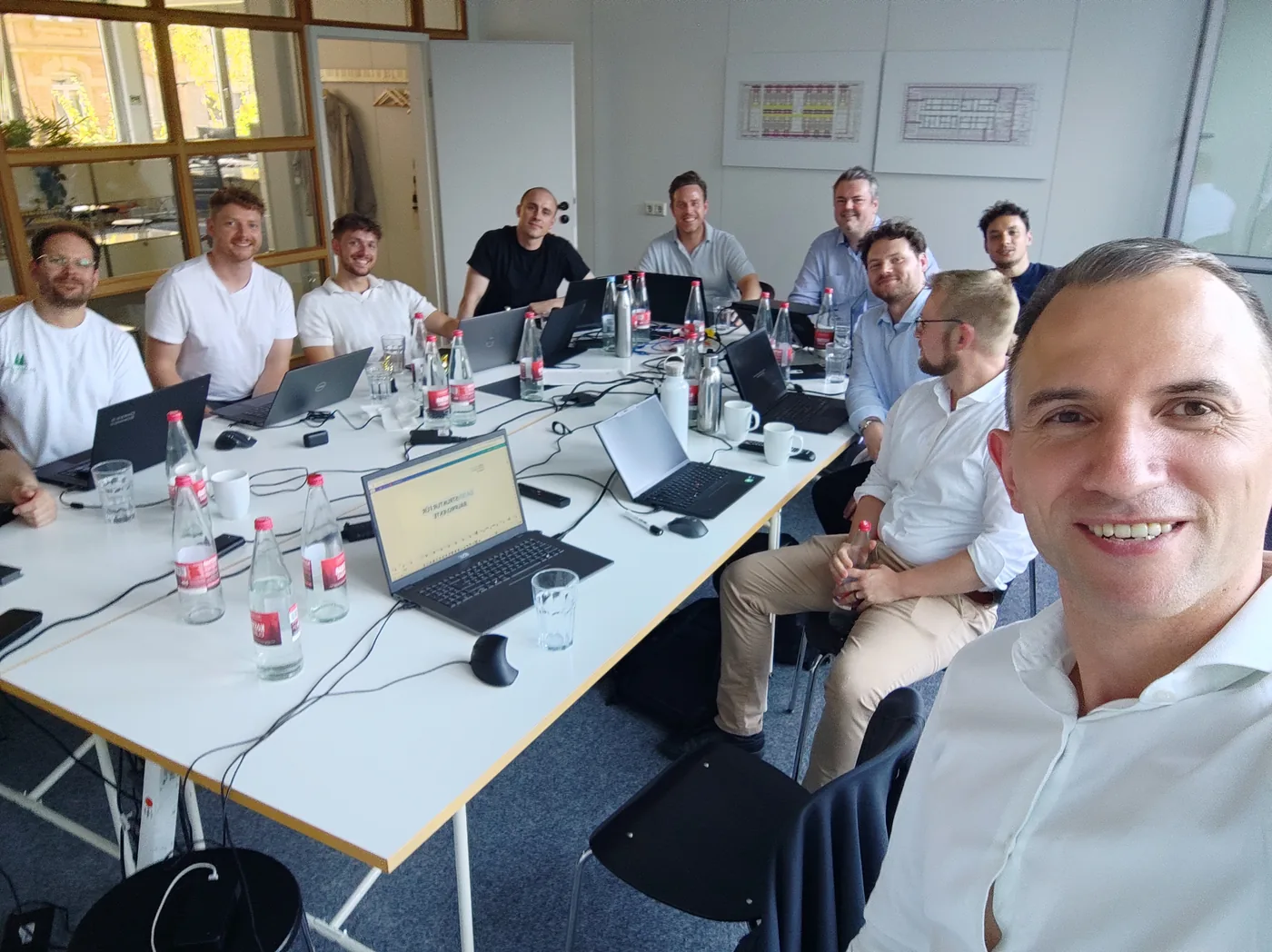


Awesome workshop, Artem! Preparations are in full swing! I’m already looking forward to the hackathon in the new year! 💪🏻

What happens when you not only organize construction processes, but also analyse them intelligently? This was the topic of our workshop with Artem Boiko on “Data-Driven Construction”. The focus was on the question of how we can make better use of existing data - to make construction projects more efficient, more transparent and less error-prone. Using specific application examples, Artem showed how structured construction data can help to maintain an overview, identify supplements at an early stage and improve communication between planning and execution. Particularly exciting: how digital tools and models can already be used today to automate processes. Data-driven construction is no longer a topic for the future - we are right in the middle of it. The workshop showed how great the potential is if we work together and really make data work for us.

Artem Boiko delivered an outstanding presentation to the entire Shapemaker team, providing deep insights into data migration from engineering software and related topics. His expertise and clear communication made complex concepts easy to grasp, equipping our team with practical knowledge we can apply immediately. Highly recommend his services for anyone seeking clarity and actionable strategies in this space!

I found the DataDrivenConstruction workshop really interesting. In my opinion, everyone could follow along. You can tell from your slides how much time, perseverance and effort you put into it. The live presentations were great too. The only thing I’d criticise is the number of slides - there were just too many. But that’s complaining at the highest level. Overall, it was the best workshop I’ve ever attended. And on top of that, you’re a really pleasant person.

Ich fande DataDrivenConstruction Workshop sehr interessant. Meiner Meinung nach konnten alle folgen. Man merkt auch anhand deiner Folien wieviel Zeit, Ausdauer und Mühe du hineingesteckt hast. Auch die Live Präsentationen waren super. Das einzige was ich bemängeln würde, wäre die Anzahl der Folien, dadurch kamen zu viele slides zustande. Aber das ist meckern auf dem höchsten Niveau. Rundum war es der beste Workshop bei dem ich war. Außerdem bist du auch eine sehr angenehme Person.
I found the DataDrivenConstruction training overall really exciting and very enriching. What I particularly liked: the “historical” background on the various CAD softwares (that was fascinating to hear and felt like investigative journalism); the interesting approach to automation via DataFrames; your own hands-on examples of process automation in construction; and the look at current trends like Claude Code and OpenClaw - you really brought the topic to life. The only downside: it was really a lot of input in just two days. At the same time, you showed us very well how we can continue to orient ourselves - for example by structured recording of our processes on the Miro board. Thanks again for the training and the exchange.

Die DataDrivenConstruction Schulung fand ich insgesamt wirklich spannend und sehr bereichernd. Besonders gut gefallen haben mir: der „historische“ Hintergrund zu den verschiedenen CAD-Softwares (das war spannend zu hören und hatte etwas von Investigativjournalismus); der interessante Ansatz zur Automatisierung über DataFrames; deine eigenen praxisnahen Beispiele zur Prozessautomatisierung im Bauwesen; und der Einblick in aktuelle Trends wie Claude Code und OpenClaw, du hast das Thema mit Leben gefüllt. Einziger Nachteil: Es war wirklich viel Input in nur zwei Tagen. Gleichzeitig hast du sehr gut aufgezeigt, wie wir uns selbst weiter orientieren können, zum Beispiel über das strukturierte Aufzeichnen unserer Prozesse im Miro-Board. Vielen Dank nochmal für die Schulung und den Austausch.
It was a fantastic workshop with exciting content that we, and I personally, learned a lot from. Thank you for taking so much time for us. We look forward to trying out what we learned as soon as possible and incorporating it into our projects! #bleedingedge

Send a short brief with your budget and timeline, and we’ll get back to you.
make module-new, or describe it in the built-in module builder and review every file before you install it. A module is a folder, so you can copy it to another installation and it works there too. Good candidates: regional cost databases, ERP connectors, custom validation rule sets.The free desktop app for Windows, macOS and Linux, or one command on your own server. Open source under AGPL-3.0.
Every feature is a module: a folder with a manifest, a lazy-loaded page component and an entry in the registry. Drop one in, reload, and it shows up in the Modules page ready to toggle on.
frontend/src/modules/
├── _registry.ts        ← add your import here
├── your-module/
│   ├── manifest.ts     ← metadata, routes, nav, i18n
│   ├── YourModule.tsx  ← main page (React.lazy loaded)
│   └── index.ts        ← barrel export
Make frontend/src/modules/your-module/.
manifest.ts
Unique id, name, icon from lucide-react, category, optional deps, routes and nav items. Bundle translations if you need module-specific strings.
export default function YourModule() { ... }. Keep pure data logic in data/ and unit-test it with vitest.
Add the import + manifest to _registry.ts, and a nav.* key in i18n.ts for each language (the sidebar renders before async translations arrive).
Run npm run dev. Enable in Modules page → appears in sidebar → navigates via React.lazy. Search (/) picks up your searchEntries.
import { lazy } from 'react';
import { Sparkles } from 'lucide-react';
import type { ModuleManifest } from '../_types';

const MyModule = lazy(() => import('./MyModule'));

export const manifest: ModuleManifest = {
  id: 'my-feature',
  name: 'My Feature',
  version: '1.0.0',
  icon: Sparkles,
  category: 'tools',
  defaultEnabled: false,
  routes: [{ path: '/my-feature', title: 'My Feature', component: MyModule }],
  navItems: [{ labelKey: 'nav.my_feature', to: '/my-feature', icon: Sparkles, group: 'tools' }],
};idexport default (required for React.lazy)_registry.tsnav.* key in all 4 language blocks of i18n.tsdefaultEnabled: false (opt-in)