
Tendering & procurement
Procure materials from the BOQ
Buy the quantities you already priced: raise a requisition off the bill, place the order wi…
4 steps10 minOpen
 ENEnglish
 DEDeutsch
 FRFrançais
 ESEspañol
 ES-MXEspañol (México)
 ITItaliano
 PTPortuguês
 NLNederlands
 PLPolski
 CSČeština
 RUРусский
 BGБългарски
 TRTürkçe
 SVSvenska
 NONorsk
 FISuomi
 DADansk
 ARالعربية
 ZH中文
ZH中文 JA日本語
JA日本語 KO한국어
KO한국어 HIहिन्दी
 THไทย
THไทย VITiếng Việt
 IDBahasa Indonesia
 RORomână
 HRHrvatski
 MNМонгол
 ETEesti
 BNবাংলা
 KKҚазақша
 KYКыргызча
 FILFilipino
 URاردو
 FAفارسی
 HEעברית
 ELΕλληνικά
Take a priced bill of quantities out to market: package it, invite the subcontractors, level their bids and award the winner. Five steps, end to end.
5 steps across the platform - what you do at each one, and why it matters.
Open the bill you intend to tender and confirm it is fully priced and validated. The package is generated straight off this BOQ, so its positions and quantities are exactly what the bidders will price.
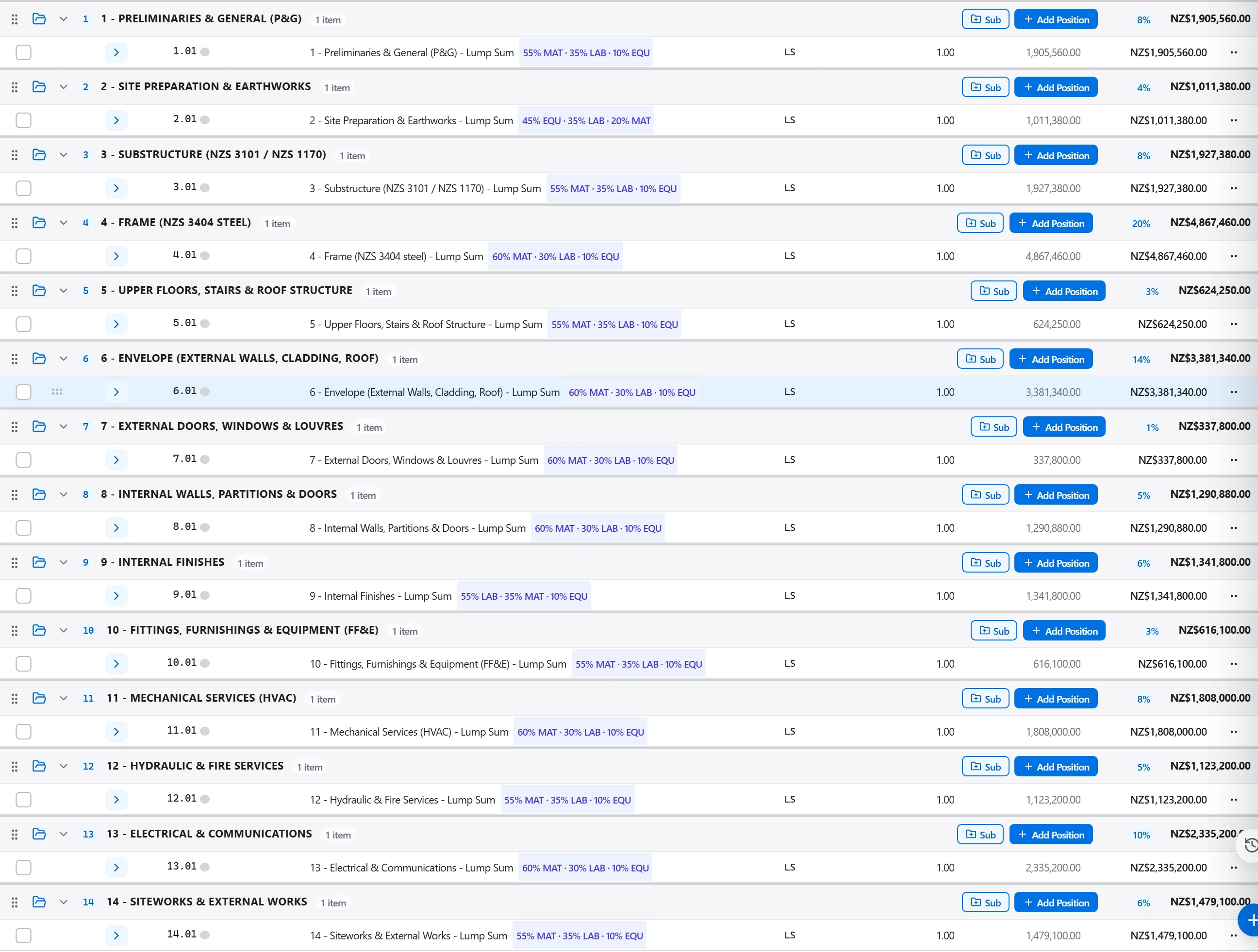
Why: One clean bill is the level playing field. When every firm prices the same scope and the same quantities, the offers that come back are genuinely comparable rather than a guessing game.
In Tendering, start a new package, set this BOQ as its source and put a submission deadline on it. The package carries the priced positions and quantities out for firms to bid against.
Why: The package is what makes an in-house estimate issuable. Building it from the BOQ keeps scope, quantities and your budget number stitched to the estimate you already stand behind.
Draw the invitation list from your subcontractor directory or key in firms by hand, then send it out. Every recipient reads as sent, pending or failed, so no invitation quietly goes missing.
Why: A wider field of qualified bidders is what sharpens the price. Issuing from a single list also leaves a clean audit of who was asked and on what date, which matters if the award is ever questioned.
As offers land, set them side by side against your budget. The comparison flags the high and low outliers position by position, and the leveling matrix normalises qualifications so you compare like for like.
Why: The lowest bottom line is often the riskiest, not the best. Comparing rate against rate exposes the missing item, the keying error and the suicide price before you sign anything.
Select the winning offer and award it. The agreed rates write back into the BOQ, the unsuccessful bids are closed off and a draft purchase order is seeded in Procurement.
Why: Awarding ties the loop shut. Your estimate is refreshed with real market rates and procurement starts from live figures, so nobody rekeys a bill and nobody transposes a number.
2 / 190 platform modules
Buy the quantities you already priced: raise a requisition off the bill, place the order wi…
Take a folder of returned tenders that never quite match, strip them back to the same scope…
Turn the BOQ and the programme into a buying schedule: list the packages to buy, set lead t…