
Tendering & procurement
Run a tender from a BOQ
Take a priced bill of quantities out to market: package it, invite the subcontractors, leve…
5 steps12 minOpen
 ENEnglish
 DEDeutsch
 FRFrançais
 ESEspañol
 ES-MXEspañol (México)
 ITItaliano
 PTPortuguês
 NLNederlands
 PLPolski
 CSČeština
 RUРусский
 BGБългарски
 TRTürkçe
 SVSvenska
 NONorsk
 FISuomi
 DADansk
 ARالعربية
 ZH中文
ZH中文 JA日本語
JA日本語 KO한국어
KO한국어 HIहिन्दी
 THไทย
THไทย VITiếng Việt
 IDBahasa Indonesia
 RORomână
 HRHrvatski
 MNМонгол
 ETEesti
 BNবাংলা
 KKҚазақша
 KYКыргызча
 FILFilipino
 URاردو
 FAفارسی
 HEעברית
 ELΕλληνικά
Buy the quantities you already priced: raise a requisition off the bill, place the order with a supplier and book the goods in on site.
4 steps across the platform - what you do at each one, and why it matters.
Open the bill and tick the positions whose materials you are ready to order. Their quantities flow straight into the requisition, so you buy what was priced rather than a fresh back-of-envelope figure.
Why: Ordering off the estimate keeps every purchase pinned to the budget. Any drift between what was priced and what gets bought shows the moment it happens, not months later at the final account.
In Procurement, raise a requisition from those positions and route it for approval. It captures what is needed, in what quantity and by when it must be on site.
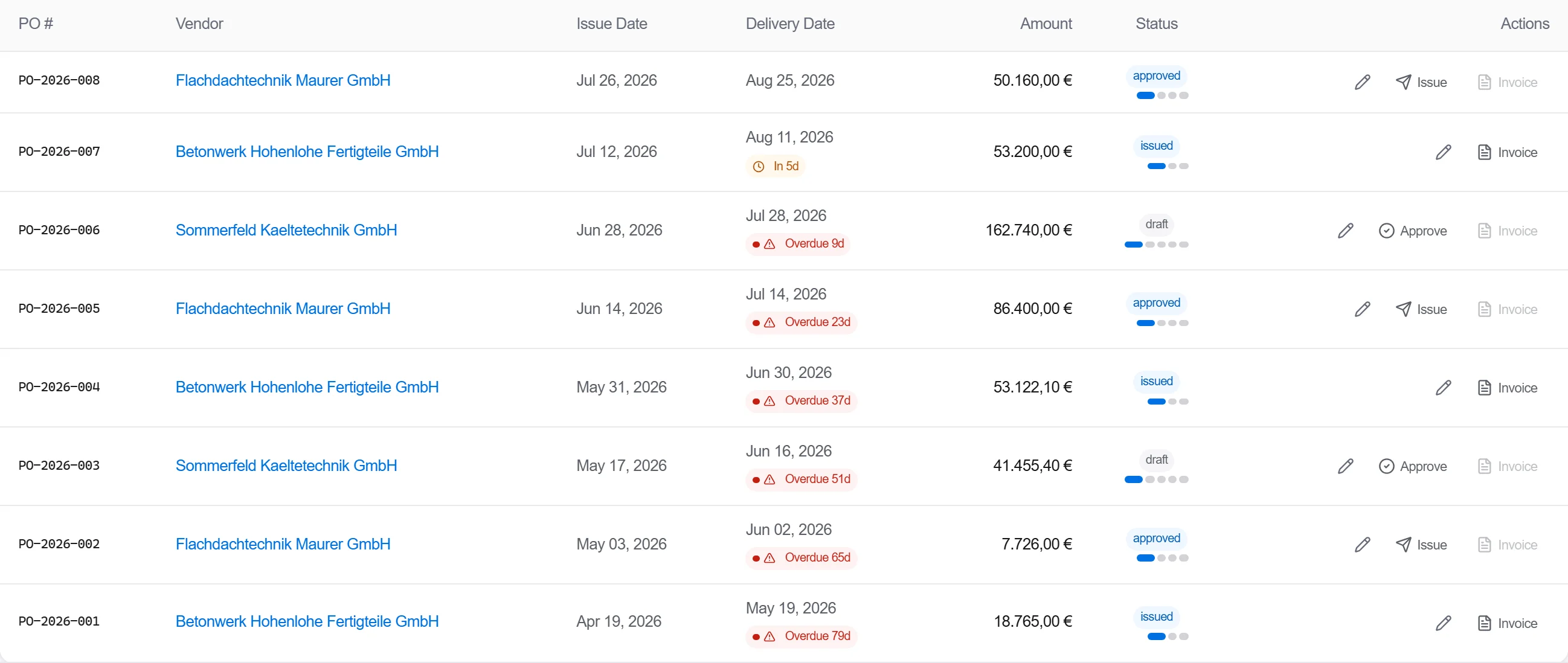
Why: The requisition is the controlled step between a site need and committed spend. It gives the buyer and the approver a single document to check, so nothing gets ordered on a verbal say-so.
Convert the approved requisition into a purchase order, choose the supplier and their catalogue price, and issue it. The order carries the lines, the agreed prices and the delivery date.
Why: A purchase order is a legal commitment, not a wish list. Raising it from the requisition keeps quantities and prices consistent all the way from estimate to spend, with no silent edits in between.
When the lorry arrives, book in what physically turned up against the order. Short loads and over deliveries are flagged straight away so the invoice can be checked against goods actually received.
Why: Receiving joins the dots between ordered, delivered and invoiced. It is the check that means you pay for what landed on site and catch the wrong or short delivery before finance settles it.
2 / 190 platform modules
Take a priced bill of quantities out to market: package it, invite the subcontractors, leve…
Take a folder of returned tenders that never quite match, strip them back to the same scope…
Turn the BOQ and the programme into a buying schedule: list the packages to buy, set lead t…