
Orçamentação e custos
Verificar um orçamento antes de o enviar
Passe um orçamento precificado pelas regras de validação, resolva todos os avisos e erros, e…
3 etapas8 minAbrir
 ENEnglish
 DEDeutsch
 FRFrançais
 ESEspañol
 ES-MXEspañol (México)
 ITItaliano
 PTPortuguês
 NLNederlands
 PLPolski
 CSČeština
 RUРусский
 BGБългарски
 TRTürkçe
 SVSvenska
 NONorsk
 FISuomi
 DADansk
 ARالعربية
 ZH中文
ZH中文 JA日本語
JA日本語 KO한국어
KO한국어 HIहिन्दी
 THไทย
THไทย VITiếng Việt
 IDBahasa Indonesia
 RORomână
 HRHrvatski
 MNМонгол
 ETEesti
 BNবাংলা
 KKҚазақша
 KYКыргызча
 FILFilipino
 URاردو
 FAفارسی
 HEעברית
 ELΕλληνικά
Registe a base de preços e o trimestre a que pertence, introduza o índice publicado para a sua região e o seu tipo de construção, aplique-o apenas às rubricas ainda expressas em moeda base, e indique o coeficiente e a sua fonte no documento.
6 passos ao longo da plataforma - o que fazer em cada um e por que importa.
Set the base date on the bill header, the 2001 base or the quarter of a current price base, so the estimate states which roubles it is in, and record the period you need the money brought to, the region and the type of construction in the basis of estimate beside it.
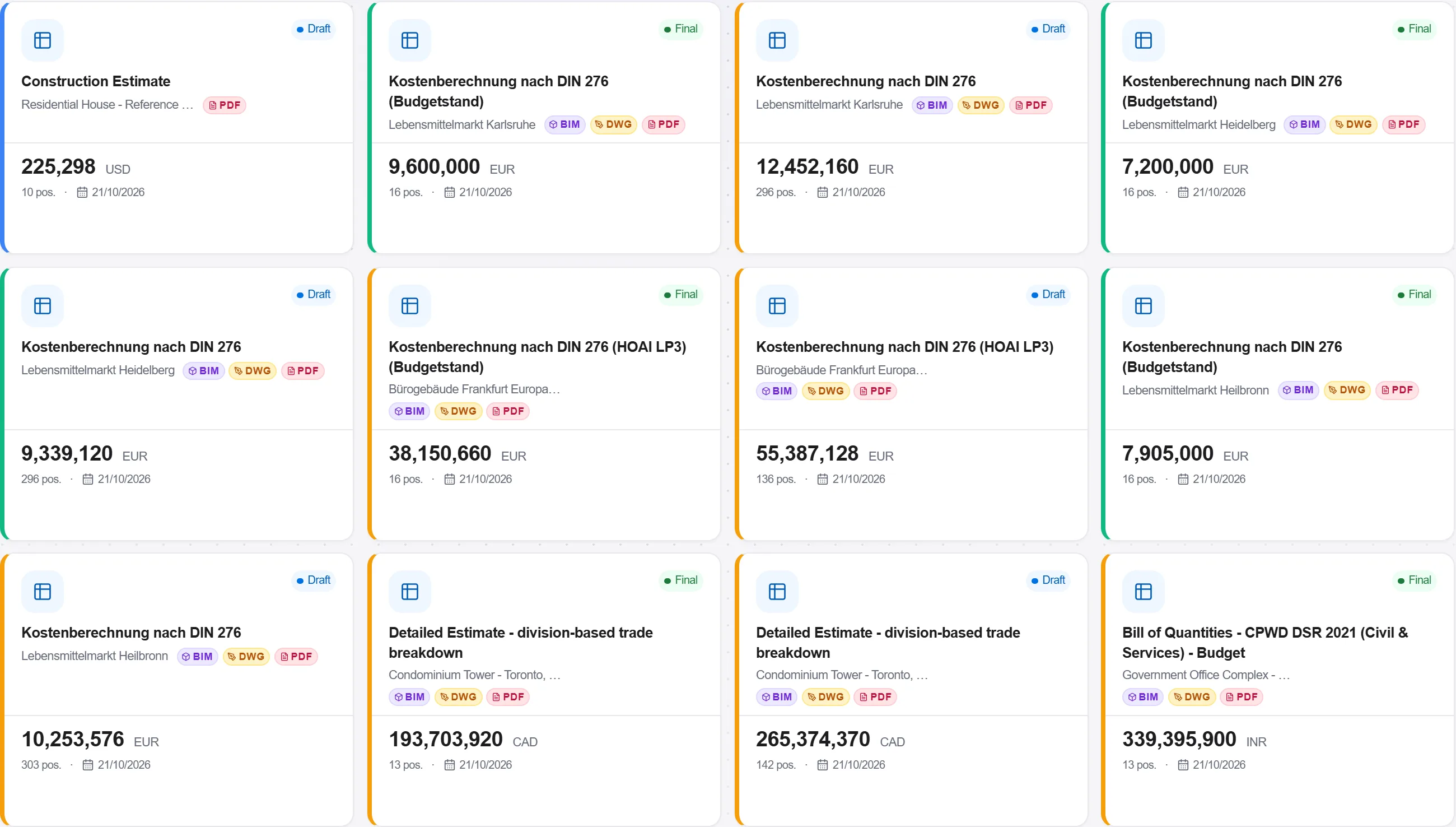
Por quê: An index is a ratio between two periods and it means nothing without both of them. The base date on the bill is the price level validation reads, and a smeta that does not state it cannot be re-checked by anyone, including the person who wrote it six months later.
Create an index series for the recalculation index the Ministry of Construction published for your type of construction, with the quarter as the period and the published value as the factor, and where the publication splits the index by element make a series for each: one for construction and assembly work as a whole, and separate ones for labour, machine operation and materials. Put the region on the location factor and the publication reference in the series description.
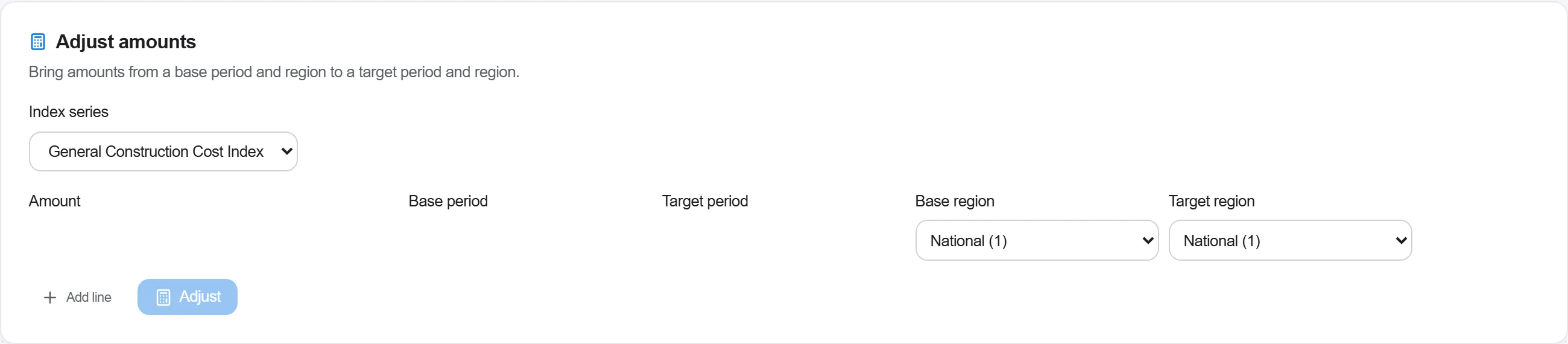
Por quê: One index for the whole smeta is the shortcut that costs most. Labour, machines and materials move at different speeds, and where the publication gives separate coefficients an expertise reviewer expects them applied separately. An index taken from a neighbouring region or from a different type of construction produces a defensible looking total that is simply the wrong one.
Run the escalation preview scoped to this project, from each rate's own price date to the target quarter, and read it line by line: the factor, the escalated rate and, for a rate the preview could not escalate, the note saying why. Then carry the escalated rates onto the positions still in base money yourself, leave anything already priced from a quotation or an invoice untouched, and keep the preview's list of what was left out.
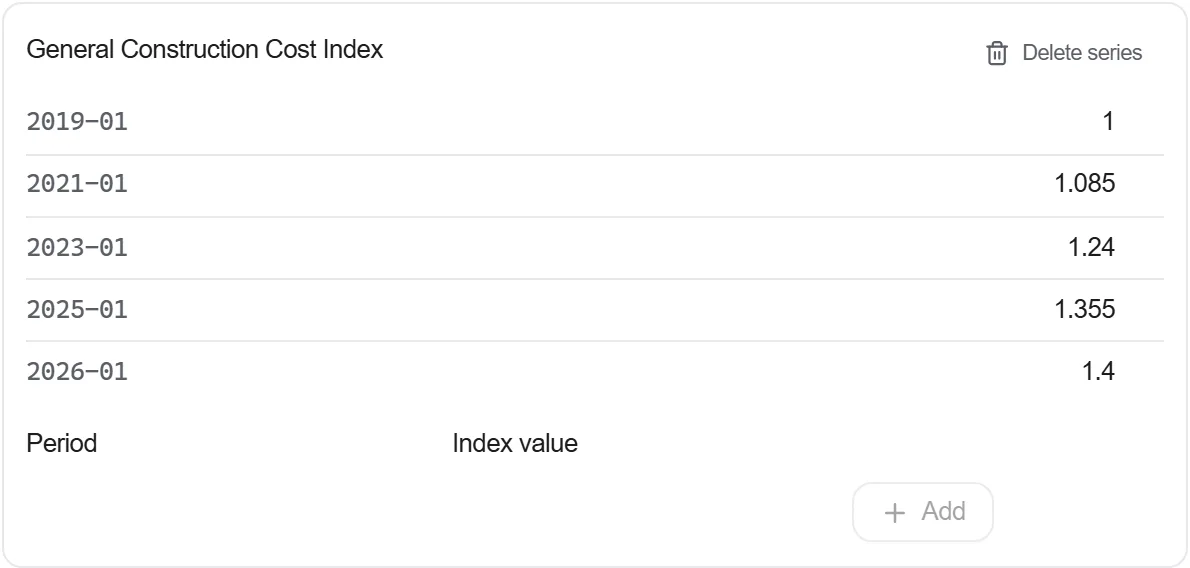
Por quê: Double indexing is the quiet error of this method: equipment bought on a current quotation, or a material priced from a real invoice, gets multiplied a second time by a coefficient built for base year money. The preview writes nothing to the bill, which is the point: the rate that reaches a position is one an estimator read and accepted, and the note on a rate with no price date is the exception list rather than a silent skip.
Run validation on the indexed bill and read what the Russian rules report: a bill with no base date declared, a line without a norm code or with one that is not in the base, a rate with no resources behind it, and any markup line whose base is not settled. Then go back to the preview's list for the positions the coefficient should not have touched, and clear both lists before the smeta leaves.
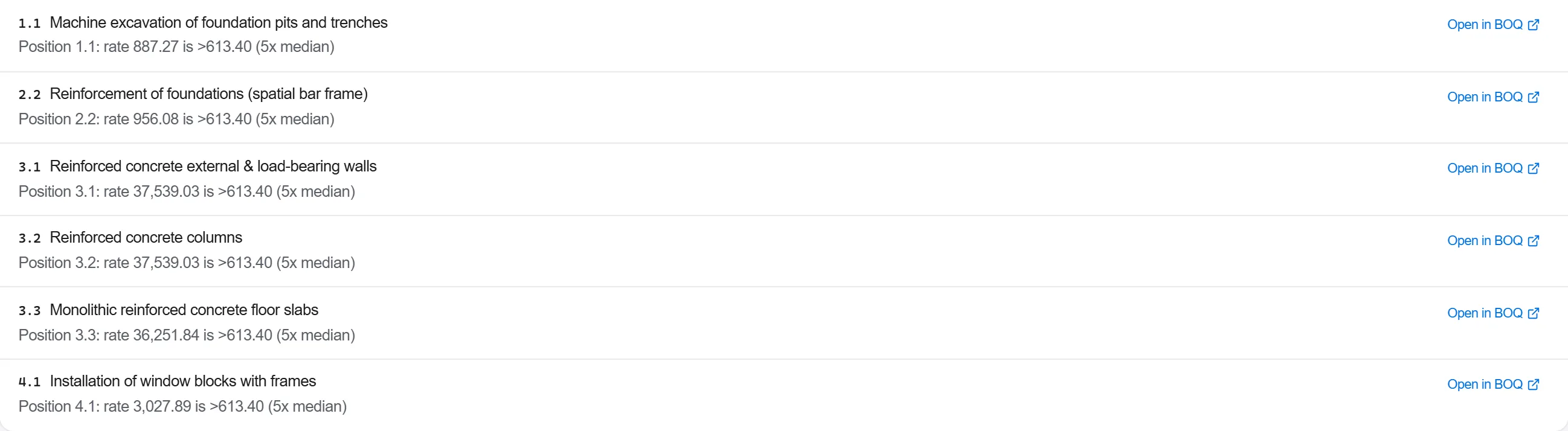
Por quê: The arithmetic of indexing is trivial and always passes, so validation reads the document rather than the sum: whether it says which roubles it is in and whether every line can be traced to a published norm, which is what an expertise reviewer checks first. The positions indexed twice or priced from a quotation are not a rule's business, they are the preview's, and the two lists together are the whole check.
Take the positions that carry most of the total, price a handful of them from resources at today's money, and compare the two answers. Record the gap and the reason for it, not only the number.
Por quê: This is the resource index method used as a check rather than as a method. An index describes an average, and the positions that dominate your total are the ones least likely to be average. Where the two answers diverge sharply you have found either a stale coefficient or a position built on the wrong norm, and both are far cheaper to find before the contract is signed.
Issue the smeta with the base, the base date, the target quarter, the coefficient applied to each element and where it was published, printed on the face of the document rather than kept in a working file on somebody's machine.
Por quê: The customer, the expertise reviewer and the auditor all check the same thing first: which coefficient was used and for which period. A smeta that carries that on its face is checked in minutes, one that does not comes back as a request for clarification and costs a full review cycle.
5 / 190 módulos da plataforma
Tudo neste caso segue a forma como a obra é medida, orçada e paga neste mercado. Os documentos, a decomposição de custos e as regras de pagamento são os que se usam lá, não uma versão genérica.
Normas que ele segue
Você não precisa configurar nada disso na mão. Na primeira vez que abre a plataforma, ela pergunta em que mercado você trabalha. Escolha este e ela ajusta o idioma da interface, carrega a base de custos correspondente, registra a classificação de custos e adiciona um projeto de exemplo que você pode abrir na hora.
As verificações deste mercado também vêm com a plataforma. Ative uma vez e um orçamento ao qual falte algo que o mercado espera é sinalizado enquanto você trabalha nele, e não depois que a proposta já saiu.
Passe um orçamento precificado pelas regras de validação, resolva todos os avisos e erros, e…
Extraia itens orçamentados de uma base de dados de custos real, construa o mapa a partir del…
Transforme uma estimativa pontual num intervalo, corra uma simulação de Monte Carlo sobre as…
