
Procjena i troškovi
Provjerite ponudu prije slanja
Provedite izrađenu ponudu kroz pravila provjere, uklonite svako upozorenje i grešku, zatim i…
3 koraka8 minOtvori
 ENEnglish
 DEDeutsch
 FRFrançais
 ESEspañol
 ES-MXEspañol (México)
 ITItaliano
 PTPortuguês
 NLNederlands
 PLPolski
 CSČeština
 RUРусский
 BGБългарски
 TRTürkçe
 SVSvenska
 NONorsk
 FISuomi
 DADansk
 ARالعربية
 ZH中文
ZH中文 JA日本語
JA日本語 KO한국어
KO한국어 HIहिन्दी
 THไทย
THไทย VITiếng Việt
 IDBahasa Indonesia
 RORomână
 HRHrvatski
 MNМонгол
 ETEesti
 BNবাংলা
 KKҚазақша
 KYКыргызча
 FILFilipino
 URاردو
 FAفارسی
 HEעברית
 ELΕλληνικά
Izgradite satni trošak svake funkcije, odaberite režim doprinosa za cijeli orçamento, ponovno izgradite svaku composição na tablici koja mu odgovara, dokažite da nijedna composição nije ostala na drugoj, i provjerite ocijenjene encargos prema folha koju ste stvarno platili.
6 koraka kroz platformu - što radite u svakom i zašto je važno.
Enter the wage each function is paid under the collective agreement of the region and the year, and keep the base wage and the encargos as two visible numbers rather than one loaded rate. Do it for the servente and the encarregado as well as for the pedreiro.
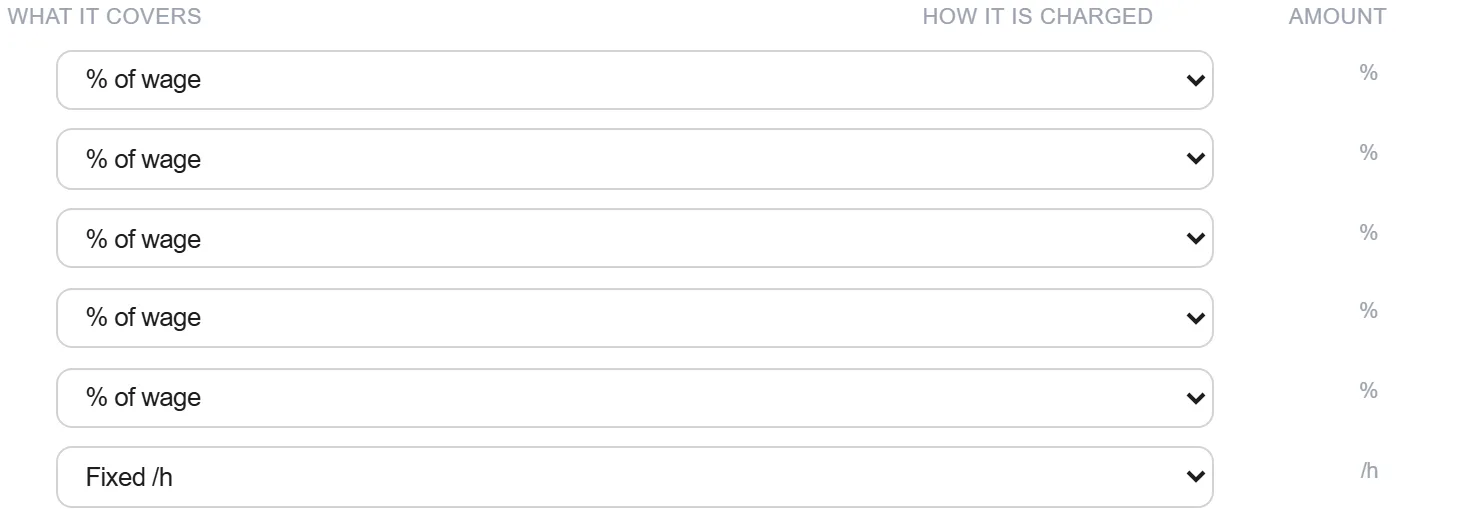
Zašto: A loaded rate cannot be re-based when the agreement is renewed or when the payroll regime changes, and both happen inside the life of one estimate. Split, the same change is one figure edited in one place, and the composicoes underneath follow it.
Decide whether this estimate is priced with the contribution on payroll or on turnover, check the edital in case it fixes the answer for you, and record the decision on the basis of estimate together with the encargos percentage it implies. One regime, one percentage, one orcamento.
Zašto: Lei 12.546 of 2011 makes this a company decision with a real effect on the labour cost, and the reference bases publish a separate table for each answer. Recorded once at the top, it becomes a fact everybody working on the estimate can check against. Left implicit, it is rediscovered by whoever opens the file next, and they will assume whichever table they used last.
Push the chosen encargos percentage through every composicao that carries labour, including the auxiliares underneath them, and read the change in the total. Do it as one pass rather than as a correction applied to the items somebody happens to open.
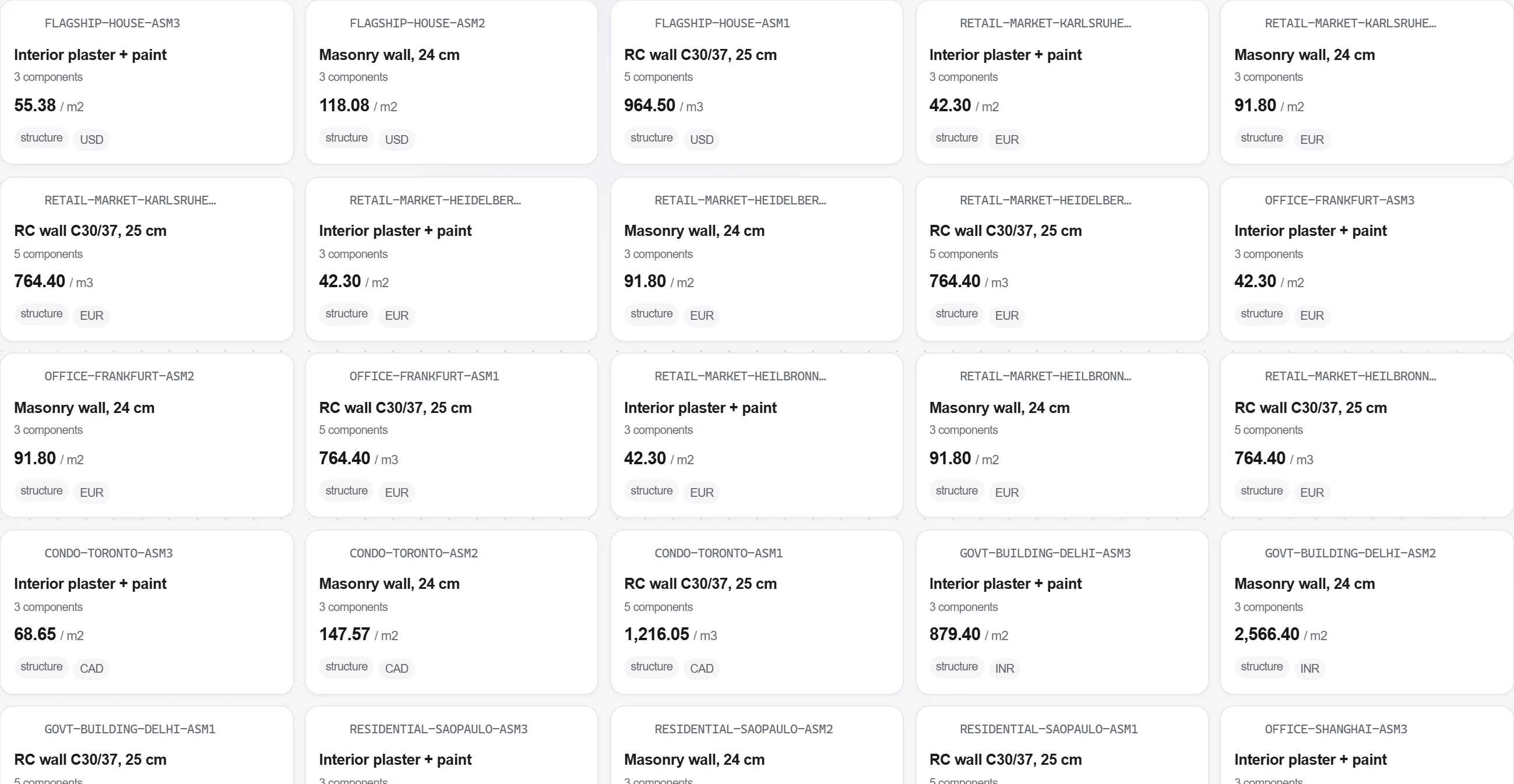
Zašto: The auxiliares are what get missed, because they are priced early and then behave like insumos. An argamassa still carrying the other table quietly prices the mason inside it under a regime the rest of the estimate has abandoned, and the item above it looks entirely normal.
Run the orcamento against the recorded regime and list every position whose labour still carries the percentage of the other one. Treat an empty list as the deliverable of this step, not as a formality.
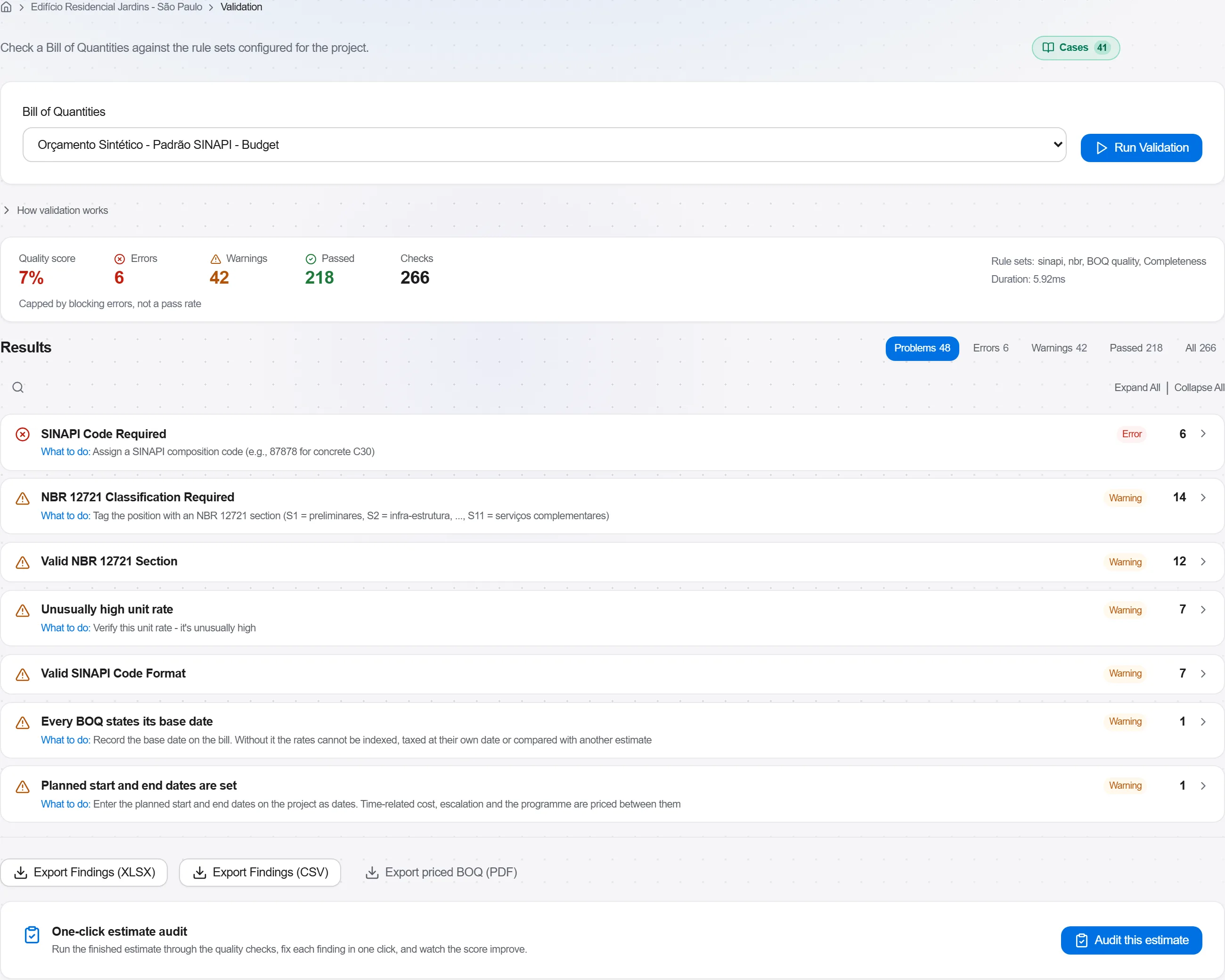
Zašto: This is the one error in the whole estimate that produces no symptom. A mixed orcamento totals cleanly, prints cleanly and reads as internally consistent, and it is discovered either by an analyst comparing your labour cost with the published table or by nobody at all. A machine asking the question line by line is the only reliable reader.
Take a period that has closed and put the encargos you priced next to the encargos the payroll actually paid, split between the contributions, the paid absences and the provisions. Ask which part of the difference is a wrong percentage and which is a job that worked more overtime than it planned.
Zašto: The published table describes an average company, and yours has a real absence rate, a real overtime pattern and a real turnover of labour. The gap is a fact about the company rather than about the job, and it is the same gap on every job until somebody measures it.
Close the loop in post-calculation: put the difference beside the hours the site actually booked, decide which part is a permanent correction to your own encargos figure, and change the figure rather than remembering to add a bit next time.
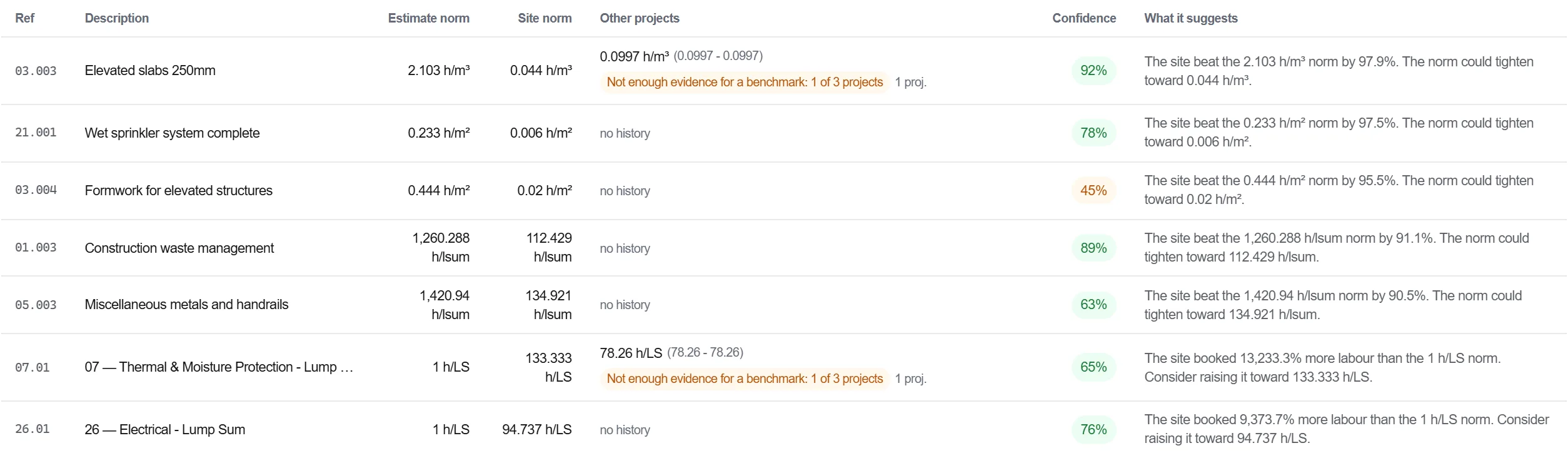
Zašto: A correction that lives in an estimator's head is applied on the jobs they price and nowhere else, and it leaves with them. A corrected rate in the cost database is applied by everybody, and the next comparison measures the correction instead of rediscovering the original gap.
6 / 190 modula platforme
Everything in this case follows how construction work is measured, priced and paid for in this market. The forms, the cost breakdown and the payment rules are the ones used there, not a generic version of them.
Standards it follows
You do not have to set any of that up by hand. The first time you open the platform it asks which market you work in. Choose this one and it sets the interface language, loads the matching cost database and records the cost classification, and it adds an example project you can open straight away.
The rule checks for this market come with the platform too. Switch them on once and an estimate that misses something the market expects is flagged while you are still working on it, not after the tender has gone out.
Provedite izrađenu ponudu kroz pravila provjere, uklonite svako upozorenje i grešku, zatim i…
Preuzmite cijenjene stavke iz stvarne baze troškova, izgradite troškovnik na temelju njih, o…
Pretvorite jednu procjenu u raspon, pokrenite Monte Carlo simulaciju za istinski neizvjesne…
