

BIM 与工程量计算
Get 6D carbon from a BIM model
Turn a converted BIM model into an embodied carbon footprint. Auto-enrich reads quantities…
5 个步骤12 分钟打开
 ENEnglish
 DEDeutsch
 FRFrançais
 ESEspañol
 ES-MXEspañol (México)
 ITItaliano
 PTPortuguês
 NLNederlands
 PLPolski
 CSČeština
 RUРусский
 BGБългарски
 TRTürkçe
 SVSvenska
 NONorsk
 FISuomi
 DADansk
 ARالعربية
 ZH中文
ZH中文 JA日本語
JA日本語 KO한국어
KO한국어 HIहिन्दी
 THไทย
THไทย VITiếng Việt
 IDBahasa Indonesia
 RORomână
 HRHrvatski
 MNМонгол
 ETEesti
 BNবাংলা
 KKҚазақша
 KYКыргызча
 FILFilipino
 URاردو
 FAفارسی
 HEעברית
 ELΕλληνικά
定义一个碰撞规则, 即哪些构件集与哪些相互检测、以什么容差, 对联合模型运行它, 把命中结果分诊到真正的碰撞, 并作为问题推送出去整改。
贯穿平台的 4 个步骤 - 每一步做什么,以及为什么重要。
设置规则: 哪些构件集与哪些相互检测, 风管对结构、管道对风管, 以及算作真实命中的容差。
原因: 规则决定这次运行是有用还是噪声。配对正确的构件集并设定真实的容差, 才能让结果限于人真正需要解决的碰撞。
对联合模型运行该规则, 让它列出每一次突破你所设容差的命中, 供逐一处理。

原因: 按既定规则运行使结果可复现: 设计更新后的下一次运行是可比的, 使你能看出协调是在变好还是变差。
把命中分组, 剔除重复项和无害的擦碰, 保留需要设计变更的真实碰撞, 使审查处理一份简短真实的清单。
原因: 不得不趟过上千个假碰撞的团队会不再读报告。分诊到真实的那些, 才是让碰撞检测受信任而非被无视的关键。
把每个真实碰撞变成一个带视点和责任人的BCF问题, 使它被跟踪到解决, 不会在下一次运行时重现。
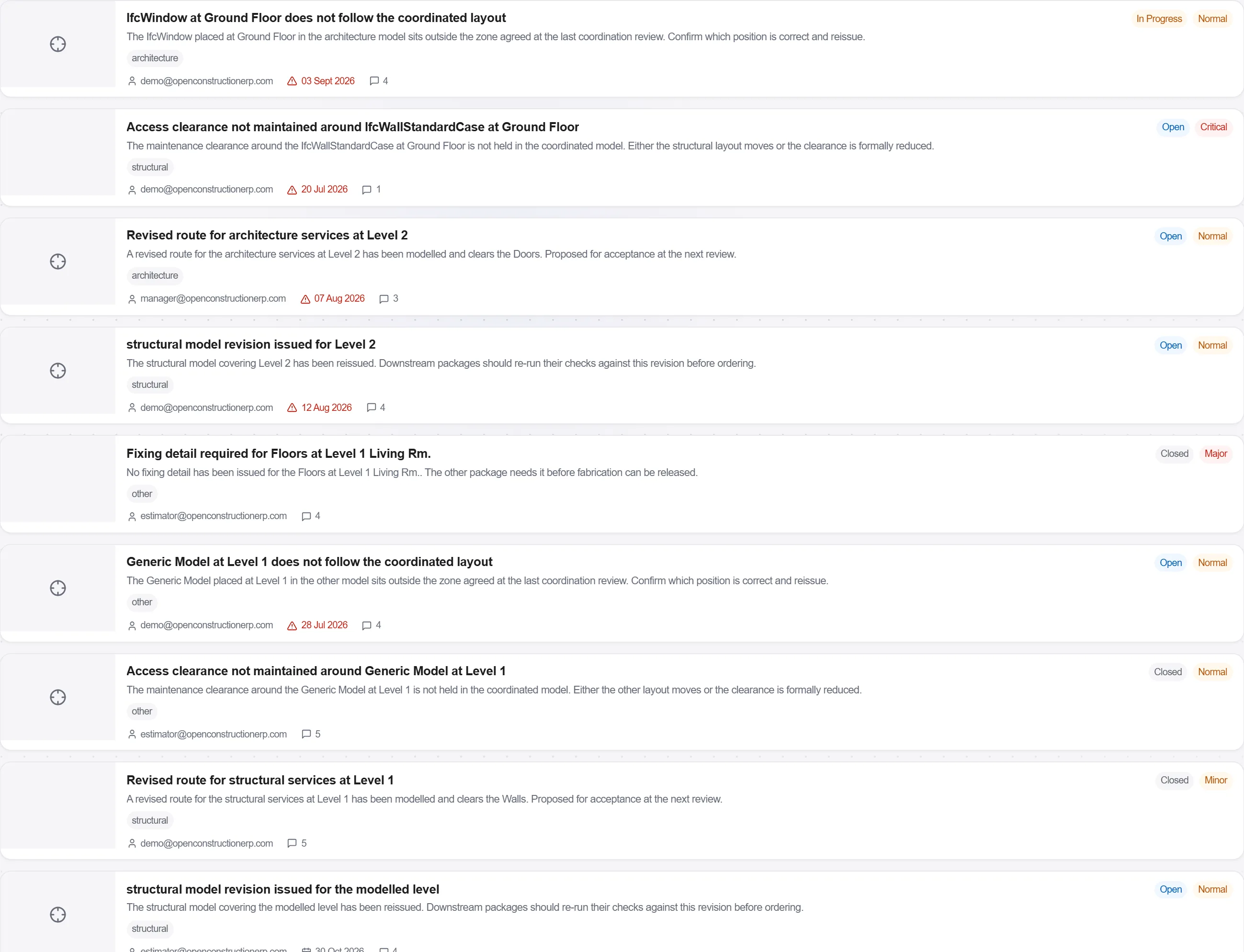
原因: 未指派的碰撞就是会留下来的碰撞。把真实的那些作为有责任人的问题推送出去, 就是一次审计与一个已解决问题之间的区别。
190 个平台模块中的 3 个
Turn a converted BIM model into an embodied carbon footprint. Auto-enrich reads quantities…
Load a converted model, lift the element quantities straight off the geometry, carry them i…
Load a DWG, lock the scale against a known dimension, measure the areas, lengths and counts…
