

Estimating & costing
Price a building from a PDF
Start from a flat PDF drawing and finish with a priced, validated estimate ready to export.…
5 steps15 minOpen
 ENEnglish
 DEDeutsch
 FRFrançais
 ESEspañol
 ES-MXEspañol (México)
 ITItaliano
 PTPortuguês
 NLNederlands
 PLPolski
 CSČeština
 RUРусский
 BGБългарски
 TRTürkçe
 SVSvenska
 NONorsk
 FISuomi
 DADansk
 ARالعربية
 ZH中文
ZH中文 JA日本語
JA日本語 KO한국어
KO한국어 HIहिन्दी
 THไทย
THไทย VITiếng Việt
 IDBahasa Indonesia
 RORomână
 HRHrvatski
 MNМонгол
 ETEesti
 BNবাংলা
 KKҚазақша
 KYКыргызча
 FILFilipino
 URاردو
 FAفارسی
 HEעברית
 ELΕλληνικά
Structure a cost plan by classified element rather than by trade, check it against the classification rules, and issue a plan a designer can actually work to.
3 steps across the platform - what you do at each one, and why it matters.
Lay out the bill by classified element, substructure, frame, envelope, internal finishes, services, rather than by trade, and tag each section with its classification code.
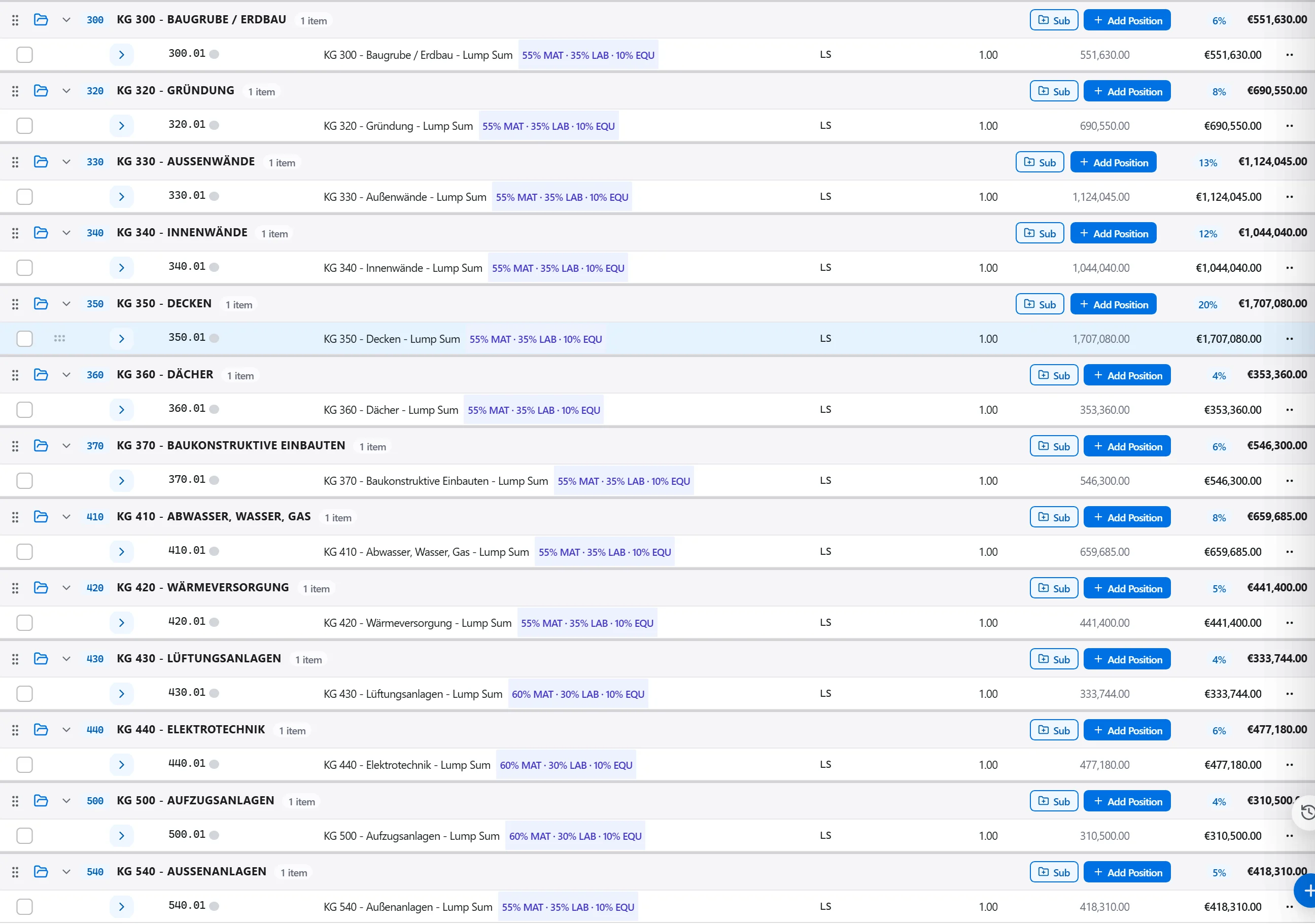
Why: A design team reads a cost plan element by element, not trade by trade. Structuring it that way from the outset is what makes the plan legible to the people who have to design against it.
Run the structure rules across the plan and confirm every section carries the classification code the standard expects, with nothing left in an unclassified catch-all.
Why: A cost plan that will not map cleanly to the classification standard cannot be compared to a benchmark or handed to a quantity surveyor on the other side of the table.
Export the cost plan broken down by element with its classification code, ready for the design team to work against and the client to approve.
Why: An elemental report is the one document that lets a designer see exactly where the budget sits and where a design decision will move it.
3 / 190 platform modules
Start from a flat PDF drawing and finish with a priced, validated estimate ready to export.…
Put a priced bill through the validation rules, clear every warning and error, then export…
Pull priced items from a real cost database, build the bill from them, bundle recurring bui…