
Estimating & costing
Price a building from a PDF
Start from a flat PDF drawing and finish with a priced, validated estimate ready to export.…
5 steps15 minOpen
 ENEnglish
 DEDeutsch
 FRFrançais
 ESEspañol
 ES-MXEspañol (México)
 ITItaliano
 PTPortuguês
 NLNederlands
 PLPolski
 CSČeština
 RUРусский
 BGБългарски
 TRTürkçe
 SVSvenska
 NONorsk
 FISuomi
 DADansk
 ARالعربية
 ZH中文
ZH中文 JA日本語
JA日本語 KO한국어
KO한국어 HIहिन्दी
 THไทย
THไทย VITiếng Việt
 IDBahasa Indonesia
 RORomână
 HRHrvatski
 MNМонгол
 ETEesti
 BNবাংলা
 KKҚазақша
 KYКыргызча
 FILFilipino
 URاردو
 FAفارسی
 HEעברית
 ELΕλληνικά
Pull priced items from a real cost database, build the bill from them, bundle recurring build-ups into assemblies and run the checks before you commit to a tender figure.
4 steps across the platform - what you do at each one, and why it matters.
Search the database by trade, keyword or classification code, then read the item description and inclusions before you pull the rate in. Check the unit and what labour, material and plant the rate is built from.
Why: A rate is only correct if its scope matches the work in front of you. Reading the item first stops you pricing a labour-only fix line as full supply and fix, a mismatch that can double or halve a whole trade.
Place the chosen items into the bill, enter your quantities and let the line and section totals roll up live. Order the sections the way you intend to report and tender them, by trade or by element.
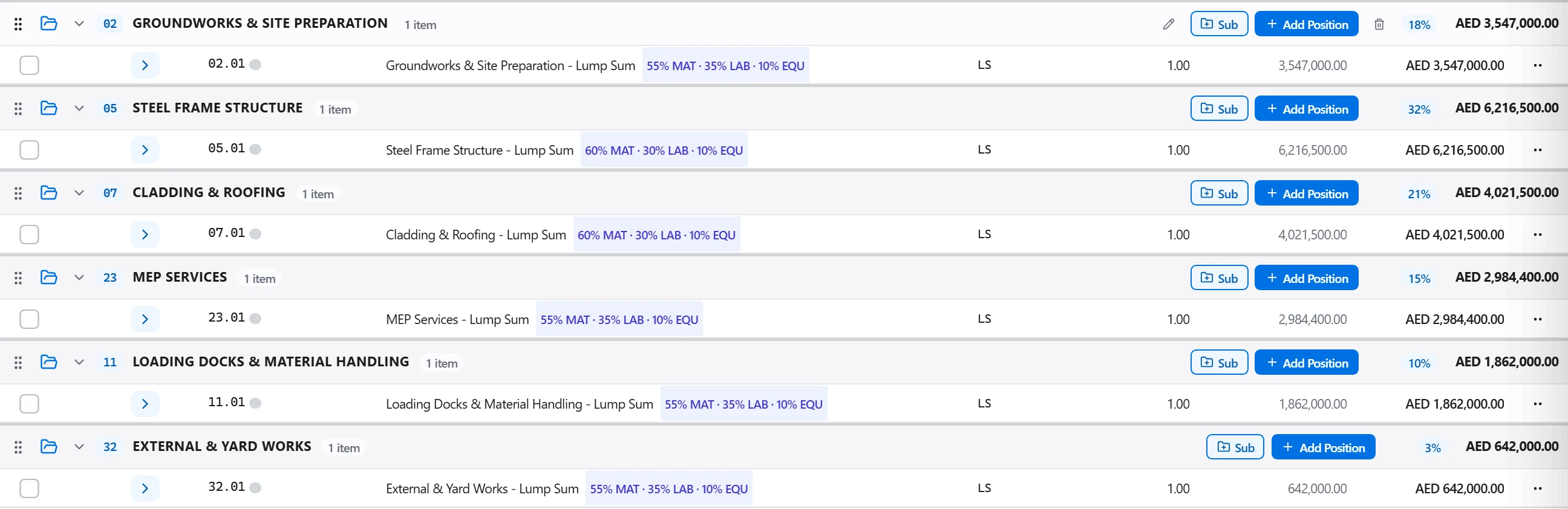
Why: The bill is where scope turns into money, so its structure has to survive scrutiny. Starting each line from a database item means it already carries a traceable source and a rate you can justify, rather than a number typed from memory.
Bundle a recurring build-up, such as a concrete wall with its formwork and reinforcement, into one assembly, so entering a single square metre quantity drives concrete, shutter and steel together in the right proportions.
Why: Assemblies keep repeated pricing both fast and consistent across a big bill. Adjust a component rate once and every line built on that assembly moves with it, so a steel price rise cannot be applied in one place and forgotten in ten others.
Put the finished estimate through the checks for zero prices, blank quantities, duplicated positions and unit rates sitting well outside the benchmark band for that item.
Why: One blank quantity or a stray zero in a big rate can move a tender by a serious sum, and it is always found the day after submission. Validation surfaces those honest slips while you can still fix them privately.
4 / 190 platform modules
Start from a flat PDF drawing and finish with a priced, validated estimate ready to export.…
Put a priced bill through the validation rules, clear every warning and error, then export…
Turn a single-point estimate into a range, run a Monte Carlo over the genuinely uncertain l…
