
Estimating & costing
Price a building from a PDF
Start from a flat PDF drawing and finish with a priced, validated estimate ready to export.…
5 steps15 minOpen
 ENEnglish
 DEDeutsch
 FRFrançais
 ESEspañol
 ES-MXEspañol (México)
 ITItaliano
 PTPortuguês
 NLNederlands
 PLPolski
 CSČeština
 RUРусский
 BGБългарски
 TRTürkçe
 SVSvenska
 NONorsk
 FISuomi
 DADansk
 ARالعربية
 ZH中文
ZH中文 JA日本語
JA日本語 KO한국어
KO한국어 HIहिन्दी
 THไทย
THไทย VITiếng Việt
 IDBahasa Indonesia
 RORomână
 HRHrvatski
 MNМонгол
 ETEesti
 BNবাংলা
 KKҚазақша
 KYКыргызча
 FILFilipino
 URاردو
 FAفارسی
 HEעברית
 ELΕλληνικά
Put a priced bill through the validation rules, clear every warning and error, then export a clean report you can hand straight to the client.
3 steps across the platform - what you do at each one, and why it matters.
Open the bill you are about to issue and confirm every position carries both a quantity and a rate. Blank cells and stray zeros are the first thing the validator hunts down, so a quick scan now saves surprises.
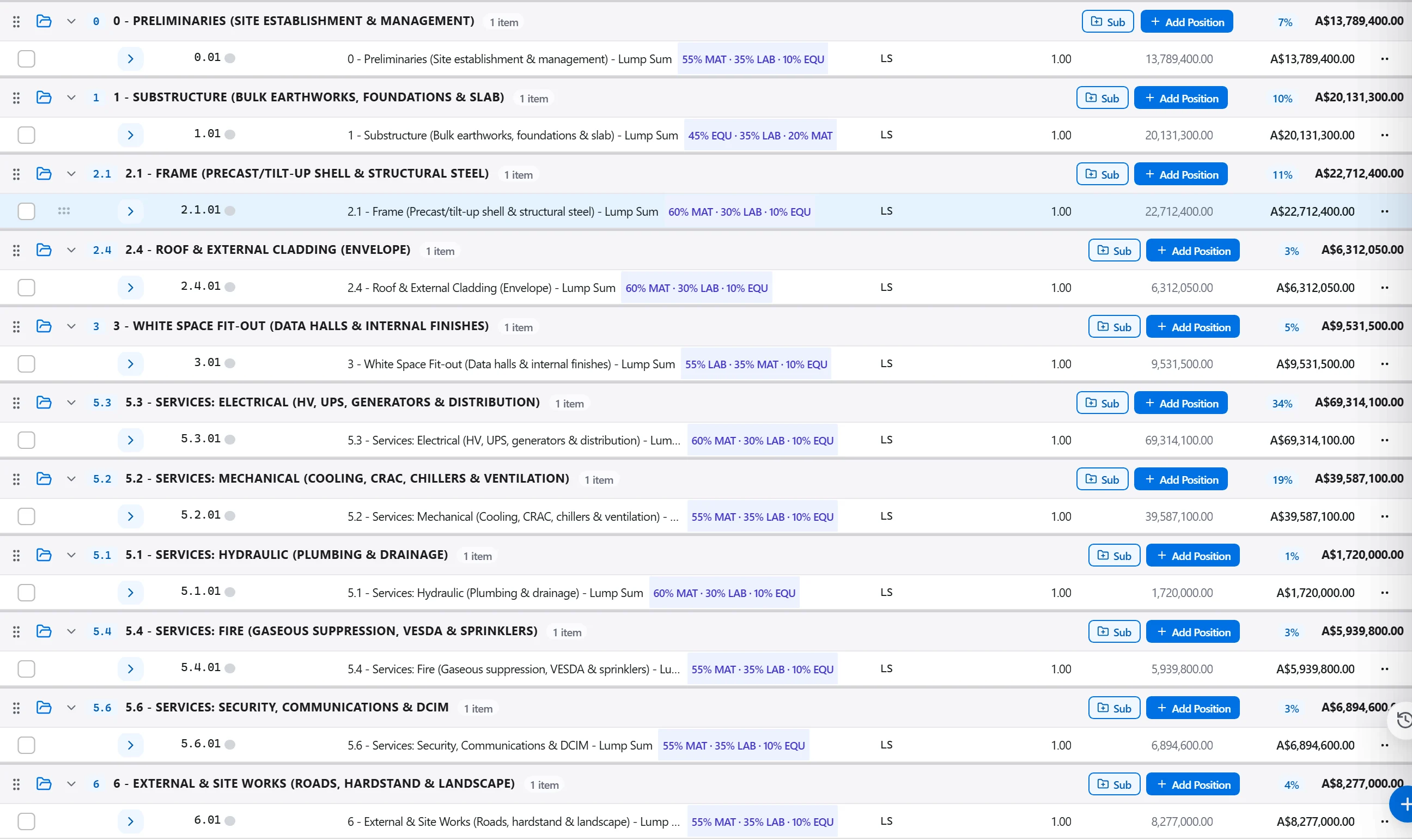
Why: A gap you overlook is a gap the client finds first, usually in the meeting. Reviewing the bill yourself means the validation pass confirms good work rather than exposing a hole.
Run the rule sets across the bill and read the traffic-light result. Each error and warning is linked to the exact position, so you can jump to the offending line and fix the cause rather than the symptom.
Why: Missing quantities, zero prices, duplicate lines and rates outside a sane band are cheap to correct today and awkward to explain after issue. The score is your honest go or no-go signal.
Once the bill reads green, export the executive summary alongside the detailed breakdown. The report ships the cost split and the validation outcome in one document.
Why: A report backed by a passed validation is one you can stand behind under questioning. It shows the client not just the total but that the total was checked against rules before it was sent.
3 / 190 platform modules
Start from a flat PDF drawing and finish with a priced, validated estimate ready to export.…
Pull priced items from a real cost database, build the bill from them, bundle recurring bui…
Turn a single-point estimate into a range, run a Monte Carlo over the genuinely uncertain l…
