

BIM 与工程量计算
Get 6D carbon from a BIM model
Turn a converted BIM model into an embodied carbon footprint. Auto-enrich reads quantities…
5 个步骤12 分钟打开
 ENEnglish
 DEDeutsch
 FRFrançais
 ESEspañol
 ES-MXEspañol (México)
 ITItaliano
 PTPortuguês
 NLNederlands
 PLPolski
 CSČeština
 RUРусский
 BGБългарски
 TRTürkçe
 SVSvenska
 NONorsk
 FISuomi
 DADansk
 ARالعربية
 ZH中文
ZH中文 JA日本語
JA日本語 KO한국어
KO한국어 HIहिन्दी
 THไทย
THไทย VITiếng Việt
 IDBahasa Indonesia
 RORomână
 HRHrvatski
 MNМонгол
 ETEesti
 BNবাংলা
 KKҚазақша
 KYКыргызча
 FILFilipino
 URاردو
 FAفارسی
 HEעברית
 ELΕλληνικά
贯穿平台的 4 个步骤 - 每一步做什么,以及为什么重要。
加载现状条件的点云并在其中确定方位, 检查扫描覆盖了你需要测量的区域, 没有大的遮挡或缺口。
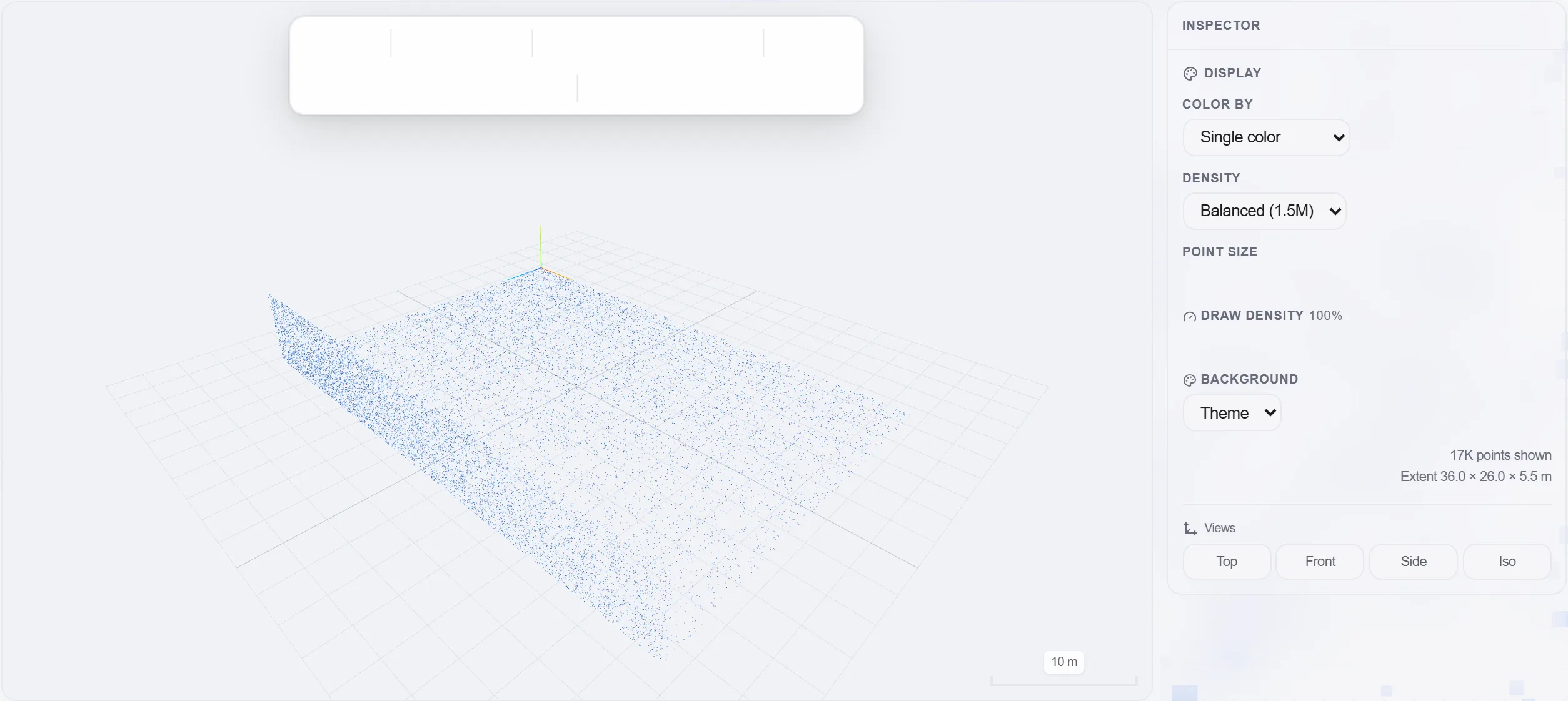
原因: 在你需要尺寸的地方有洞的扫描比没有扫描更糟, 因为你要到测量时才发现。先检查覆盖, 能省下一次白跑现场。
直接在点云上量取所需的距离、墙面和地面面积、房间净高和体积, 从真实几何而非图纸上读取。
原因: 既有建筑从来不像图纸假装的那样方正或垂直。量取实建的真实情况, 才能让改造工程量保持诚实、其背后的价格安全。
把已测尺寸作为工作的源工程量带入工程量计算, 并保持回溯到每个尺寸测量处的链接。
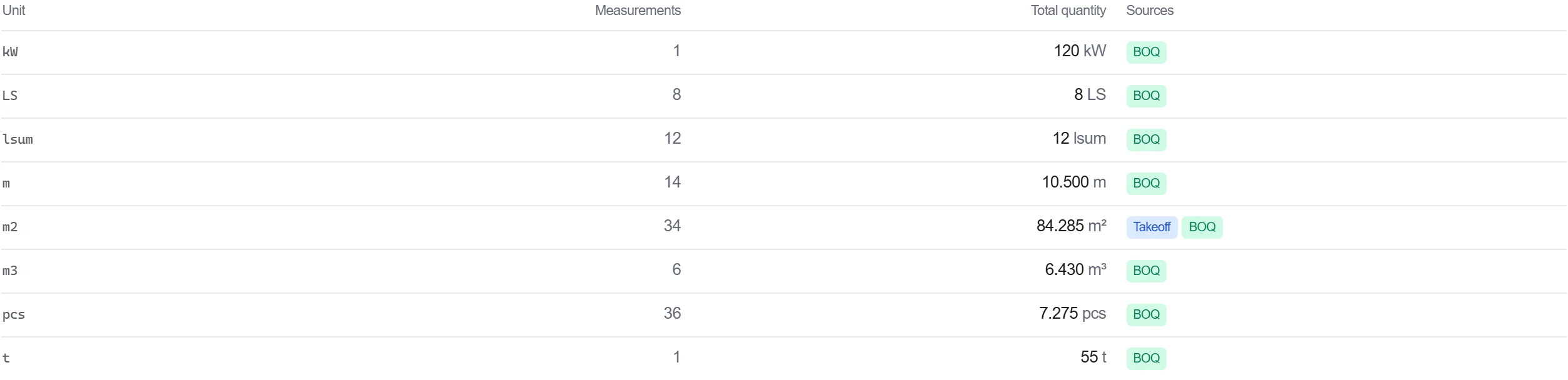
原因: 能回溯到测量成果上某一点的工程量是可辩护的。当有人质疑某个数字时, 你可以打开点云展示它的来源测量。
在清单中为已测工作计价, 使基于测量的工程量无需中间重录即可直接流入成本。
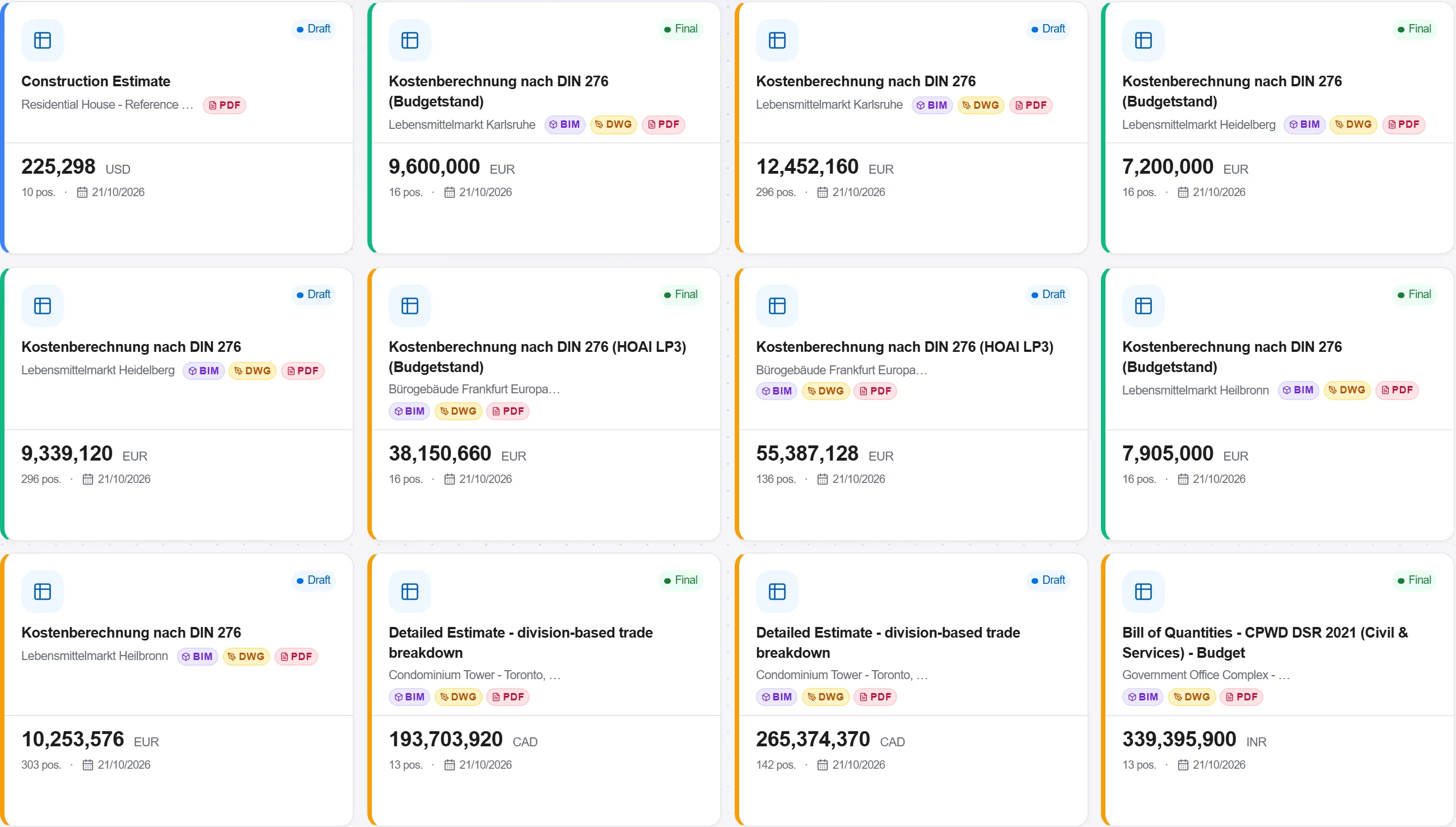
原因: 把扫描测量一路带到清单, 能保持从真实建筑到价格的一条不间断链条。链条中每一次手工复制都是一次引入错误的机会。
190 个平台模块中的 3 个
Turn a converted BIM model into an embodied carbon footprint. Auto-enrich reads quantities…
Load a converted model, lift the element quantities straight off the geometry, carry them i…
Load a DWG, lock the scale against a known dimension, measure the areas, lengths and counts…