

BIMと数量拾い
Get 6D carbon from a BIM model
Turn a converted BIM model into an embodied carbon footprint. Auto-enrich reads quantities…
5ステップ12 分開く
 ENEnglish
 DEDeutsch
 FRFrançais
 ESEspañol
 ES-MXEspañol (México)
 ITItaliano
 PTPortuguês
 NLNederlands
 PLPolski
 CSČeština
 RUРусский
 BGБългарски
 TRTürkçe
 SVSvenska
 NONorsk
 FISuomi
 DADansk
 ARالعربية
 ZH中文
ZH中文 JA日本語
JA日本語 KO한국어
KO한국어 HIहिन्दी
 THไทย
THไทย VITiếng Việt
 IDBahasa Indonesia
 RORomână
 HRHrvatski
 MNМонгол
 ETEesti
 BNবাংলা
 KKҚазақша
 KYКыргызча
 FILFilipino
 URاردو
 FAفارسی
 HEעברית
 ELΕλληνικά
プラットフォーム全体で4ステップ - 各ステップで何をするか、そしてなぜ重要か。
既存状況の点群を読み込んでその中で位置をつかみ、スキャンが測りたい範囲を大きな影や欠落なくカバーしているか確認する。
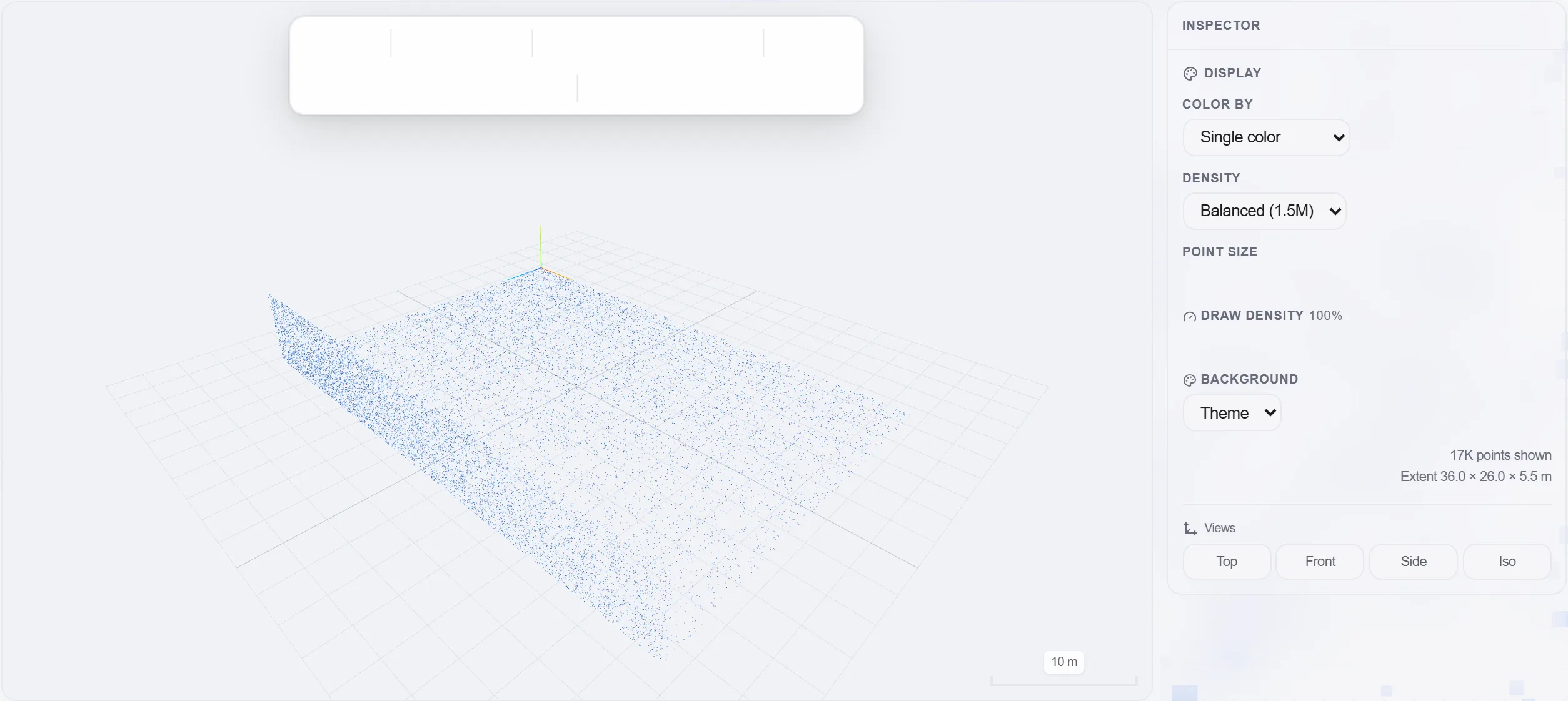
理由: 寸法が必要な箇所に穴のあるスキャンは、スキャンがないよりも悪い。測る段になって初めて気づくからだ。まずカバー範囲を確認することが、現場への無駄な再訪を省く。
必要な距離、壁や床の面積、天井高、体積を点群上で直接測り、図面ではなく実際の形状から読み取る。
理由: 既存建物は、図面が装うようには決して直角でも垂直でもない。竣工時の現実を測ることが、改修数量を正直に保ち、その背後の価格を安全にする。
測定した寸法を工事の元数量として数量拾いに取り込み、各々がどこで測られたかへのリンクを保つ。
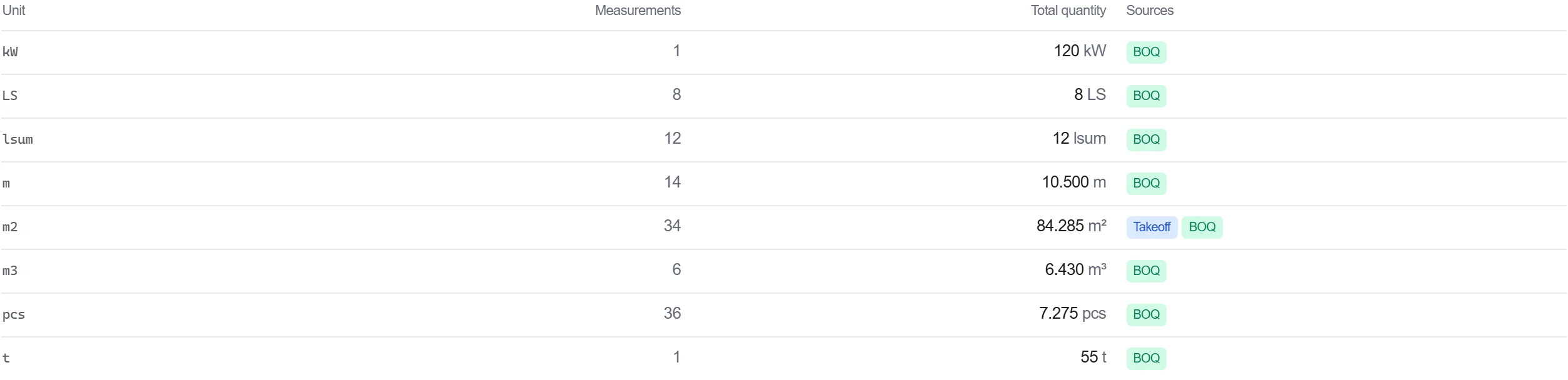
理由: 測量上の点までたどれる数量は、根拠を示せる。誰かが数字に疑問を呈しても、点群を開いてそれが由来した測定を示せる。
測定した工事を内訳書で値付けし、測量に基づく数量が途中で打ち直されることなくコストに直接流れ込むようにする。
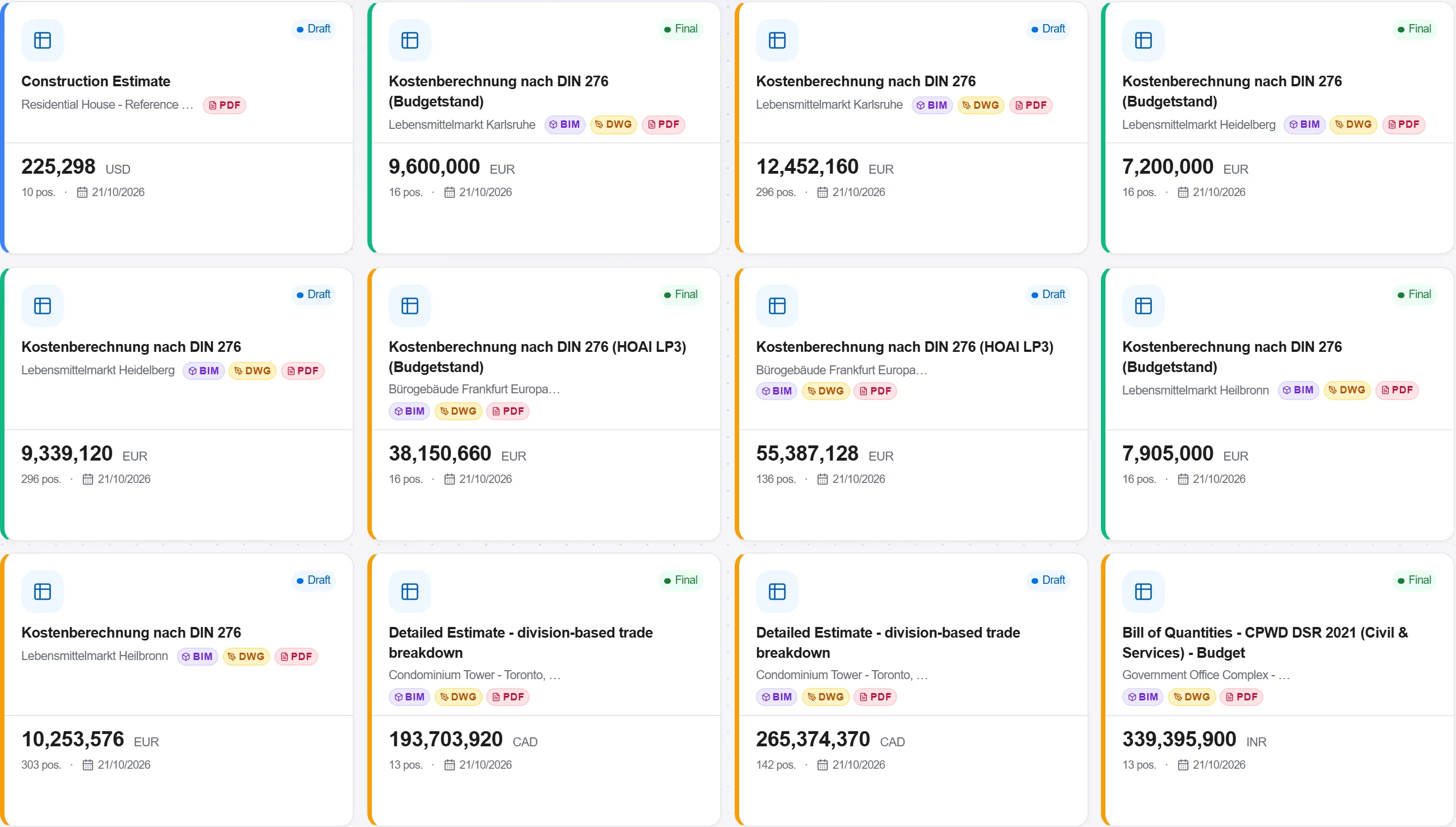
理由: スキャンの測定値を内訳書まで運ぶことが、実際の建物から価格まで途切れない一本の鎖を保つ。その鎖の手作業のコピー一つ一つが、誤りを持ち込む機会だ。
プラットフォーム 190 モジュール中 3 個
Turn a converted BIM model into an embodied carbon footprint. Auto-enrich reads quantities…
Load a converted model, lift the element quantities straight off the geometry, carry them i…
Load a DWG, lock the scale against a known dimension, measure the areas, lengths and counts…