

BIM và bóc tách khối lượng
Get 6D carbon from a BIM model
Turn a converted BIM model into an embodied carbon footprint. Auto-enrich reads quantities…
5 bước12 phútMở
 ENEnglish
 DEDeutsch
 FRFrançais
 ESEspañol
 ES-MXEspañol (México)
 ITItaliano
 PTPortuguês
 NLNederlands
 PLPolski
 CSČeština
 RUРусский
 BGБългарски
 TRTürkçe
 SVSvenska
 NONorsk
 FISuomi
 DADansk
 ARالعربية
 ZH中文
ZH中文 JA日本語
JA日本語 KO한국어
KO한국어 HIहिन्दी
 THไทย
THไทย VITiếng Việt
 IDBahasa Indonesia
 RORomână
 HRHrvatski
 MNМонгол
 ETEesti
 BNবাংলা
 KKҚазақша
 KYКыргызча
 FILFilipino
 URاردو
 FAفارسی
 HEעברית
 ELΕλληνικά
Mở các yêu cầu thông tin, kiểm tra một mô hình được giao so với chúng về quy tắc đặt tên, phân loại, mức độ chi tiết và các thuộc tính bắt buộc, nêu một vấn đề BCF cho mỗi thiếu sót và chỉ chấp thuận những gì đạt.
4 bước xuyên suốt nền tảng - bạn làm gì ở mỗi bước và vì sao điều đó quan trọng.
Mở các yêu cầu thông tin mà mô hình phải đáp ứng - quy ước đặt tên, phân loại, mức độ nhu cầu thông tin và các thuộc tính mỗi cấu kiện phải mang.
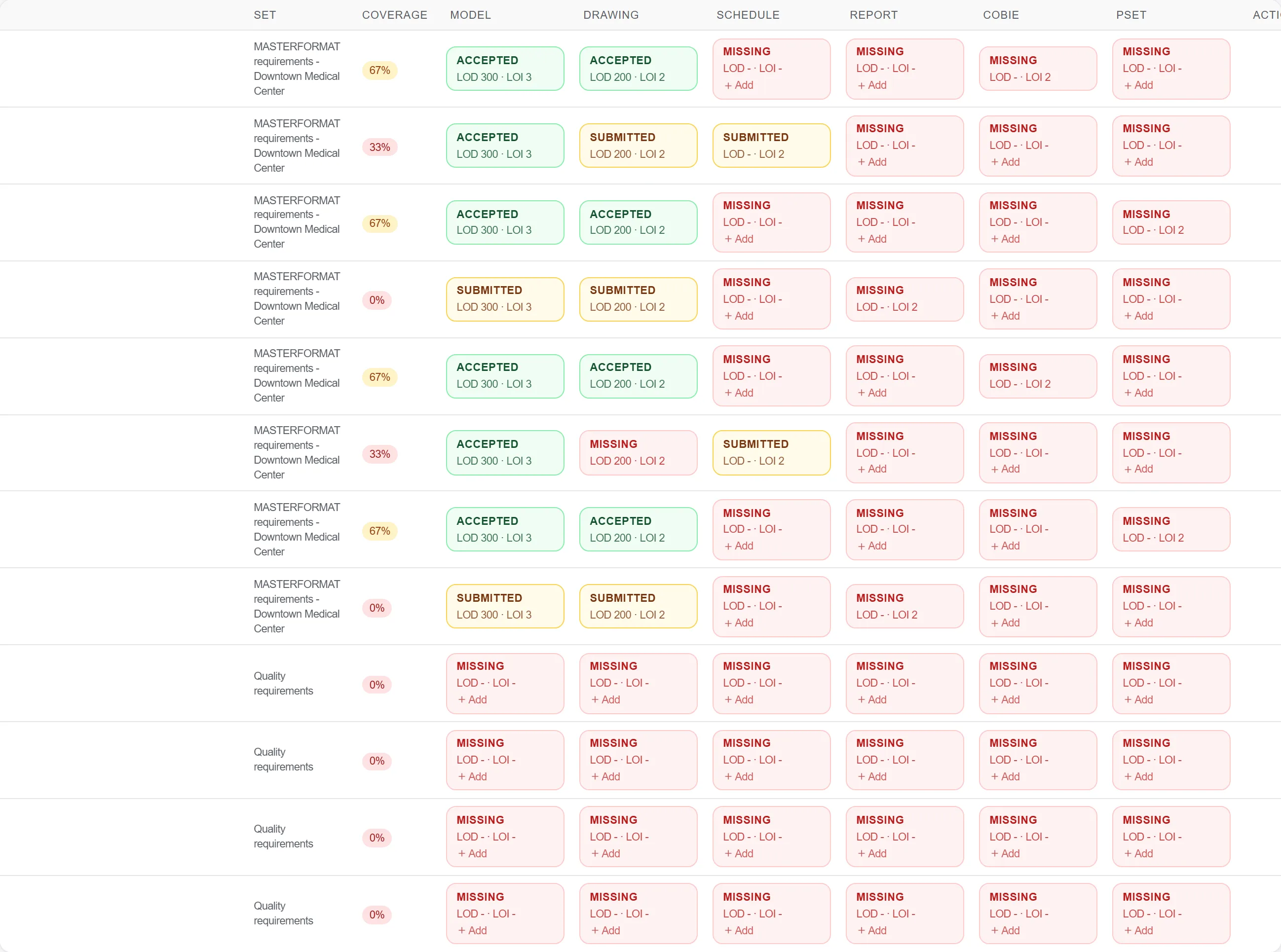
Tại sao: Bạn không thể kiểm tra một mô hình theo một tiêu chuẩn bạn chưa mở. Bắt đầu từ các yêu cầu thực tế biến một cuộc rà soát mơ hồ thành đạt hay không đạt rõ ràng ở từng điểm.
Rà soát toàn bộ mô hình, kiểm tra quy tắc đặt tên, mã phân loại, mức độ chi tiết và các thuộc tính bắt buộc trên mỗi loại cấu kiện so với yêu cầu.

Tại sao: Một phân loại thiếu hay một trường thuộc tính trống làm hỏng việc bóc tách khối lượng và bàn giao tài sản ở phía sau. Bắt được nó lúc bàn giao rẻ hơn nhiều so với khi phát hiện lúc cần đến.
Nêu một vấn đề BCF cho mỗi thiếu sót so với một yêu cầu, chỉ vào cấu kiện và nêu rõ cái gì đang thiếu, để tác giả có một danh sách chính xác để sửa.

Tại sao: Một vấn đề chính xác được sửa; một lời phàn nàn mơ hồ rằng mô hình không tuân thủ thì bị tranh cãi. Gắn mỗi vấn đề với một yêu cầu và một cấu kiện loại bỏ chỗ cho tranh luận.
Chỉ chấp thuận một yêu cầu khi mô hình thực sự đáp ứng nó, để ma trận ghi nhận sự chấp nhận đúng thực chất thay vì một dấu tích lạc quan.

Tại sao: Chấp thuận là cửa bảo vệ mọi người ở phía sau. Giữ lại cho đến khi mô hình thực sự tuân thủ là điều ngăn một lỗ hổng dữ liệu bị người dự toán và người vận hành thừa kế.
3 / 190 mô-đun nền tảng
Turn a converted BIM model into an embodied carbon footprint. Auto-enrich reads quantities…
Load a converted model, lift the element quantities straight off the geometry, carry them i…
Load a DWG, lock the scale against a known dimension, measure the areas, lengths and counts…
