
Chất lượng và an toàn
Inspect work and close a non-conformance
Inspect the work against its acceptance criteria, raise a non-conformance the moment it fai…
3 bước10 phútMở
 ENEnglish
 DEDeutsch
 FRFrançais
 ESEspañol
 ES-MXEspañol (México)
 ITItaliano
 PTPortuguês
 NLNederlands
 PLPolski
 CSČeština
 RUРусский
 BGБългарски
 TRTürkçe
 SVSvenska
 NONorsk
 FISuomi
 DADansk
 ARالعربية
 ZH中文
ZH中文 JA日本語
JA日本語 KO한국어
KO한국어 HIहिन्दी
 THไทย
THไทย VITiếng Việt
 IDBahasa Indonesia
 RORomână
 HRHrvatski
 MNМонгол
 ETEesti
 BNবাংলা
 KKҚазақша
 KYКыргызча
 FILFilipino
 URاردو
 FAفارسی
 HEעברית
 ELΕλληνικά
Lập danh mục kiểm tra chất lượng từ tiêu chuẩn kỹ thuật, hoàn thành nó trên hiện trường với ảnh và ký duyệt, đánh dấu các mục không đạt vào hệ thống chất lượng và giữ mọi bản kiểm đã hoàn thành như một phần của hồ sơ.
4 bước xuyên suốt nền tảng - bạn làm gì ở mỗi bước và vì sao điều đó quan trọng.
Lập cuộc kiểm dưới dạng biểu mẫu số thẳng từ tiêu chuẩn kỹ thuật và kế hoạch kiểm tra thử nghiệm, để nó hỏi đúng các tiêu chí chấp nhận mà công việc phải đáp ứng.

Tại sao: Một danh mục phản ánh tiêu chuẩn kỹ thuật là một danh mục bắt được các khiếm khuyết thực. Một cái nghĩ ra từ trí nhớ bỏ sót điều khoản quan trọng và cho qua công việc đáng lẽ phải bị loại.
Hoàn thành cuộc kiểm tại mặt công việc với ảnh và ký duyệt của người kiểm tra, thu kết quả nơi công việc diễn ra thay vì trong văn phòng theo trí nhớ.
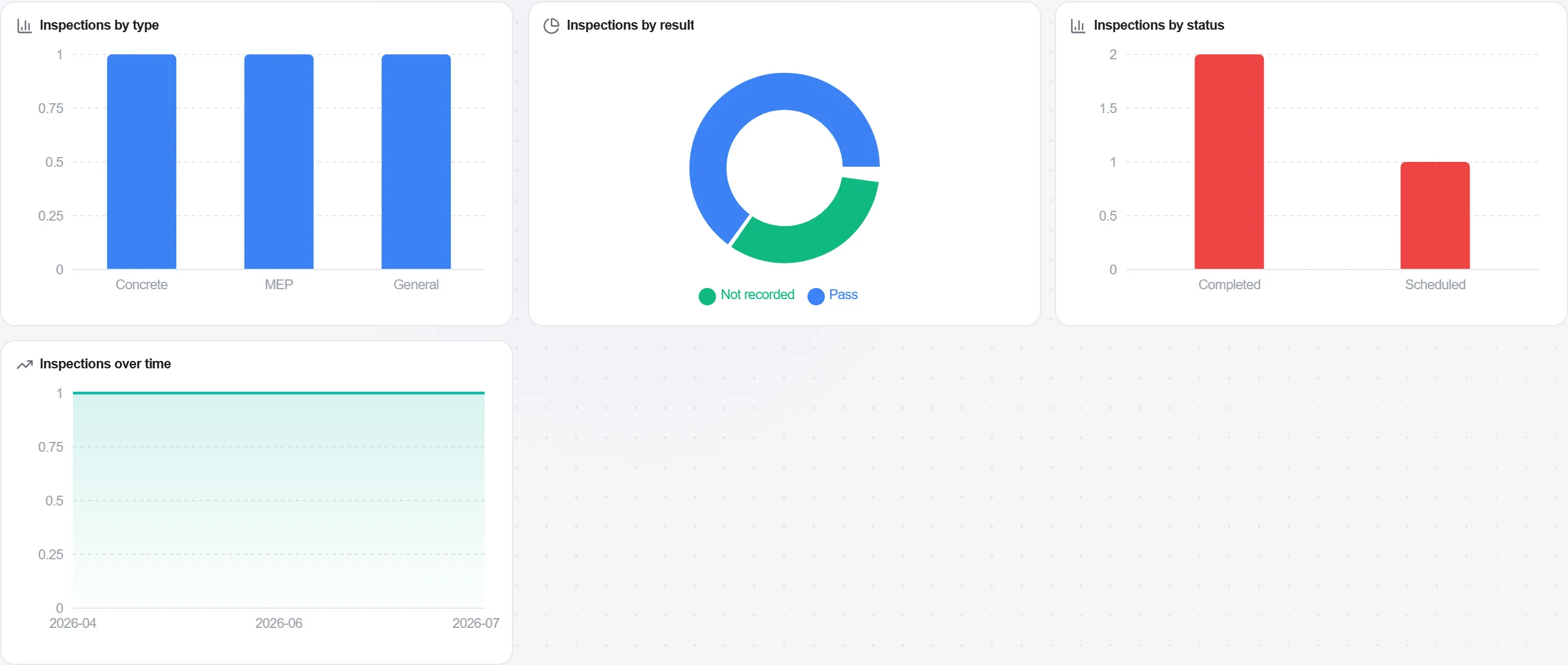
Tại sao: Một cuộc kiểm hoàn thành tại điểm công việc, với một ảnh và một thời gian trên đó, là bằng chứng. Một cái điền sau này là một phỏng đoán khoác áo hồ sơ, và nó sụp đổ dưới sự soi xét.
Định tuyến các mục không đạt vào hệ thống chất lượng dưới dạng hành động để khắc phục, với ảnh và tiêu chí không đạt đính kèm, để không có gì trượt kiểm tra bị âm thầm xây phủ lên.

Tại sao: Một cuộc kiểm không đạt mà không có theo dõi còn tệ hơn không kiểm, vì nó ghi lại rằng bạn đã biết. Biến các mục không đạt thành các hành động theo dõi được là điều khép lại vòng lặp giữa phát hiện một khiếm khuyết và sửa nó.
Giữ các bản kiểm đã hoàn thành cùng nhau như hồ sơ chất lượng liên tục, để bằng chứng cho mỗi cấu kiện được lưu và sẵn sàng từ lâu trước khi bộ hồ sơ bàn giao đến hạn.
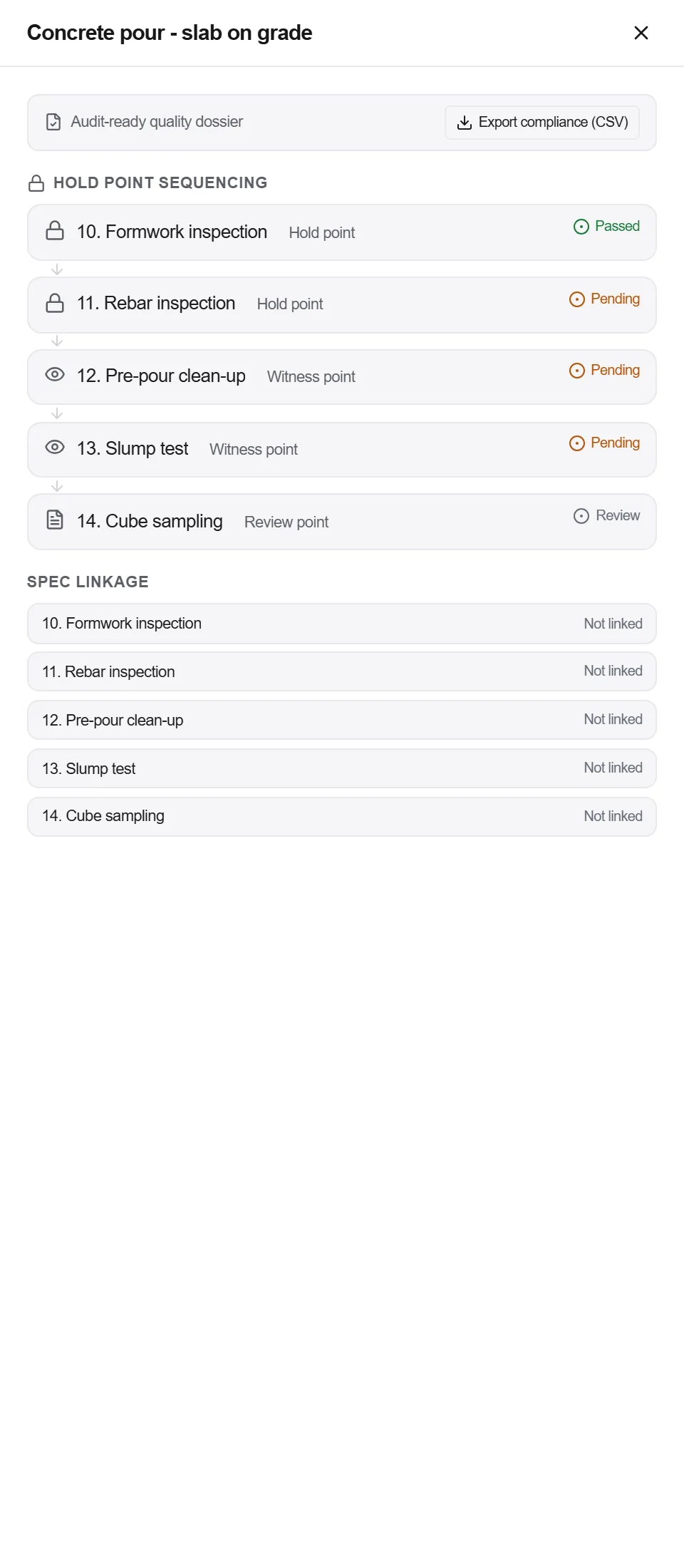
Tại sao: Hồ sơ chất lượng tập hợp khi bạn tiến hành thì đầy đủ và rẻ. Cùng hồ sơ đó tái dựng lúc bàn giao thì đầy lỗ hổng và tốn nhiều tuần đuổi theo chữ ký cho công việc đã bị che phủ từ lâu.
3 / 190 mô-đun nền tảng
Inspect the work against its acceptance criteria, raise a non-conformance the moment it fai…
Brief the crew on the hazards this shift actually carries, capture who was there, then prov…
Put the product you plan to buy in front of the designer with its data behind it, get it ch…
