
Planiranje i kontrola
Set up a project and hand it over
Take a job from the very first setup right through to handover. Create it, price the work,…
5 koraka20 minOtvori
 ENEnglish
 DEDeutsch
 FRFrançais
 ESEspañol
 ES-MXEspañol (México)
 ITItaliano
 PTPortuguês
 NLNederlands
 PLPolski
 CSČeština
 RUРусский
 BGБългарски
 TRTürkçe
 SVSvenska
 NONorsk
 FISuomi
 DADansk
 ARالعربية
 ZH中文
ZH中文 JA日本語
JA日本語 KO한국어
KO한국어 HIहिन्दी
 THไทย
THไทย VITiếng Việt
 IDBahasa Indonesia
 RORomână
 HRHrvatski
 MNМонгол
 ETEesti
 BNবাংলা
 KKҚазақша
 KYКыргызча
 FILFilipino
 URاردو
 FAفارسی
 HEעברית
 ELΕλληνικά
Povežite elemente modela s aktivnostima rasporeda, odigrajte redoslijed gradnje kao 4D animaciju, provjerite radi li stvarno na terenu i istim prikazom vodite i izvještavajte o napretku.
4 koraka kroz platformu - što radite u svakom i zašto je važno.
Otvorite koordinirani model i potvrdite da su elementi grupirani onako kako se posao gradi - po zoni, etaži i izljevu - kako bi se čisto mogli povezati s aktivnostima.
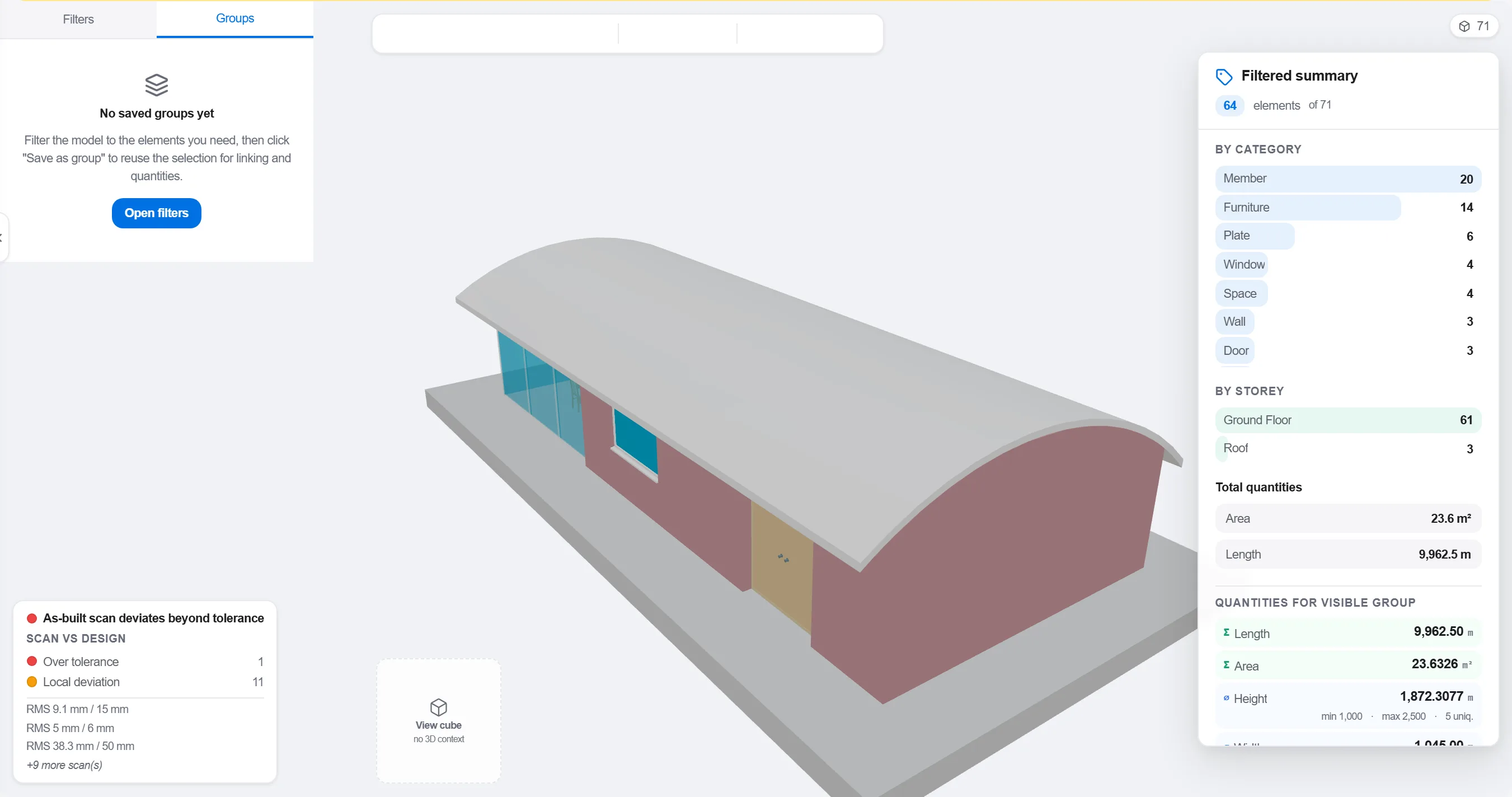
Zašto: Model organiziran po projektnoj struci ne odgovara načinu na koji se gradilište niže. Grupiranje onako kako se posao odvija čini 4D vezu smislenom, a ne kozmetičkom.
Preslikajte svaki element ili grupu na aktivnost rasporeda koja ga gradi, tako da svaki dio modela zna kada se podiže i uklanja.

Zašto: Veza pretvara statični model i plošni program u pokretnu sliku. Također izbacuje na vidjelo elemente koje nitko nije rasporedio i aktivnosti koje nemaju što graditi.
Odigrajte redoslijed i pratite tijek gradnje: provjerite ostaje li pristup slobodan, dosežu li dizalice, dolaze li i odlaze pomoćne konstrukcije na vrijeme i da se ništa ne gradi prije onoga što ga nosi.

Zašto: Pronaći izljev izvan redoslijeda ili blokiran pristup na ekranu stoji sat vremena. Pronaći to na gradilištu stoji tjedan dana i ekipu koja stoji. 4D pregled je mjesto gdje se ta ušteda ostvaruje.
Koristite 4D prikaz da označite što je izgrađeno i usporedite ga s planiranim redoslijedom, tako da se napredak prikazuje kao obojena geometrija koju cijeli tim čita u trenu.
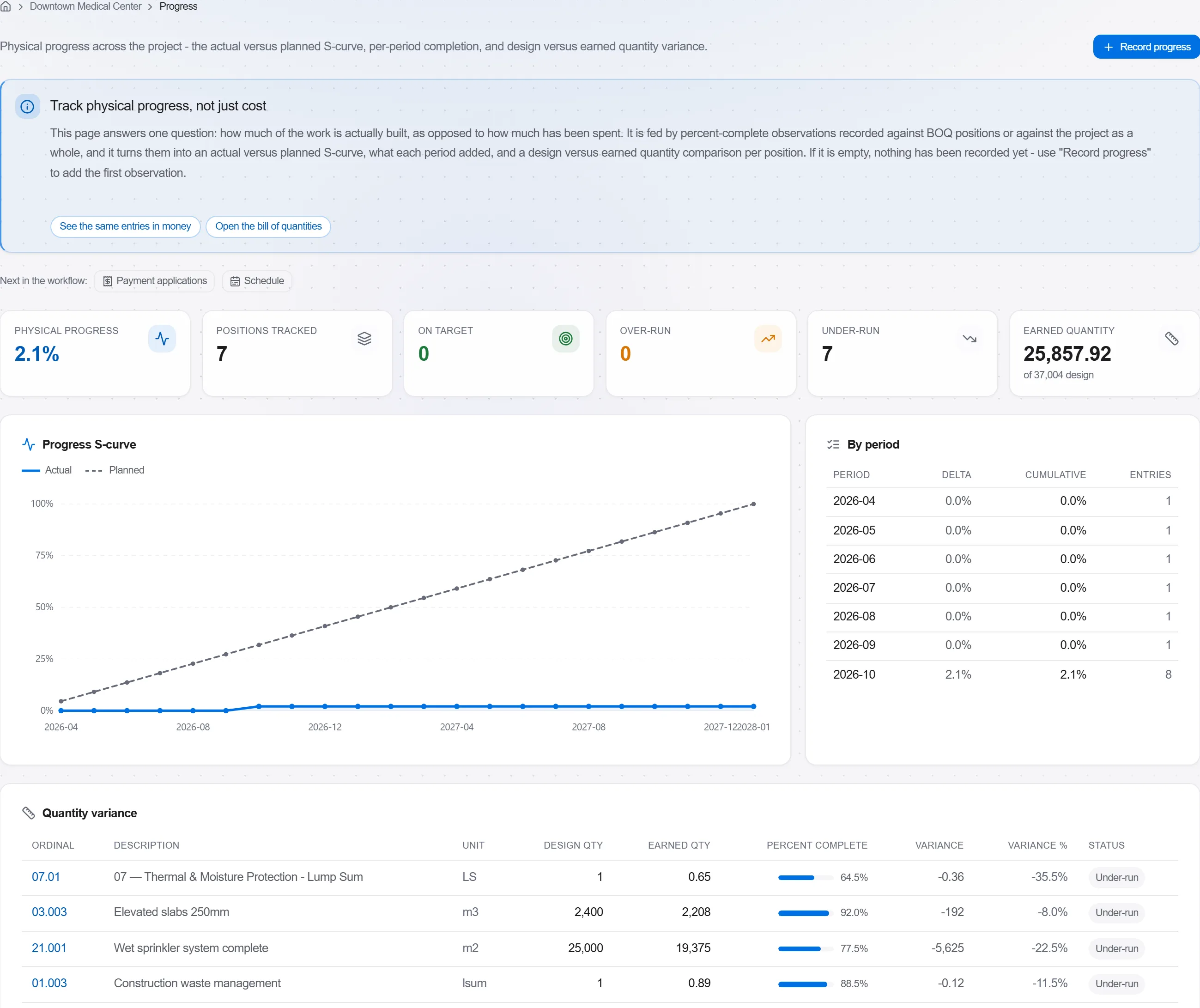
Zašto: Model planirano-naspram-izgrađeno govori klijentu više u jednoj slici nego stranica postotaka. Čini klizanje roka nemogućim za skrivanje i lakim za pošten razgovor.
3 / 190 modula platforme
Take a job from the very first setup right through to handover. Create it, price the work,…
Plan the programme, freeze a baseline to measure against, feed real progress back from site…
See where the job truly stands against the plan and the budget: bring the programme current…