
계획 및 관리
Set up a project and hand it over
Take a job from the very first setup right through to handover. Create it, price the work,…
5단계20 분열기
 ENEnglish
 DEDeutsch
 FRFrançais
 ESEspañol
 ES-MXEspañol (México)
 ITItaliano
 PTPortuguês
 NLNederlands
 PLPolski
 CSČeština
 RUРусский
 BGБългарски
 TRTürkçe
 SVSvenska
 NONorsk
 FISuomi
 DADansk
 ARالعربية
 ZH中文
ZH中文 JA日本語
JA日本語 KO한국어
KO한국어 HIहिन्दी
 THไทย
THไทย VITiếng Việt
 IDBahasa Indonesia
 RORomână
 HRHrvatski
 MNМонгол
 ETEesti
 BNবাংলা
 KKҚазақша
 KYКыргызча
 FILFilipino
 URاردو
 FAفارسی
 HEעברית
 ELΕλληνικά
모델 요소를 공정 액티비티에 연결하고, 시공 순서를 4D 애니메이션으로 재생하며, 현장에서 실제로 작동하는지 확인하고, 같은 화면으로 진도를 관리하고 보고합니다.
플랫폼 전반에 걸친 4단계 - 각 단계에서 무엇을 하는지, 그리고 왜 중요한지.
협업 조정된 모델을 열고 요소가 공사가 지어지는 방식대로, 즉 구역, 층, 타설 단위로 묶여 있는지 확인하여 액티비티에 깔끔하게 연결될 수 있게 합니다.
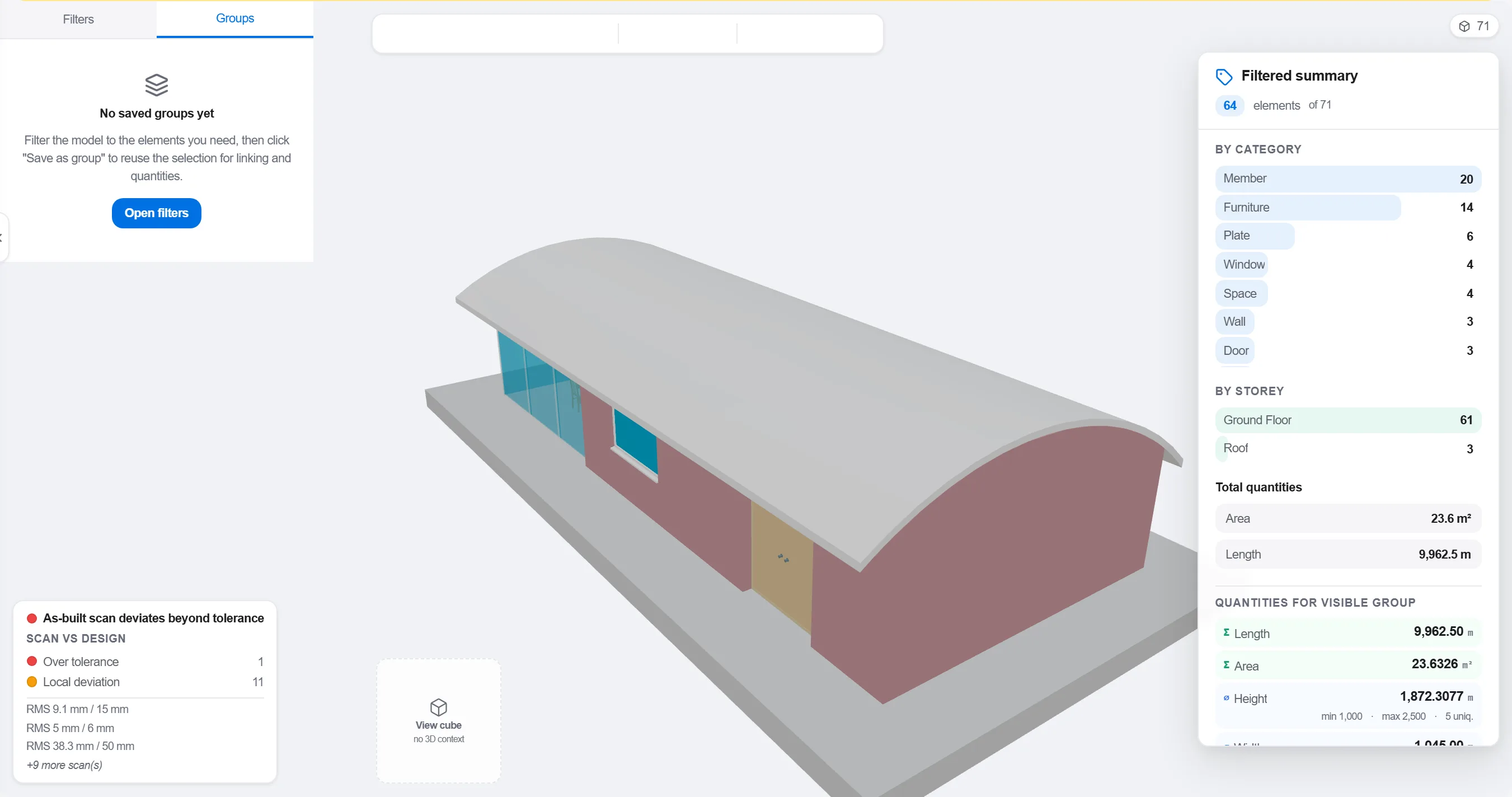
이유: 설계 분야별로 정리된 모델은 현장 시공 순서와 맞지 않습니다. 작업이 일어나는 방식대로 묶는 것이 4D 연결을 겉치레가 아닌 의미 있는 것으로 만듭니다.
각 요소 또는 그룹을 그것을 짓는 공정 액티비티에 매핑하여, 모델의 모든 부분이 언제 세워지고 언제 철거되는지 알게 합니다.

이유: 연결은 정적인 모델과 평면적인 공정표를 움직이는 그림으로 바꾸는 것입니다. 또한 아무도 공정에 넣지 않은 요소와 지을 대상이 없는 액티비티를 걸러냅니다.
순서를 재생하며 시공 순서를 지켜봅니다. 진입로가 열려 있는지, 크레인이 도달하는지, 가설물이 제때 설치되고 해체되는지, 지지 요소보다 먼저 지어지는 것이 없는지 확인합니다.

이유: 순서를 벗어난 타설이나 막힌 진입로를 화면에서 찾으면 한 시간이면 됩니다. 현장에서 찾으면 한 주와 놀고 있는 작업조가 듭니다. 4D 검토가 바로 그 절감이 이루어지는 곳입니다.
4D 화면으로 지어진 것을 표시하고 계획된 순서와 비교하여, 진도가 팀 전체가 한눈에 읽을 수 있는 색상 형상으로 표현되게 합니다.
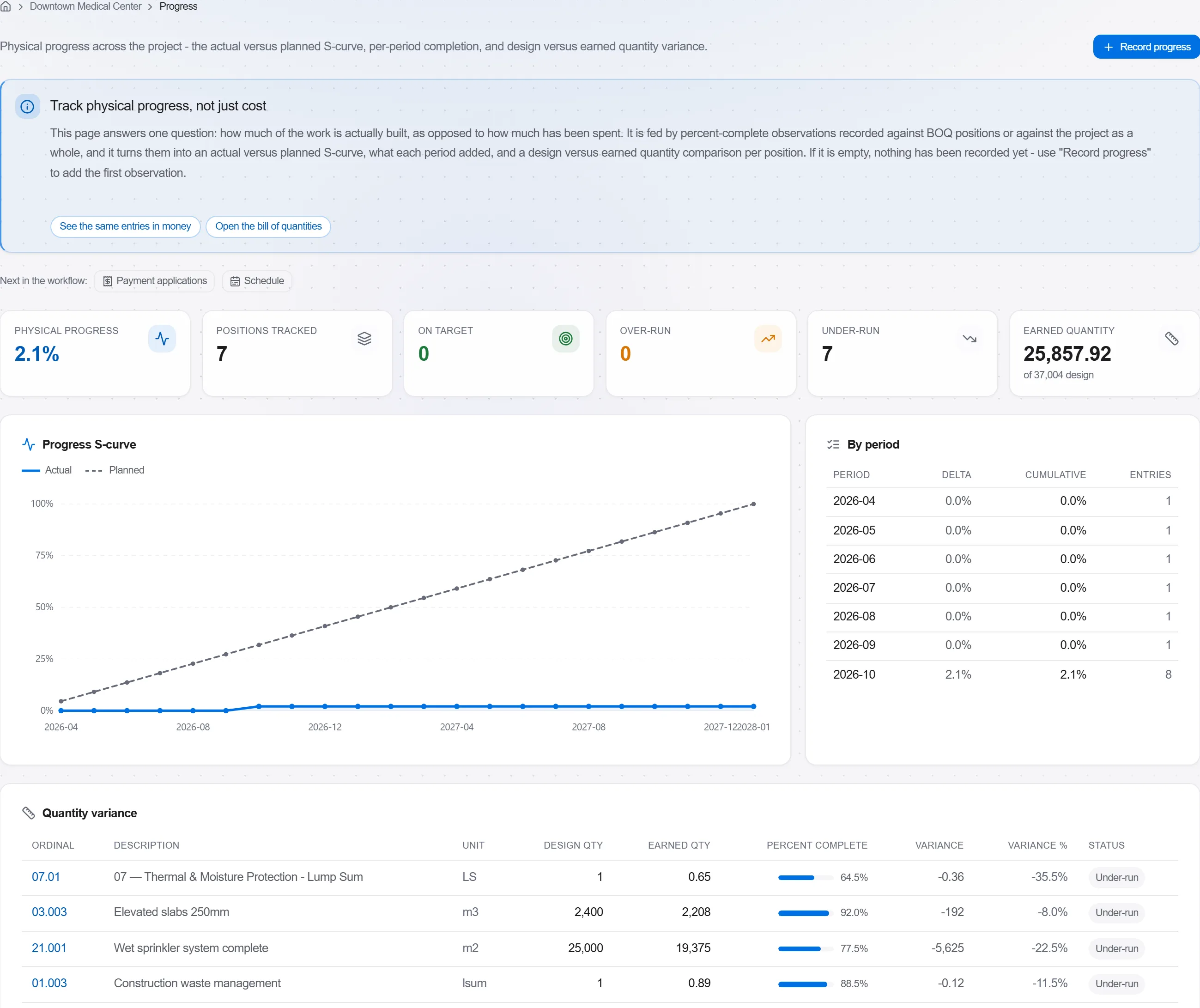
이유: 계획 대비 실적 모델은 발주자에게 백 페이지의 백분율보다 이미지 한 장으로 더 많은 것을 말합니다. 지연을 숨길 수 없게 만들고 솔직하게 이야기하기 쉽게 합니다.
플랫폼 190개 모듈 중 3개
Take a job from the very first setup right through to handover. Create it, price the work,…
Plan the programme, freeze a baseline to measure against, feed real progress back from site…
See where the job truly stands against the plan and the budget: bring the programme current…