
Планиране и контрол
Set up a project and hand it over
Take a job from the very first setup right through to handover. Create it, price the work,…
5 стъпки20 минОтвори
 ENEnglish
 DEDeutsch
 FRFrançais
 ESEspañol
 ES-MXEspañol (México)
 ITItaliano
 PTPortuguês
 NLNederlands
 PLPolski
 CSČeština
 RUРусский
 BGБългарски
 TRTürkçe
 SVSvenska
 NONorsk
 FISuomi
 DADansk
 ARالعربية
 ZH中文
ZH中文 JA日本語
JA日本語 KO한국어
KO한국어 HIहिन्दी
 THไทย
THไทย VITiếng Việt
 IDBahasa Indonesia
 RORomână
 HRHrvatski
 MNМонгол
 ETEesti
 BNবাংলা
 KKҚазақша
 KYКыргызча
 FILFilipino
 URاردو
 FAفارسی
 HEעברית
 ELΕλληνικά
Свържете елементите на модела с дейностите от графика, възпроизведете реда на строеж като 4D анимация, проверете дали наистина работи на терен и използвайте същия изглед за управление и отчитане на напредъка.
4 стъпки през платформата - какво правите на всяка и защо е важно.
Отворете координирания модел и потвърдете, че елементите са групирани така, както се строи обектът - по зона, ниво и бетониране - за да могат да се обвържат чисто с дейностите.
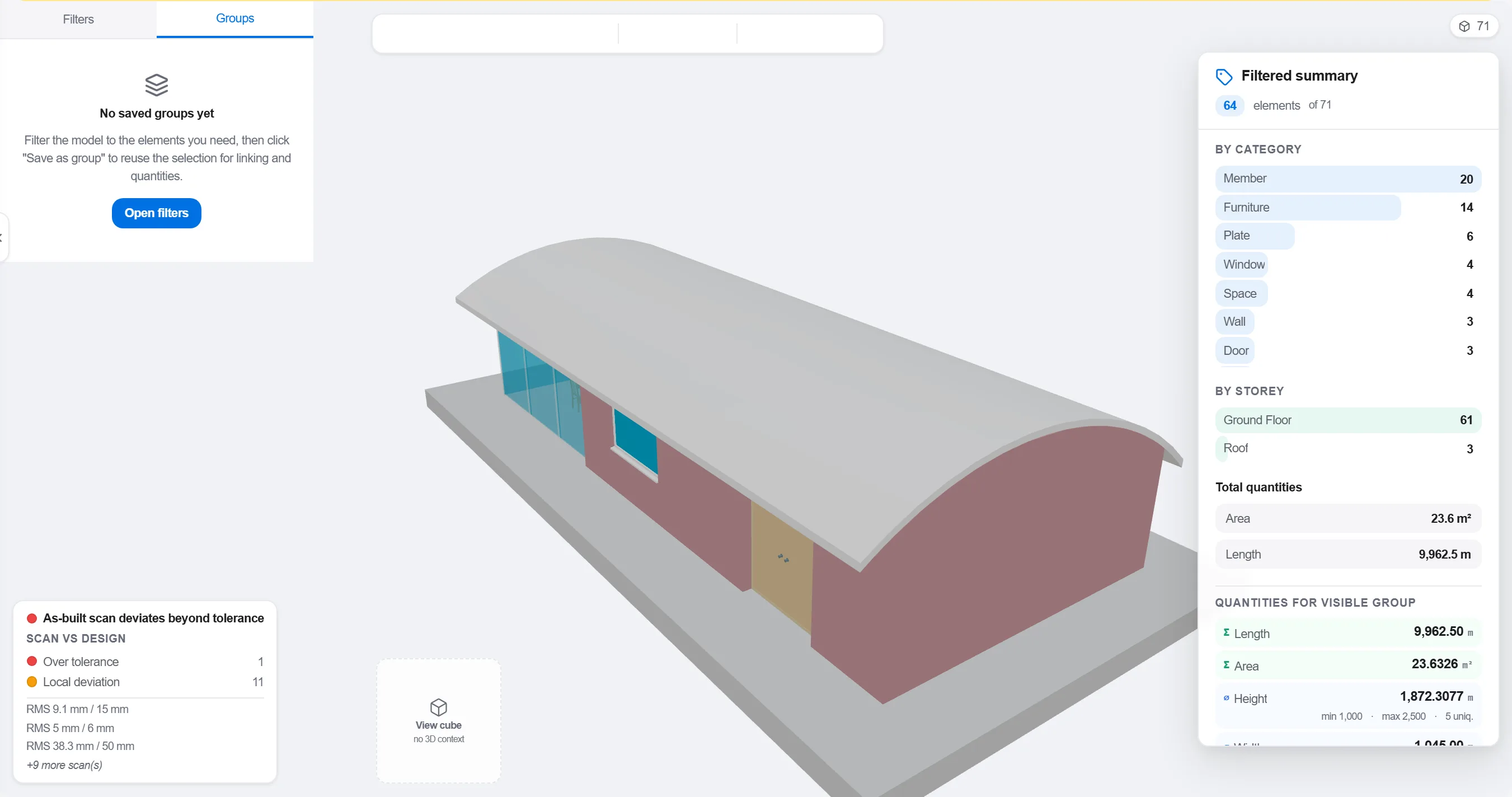
Защо: Модел, организиран по проектантска специалност, не съответства на начина, по който се последователности обектът. Групирането му по начина, по който протича работата, е това, което прави 4D връзката смислена, а не козметична.
Съпоставете всеки елемент или група с дейността от графика, която го строи, така че всяка част от модела да знае кога се издига и кога се сваля.

Защо: Връзката е това, което превръща статичен модел и плосък график в движеща се картина. Тя също така извежда елементите, които никой не е планирал, и дейностите, за които няма какво да се строи.
Възпроизведете последователността и наблюдавайте реда на строеж: проверете дали достъпът остава отворен, дали крановете достигат, дали временните конструкции идват и си отиват навреме и дали нищо не се строи преди това, което го крепи.

Защо: Откриването на бетониране извън последователност или блокиран достъп на екрана струва час. Откриването му на обекта струва седмица и престояващ екип. 4D прегледът е там, където се прави тази икономия.
Използвайте 4D изгледа, за да отбележите какво е построено и да го сравните с планираната последователност, така че напредъкът да се показва като оцветена геометрия, която целият екип чете с един поглед.
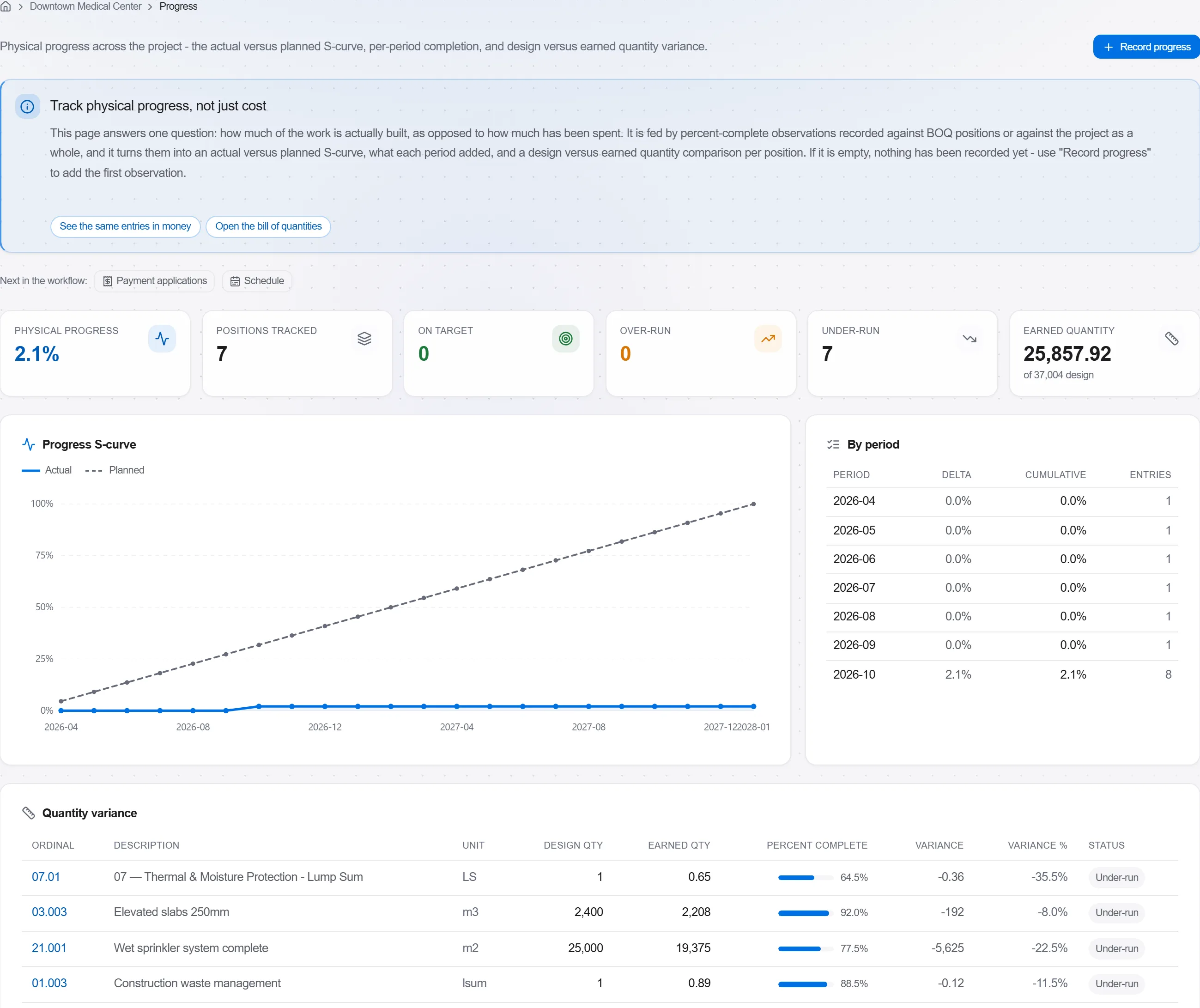
Защо: Модел планирано спрямо построено казва на клиента повече с една картина, отколкото цяла страница с проценти. Прави забавянето невъзможно за скриване и лесно за честен разговор.
3 / 190 модула на платформата
Take a job from the very first setup right through to handover. Create it, price the work,…
Plan the programme, freeze a baseline to measure against, feed real progress back from site…
See where the job truly stands against the plan and the budget: bring the programme current…