
Planning & beheersing
Set up a project and hand it over
Take a job from the very first setup right through to handover. Create it, price the work,…
5 stappen20 minOpenen
 ENEnglish
 DEDeutsch
 FRFrançais
 ESEspañol
 ES-MXEspañol (México)
 ITItaliano
 PTPortuguês
 NLNederlands
 PLPolski
 CSČeština
 RUРусский
 BGБългарски
 TRTürkçe
 SVSvenska
 NONorsk
 FISuomi
 DADansk
 ARالعربية
 ZH中文
ZH中文 JA日本語
JA日本語 KO한국어
KO한국어 HIहिन्दी
 THไทย
THไทย VITiếng Việt
 IDBahasa Indonesia
 RORomână
 HRHrvatski
 MNМонгол
 ETEesti
 BNবাংলা
 KKҚазақша
 KYКыргызча
 FILFilipino
 URاردو
 FAفارسی
 HEעברית
 ELΕλληνικά
Koppel modelelementen aan planningsactiviteiten, speel de bouwvolgorde af als 4D-animatie, controleer of die op de bouwplaats echt werkt en gebruik dezelfde weergave om voortgang aan te sturen en te rapporteren.
4 stappen door het platform - wat je bij elke stap doet en waarom het ertoe doet.
Open het gecoordineerde model en bevestig dat elementen zijn gegroepeerd zoals de klus wordt gebouwd - per zone, verdieping en stort - zodat ze schoon aan activiteiten kunnen worden gekoppeld.
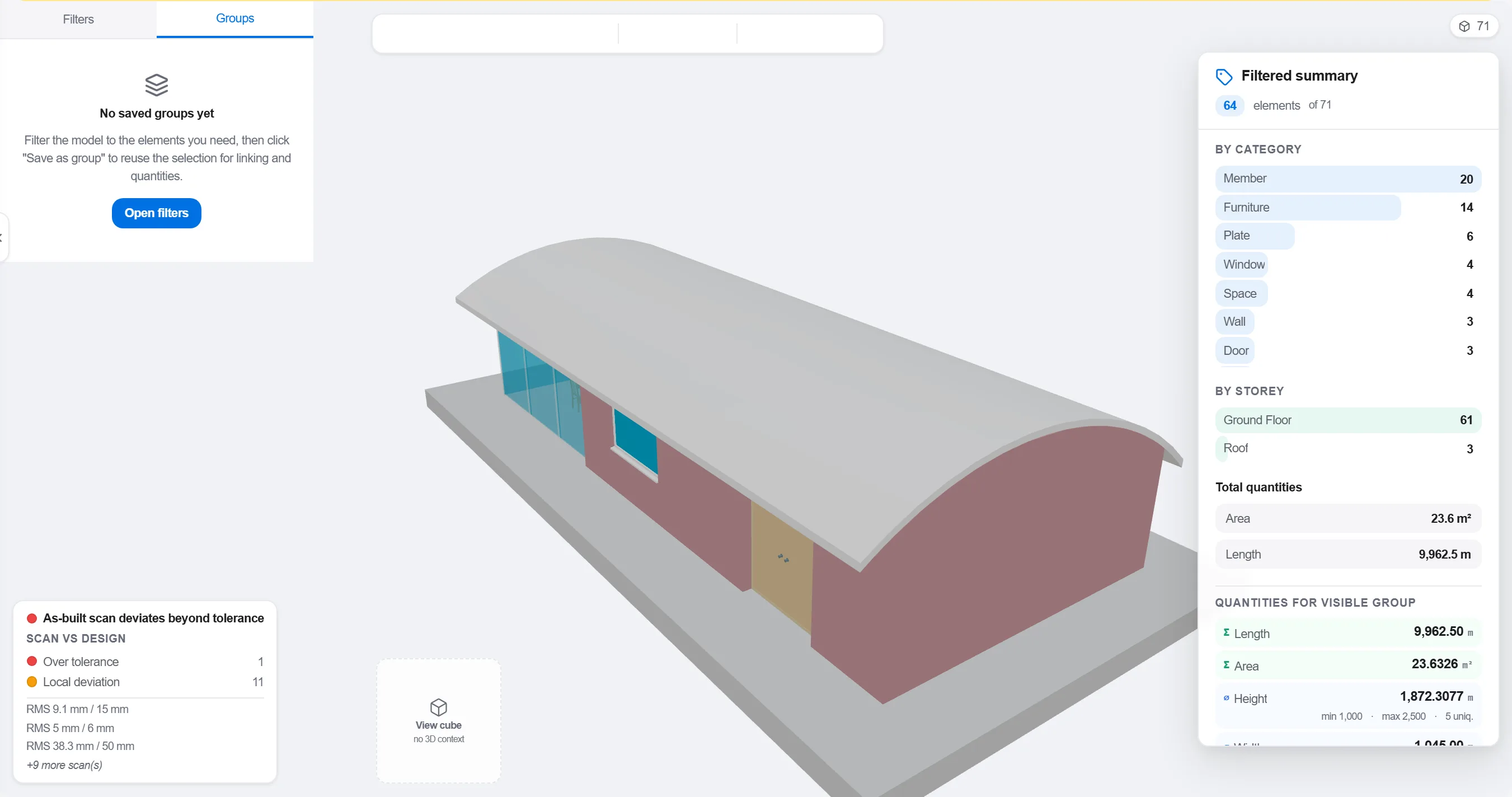
Waarom: Een model dat per ontwerpdiscipline is geordend past niet bij hoe de bouwplaats wordt gefaseerd. Het groeperen zoals het werk verloopt maakt een 4D-koppeling zinvol in plaats van cosmetisch.
Koppel elk element of elke groep aan de planningsactiviteit die het bouwt, zodat elk deel van het model weet wanneer het opgaat en weer verdwijnt.

Waarom: De koppeling maakt van een statisch model en een platte planning een bewegend beeld. Ze spoelt ook de elementen op die niemand heeft ingepland en de activiteiten die niets te bouwen hebben.
Speel de volgorde af en bekijk de bouwvolgorde: controleer of de toegang open blijft, of kranen kunnen reiken, of hulpconstructies op tijd komen en gaan, en of niets wordt gebouwd voordat wat het draagt er staat.

Waarom: Een stort buiten volgorde of een geblokkeerde toegang op het scherm vinden kost een uur. Op de bouwplaats vinden kost een week en een stilstaande ploeg. In de 4D-beoordeling wordt die besparing gemaakt.
Gebruik de 4D-weergave om te markeren wat gebouwd is en vergelijk het met de geplande volgorde, zodat voortgang zichtbaar wordt als gekleurde geometrie die het hele team in een oogopslag begrijpt.
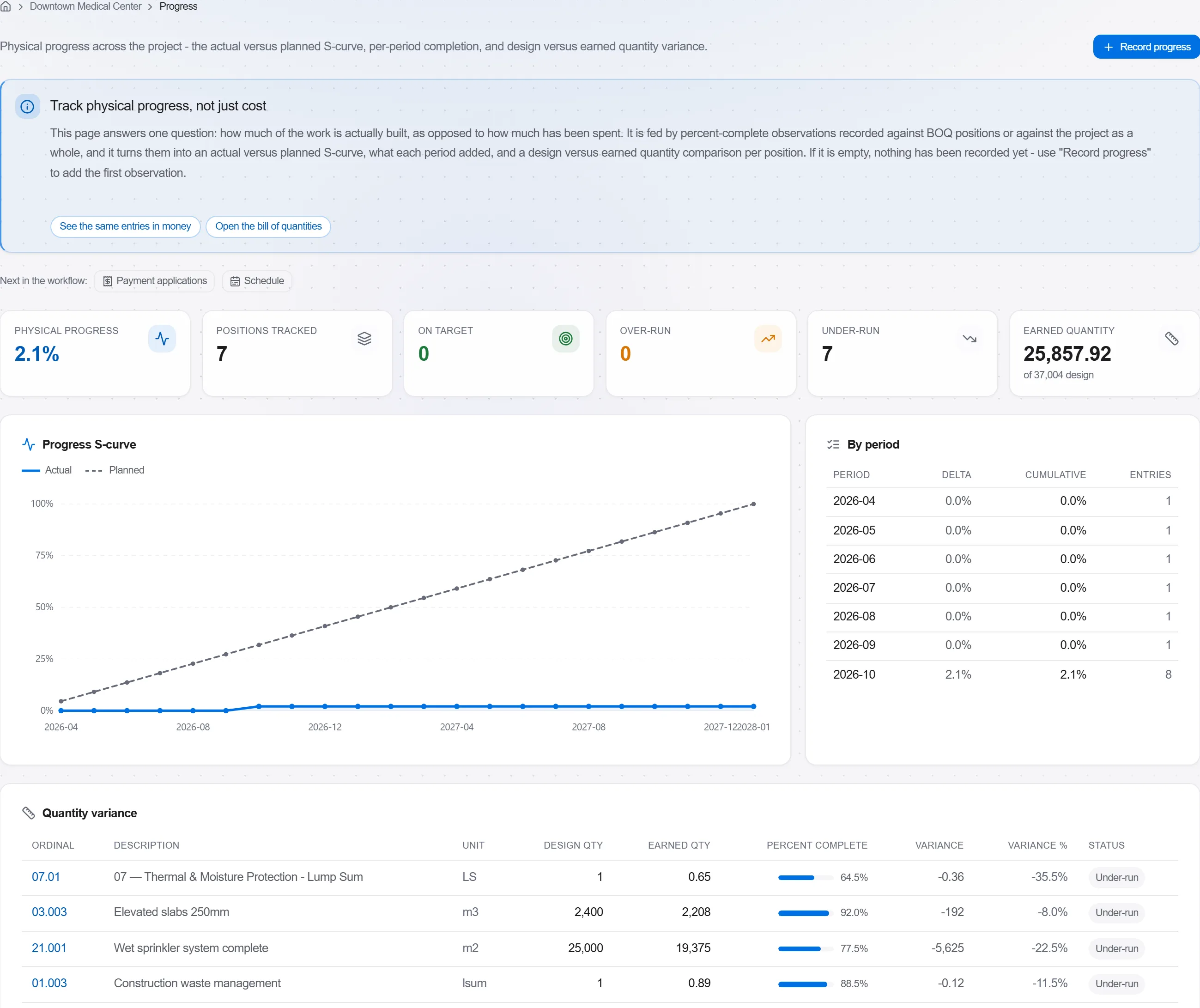
Waarom: Een model van gepland versus gebouwd vertelt een opdrachtgever meer in een beeld dan een pagina met percentages. Het maakt uitloop onmogelijk te verbergen en makkelijk om eerlijk over te praten.
3 / 190 platformmodules
Take a job from the very first setup right through to handover. Create it, price the work,…
Plan the programme, freeze a baseline to measure against, feed real progress back from site…
See where the job truly stands against the plan and the budget: bring the programme current…