
計画と管理
Set up a project and hand it over
Take a job from the very first setup right through to handover. Create it, price the work,…
5ステップ20 分開く
 ENEnglish
 DEDeutsch
 FRFrançais
 ESEspañol
 ES-MXEspañol (México)
 ITItaliano
 PTPortuguês
 NLNederlands
 PLPolski
 CSČeština
 RUРусский
 BGБългарски
 TRTürkçe
 SVSvenska
 NONorsk
 FISuomi
 DADansk
 ARالعربية
 ZH中文
ZH中文 JA日本語
JA日本語 KO한국어
KO한국어 HIहिन्दी
 THไทย
THไทย VITiếng Việt
 IDBahasa Indonesia
 RORomână
 HRHrvatski
 MNМонгол
 ETEesti
 BNবাংলা
 KKҚазақша
 KYКыргызча
 FILFilipino
 URاردو
 FAفارسی
 HEעברית
 ELΕλληνικά
モデル要素を工程アクティビティに紐づけ、施工順序を4Dアニメーションとして再生し、現場で実際に成立するか確認し、同じビューで進捗を管理し報告する。
プラットフォーム全体で4ステップ - 各ステップで何をするか、そしてなぜ重要か。
統合モデルを開き、要素が工事の組み立て方に沿って区画、階、打設ごとに分類されていることを確認する。これによりアクティビティにきれいに紐づけられる。
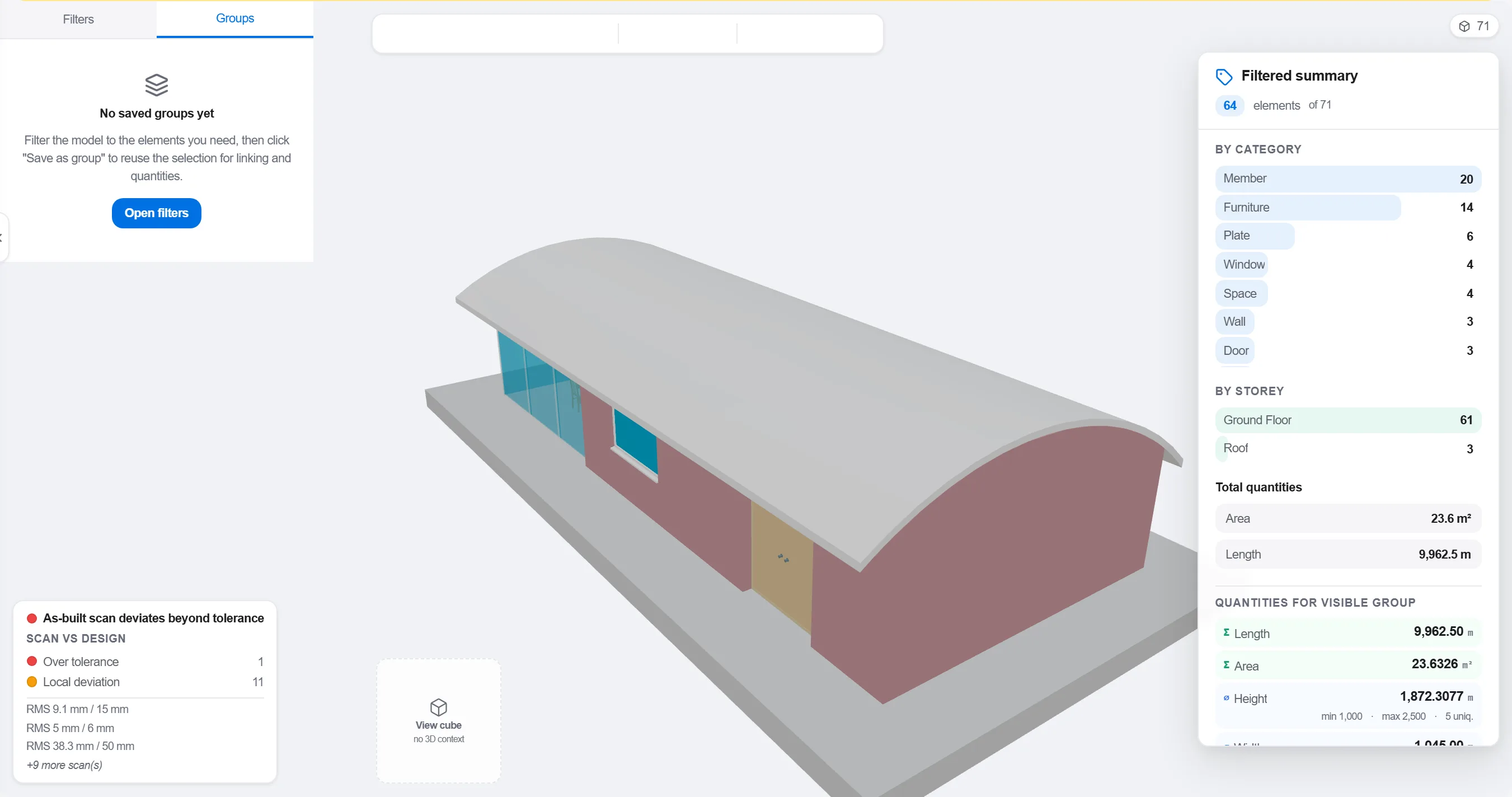
理由: 設計分野ごとに整理されたモデルは、現場の施工順序と一致しない。作業の進み方に沿って分類することが、4Dの紐づけを見かけだけでなく意味あるものにする。
各要素またはグループを、それを施工する工程アクティビティに対応づける。これによりモデルのあらゆる部分が、いつ立ち上がりいつ撤去されるかを把握する。

理由: この紐づけこそが、静的なモデルと平板な工程を動く映像に変える。また、誰も工程に載せていない要素や、施工対象のないアクティビティをあぶり出す。
手順を再生して施工順序を観察する。進入路が確保され、クレーンが届き、仮設が時期どおりに現れて消え、支えるものより先に何も作られていないことを確認する。

理由: 順序違いの打設や塞がれた進入路を画面上で見つければ1時間で済む。現場で見つければ1週間と待機する作業員の損失になる。4Dレビューはその節約を生む場だ。
4Dビューで施工済みの部分をマークして計画手順と比較し、進捗をチーム全員が一目で読める色分けされた形状として示す。
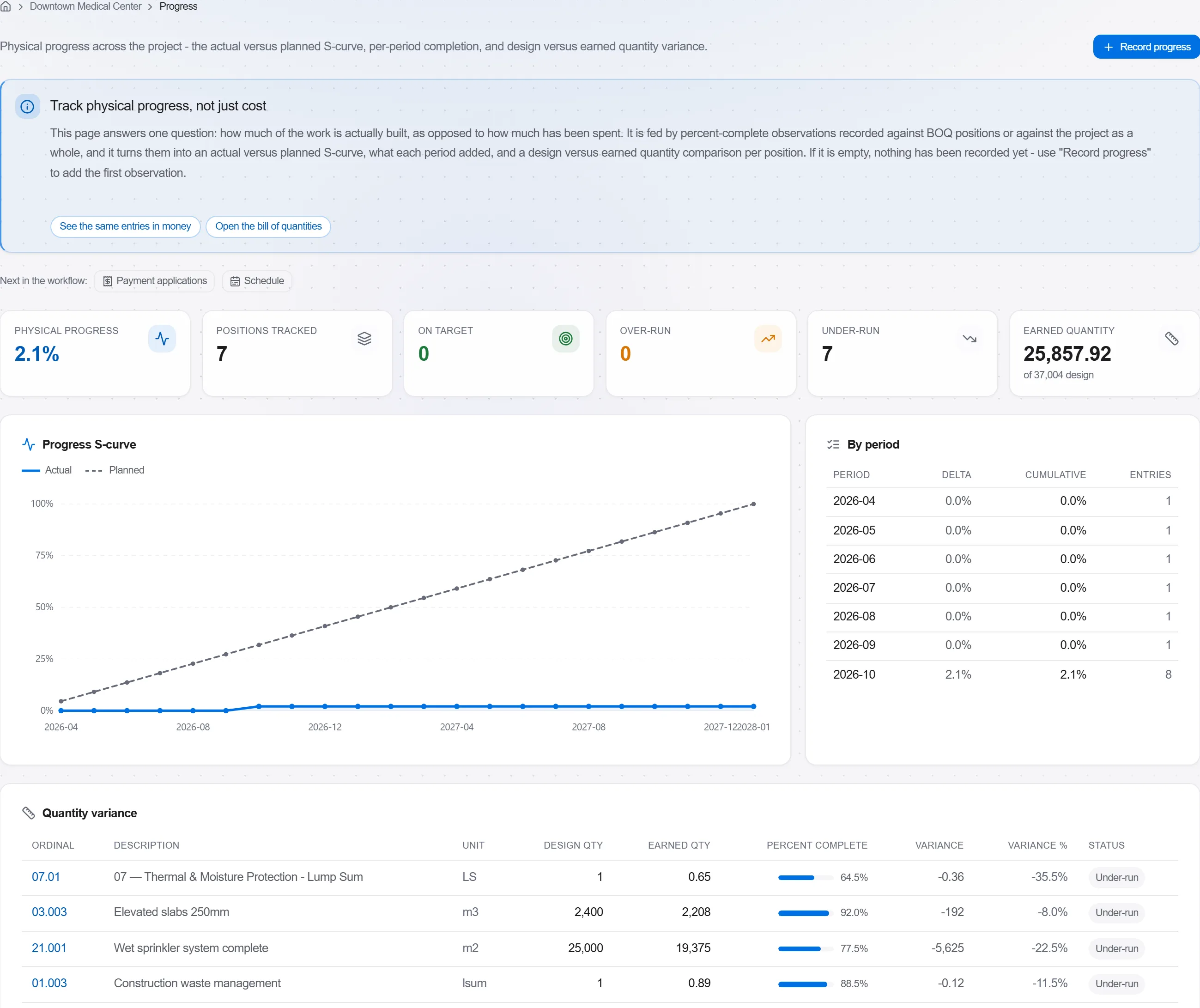
理由: 計画対実績のモデルは、数ページの百分率より1枚の画像で施主に多くを伝える。遅れを隠すことを不可能にし、率直に話しやすくする。
プラットフォーム 190 モジュール中 3 個
Take a job from the very first setup right through to handover. Create it, price the work,…
Plan the programme, freeze a baseline to measure against, feed real progress back from site…
See where the job truly stands against the plan and the budget: bring the programme current…