
Planering och styrning
Set up a project and hand it over
Take a job from the very first setup right through to handover. Create it, price the work,…
5 steg20 minÖppna
 ENEnglish
 DEDeutsch
 FRFrançais
 ESEspañol
 ES-MXEspañol (México)
 ITItaliano
 PTPortuguês
 NLNederlands
 PLPolski
 CSČeština
 RUРусский
 BGБългарски
 TRTürkçe
 SVSvenska
 NONorsk
 FISuomi
 DADansk
 ARالعربية
 ZH中文
ZH中文 JA日本語
JA日本語 KO한국어
KO한국어 HIहिन्दी
 THไทย
THไทย VITiếng Việt
 IDBahasa Indonesia
 RORomână
 HRHrvatski
 MNМонгол
 ETEesti
 BNবাংলা
 KKҚазақша
 KYКыргызча
 FILFilipino
 URاردو
 FAفارسی
 HEעברית
 ELΕλληνικά
Koppla modellelement till tidplansaktiviteter, spela upp byggordningen som en 4D-animering, kontrollera att den faktiskt fungerar på plats och använd samma vy för att driva och rapportera framdrift.
4 steg genom plattformen - vad du gör i varje och varför det spelar roll.
Öppna den samordnade modellen och bekräfta att elementen är grupperade så som jobbet byggs - efter zon, våning och gjutetapp - så att de kan knytas till aktiviteter rent.
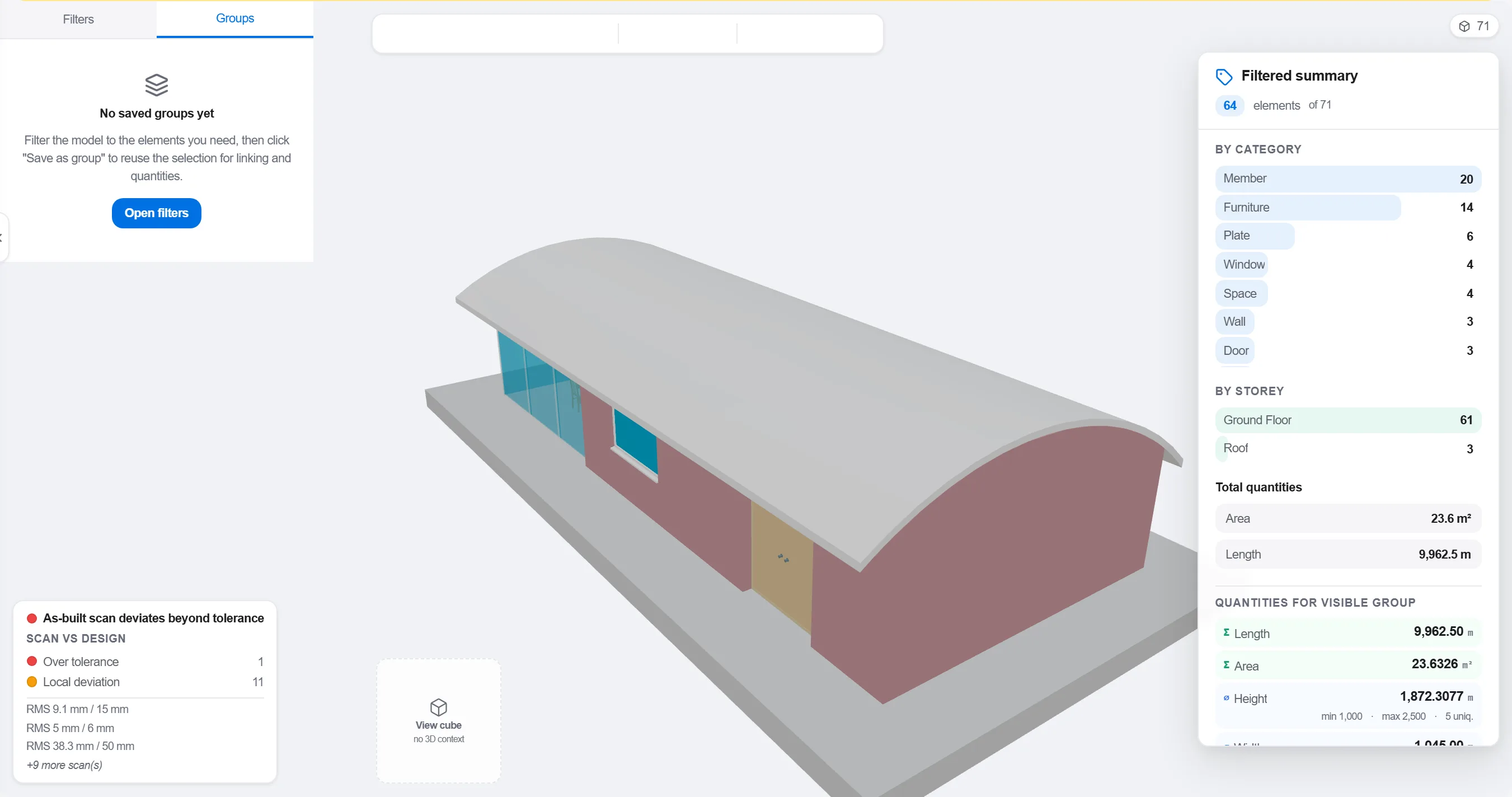
Varför: En modell organiserad efter projekteringsdisciplin matchar inte hur platsen sekvenseras. Att gruppera den så som arbetet sker är vad som gör en 4D-koppling meningsfull i stället för kosmetisk.
Koppla varje element eller grupp till den tidplansaktivitet som bygger det, så att varje del av modellen vet när den reses och rivs.

Varför: Kopplingen är vad som förvandlar en statisk modell och en platt tidplan till en rörlig bild. Den spolar också fram de element ingen tidsatt och de aktiviteter som inte har något att bygga.
Spela upp sekvensen och se byggordningen: kontrollera att åtkomsten hålls öppen, att kranar når fram, att tillfälliga konstruktioner kommer och går i tid och att inget byggs före det som bär upp det.

Varför: Att hitta en gjutning i fel ordning eller en blockerad åtkomst på skärmen kostar en timme. Att hitta det på plats kostar en vecka och ett stillastående arbetslag. 4D-granskningen är där den besparingen görs.
Använd 4D-vyn för att markera vad som är byggt och jämför det mot den planerade sekvensen, så att framdriften visas som färgad geometri hela teamet kan läsa av på ett ögonblick.
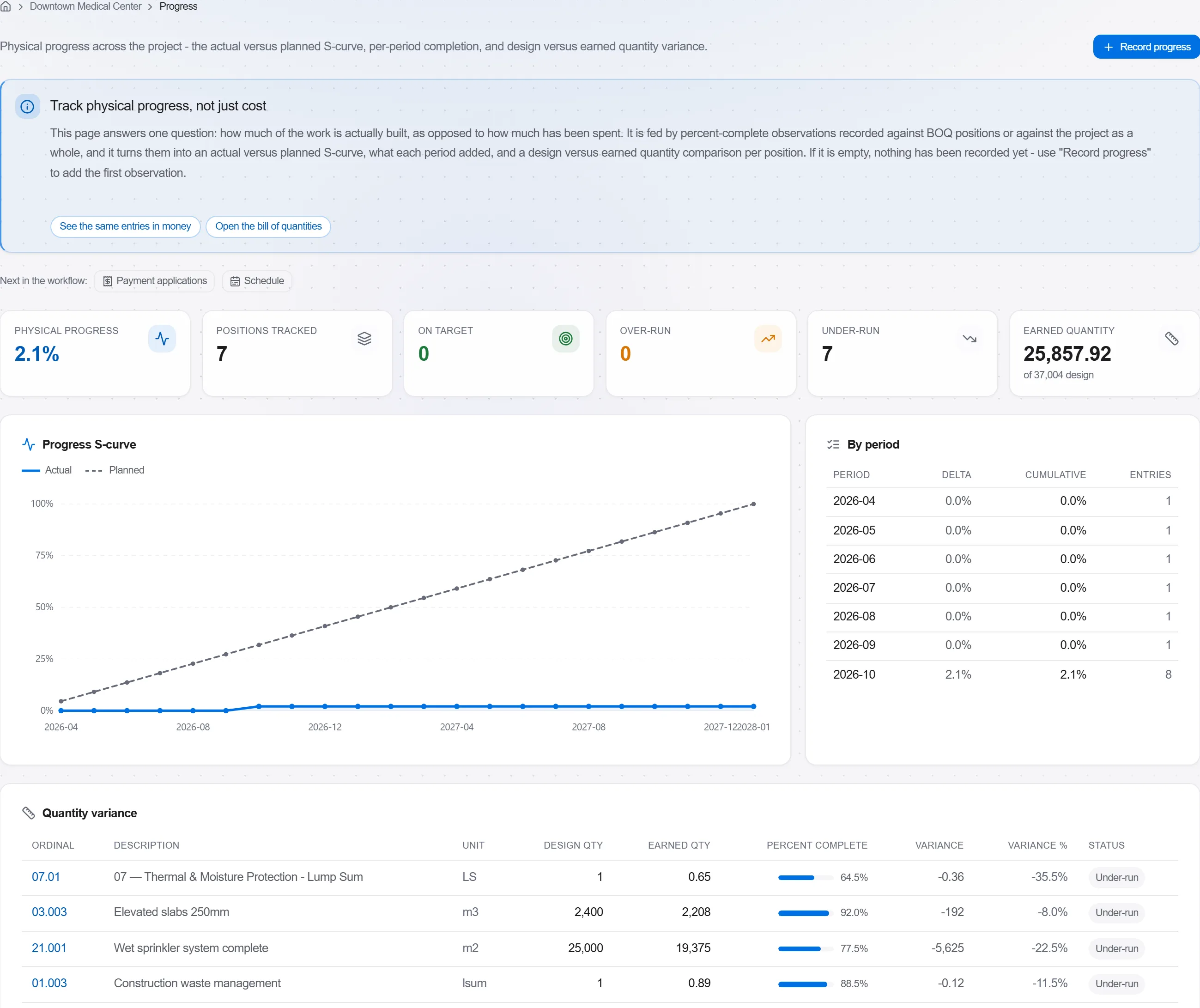
Varför: En planerad-mot-byggd-modell säger en beställare mer i en bild än en sida med procentsatser. Den gör förseningar omöjliga att dölja och lätta att tala om ärligt.
3 / 190 plattformsmoduler
Take a job from the very first setup right through to handover. Create it, price the work,…
Plan the programme, freeze a baseline to measure against, feed real progress back from site…
See where the job truly stands against the plan and the budget: bring the programme current…