
Planlægning og styring
Set up a project and hand it over
Take a job from the very first setup right through to handover. Create it, price the work,…
5 trin20 minÅbn
 ENEnglish
 DEDeutsch
 FRFrançais
 ESEspañol
 ES-MXEspañol (México)
 ITItaliano
 PTPortuguês
 NLNederlands
 PLPolski
 CSČeština
 RUРусский
 BGБългарски
 TRTürkçe
 SVSvenska
 NONorsk
 FISuomi
 DADansk
 ARالعربية
 ZH中文
ZH中文 JA日本語
JA日本語 KO한국어
KO한국어 HIहिन्दी
 THไทย
THไทย VITiếng Việt
 IDBahasa Indonesia
 RORomână
 HRHrvatski
 MNМонгол
 ETEesti
 BNবাংলা
 KKҚазақша
 KYКыргызча
 FILFilipino
 URاردو
 FAفارسی
 HEעברית
 ELΕλληνικά
Kobl modelelementer til tidsplanens aktiviteter, afspil byggerækkefølgen som en 4D-animation, tjek at den faktisk fungerer på pladsen, og brug samme visning til at styre og rapportere fremdrift.
4 trin gennem platformen - hvad du gør i hvert, og hvorfor det betyder noget.
Åbn den koordinerede model og bekræft at elementerne er grupperet som sagen bygges - efter zone, etage og udstøbning - så de kan kobles rent til aktiviteter.
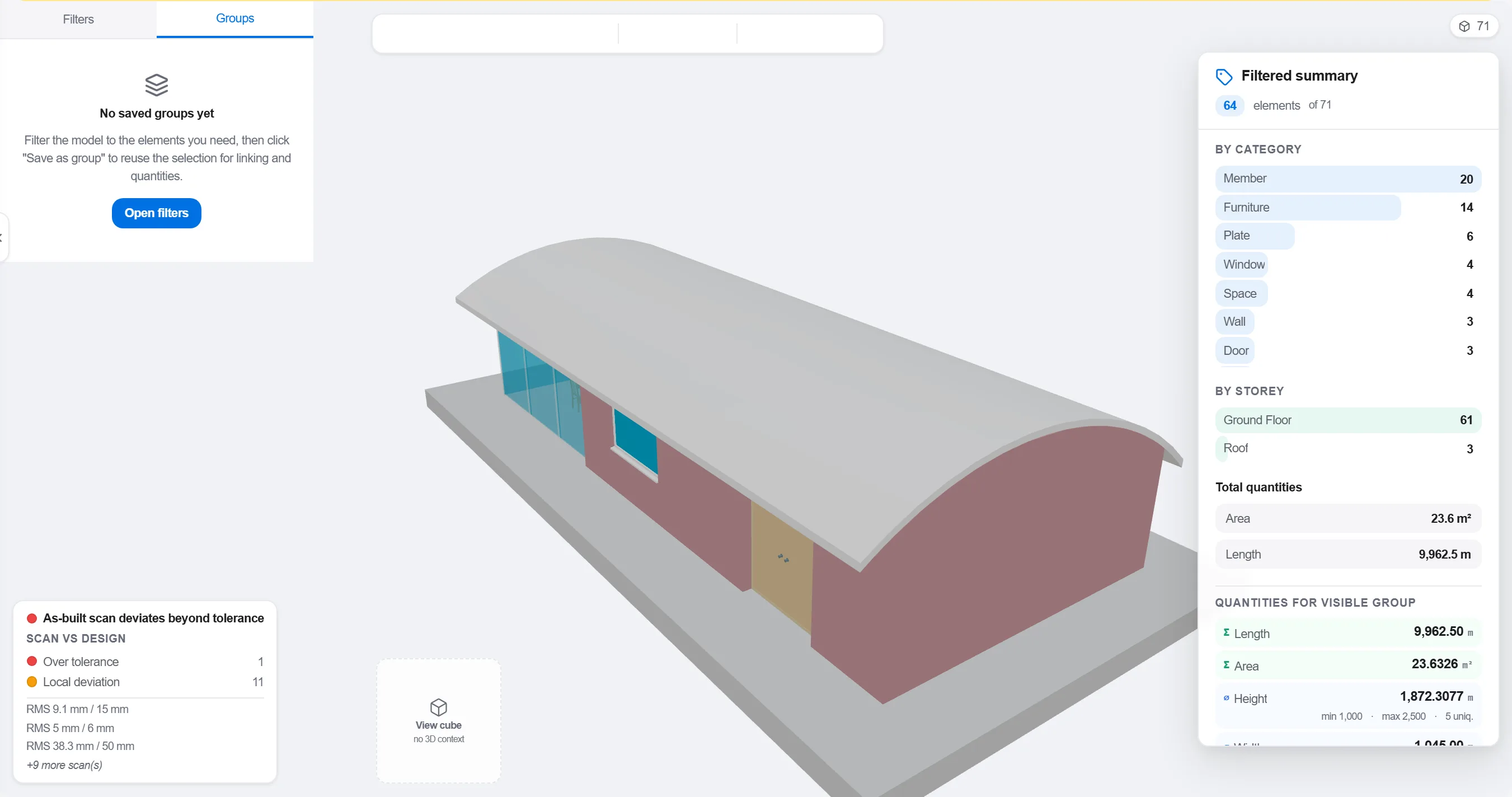
Hvorfor: En model organiseret efter projekteringsfag passer ikke til hvordan pladsen sekvenseres. At gruppere den som arbejdet foregår, er det der gør en 4D-kobling meningsfuld frem for kosmetisk.
Kortlæg hvert element eller hver gruppe til den aktivitet i tidsplanen der bygger det, så hver del af modellen ved hvornår den rejses og fjernes.

Hvorfor: Koblingen er det der gør en statisk model og en flad tidsplan til et levende billede. Den afslører også de elementer ingen har planlagt og de aktiviteter der intet har at bygge.
Afspil sekvensen og se byggerækkefølgen: tjek at adgang holdes fri, at kraner kan nå, at midlertidige konstruktioner kommer og går i tide, og at intet bygges før det der bærer det.

Hvorfor: At finde en udstøbning i forkert rækkefølge eller en spærret adgang på skærmen koster en time. At finde den på pladsen koster en uge og et ledigt sjak. 4D-gennemgangen er hvor den besparelse hentes.
Brug 4D-visningen til at markere hvad der er bygget og sammenligne det med den planlagte sekvens, så fremdrift vises som farvet geometri hele holdet kan aflæse på et øjeblik.
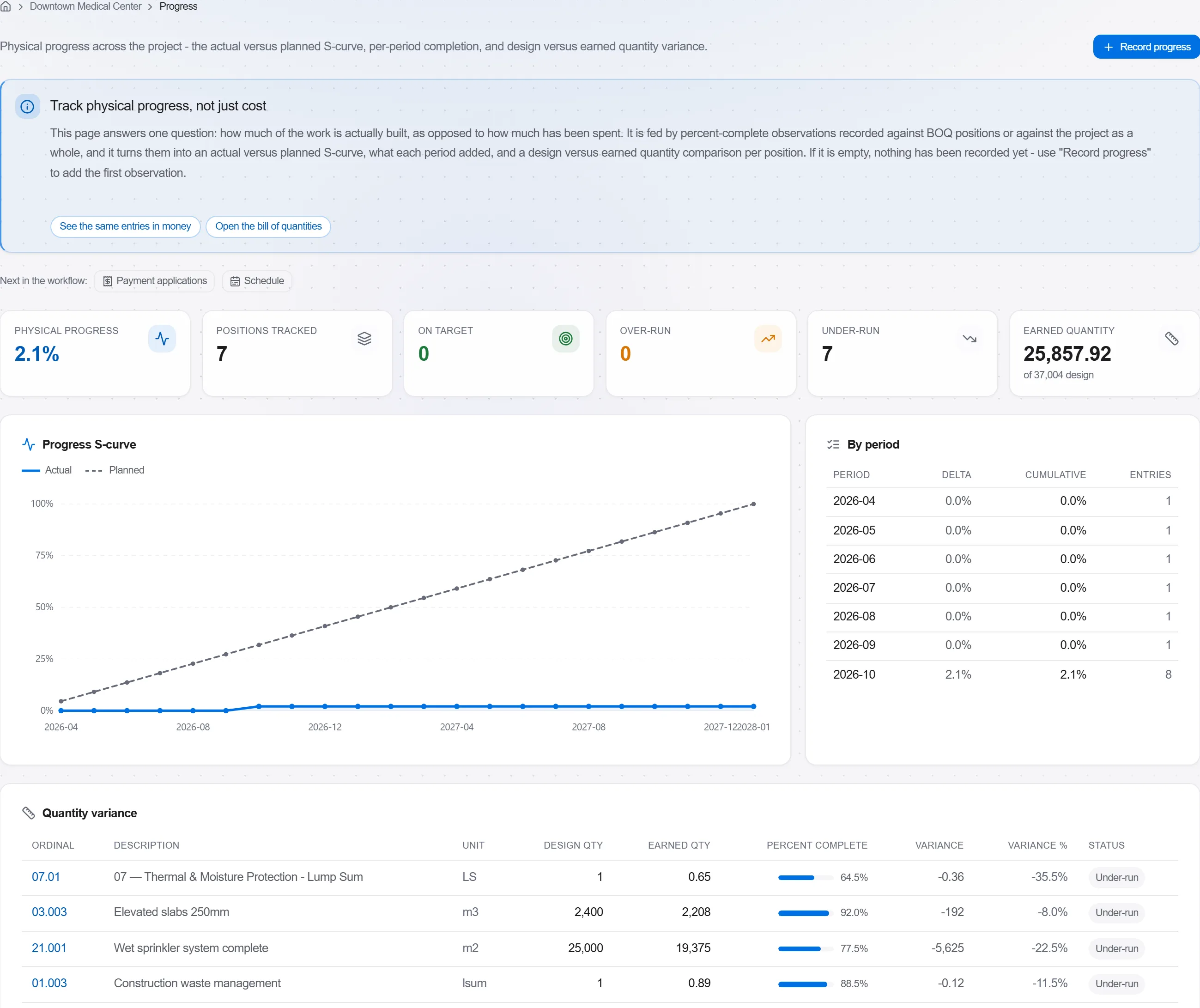
Hvorfor: En planlagt-mod-bygget model fortæller en bygherre mere i ét billede end en side med procenter. Den gør forsinkelse umulig at skjule og let at tale ærligt om.
3 / 190 platformmoduler
Take a job from the very first setup right through to handover. Create it, price the work,…
Plan the programme, freeze a baseline to measure against, feed real progress back from site…
See where the job truly stands against the plan and the budget: bring the programme current…