
التخطيط والضبط
Set up a project and hand it over
Take a job from the very first setup right through to handover. Create it, price the work,…
5 خطوة20 دقيقةفتح
 ENEnglish
 DEDeutsch
 FRFrançais
 ESEspañol
 ES-MXEspañol (México)
 ITItaliano
 PTPortuguês
 NLNederlands
 PLPolski
 CSČeština
 RUРусский
 BGБългарски
 TRTürkçe
 SVSvenska
 NONorsk
 FISuomi
 DADansk
 ARالعربية
 ZH中文
ZH中文 JA日本語
JA日本語 KO한국어
KO한국어 HIहिन्दी
 THไทย
THไทย VITiếng Việt
 IDBahasa Indonesia
 RORomână
 HRHrvatski
 MNМонгол
 ETEesti
 BNবাংলা
 KKҚазақша
 KYКыргызча
 FILFilipino
 URاردو
 FAفارسی
 HEעברית
 ELΕλληνικά
اربط عناصر النموذج بأنشطة الجدول الزمني، وشغّل ترتيب البناء كرسم متحرك 4D، وتحقق من أنه يعمل فعلاً على الأرض، واستخدم العرض نفسه لدفع التقدم والإبلاغ عنه.
4 خطوات عبر المنصة - ما تفعله في كل منها ولماذا يهم.
افتح النموذج المنسّق وأكِّد أن العناصر مجمّعة بالطريقة التي يُبنى بها العمل - حسب المنطقة والمنسوب والصبّة - كي يمكن ربطها بالأنشطة بشكل نظيف.
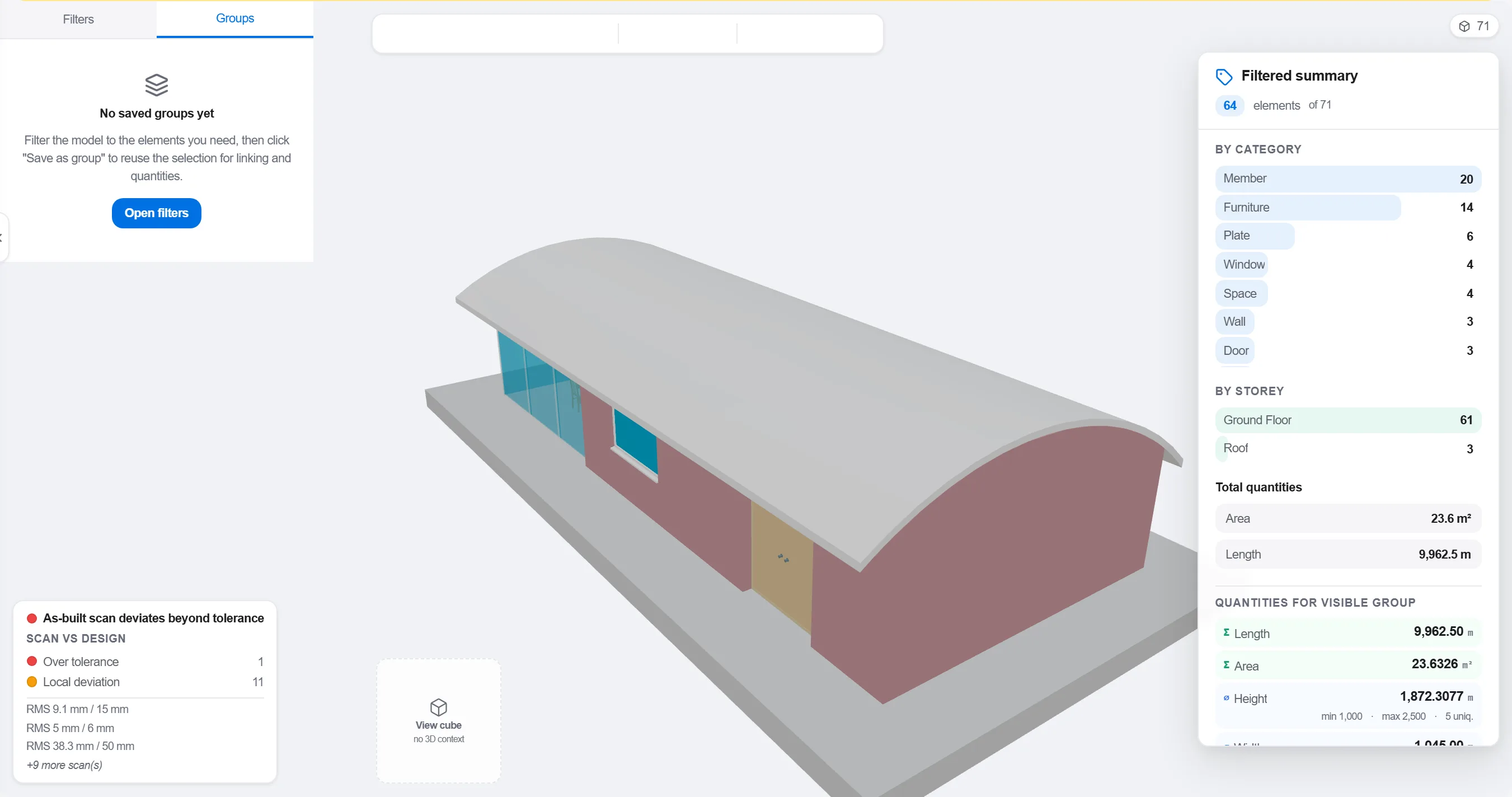
لماذا: النموذج المنظَّم حسب تخصص التصميم لا يطابق كيفية تتابع العمل في الموقع. تجميعه بالطريقة التي يجري بها العمل هو ما يجعل ربط 4D ذا معنى لا مجرد شكل.
اربط كل عنصر أو مجموعة بنشاط الجدول الزمني الذي يبنيه، بحيث يعرف كل جزء من النموذج متى يُنصب ومتى يُزال.

لماذا: الربط هو ما يحوّل نموذجاً ثابتاً وبرنامجاً مسطحاً إلى صورة متحركة. كما يكشف العناصر التي لم يجدولها أحد والأنشطة التي لا شيء لها لتبنيه.
شغّل التسلسل وراقب ترتيب البناء: تحقق من بقاء الوصول مفتوحاً، ومن قدرة الرافعات على الوصول، ومن دخول الأعمال المؤقتة وخروجها في وقتها، ومن ألا يُبنى شيء قبل ما يسنده.

لماذا: اكتشاف صبّة خارج التسلسل أو وصول مسدود على الشاشة يكلف ساعة. اكتشافه في الموقع يكلف أسبوعاً وطاقماً متوقفاً. مراجعة 4D هي حيث يتحقق هذا التوفير.
استخدم عرض 4D لتحديد ما تم بناؤه ومقارنته بالتسلسل المخطط، بحيث يظهر التقدم كهندسة ملونة يقرأها الفريق كله بلمحة.
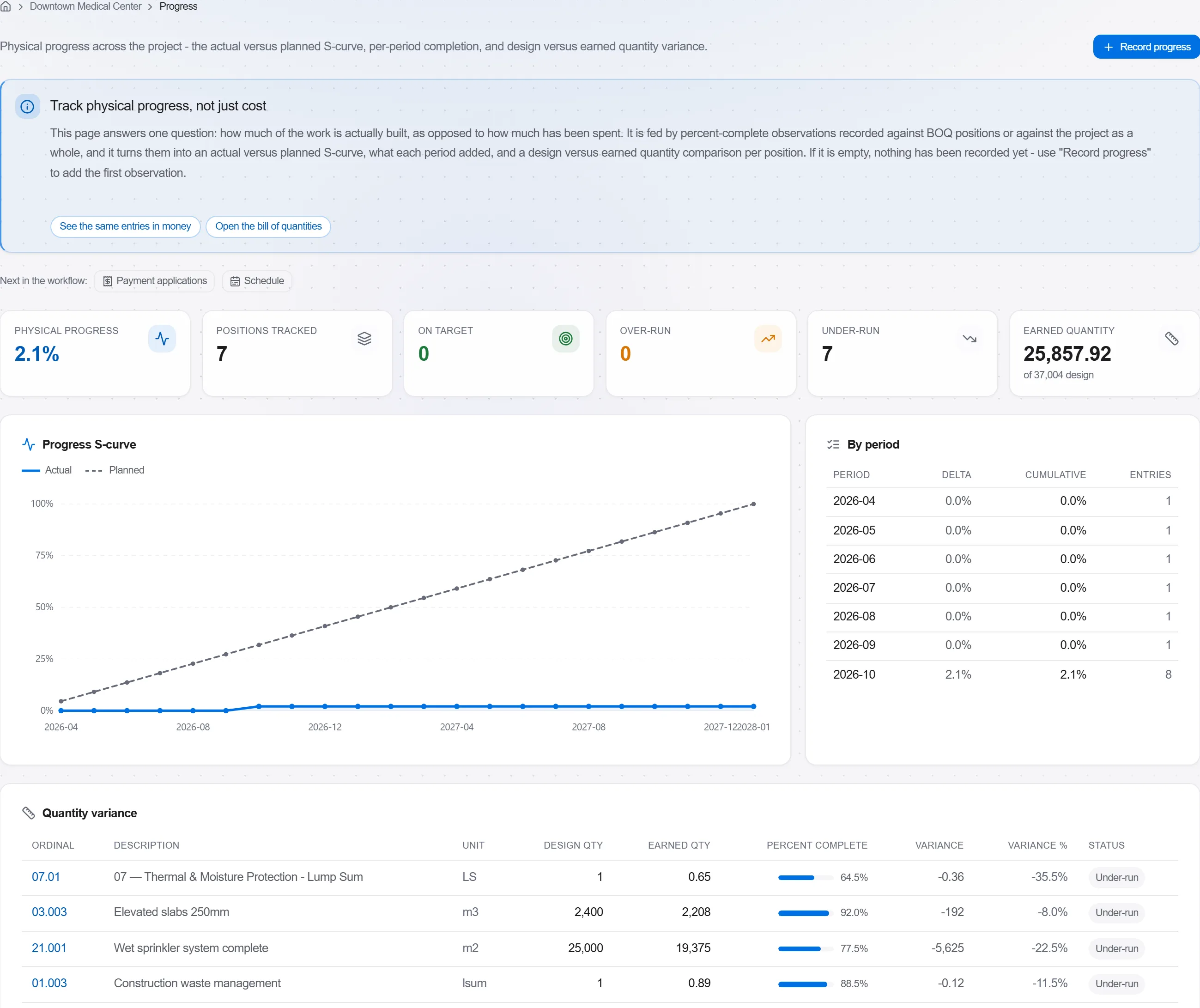
لماذا: النموذج المخطط مقابل المنفَّذ يقول للعميل في صورة واحدة أكثر مما تقوله صفحة من النسب المئوية. يجعل الانزلاق مستحيل الإخفاء وسهل التحدث عنه بصدق.
3 / 190 من وحدات المنصة
Take a job from the very first setup right through to handover. Create it, price the work,…
Plan the programme, freeze a baseline to measure against, feed real progress back from site…
See where the job truly stands against the plan and the budget: bring the programme current…