
Lập kế hoạch và kiểm soát
Set up a project and hand it over
Take a job from the very first setup right through to handover. Create it, price the work,…
5 bước20 phútMở
 ENEnglish
 DEDeutsch
 FRFrançais
 ESEspañol
 ES-MXEspañol (México)
 ITItaliano
 PTPortuguês
 NLNederlands
 PLPolski
 CSČeština
 RUРусский
 BGБългарски
 TRTürkçe
 SVSvenska
 NONorsk
 FISuomi
 DADansk
 ARالعربية
 ZH中文
ZH中文 JA日本語
JA日本語 KO한국어
KO한국어 HIहिन्दी
 THไทย
THไทย VITiếng Việt
 IDBahasa Indonesia
 RORomână
 HRHrvatski
 MNМонгол
 ETEesti
 BNবাংলা
 KKҚазақша
 KYКыргызча
 FILFilipino
 URاردو
 FAفارسی
 HEעברית
 ELΕλληνικά
Liên kết các cấu kiện mô hình với hoạt động tiến độ, phát lại trình tự thi công dưới dạng hoạt hình 4D, kiểm tra xem nó có thực sự chạy được trên hiện trường và dùng chính hình ảnh đó để điều hành và báo cáo tiến độ.
4 bước xuyên suốt nền tảng - bạn làm gì ở mỗi bước và vì sao điều đó quan trọng.
Mở mô hình đã phối hợp và xác nhận các cấu kiện được nhóm đúng theo cách công trình được xây - theo phân khu, cao độ và đợt đổ - để chúng có thể được gắn với hoạt động một cách gọn gàng.
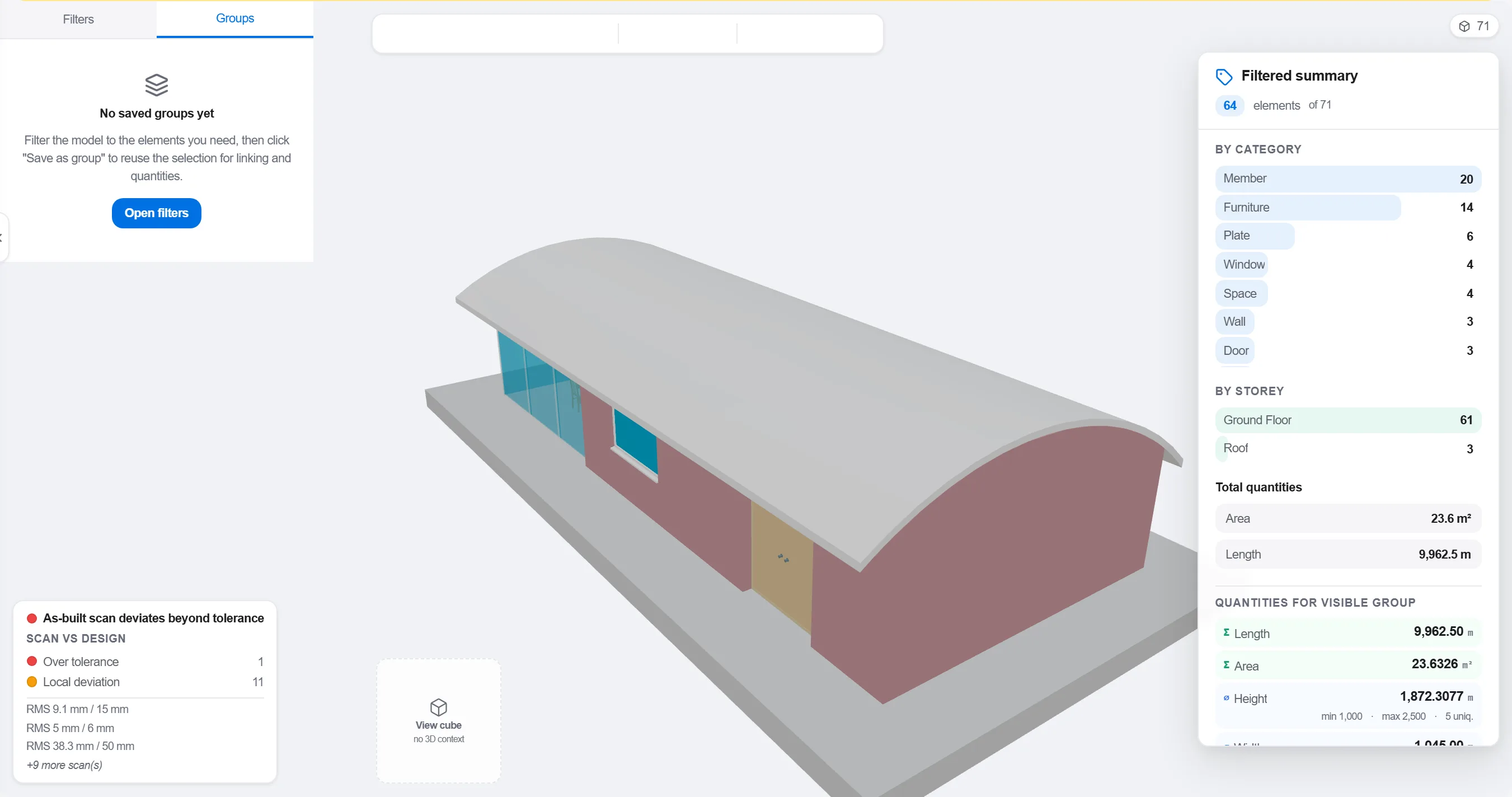
Tại sao: Một mô hình sắp xếp theo bộ môn thiết kế không khớp với cách hiện trường được trình tự hóa. Nhóm nó theo cách công việc diễn ra là điều làm cho liên kết 4D có ý nghĩa thay vì chỉ mang tính hình thức.
Ánh xạ mỗi cấu kiện hoặc nhóm với hoạt động tiến độ xây nên nó, để mọi phần của mô hình biết khi nào nó được dựng lên và tháo dỡ.

Tại sao: Liên kết là điều biến một mô hình tĩnh và một tiến độ phẳng thành một bức tranh động. Nó cũng làm lộ ra những cấu kiện không ai lên tiến độ và những hoạt động không có gì để xây.
Phát trình tự và xem thứ tự thi công: kiểm tra lối tiếp cận vẫn thông, cần cẩu vươn tới được, công trình tạm dựng lên và tháo dỡ đúng lúc, và không có gì được xây trước cái đỡ nó.

Tại sao: Phát hiện một đợt đổ sai trình tự hay lối tiếp cận bị chặn trên màn hình tốn một giờ. Phát hiện nó trên hiện trường tốn một tuần và một tổ đội đứng chờ. Rà soát 4D là nơi khoản tiết kiệm đó được tạo ra.
Dùng hình ảnh 4D để đánh dấu những gì đã xây và so với trình tự đã lên kế hoạch, để tiến độ được thể hiện dưới dạng hình khối tô màu mà cả đội có thể đọc trong nháy mắt.
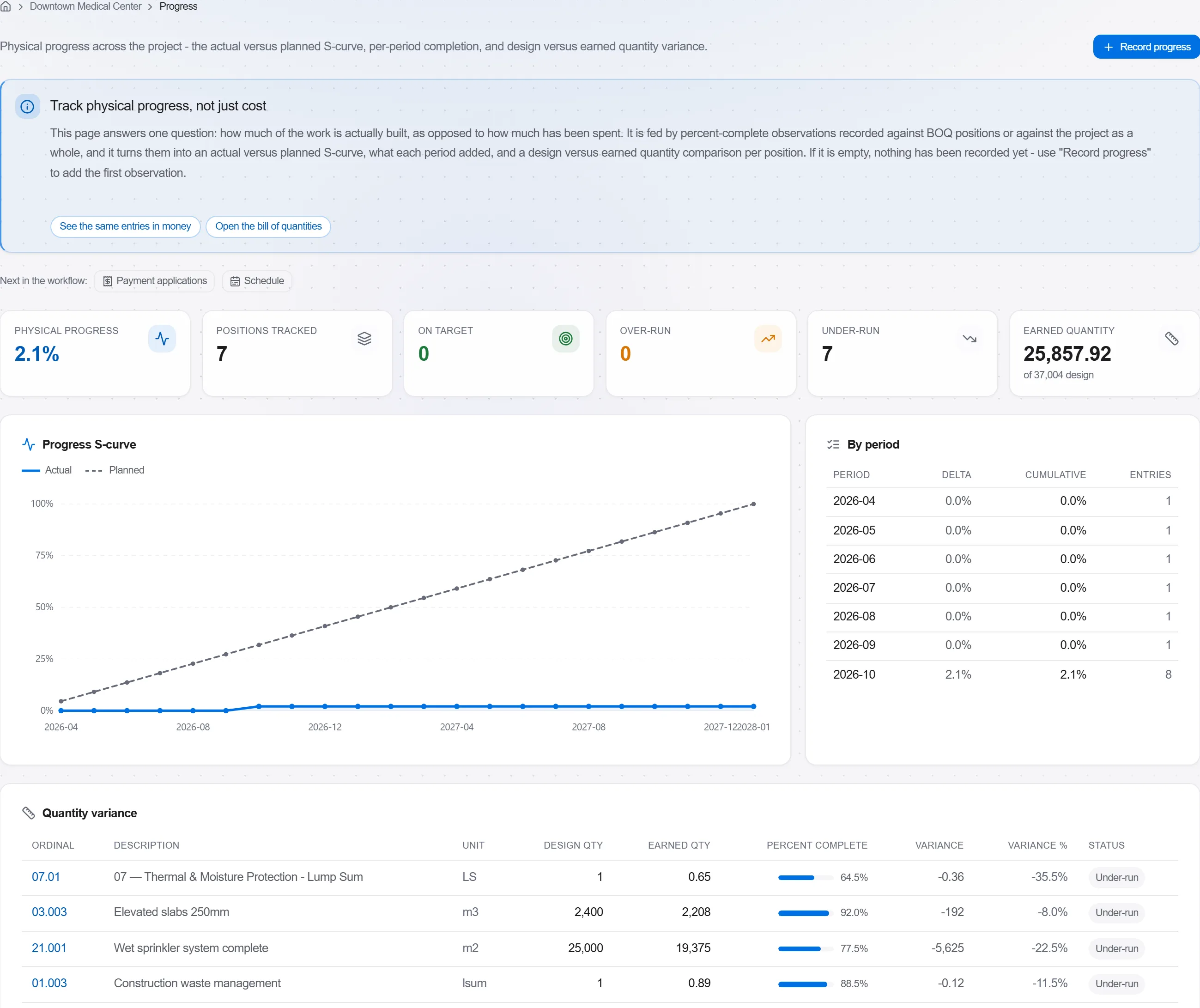
Tại sao: Một mô hình kế hoạch so với thực tế nói với chủ đầu tư nhiều hơn trong một hình ảnh so với cả trang phần trăm. Nó khiến sự chậm trễ không thể che giấu và dễ trao đổi một cách trung thực.
3 / 190 mô-đun nền tảng
Take a job from the very first setup right through to handover. Create it, price the work,…
Plan the programme, freeze a baseline to measure against, feed real progress back from site…
See where the job truly stands against the plan and the budget: bring the programme current…