
Планирование и контроль
Set up a project and hand it over
Take a job from the very first setup right through to handover. Create it, price the work,…
Шагов: 520 минОткрыть
 ENEnglish
 DEDeutsch
 FRFrançais
 ESEspañol
 ES-MXEspañol (México)
 ITItaliano
 PTPortuguês
 NLNederlands
 PLPolski
 CSČeština
 RUРусский
 BGБългарски
 TRTürkçe
 SVSvenska
 NONorsk
 FISuomi
 DADansk
 ARالعربية
 ZH中文
ZH中文 JA日本語
JA日本語 KO한국어
KO한국어 HIहिन्दी
 THไทย
THไทย VITiếng Việt
 IDBahasa Indonesia
 RORomână
 HRHrvatski
 MNМонгол
 ETEesti
 BNবাংলা
 KKҚазақша
 KYКыргызча
 FILFilipino
 URاردو
 FAفارسی
 HEעברית
 ELΕλληνικά
Свяжите элементы модели с работами графика, проиграйте порядок возведения как 4D-анимацию, проверьте, что он реально работает на площадке, и используйте тот же вид для управления и отчёта по прогрессу.
4 шагов через всю платформу - что делать на каждом и почему это важно.
Откройте согласованную модель и убедитесь, что элементы сгруппированы так, как строится объект - по зоне, уровню и захватке, чтобы их можно было чисто привязать к работам.
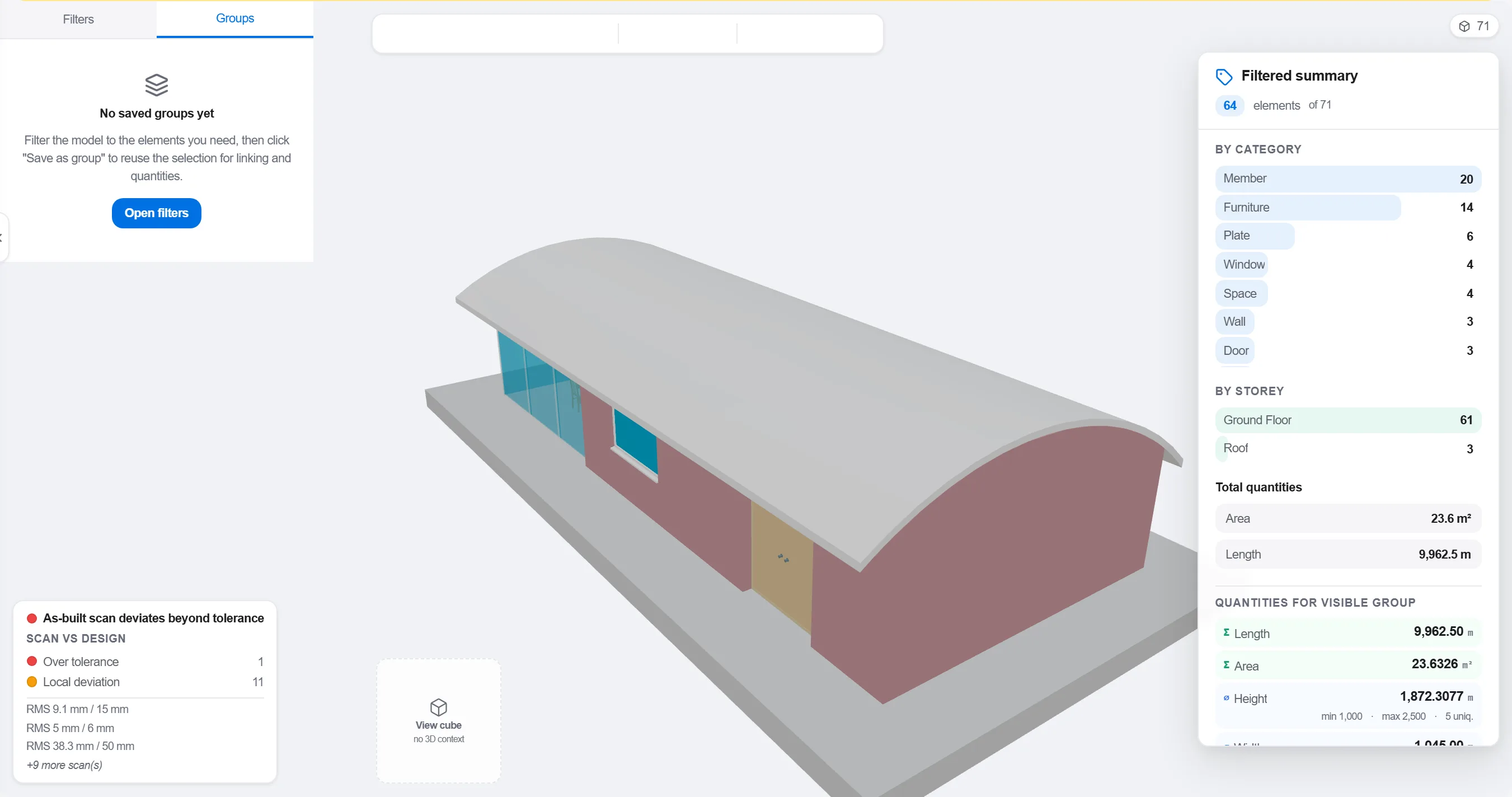
Зачем: Модель, организованная по проектным разделам, не совпадает с тем, как ведётся площадка. Группировка её по ходу работ делает 4D-связь осмысленной, а не косметической.
Сопоставьте каждый элемент или группу с работой графика, которая его возводит, чтобы каждая часть модели знала, когда она появляется и убирается.

Зачем: Связь превращает статичную модель и плоский график в движущуюся картину. Она же выявляет элементы, которые никто не запланировал, и работы, которым нечего строить.
Проиграйте последовательность и проследите порядок возведения: проверьте, что доступ остаётся открытым, краны дотягиваются, временные конструкции появляются и убираются вовремя, и ничто не строится раньше того, что его держит.

Зачем: Найти заливку вне очереди или перекрытый доступ на экране стоит час. Найти это на площадке стоит недели и простоя бригады. Разбор 4D это и есть та экономия.
Используйте 4D-вид, чтобы отмечать построенное и сравнивать его с плановой последовательностью, чтобы прогресс показывался как цветная геометрия, понятная всей команде с одного взгляда.
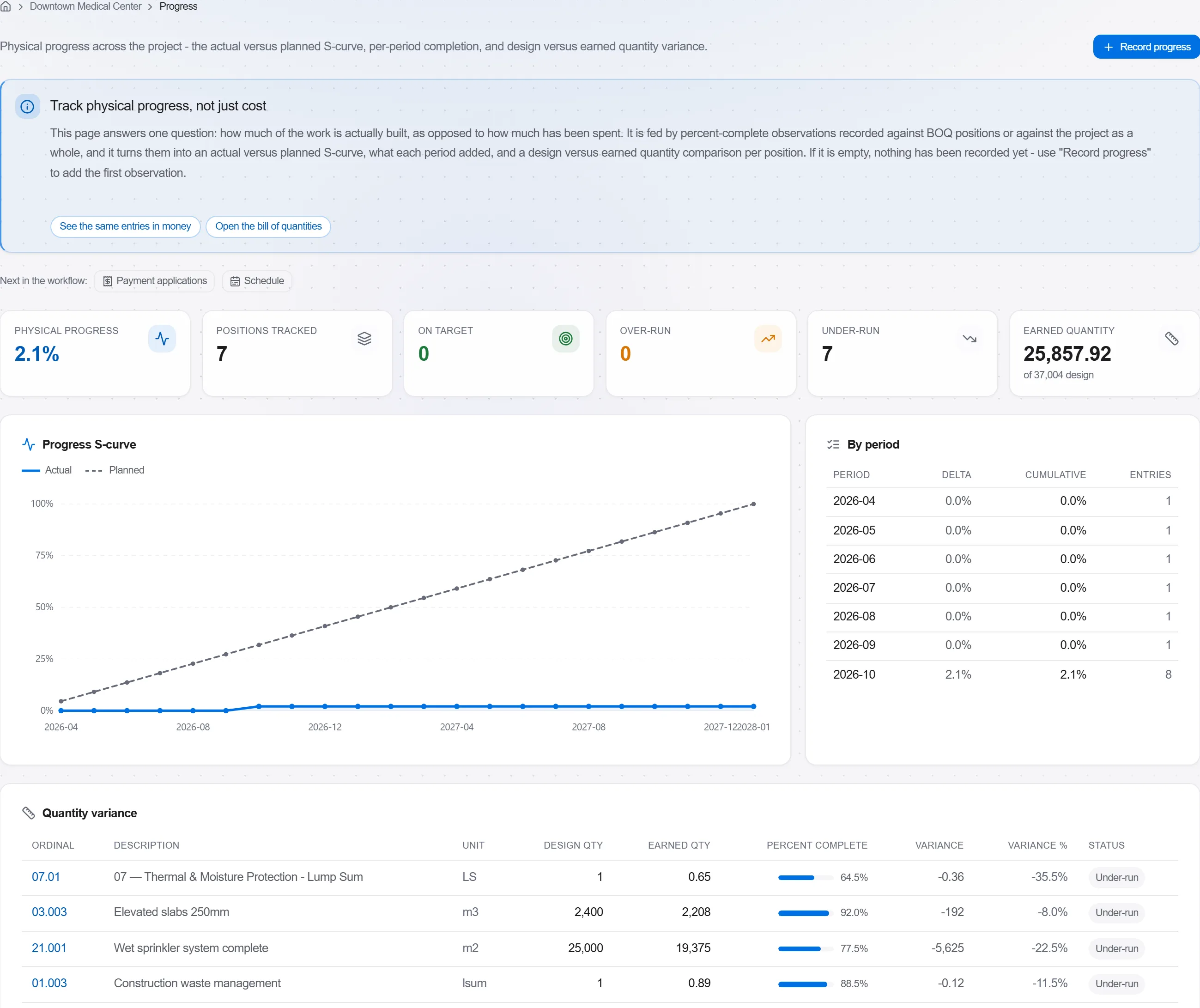
Зачем: Модель плана против факта говорит заказчику больше в одном изображении, чем страница процентов. Она делает отставание невозможным для сокрытия и лёгким для честного обсуждения.
3 / 190 модулей платформы
Take a job from the very first setup right through to handover. Create it, price the work,…
Plan the programme, freeze a baseline to measure against, feed real progress back from site…
See where the job truly stands against the plan and the budget: bring the programme current…