
Planning & contrôle
Set up a project and hand it over
Take a job from the very first setup right through to handover. Create it, price the work,…
5 étapes20 minOuvrir
 ENEnglish
 DEDeutsch
 FRFrançais
 ESEspañol
 ES-MXEspañol (México)
 ITItaliano
 PTPortuguês
 NLNederlands
 PLPolski
 CSČeština
 RUРусский
 BGБългарски
 TRTürkçe
 SVSvenska
 NONorsk
 FISuomi
 DADansk
 ARالعربية
 ZH中文
ZH中文 JA日本語
JA日本語 KO한국어
KO한국어 HIहिन्दी
 THไทย
THไทย VITiếng Việt
 IDBahasa Indonesia
 RORomână
 HRHrvatski
 MNМонгол
 ETEesti
 BNবাংলা
 KKҚазақша
 KYКыргызча
 FILFilipino
 URاردو
 FAفارسی
 HEעברית
 ELΕλληνικά
Lier les éléments du modèle aux tâches du planning, rejouer l'ordre de montage en animation 4D, vérifier qu'il tient sur le terrain et utiliser la même vue pour piloter et rendre compte de l'avancement.
4 étapes à travers la plateforme - ce que vous faites à chacune et pourquoi c’est important.
Ouvrir le modèle coordonné et confirmer que les éléments sont regroupés comme le chantier se construit, par zone, niveau et coulée, pour pouvoir les lier proprement aux tâches.
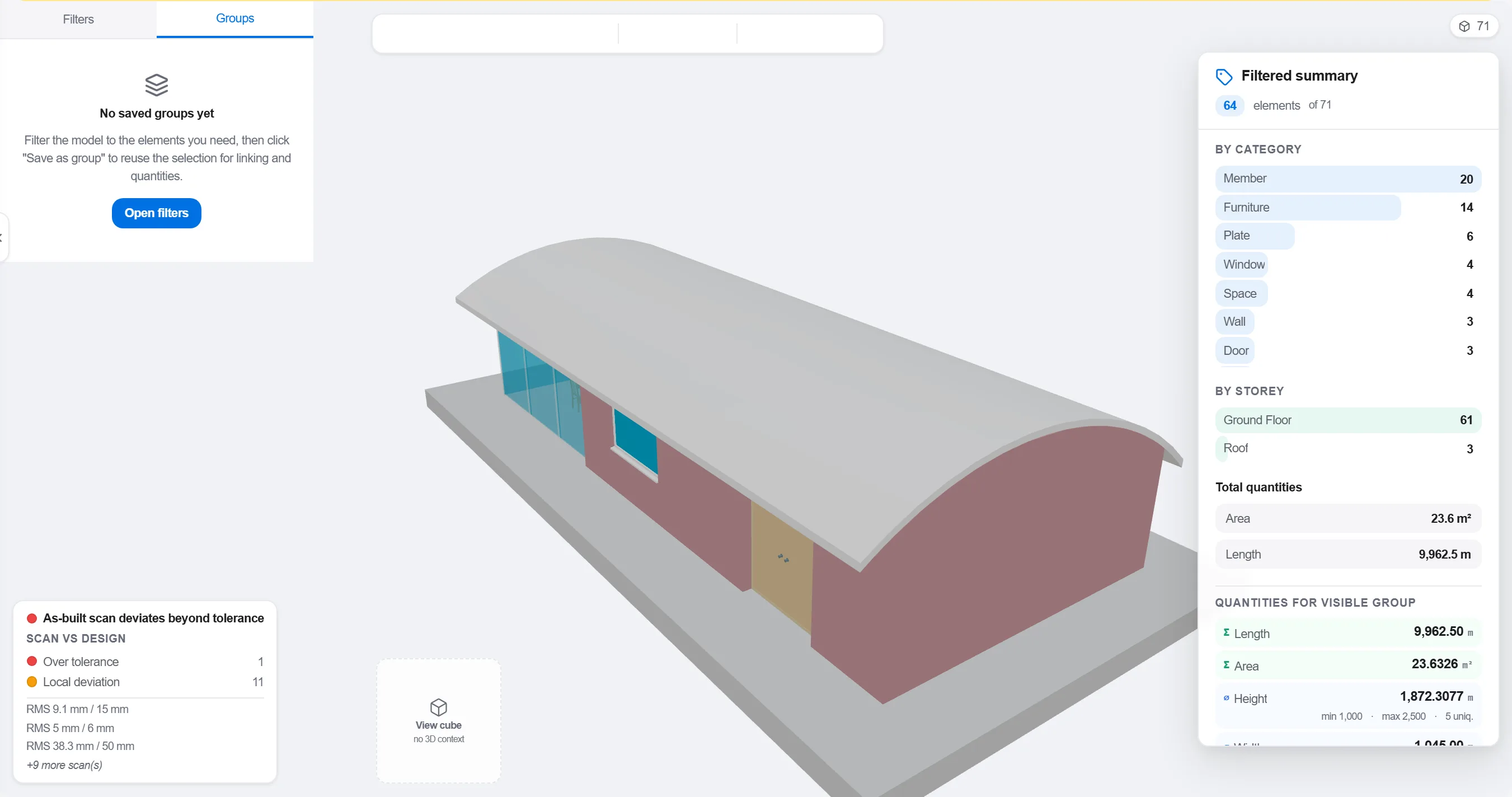
Pourquoi: Un modèle organisé par discipline de conception ne correspond pas à la manière dont le site est phasé. Le regrouper comme le travail se déroule, c'est ce qui rend un lien 4D pertinent plutôt que cosmétique.
Rattacher chaque élément ou groupe à la tâche du planning qui le construit, pour que chaque partie du modèle sache quand elle monte et quand elle se retire.

Pourquoi: Le lien est ce qui transforme un modèle statique et un planning à plat en une image animée. Il fait aussi ressortir les éléments que personne n'a planifiés et les tâches sans rien à construire.
Jouer la séquence et observer l'ordre de montage: vérifier que l'accès reste dégagé, que les grues atteignent, que les ouvrages provisoires arrivent et repartent à temps, et que rien n'est construit avant ce qui le porte.

Pourquoi: Repérer à l'écran une coulée hors séquence ou un accès bloqué coûte une heure. La trouver sur site coûte une semaine et une équipe à l'arrêt. La revue 4D, c'est là où cette économie se fait.
Utiliser la vue 4D pour marquer ce qui est construit et le comparer à la séquence prévue, pour que l'avancement s'affiche en géométrie colorée que toute l'équipe lit d'un coup d'œil.
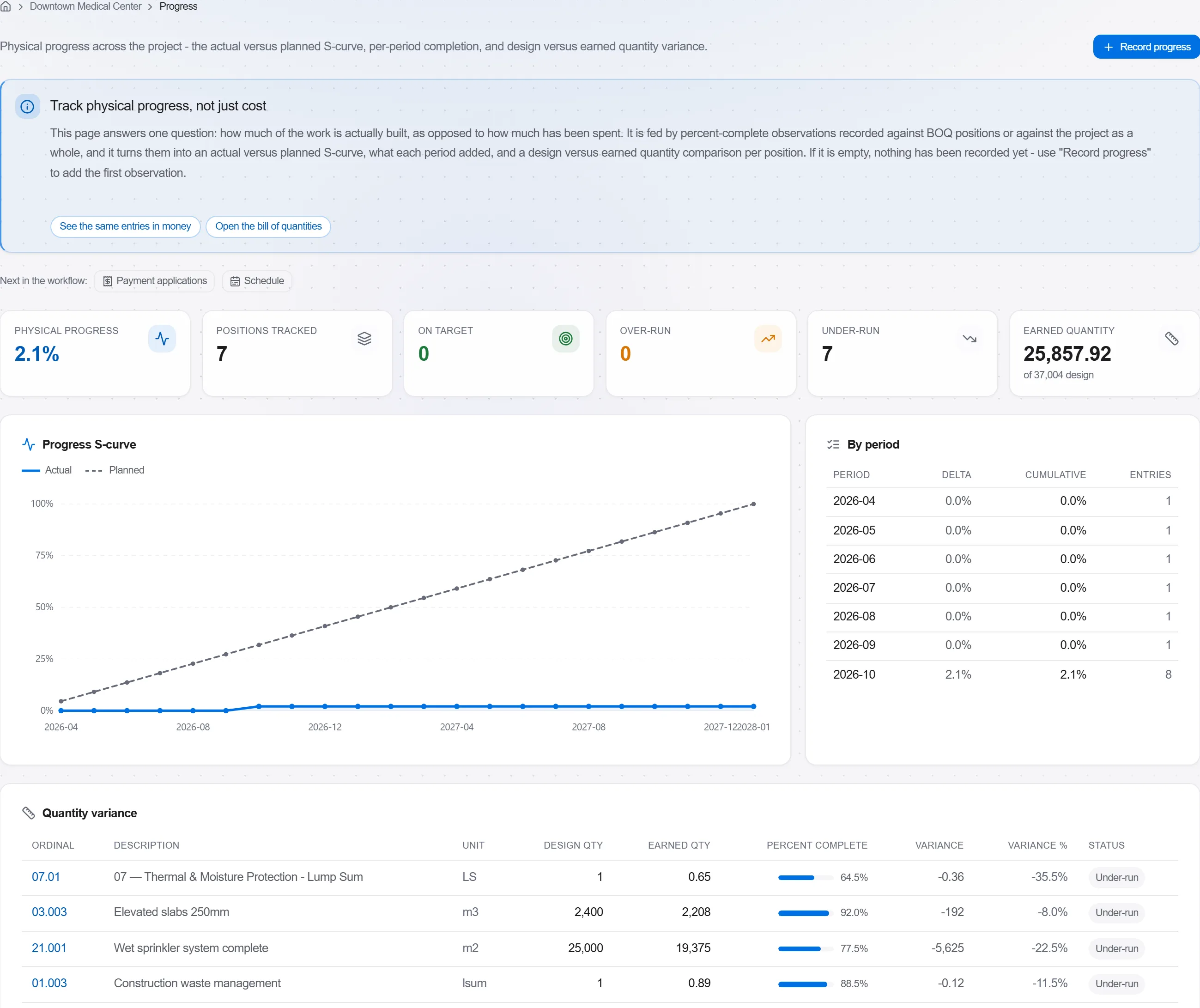
Pourquoi: Un modèle prévu contre construit en dit plus à un client en une image qu'une page de pourcentages. Il rend le glissement impossible à cacher et facile à aborder honnêtement.
3 / 190 modules de la plateforme
Take a job from the very first setup right through to handover. Create it, price the work,…
Plan the programme, freeze a baseline to measure against, feed real progress back from site…
See where the job truly stands against the plan and the budget: bring the programme current…