
Perencanaan dan pengendalian
Set up a project and hand it over
Take a job from the very first setup right through to handover. Create it, price the work,…
5 langkah20 mntBuka
 ENEnglish
 DEDeutsch
 FRFrançais
 ESEspañol
 ES-MXEspañol (México)
 ITItaliano
 PTPortuguês
 NLNederlands
 PLPolski
 CSČeština
 RUРусский
 BGБългарски
 TRTürkçe
 SVSvenska
 NONorsk
 FISuomi
 DADansk
 ARالعربية
 ZH中文
ZH中文 JA日本語
JA日本語 KO한국어
KO한국어 HIहिन्दी
 THไทย
THไทย VITiếng Việt
 IDBahasa Indonesia
 RORomână
 HRHrvatski
 MNМонгол
 ETEesti
 BNবাংলা
 KKҚазақша
 KYКыргызча
 FILFilipino
 URاردو
 FAفارسی
 HEעברית
 ELΕλληνικά
Kaitkan elemen model ke aktivitas jadwal, putar ulang urutan pembangunan sebagai animasi 4D, periksa apakah benar-benar berjalan di lapangan, dan gunakan tampilan yang sama untuk mengelola dan melaporkan progres.
4 langkah di seluruh platform - apa yang Anda lakukan di setiap langkah dan mengapa itu penting.
Buka model terkoordinasi dan konfirmasi elemen dikelompokkan sesuai cara pekerjaan dibangun - berdasarkan zona, level, dan pengecoran - agar dapat dikaitkan ke aktivitas dengan rapi.
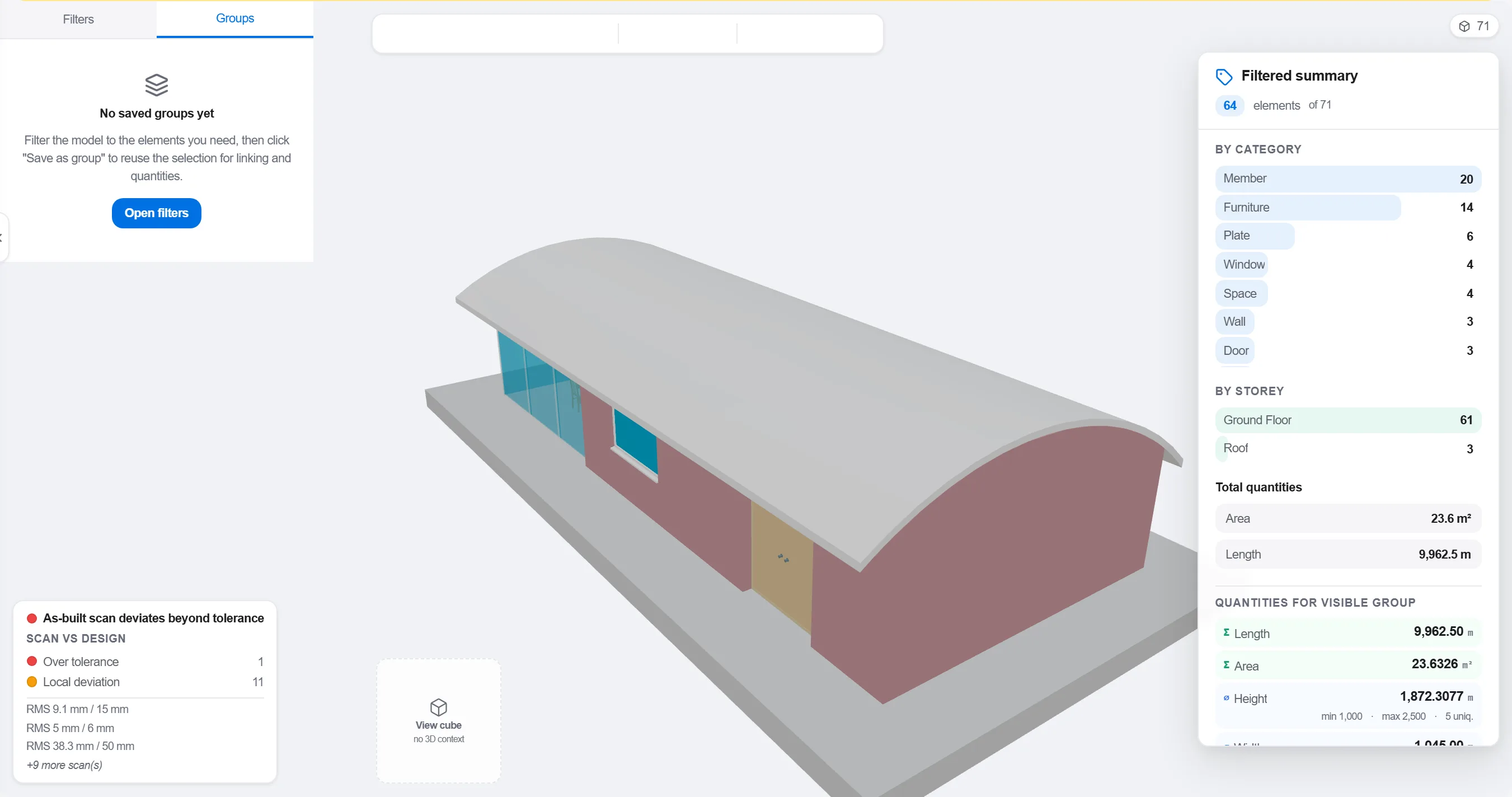
Mengapa: Model yang diorganisasi menurut disiplin desain tidak cocok dengan cara lapangan diurutkan. Mengelompokkannya sesuai cara pekerjaan berlangsung adalah yang membuat kaitan 4D bermakna, bukan sekadar kosmetik.
Petakan setiap elemen atau kelompok ke aktivitas jadwal yang membangunnya, sehingga setiap bagian model tahu kapan ia terpasang dan dibongkar.

Mengapa: Kaitan inilah yang mengubah model statis dan jadwal datar menjadi gambar bergerak. Ia juga menyingkap elemen yang tidak dijadwalkan siapa pun dan aktivitas yang tidak punya apa pun untuk dibangun.
Putar urutan dan amati susunan pembangunan: pastikan akses tetap terbuka, crane bisa menjangkau, pekerjaan sementara datang dan pergi tepat waktu, dan tidak ada yang dibangun sebelum penopangnya.

Mengapa: Menemukan pengecoran yang keluar urutan atau akses terhalang di layar hanya butuh satu jam. Menemukannya di lapangan butuh seminggu dan kru yang menganggur. Tinjauan 4D adalah tempat penghematan itu diperoleh.
Gunakan tampilan 4D untuk menandai apa yang telah dibangun dan bandingkan dengan urutan yang direncanakan, sehingga progres ditampilkan sebagai geometri berwarna yang bisa dibaca seluruh tim sekilas.
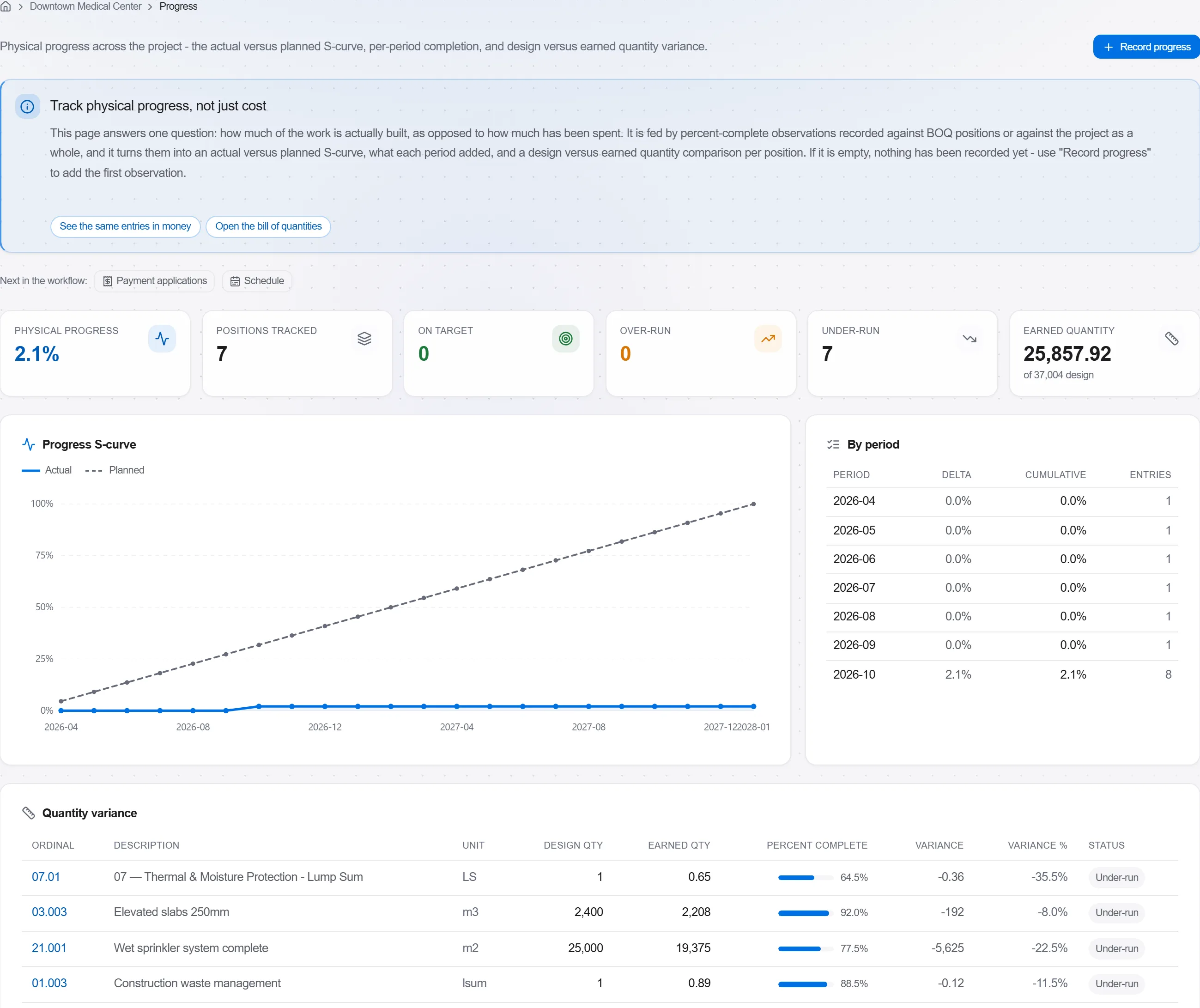
Mengapa: Model rencana-versus-terbangun memberi tahu klien lebih banyak dalam satu gambar daripada satu halaman persentase. Ia membuat kemunduran mustahil disembunyikan dan mudah dibicarakan dengan jujur.
3 / 190 modul platform
Take a job from the very first setup right through to handover. Create it, price the work,…
Plan the programme, freeze a baseline to measure against, feed real progress back from site…
See where the job truly stands against the plan and the budget: bring the programme current…