
Pianificazione e controllo
Set up a project and hand it over
Take a job from the very first setup right through to handover. Create it, price the work,…
5 passaggi20 minApri
 ENEnglish
 DEDeutsch
 FRFrançais
 ESEspañol
 ES-MXEspañol (México)
 ITItaliano
 PTPortuguês
 NLNederlands
 PLPolski
 CSČeština
 RUРусский
 BGБългарски
 TRTürkçe
 SVSvenska
 NONorsk
 FISuomi
 DADansk
 ARالعربية
 ZH中文
ZH中文 JA日本語
JA日本語 KO한국어
KO한국어 HIहिन्दी
 THไทย
THไทย VITiếng Việt
 IDBahasa Indonesia
 RORomână
 HRHrvatski
 MNМонгол
 ETEesti
 BNবাংলা
 KKҚазақша
 KYКыргызча
 FILFilipino
 URاردو
 FAفارسی
 HEעברית
 ELΕλληνικά
Collega gli elementi del modello alle attività di programma, riproduci l'ordine di costruzione come animazione 4D, verifica che funzioni davvero in cantiere e usa la stessa vista per guidare e rendicontare l'avanzamento.
4 passi attraverso la piattaforma - cosa fare a ciascuno e perché conta.
Apri il modello coordinato e verifica che gli elementi siano raggruppati come si costruisce il lavoro, per zona, livello e getto, così da poterli collegare in modo pulito alle attività.
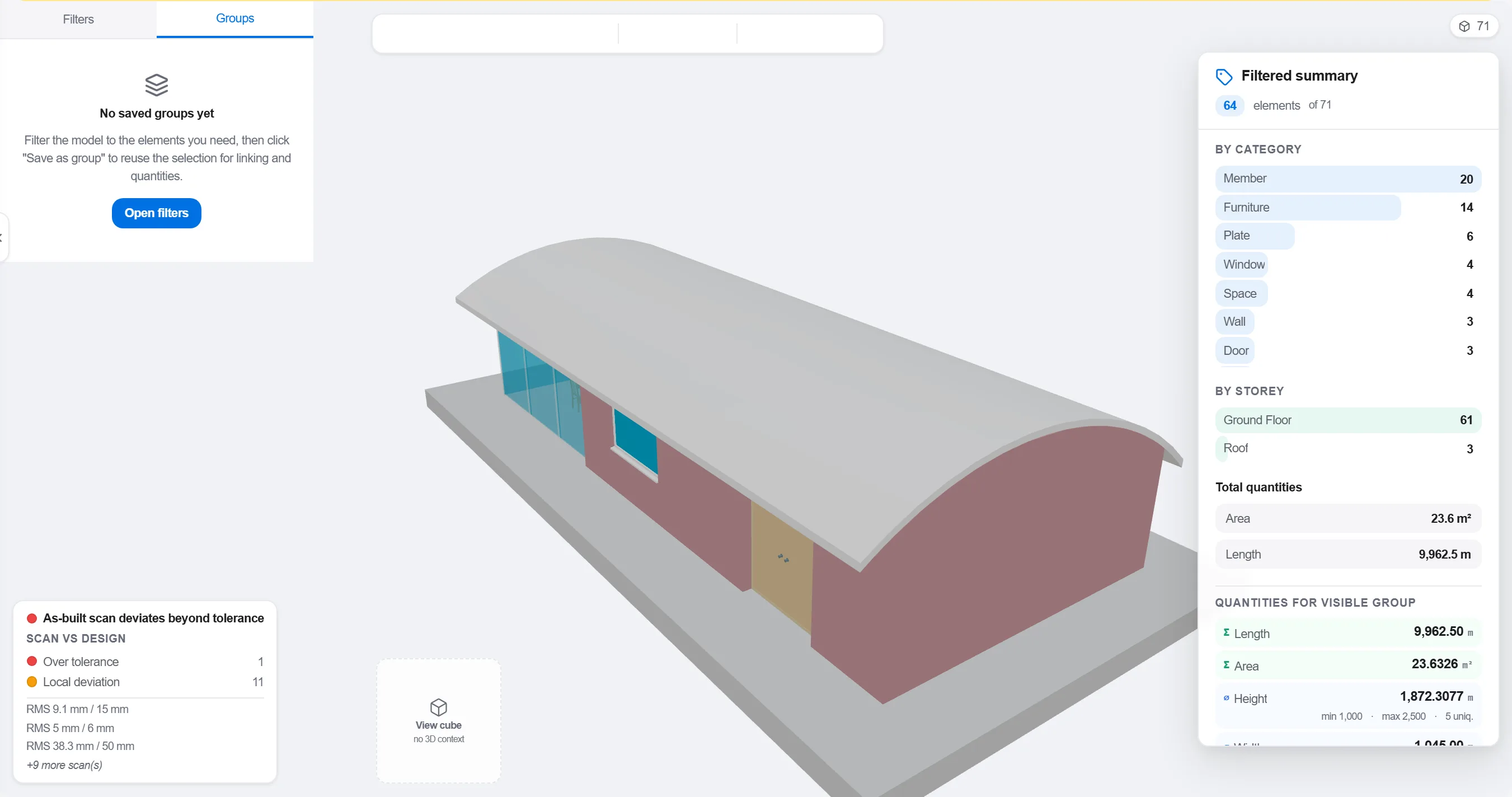
Perché: Un modello organizzato per disciplina progettuale non corrisponde a come il cantiere e sequenziato. Raggrupparlo come avviene il lavoro e ciò che rende un collegamento 4D significativo anziché cosmetico.
Associa ogni elemento o gruppo all'attività di programma che lo costruisce, così ogni parte del modello sa quando viene realizzata e quando viene rimossa.

Perché: Il collegamento e ciò che trasforma un modello statico e un programma piatto in un'immagine in movimento. Fa anche emergere gli elementi che nessuno ha programmato e le attività che non hanno nulla da costruire.
Riproduci la sequenza e osserva l'ordine di costruzione: verifica che l'accesso resti libero, che le gru arrivino, che le opere provvisionali entrino ed escano nei tempi e che nulla sia costruito prima di ciò che lo sostiene.

Perché: Trovare un getto fuori sequenza o un accesso bloccato a schermo costa un'ora. Trovarlo in cantiere costa una settimana e una squadra ferma. La revisione 4D e dove si ottiene quel risparmio.
Usa la vista 4D per segnare ciò che è costruito e confrontarlo con la sequenza pianificata, così l'avanzamento è mostrato come geometria colorata che tutta la squadra può leggere a colpo d'occhio.
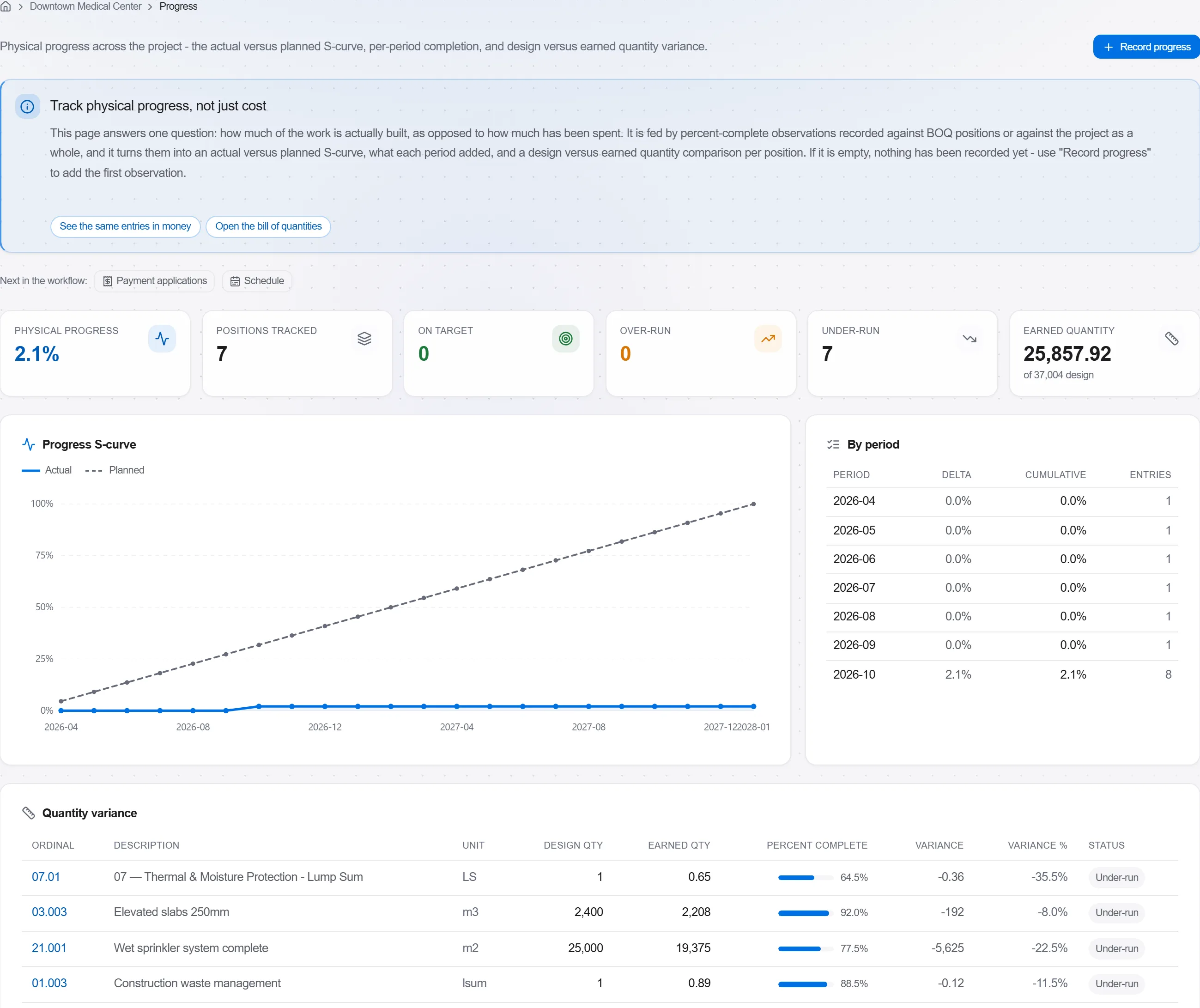
Perché: Un modello pianificato-versus-costruito dice a un committente più in un'immagine che una pagina di percentuali. Rende lo slittamento impossibile da nascondere e facile da affrontare con onesta.
3 / 190 moduli della piattaforma
Take a job from the very first setup right through to handover. Create it, price the work,…
Plan the programme, freeze a baseline to measure against, feed real progress back from site…
See where the job truly stands against the plan and the budget: bring the programme current…