
Planeamento e controle
Set up a project and hand it over
Take a job from the very first setup right through to handover. Create it, price the work,…
5 etapas20 minAbrir
 ENEnglish
 DEDeutsch
 FRFrançais
 ESEspañol
 ES-MXEspañol (México)
 ITItaliano
 PTPortuguês
 NLNederlands
 PLPolski
 CSČeština
 RUРусский
 BGБългарски
 TRTürkçe
 SVSvenska
 NONorsk
 FISuomi
 DADansk
 ARالعربية
 ZH中文
ZH中文 JA日本語
JA日本語 KO한국어
KO한국어 HIहिन्दी
 THไทย
THไทย VITiếng Việt
 IDBahasa Indonesia
 RORomână
 HRHrvatski
 MNМонгол
 ETEesti
 BNবাংলা
 KKҚазақша
 KYКыргызча
 FILFilipino
 URاردو
 FAفارسی
 HEעברית
 ELΕλληνικά
Vincule os elementos do modelo às atividades do cronograma, reproduza a ordem de construção como uma animação 4D, verifique se ela realmente funciona no campo e use a mesma vista para conduzir e reportar o avanço.
4 passos ao longo da plataforma - o que fazer em cada um e por que importa.
Abra o modelo coordenado e confirme que os elementos estão agrupados da forma como a obra é construída, por zona, nível e betonagem, para que possam ser vinculados às atividades de forma limpa.
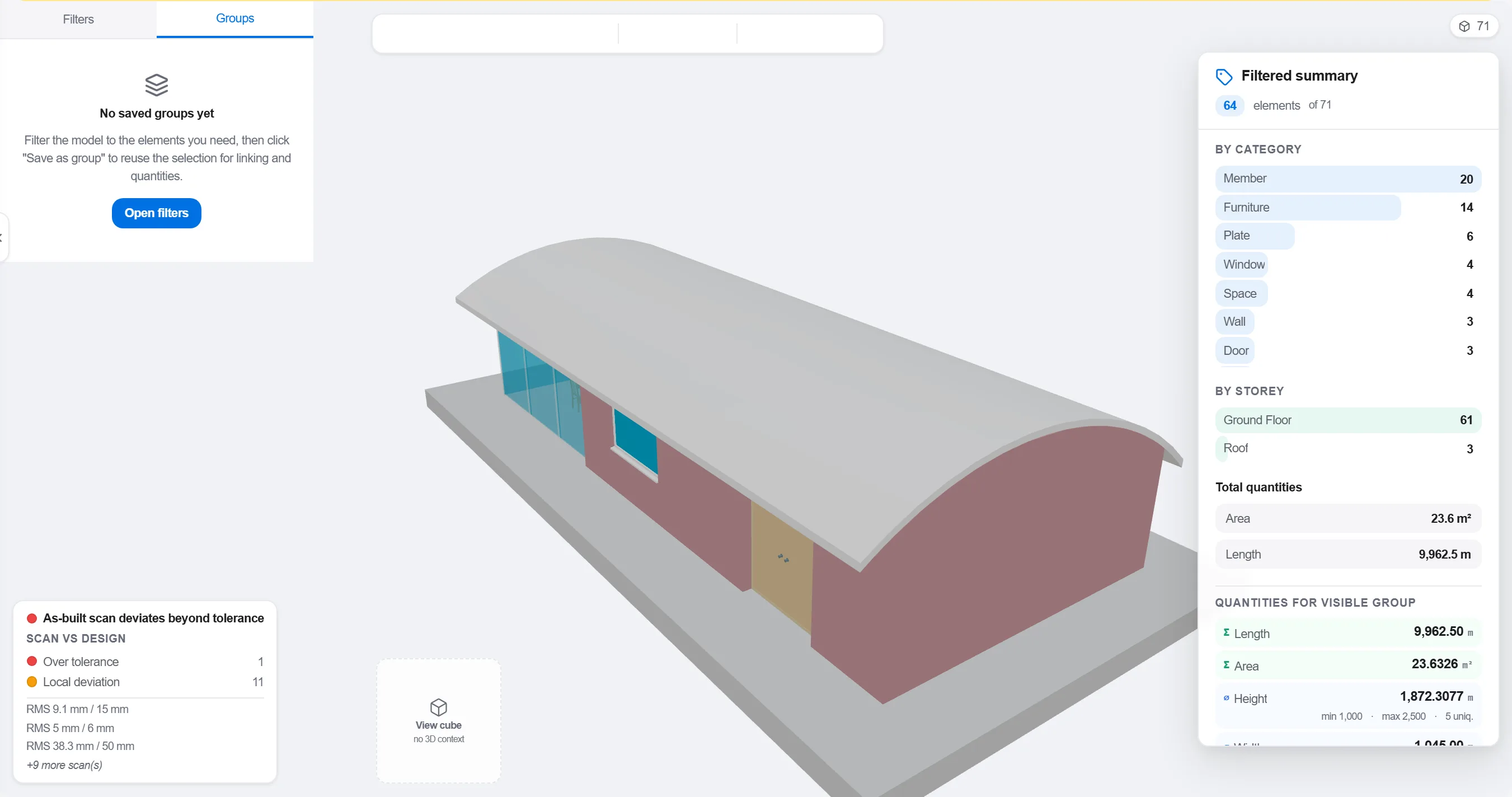
Por quê: Um modelo organizado por disciplina de projeto não corresponde à forma como a obra é sequenciada. Agrupá-lo do jeito que o trabalho acontece é o que torna um vínculo 4D significativo em vez de cosmético.
Mapeie cada elemento ou grupo à atividade do cronograma que o constrói, de modo que cada parte do modelo saiba quando sobe e quando é removida.

Por quê: O vínculo é o que transforma um modelo estático e um cronograma plano numa imagem em movimento. Ele também revela os elementos que ninguém programou e as atividades sem nada a construir.
Reproduza a sequência e observe a ordem de construção: verifique se o acesso permanece livre, se as gruas alcançam, se as obras provisórias entram e saem no tempo certo e se nada é construído antes do que o sustenta.

Por quê: Encontrar uma betonagem fora de sequência ou um acesso bloqueado no ecrã custa uma hora. Encontrá-lo na obra custa uma semana e uma equipa parada. A revisão 4D é onde essa economia é feita.
Use a vista 4D para marcar o que foi construído e compará-lo com a sequência planejada, de modo que o avanço apareça como geometria colorida que toda a equipa lê num relance.
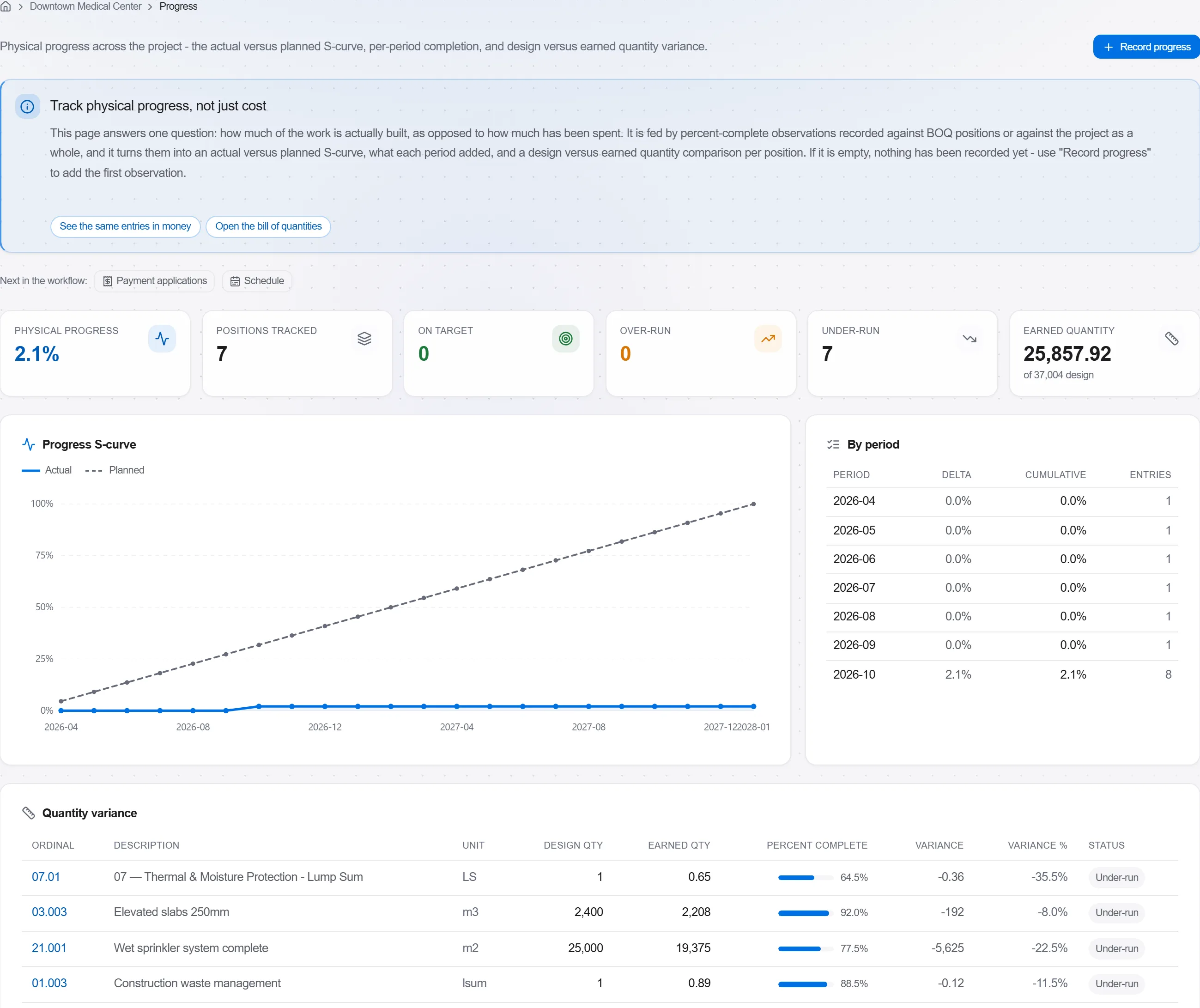
Por quê: Um modelo planejado versus construído diz mais a um cliente numa única imagem do que uma página de percentuais. Torna o atraso impossível de esconder e fácil de conversar com honestidade.
3 / 190 módulos da plataforma
Take a job from the very first setup right through to handover. Create it, price the work,…
Plan the programme, freeze a baseline to measure against, feed real progress back from site…
See where the job truly stands against the plan and the budget: bring the programme current…