

Nadmetanje i nabava
Run a tender from a BOQ
Take a priced bill of quantities out to market: package it, invite the subcontractors, leve…
5 koraka12 minOtvori
 ENEnglish
 DEDeutsch
 FRFrançais
 ESEspañol
 ES-MXEspañol (México)
 ITItaliano
 PTPortuguês
 NLNederlands
 PLPolski
 CSČeština
 RUРусский
 BGБългарски
 TRTürkçe
 SVSvenska
 NONorsk
 FISuomi
 DADansk
 ARالعربية
 ZH中文
ZH中文 JA日本語
JA日本語 KO한국어
KO한국어 HIहिन्दी
 THไทย
THไทย VITiếng Việt
 IDBahasa Indonesia
 RORomână
 HRHrvatski
 MNМонгол
 ETEesti
 BNবাংলা
 KKҚазақша
 KYКыргызча
 FILFilipino
 URاردو
 FAفارسی
 HEעברית
 ELΕλληνικά
Učitajte nacionalnu bazu troškova, izgradite iz nje norme temeljene stope za sastavljanje kontrolne cijene naručitelja, formirajte cijenu istog troškovnika prema vlastitim tržišnim stopama, i usporedite ih međusobno prije nego itko išta dodijeli.
5 koraka kroz platformu - što radite u svakom i zašto je važno.
Bring a cost base into the cost database through the ordinary import surface and check it landed with its work items, units and currency intact. A Chinese national base built from the official norm system is one of the families available to load; a provincial quota book is something you bring yourself.
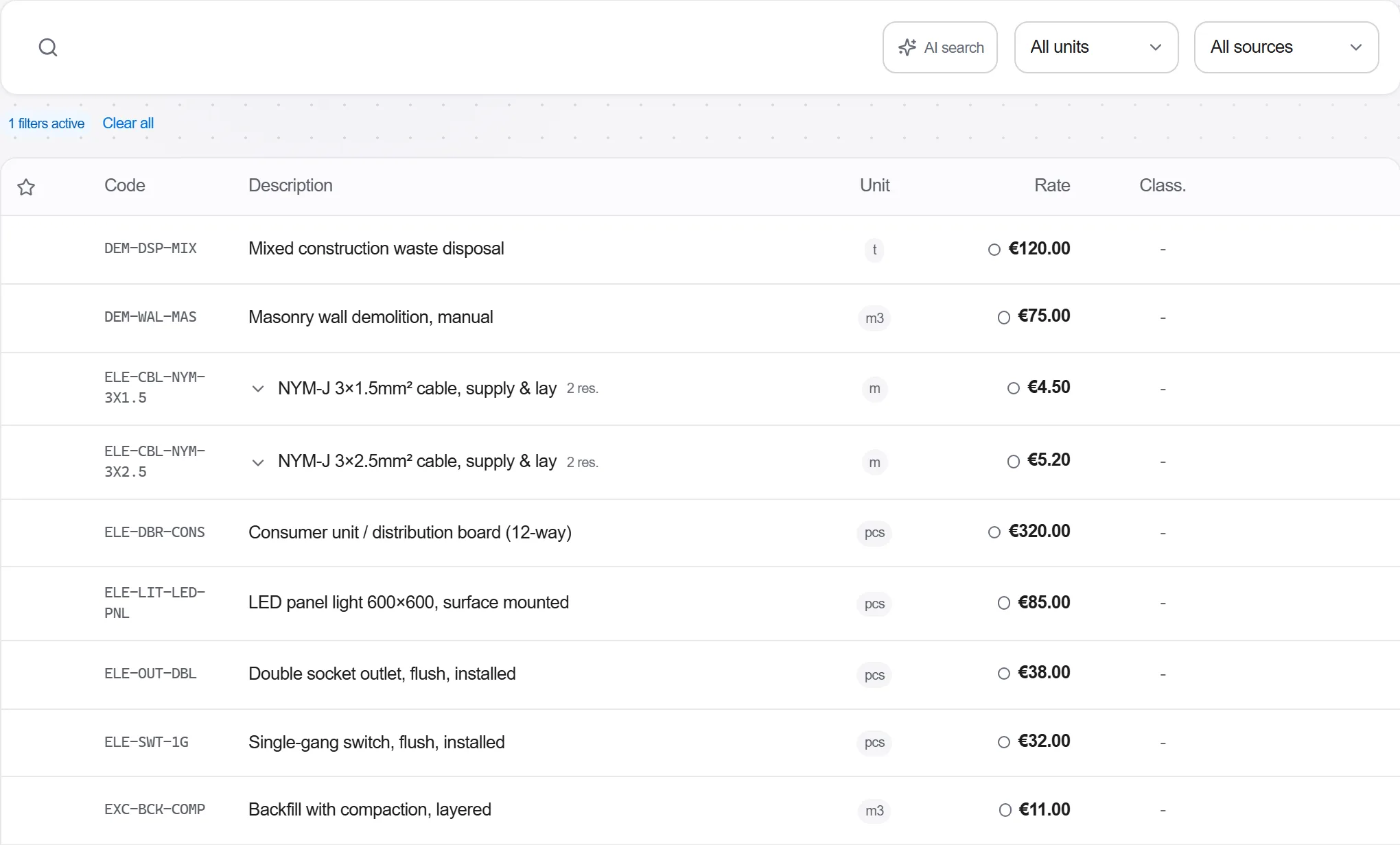
Zašto: A control price is only defensible if everybody can see which base it was compiled from. Loading it as data rather than transcribing rates out of a book means the base is named, versioned and re-pricable later, instead of living as a column somebody typed in once.
Take a norm, enter the bill's quantity and see the unpriced labour hours, machine hours and material takeoff behind it. Price those with the base's rates, and save the result as an assembly you can reuse across the bill.
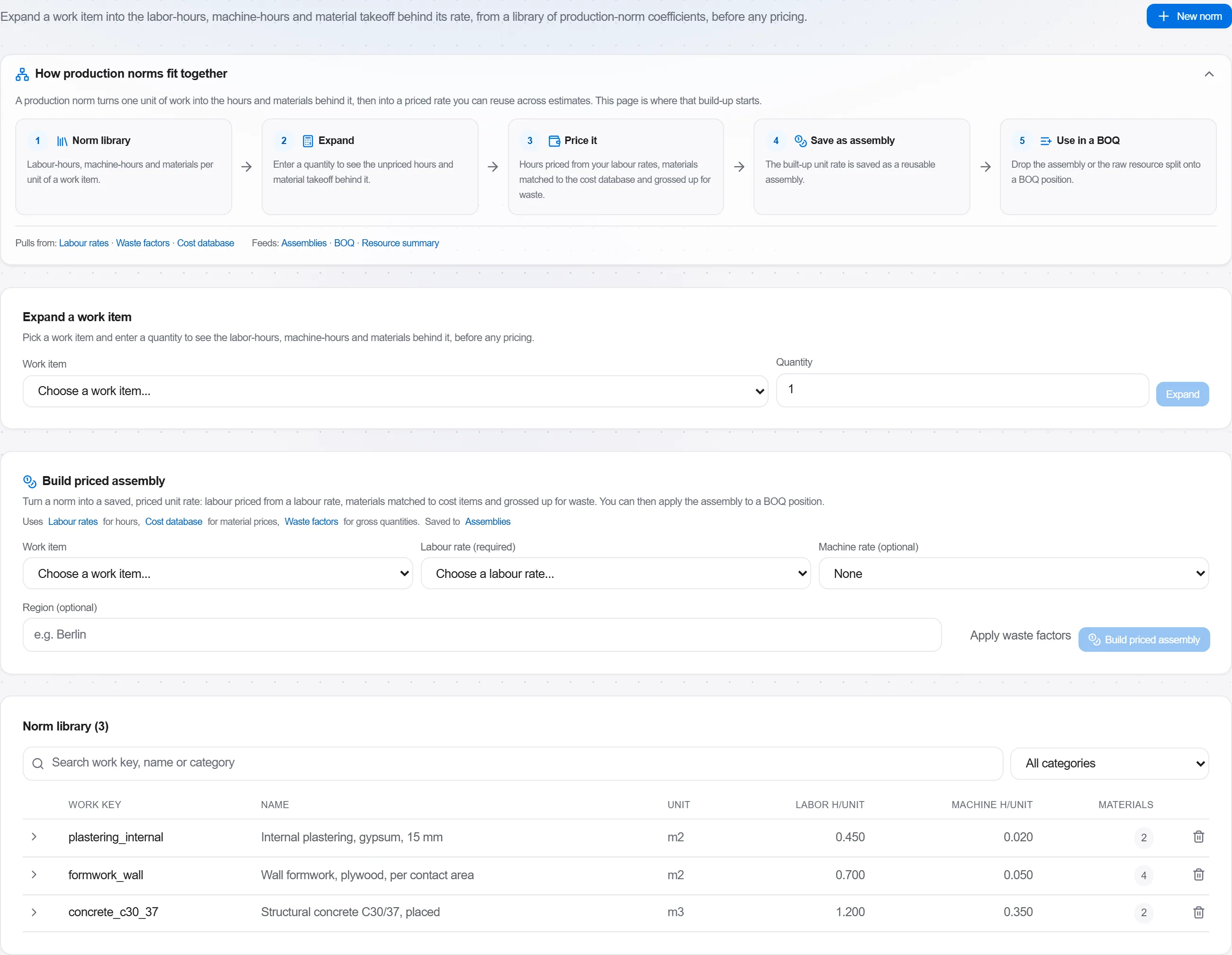
Zašto: This is what quota pricing actually is, and seeing it expanded is what makes a control price arguable rather than merely quoted. It is also where you notice that a norm assumes a method your site cannot use, which is a finding worth having before the ceiling is published rather than after a bidder challenges it.
Price the tender bill through with the quota-based rates, keeping the item codes and descriptions exactly as they will be issued to bidders, and add the bill-level heads on top of the item totals.
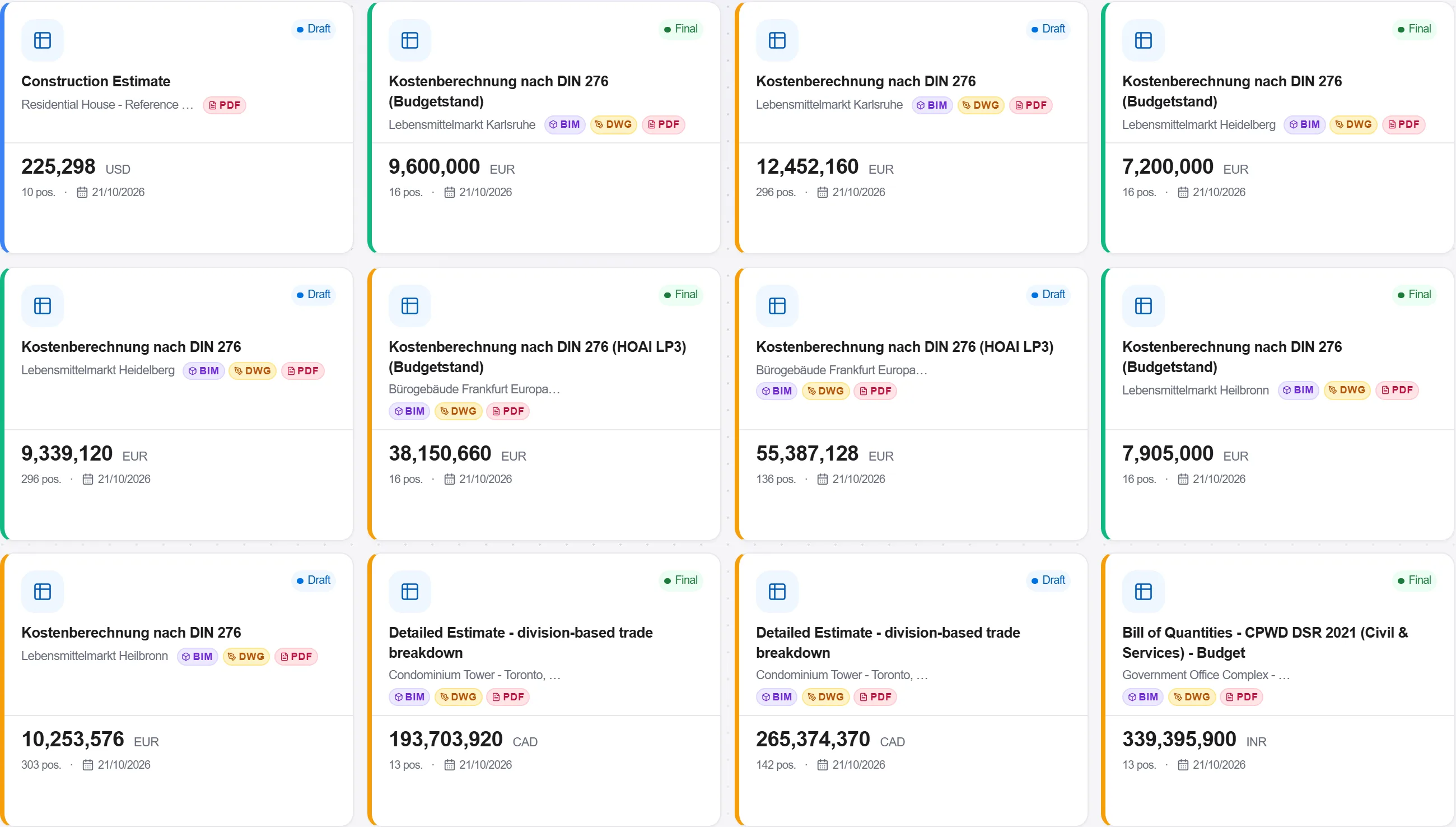
Zašto: The control price and the bill the bidders receive have to be the same document with one column filled differently, or the comparison at the end is between two different scopes. Compiling it on the issued bill rather than on a working copy is what guarantees that.
Compare the base you compiled from against your own rates, trade by trade, and look for the items where the two disagree most. Those are the items that decide the job.
Zašto: A quota rate is an average of a method; a market rate is a quotation from this year. Where they are close, the item is uninteresting whoever prices it. Where they are far apart, either the norm assumes something your site does not do, or somebody is about to bid work they cannot deliver, and both are worth knowing before the envelope is opened.
Put the bids side by side in the tender evaluation and read each one against the control price you compiled, section by section rather than only on the total. Record the reasoning that leads to your recommendation, including which items you queried and what the answer was.

Zašto: The comparison is yours to make and yours to justify; nothing here rejects a bid on your behalf, and it should not. On public work the reasoning is read months later by somebody who was not in the room, and a written comparison against a stated base is the difference between an award that survives a challenge and one that is defended from memory.
5 / 190 modula platforme
Everything in this case follows how construction work is measured, priced and paid for in this market. The forms, the cost breakdown and the payment rules are the ones used there, not a generic version of them.
Standards it follows
You do not have to set any of that up by hand. The first time you open the platform it asks which market you work in. Choose this one and it sets the interface language, loads the matching cost database and records the cost classification, and it adds an example project you can open straight away.
The rule checks for this market come with the platform too. Switch them on once and an estimate that misses something the market expects is flagged while you are still working on it, not after the tender has gone out.
Take a priced bill of quantities out to market: package it, invite the subcontractors, leve…
Buy the quantities you already priced: raise a requisition off the bill, place the order wi…
Take a folder of returned tenders that never quite match, strip them back to the same scope…