
التخطيط والضبط
Set up a project and hand it over
Take a job from the very first setup right through to handover. Create it, price the work,…
5 خطوة20 دقيقةفتح
 ENEnglish
 DEDeutsch
 FRFrançais
 ESEspañol
 ES-MXEspañol (México)
 ITItaliano
 PTPortuguês
 NLNederlands
 PLPolski
 CSČeština
 RUРусский
 BGБългарски
 TRTürkçe
 SVSvenska
 NONorsk
 FISuomi
 DADansk
 ARالعربية
 ZH中文
ZH中文 JA日本語
JA日本語 KO한국어
KO한국어 HIहिन्दी
 THไทย
THไทย VITiếng Việt
 IDBahasa Indonesia
 RORomână
 HRHrvatski
 MNМонгол
 ETEesti
 BNবাংলা
 KKҚазақша
 KYКыргызча
 FILFilipino
 URاردو
 FAفارسی
 HEעברית
 ELΕλληνικά
أدخل برنامجاً زمنياً خارجياً من ملف تبادل، وتحقق من نجاة التقويمات والروابط في الرحلة، وعيّن البرنامج المقبول كخط أساس، وانشره كي يُقاس التقدم مقابل شيء ثابت.
4 خطوات عبر المنصة - ما تفعله في كل منها ولماذا يهم.
استورد البرنامج من ملف التبادل بحيث تنتقل الأنشطة والمدد وروابط المنطق وهيكل تجزئة العمل WBS دون إعادة إدخال بنداً بنداً.
لماذا: إعادة كتابة برنامج من بضع مئات من الأنشطة تفقد المنطق الذي يجعله برنامجاً. الاستيراد يبقي الشبكة سليمة كي يكون المسار الحرج حقيقياً لا معاداً رسمه من الذاكرة.
أكِّد نجاة التقويمات وروابط المنطق وهيكل WBS في الاستيراد، وأن تاريخ الإنجاز يطابق المصدر، قبل أن يثق أحد بتاريخ فيه.
لماذا: ملفات التبادل تُسقط القيود وتعيد ربط التقويمات بصمت. التقاط تاريخ إنجاز منزاح الآن أرخص بكثير من اكتشاف أن البرنامج المستورد كان خاطئاً بعد ثلاثة أشهر.
جمّد البرنامج المتفق عليه كخط أساس، المرجع الثابت الذي سيُقاس عليه العمل لبقية عمره.
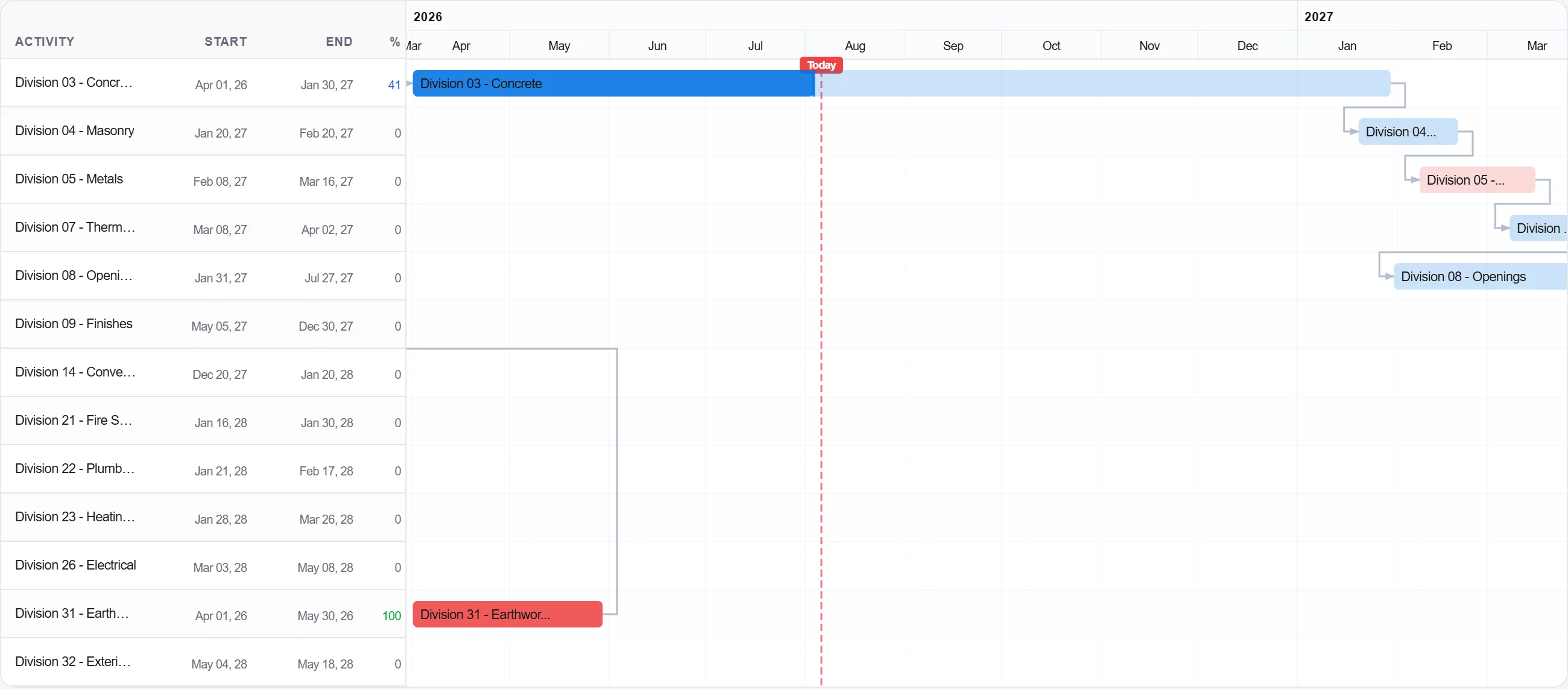
لماذا: خط الأساس هو الوعد. من دون واحد مجمَّد لا يوجد شيء تقارن التقدم به، ويصبح كل جدال حول الانزلاق مسألة رأي بدل مسألة سجل.
انشر خط الأساس كي يسجّل الفريق التقدم مقابله وتُبنى صورة المخطط مقابل الفعلي من اليوم الأول.
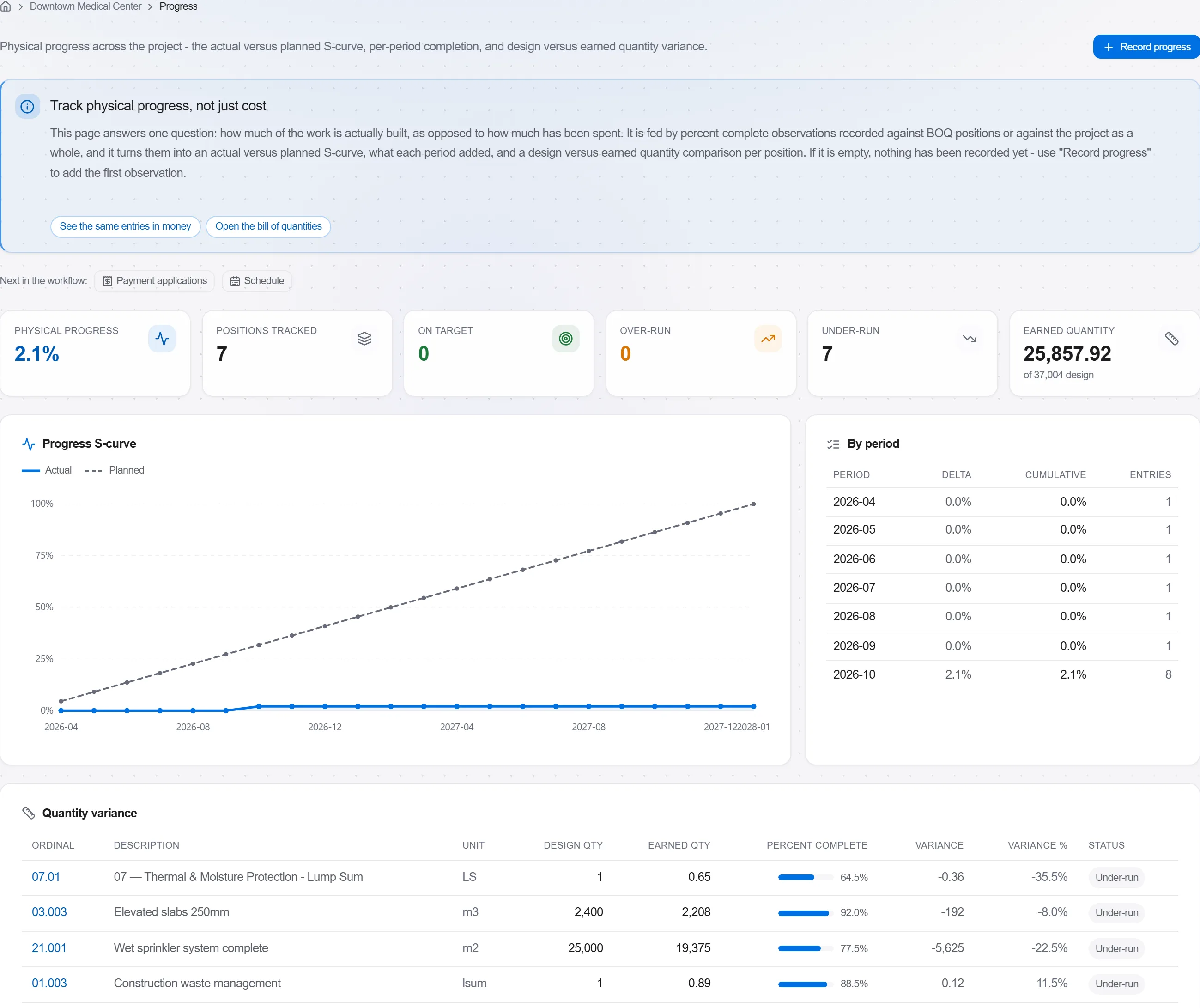
لماذا: خط الأساس الذي لا يتتبعه أحد زينة جدارية. نشره يحوّل البرنامج إلى ضابط حي يحذّرك مبكراً بدل مستند يُراجَع بعد فوات الأوان.
3 / 190 من وحدات المنصة
Take a job from the very first setup right through to handover. Create it, price the work,…
Plan the programme, freeze a baseline to measure against, feed real progress back from site…
See where the job truly stands against the plan and the budget: bring the programme current…