
Pianificazione e controllo
Set up a project and hand it over
Take a job from the very first setup right through to handover. Create it, price the work,…
5 passaggi20 minApri
 ENEnglish
 DEDeutsch
 FRFrançais
 ESEspañol
 ES-MXEspañol (México)
 ITItaliano
 PTPortuguês
 NLNederlands
 PLPolski
 CSČeština
 RUРусский
 BGБългарски
 TRTürkçe
 SVSvenska
 NONorsk
 FISuomi
 DADansk
 ARالعربية
 ZH中文
ZH中文 JA日本語
JA日本語 KO한국어
KO한국어 HIहिन्दी
 THไทย
THไทย VITiếng Việt
 IDBahasa Indonesia
 RORomână
 HRHrvatski
 MNМонгол
 ETEesti
 BNবাংলা
 KKҚазақша
 KYКыргызча
 FILFilipino
 URاردو
 FAفارسی
 HEעברית
 ELΕλληνικά
Importa un cronoprogramma esterno da un file di scambio, verifica che i calendari e i legami siano sopravvissuti al passaggio, fissa il cronoprogramma accettato come baseline e pubblicalo così l'avanzamento sia misurato rispetto a qualcosa di fisso.
4 passi attraverso la piattaforma - cosa fare a ciascuno e perché conta.
Importa il cronoprogramma dal suo file di scambio così le attività, le durate, i legami logici e la WBS arrivino senza essere ridigitati riga per riga.
Perché: Ridigitare un cronoprogramma di qualche centinaio di attività perde la logica che lo rende un cronoprogramma. Importare mantiene intatta la rete così il percorso critico e reale, non ridisegnato a memoria.
Conferma che i calendari, i legami logici e la WBS siano sopravvissuti all'importazione e che la data di completamento corrisponda alla fonte, prima che qualcuno si fidi di una data su di esso.
Perché: I file di scambio perdono i vincoli e rimappano i calendari silenziosamente. Cogliere ora una data di completamento spostata e molto più economico che scoprire che il cronoprogramma importato era sbagliato dopo tre mesi.
Congela il cronoprogramma concordato come baseline, il riferimento fisso rispetto a cui il lavoro sara misurato per il resto della sua vita.
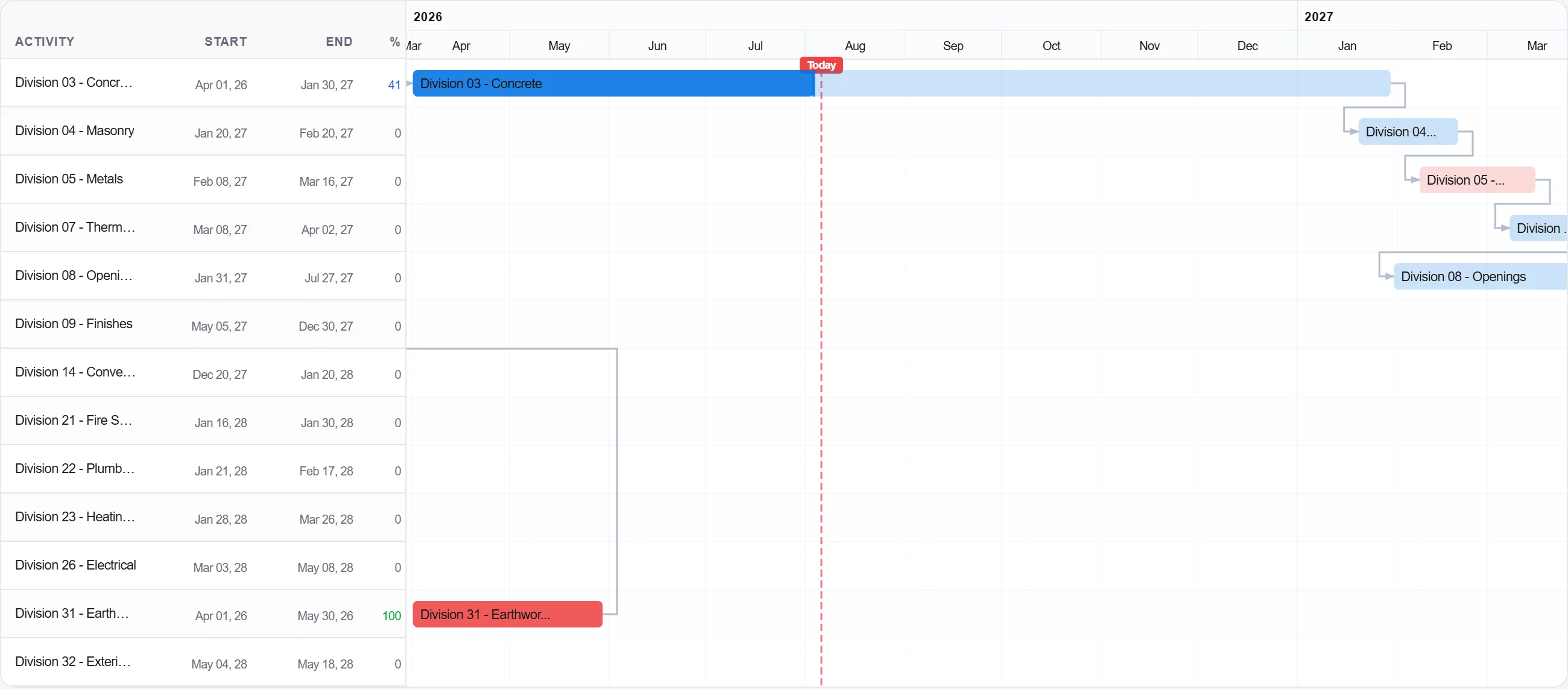
Perché: La baseline e la promessa. Senza una congelata non c'e nulla con cui confrontare l'avanzamento, e ogni discussione sullo slittamento diventa questione di opinione anziché questione di registro.
Pubblica la baseline così il team registra l'avanzamento rispetto ad essa e il quadro pianificato-versus-effettivo si costruisce dal primo giorno.
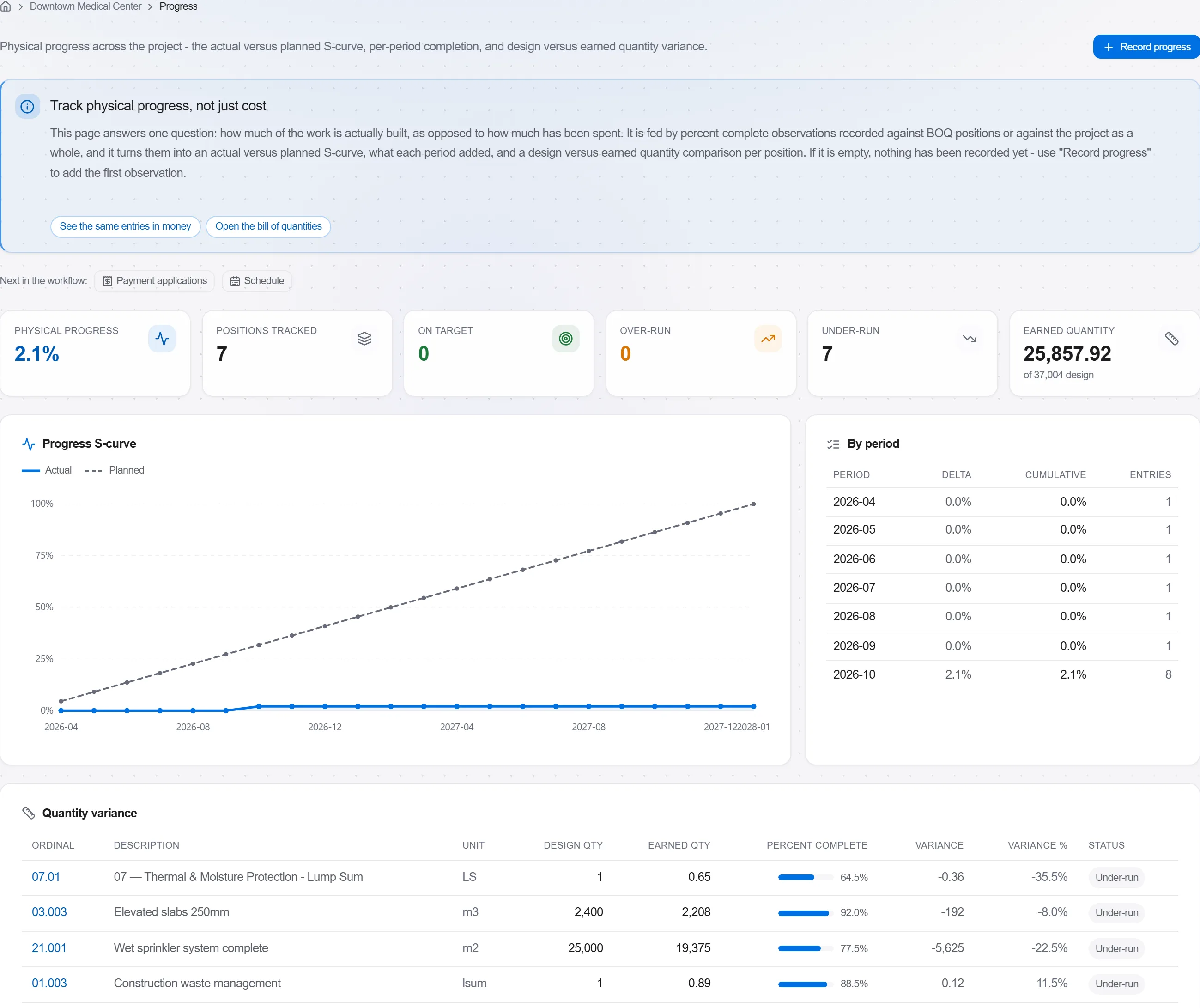
Perché: Una baseline che nessuno traccia e un ornamento da parete. Pubblicarla trasforma il cronoprogramma in un controllo vivo che ti avverte presto anziché in un documento rivisto a posteriori.
3 / 190 moduli della piattaforma
Take a job from the very first setup right through to handover. Create it, price the work,…
Plan the programme, freeze a baseline to measure against, feed real progress back from site…
See where the job truly stands against the plan and the budget: bring the programme current…