
计划与控制
Set up a project and hand it over
Take a job from the very first setup right through to handover. Create it, price the work,…
5 个步骤20 分钟打开
 ENEnglish
 DEDeutsch
 FRFrançais
 ESEspañol
 ES-MXEspañol (México)
 ITItaliano
 PTPortuguês
 NLNederlands
 PLPolski
 CSČeština
 RUРусский
 BGБългарски
 TRTürkçe
 SVSvenska
 NONorsk
 FISuomi
 DADansk
 ARالعربية
 ZH中文
ZH中文 JA日本語
JA日本語 KO한국어
KO한국어 HIहिन्दी
 THไทย
THไทย VITiếng Việt
 IDBahasa Indonesia
 RORomână
 HRHrvatski
 MNМонгол
 ETEesti
 BNবাংলা
 KKҚазақша
 KYКыргызча
 FILFilipino
 URاردو
 FAفارسی
 HEעברית
 ELΕλληνικά
贯穿平台的 4 个步骤 - 每一步做什么,以及为什么重要。
从交换文件导入进度计划, 使活动、工期、逻辑关系和工作分解结构带入而无需逐行重录。
原因: 重录几百项活动的进度计划会丢掉使它成为进度计划的逻辑。导入能保持网络完整, 使关键路径是真实的, 而不是凭记忆重画的。
确认日历、逻辑关系和工作分解结构在导入后完好保留, 且完工日期与源文件一致, 然后再让任何人信赖它上面的日期。
原因: 交换文件会悄悄丢掉约束并重映射日历。现在抓出一个偏移的完工日期, 远比三个月后才发现导入的进度计划是错的便宜得多。
把已认可的进度计划冻结为基准, 即工程在其余生命周期内据以衡量的固定参照。
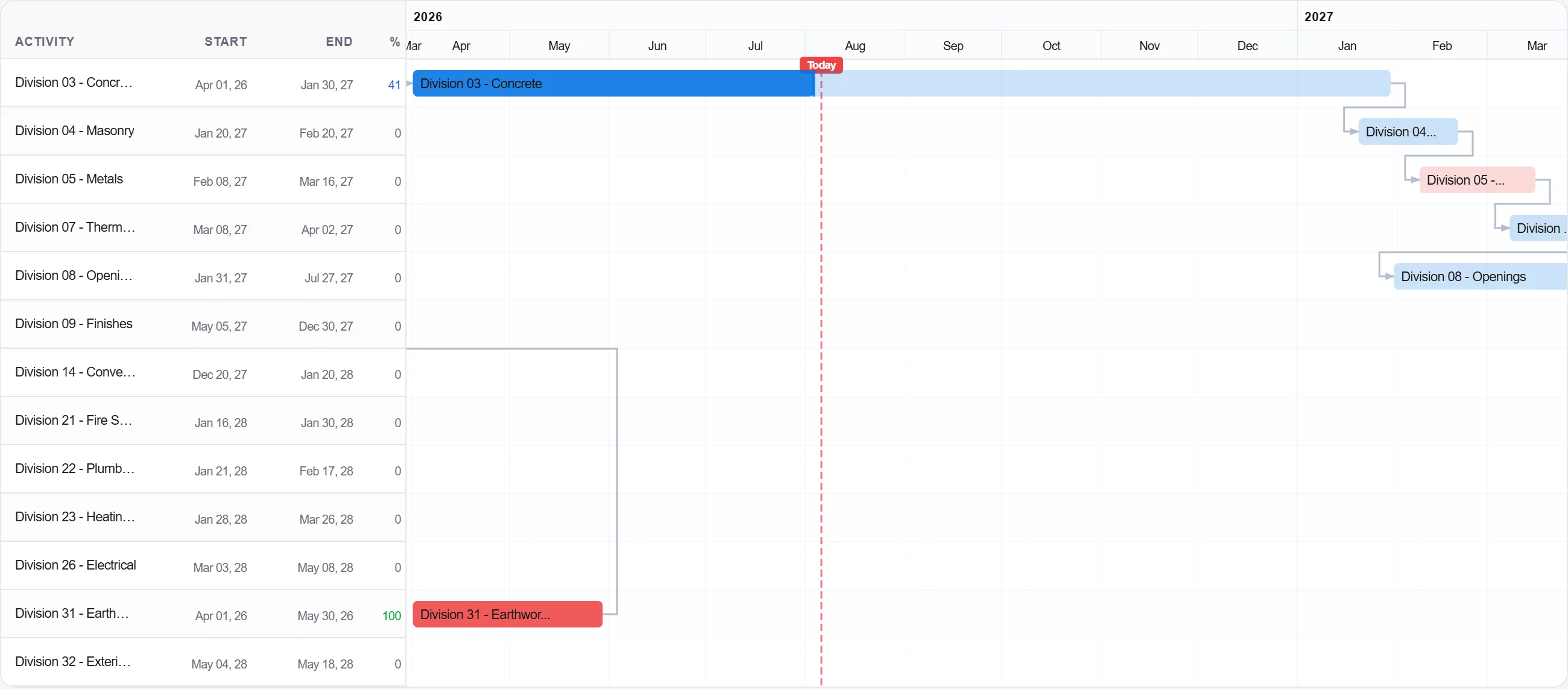
原因: 基准就是承诺。没有一个冻结的基准, 就无从对照衡量进度, 每一场滞后争论都会变成意见之争而非有据之争。
发布基准, 使团队对照它记录进度, 从第一天起就构建计划与实际的对比画面。
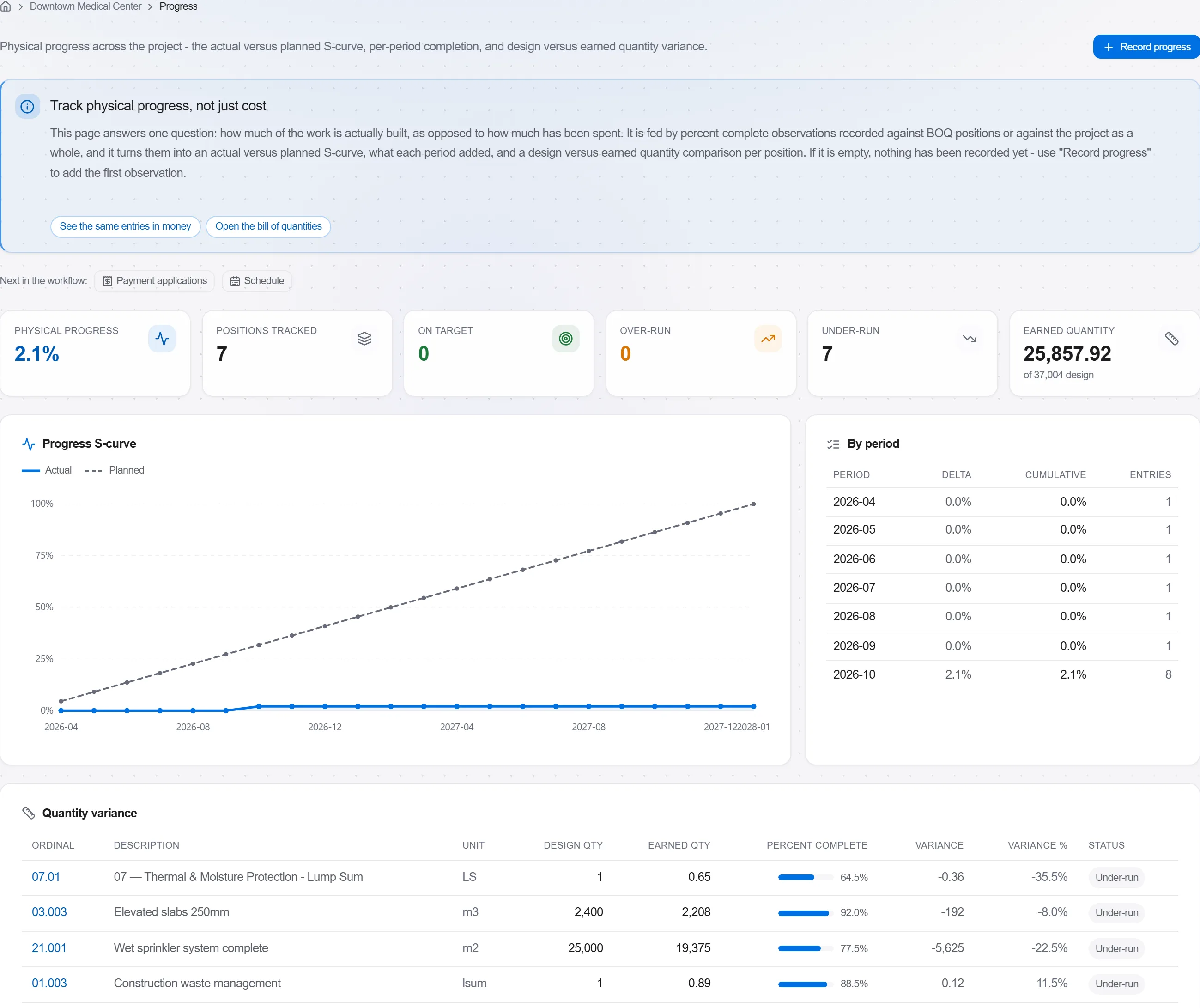
原因: 无人对照跟踪的基准只是墙上的装饰。发布它能把进度计划变成一个提前预警而非事后审查的实时控制手段。
190 个平台模块中的 3 个
Take a job from the very first setup right through to handover. Create it, price the work,…
Plan the programme, freeze a baseline to measure against, feed real progress back from site…
See where the job truly stands against the plan and the budget: bring the programme current…