
Planeamento e controle
Set up a project and hand it over
Take a job from the very first setup right through to handover. Create it, price the work,…
5 etapas20 minAbrir
 ENEnglish
 DEDeutsch
 FRFrançais
 ESEspañol
 ES-MXEspañol (México)
 ITItaliano
 PTPortuguês
 NLNederlands
 PLPolski
 CSČeština
 RUРусский
 BGБългарски
 TRTürkçe
 SVSvenska
 NONorsk
 FISuomi
 DADansk
 ARالعربية
 ZH中文
ZH中文 JA日本語
JA日本語 KO한국어
KO한국어 HIहिन्दी
 THไทย
THไทย VITiếng Việt
 IDBahasa Indonesia
 RORomână
 HRHrvatski
 MNМонгол
 ETEesti
 BNবাংলা
 KKҚазақша
 KYКыргызча
 FILFilipino
 URاردو
 FAفارسی
 HEעברית
 ELΕλληνικά
Traga um cronograma externo de um ficheiro de intercâmbio, verifique se os calendários e os vínculos sobreviveram à passagem, defina o cronograma aceito como a linha de base e publique-o para que o avanço seja medido contra algo fixo.
4 passos ao longo da plataforma - o que fazer em cada um e por que importa.
Importe o cronograma a partir do seu ficheiro de intercâmbio para que as atividades, durações, vínculos lógicos e a EAP venham sem serem redigitados linha a linha.
Por quê: Redigitar um cronograma de algumas centenas de atividades perde a lógica que o torna um cronograma. Importar mantém a rede intacta para que o caminho crítico seja real e não redesenhado de memória.
Confirme que os calendários, os vínculos lógicos e a EAP sobreviveram à importação e que a data de conclusão coincide com a origem, antes que alguém confie numa data ali.
Por quê: Ficheiros de intercâmbio descartam restrições e remapeiam calendários silenciosamente. Pegar uma data de conclusão deslocada agora é bem mais barato do que descobrir que o cronograma importado estava errado três meses depois.
Congele o cronograma acordado como a linha de base, a referência fixa contra a qual a obra será medida pelo resto de sua vida.
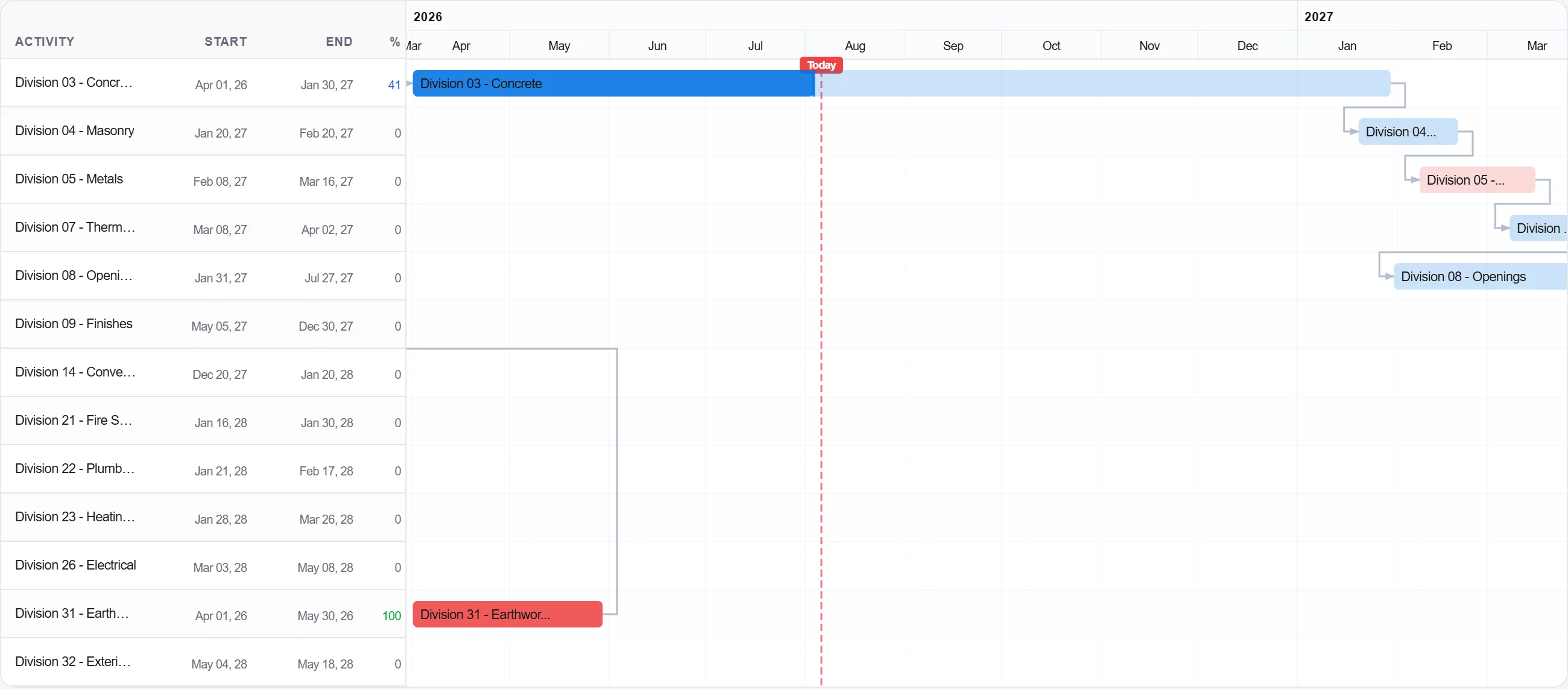
Por quê: A linha de base é a promessa. Sem uma congelada não há nada com que comparar o avanço, e cada discussão sobre atraso vira uma questão de opinião em vez de uma questão de registo.
Publique a linha de base para que a equipa registe o avanço contra ela e o quadro planejado versus real se construa desde o primeiro dia.
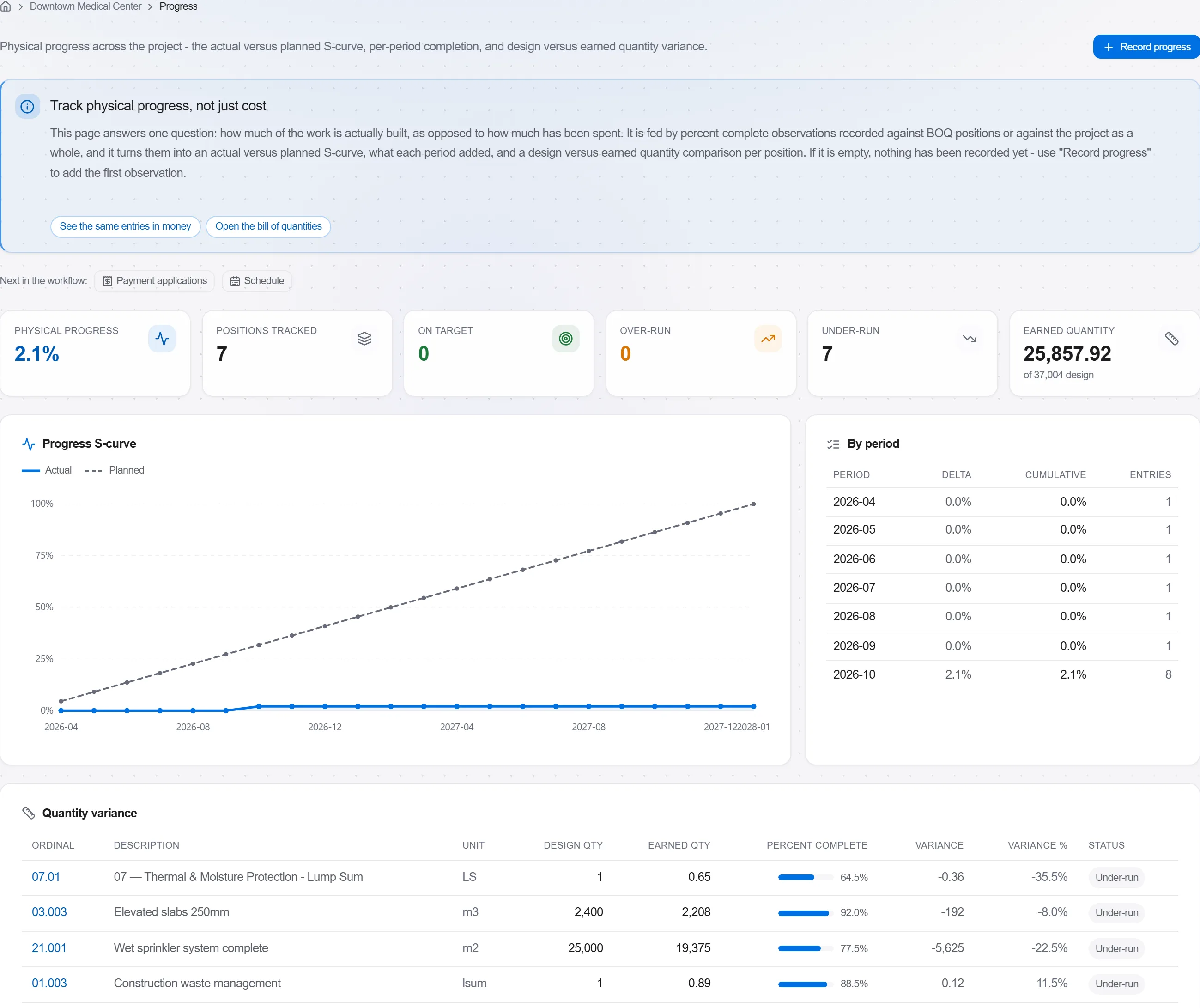
Por quê: Uma linha de base que ninguém acompanha é uma decoração de parede. Publicá-la transforma o cronograma num controle ativo que avisa você cedo em vez de um documento revisado depois do fato.
3 / 190 módulos da plataforma
Take a job from the very first setup right through to handover. Create it, price the work,…
Plan the programme, freeze a baseline to measure against, feed real progress back from site…
See where the job truly stands against the plan and the budget: bring the programme current…