
計画と管理
Set up a project and hand it over
Take a job from the very first setup right through to handover. Create it, price the work,…
5ステップ20 分開く
 ENEnglish
 DEDeutsch
 FRFrançais
 ESEspañol
 ES-MXEspañol (México)
 ITItaliano
 PTPortuguês
 NLNederlands
 PLPolski
 CSČeština
 RUРусский
 BGБългарски
 TRTürkçe
 SVSvenska
 NONorsk
 FISuomi
 DADansk
 ARالعربية
 ZH中文
ZH中文 JA日本語
JA日本語 KO한국어
KO한국어 HIहिन्दी
 THไทย
THไทย VITiếng Việt
 IDBahasa Indonesia
 RORomână
 HRHrvatski
 MNМонгол
 ETEesti
 BNবাংলা
 KKҚазақша
 KYКыргызча
 FILFilipino
 URاردو
 FAفارسی
 HEעברית
 ELΕλληνικά
外部の工程を交換ファイルから取り込み、カレンダーとリンクが移行に耐えたか確認し、受け入れた工程をベースラインに設定して公開し、進捗を固定された基準に照らして測れるようにする。
プラットフォーム全体で4ステップ - 各ステップで何をするか、そしてなぜ重要か。
工程を交換ファイルから取り込み、アクティビティ、所要日数、論理リンク、WBSが1行ずつ打ち直されることなく移るようにする。
理由: 数百アクティビティの工程を打ち直すと、それを工程たらしめる論理を失う。取り込みはネットワークをそのまま保ち、クリティカルパスを記憶からの描き直しではなく本物にする。
誰かが日付を信用する前に、カレンダー、論理リンク、WBSが取り込みに耐えたこと、そして完了日が元データと一致することを確認する。
理由: 交換ファイルは制約を落とし、カレンダーを黙って再割当てする。ずれた完了日を今捕まえるほうが、取り込んだ工程が誤っていたと3か月後に気づくよりはるかに安上がりだ。
合意した工程をベースラインとして凍結する。これは工事がその後ずっと測られる固定の基準だ。
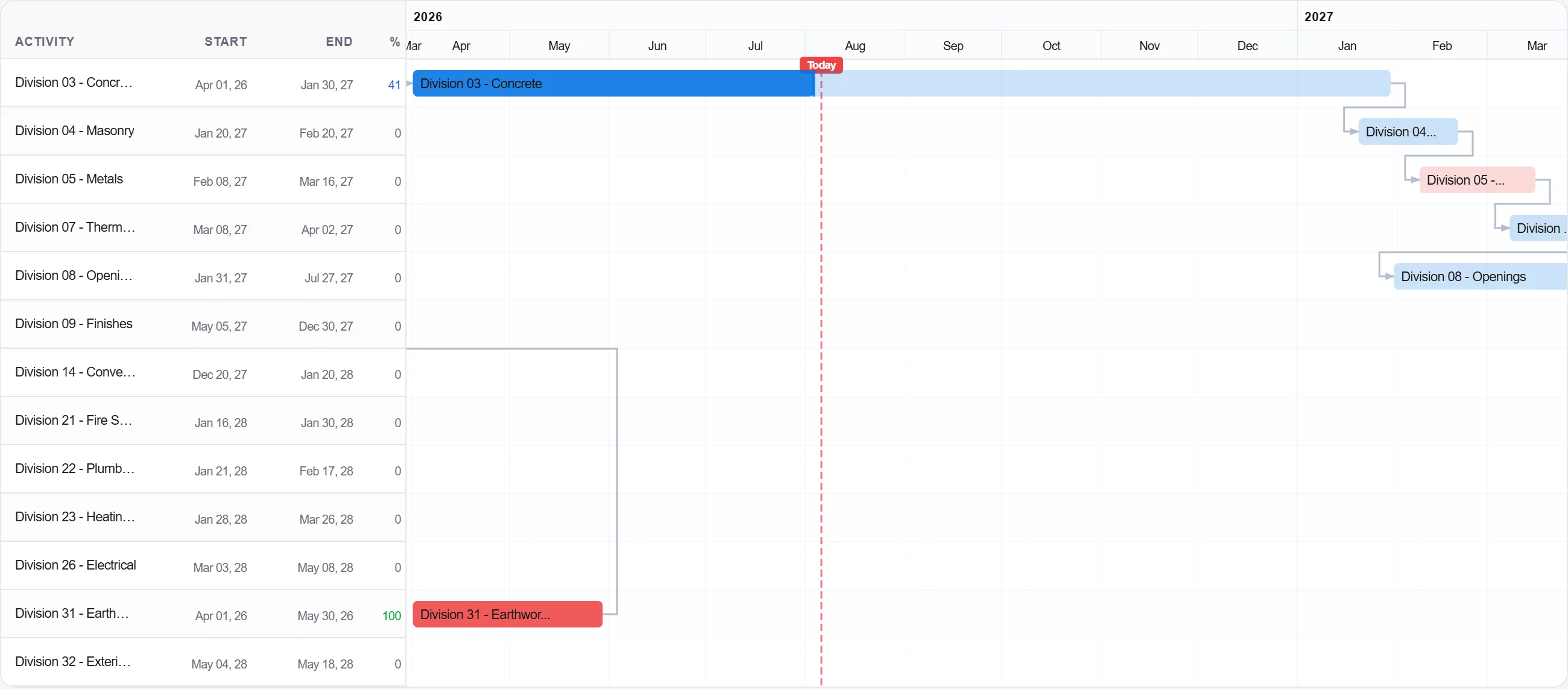
理由: ベースラインは約束だ。凍結されたものがなければ進捗と比べる相手がなく、遅れをめぐる議論はすべて記録の問題ではなく意見の問題になる。
ベースラインを公開し、チームがそれに照らして進捗を記録し、計画対実績の姿が初日から積み上がるようにする。
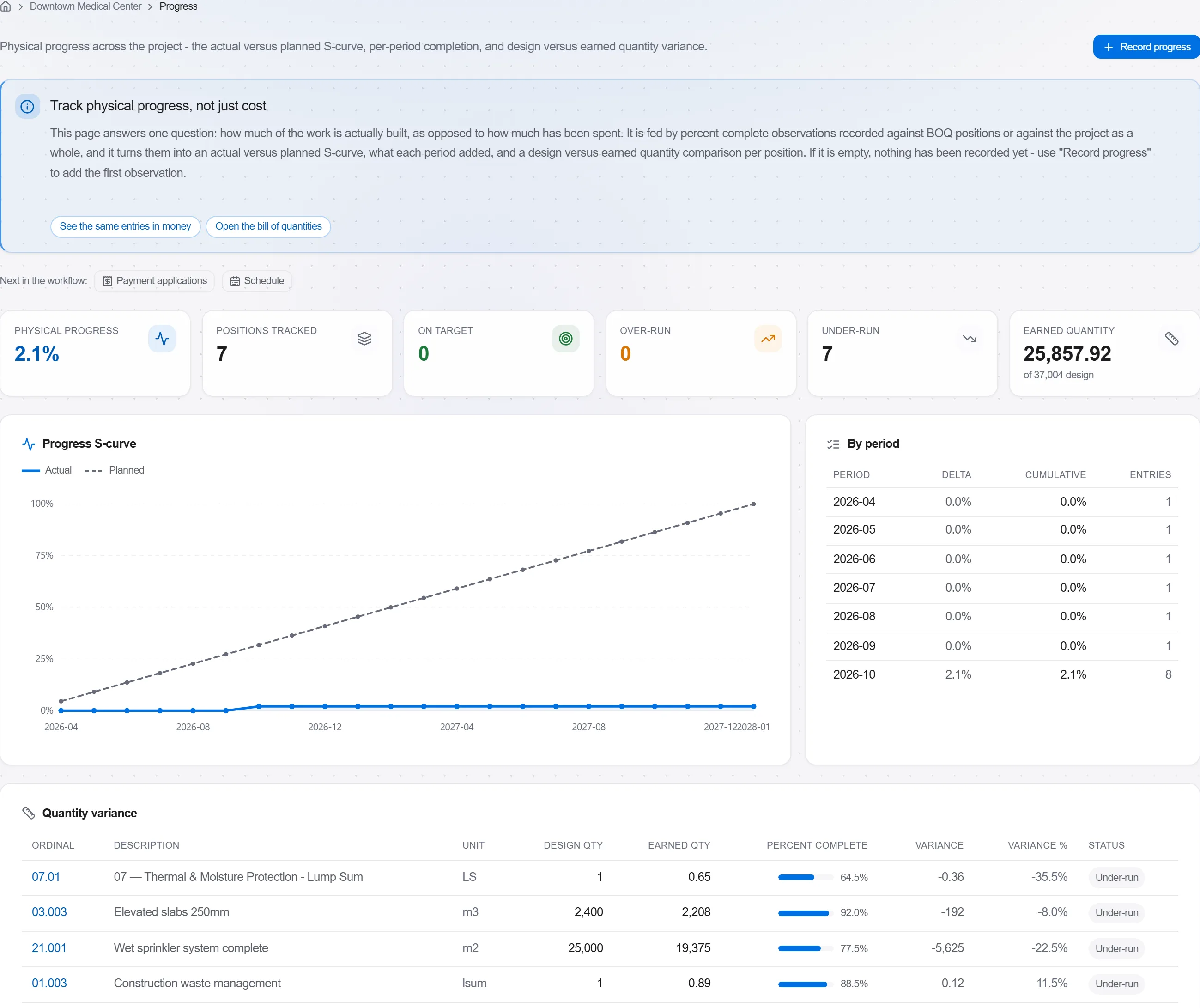
理由: 誰も照らして追跡しないベースラインは壁の飾りだ。公開することが、工程を事後にレビューする書類ではなく、早く警告してくれる生きた統制に変える。
プラットフォーム 190 モジュール中 3 個
Take a job from the very first setup right through to handover. Create it, price the work,…
Plan the programme, freeze a baseline to measure against, feed real progress back from site…
See where the job truly stands against the plan and the budget: bring the programme current…