
Planlægning og styring
Set up a project and hand it over
Take a job from the very first setup right through to handover. Create it, price the work,…
5 trin20 minÅbn
 ENEnglish
 DEDeutsch
 FRFrançais
 ESEspañol
 ES-MXEspañol (México)
 ITItaliano
 PTPortuguês
 NLNederlands
 PLPolski
 CSČeština
 RUРусский
 BGБългарски
 TRTürkçe
 SVSvenska
 NONorsk
 FISuomi
 DADansk
 ARالعربية
 ZH中文
ZH中文 JA日本語
JA日本語 KO한국어
KO한국어 HIहिन्दी
 THไทย
THไทย VITiếng Việt
 IDBahasa Indonesia
 RORomână
 HRHrvatski
 MNМонгол
 ETEesti
 BNবাংলা
 KKҚазақша
 KYКыргызча
 FILFilipino
 URاردو
 FAفارسی
 HEעברית
 ELΕλληνικά
Bring en ekstern tidsplan ind fra en udvekslingsfil, tjek at kalendere og sammenhænge overlevede turen, sæt den accepterede tidsplan som basisplan og udgiv den, så fremdrift måles mod noget fast.
4 trin gennem platformen - hvad du gør i hvert, og hvorfor det betyder noget.
Importer tidsplanen fra dens udvekslingsfil, så aktiviteterne, varighederne, logiksammenhængene og WBS kommer med uden at blive genindtastet linje for linje.
Hvorfor: At genindtaste en tidsplan på nogle hundrede aktiviteter mister den logik der gør den til en tidsplan. Import holder netværket intakt så den kritiske vej er reel, ikke gentegnet efter hukommelsen.
Bekræft at kalenderne, logiksammenhængene og WBS overlevede importen, og at færdiggørelsesdatoen matcher kilden, før nogen stoler på en dato på den.
Hvorfor: Udvekslingsfiler taber bindinger og ommapper kalendere lydløst. At fange en forskudt færdiggørelsesdato nu er langt billigere end at opdage at den importerede tidsplan var forkert tre måneder inde.
Frys den aftalte tidsplan som basisplan, den faste reference sagen vil blive målt mod resten af dens levetid.
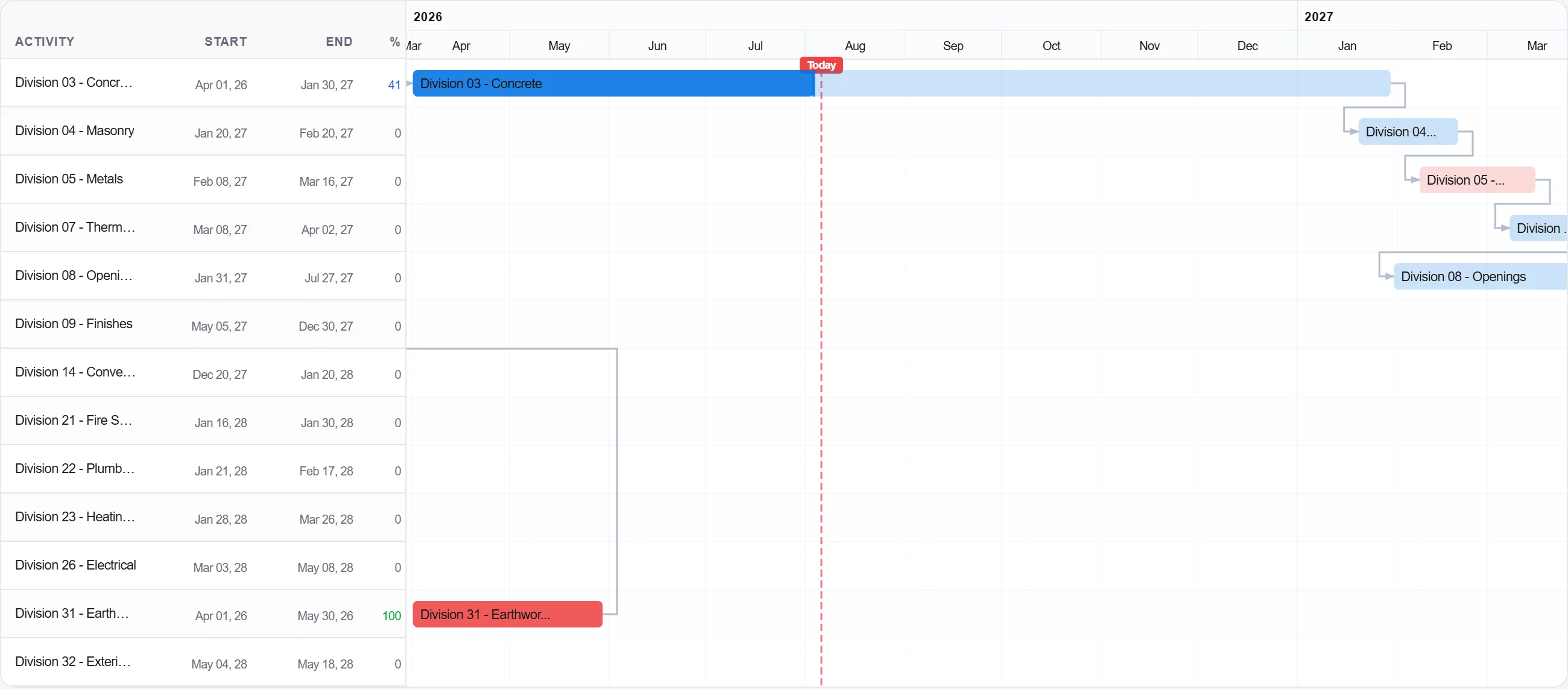
Hvorfor: Basisplanen er løftet. Uden en frossen er der intet at sammenligne fremdrift med, og enhver forsinkelsesdiskussion bliver et spørgsmål om holdning i stedet for et spørgsmål om dokumentation.
Udgiv basisplanen så teamet registrerer fremdrift mod den og billedet af planlagt mod faktisk bygges fra dag ét.
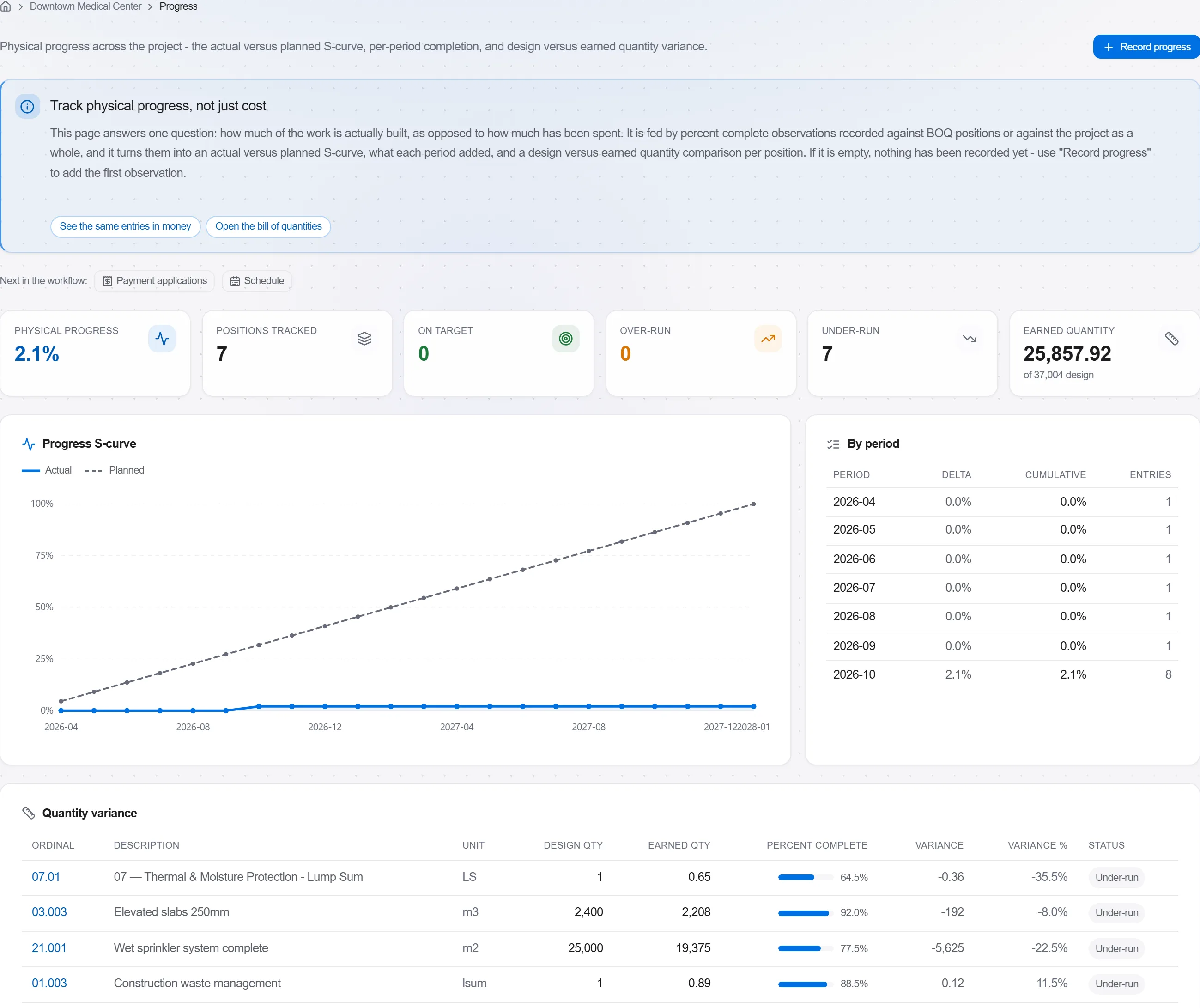
Hvorfor: En basisplan ingen følger op mod er en vægudsmykning. At udgive den gør tidsplanen til en levende styring der advarer dig tidligt frem for et dokument gennemgået bagefter.
3 / 190 platformmoduler
Take a job from the very first setup right through to handover. Create it, price the work,…
Plan the programme, freeze a baseline to measure against, feed real progress back from site…
See where the job truly stands against the plan and the budget: bring the programme current…