
Planificación y control
Set up a project and hand it over
Take a job from the very first setup right through to handover. Create it, price the work,…
5 pasos20 minAbrir
 ENEnglish
 DEDeutsch
 FRFrançais
 ESEspañol
 ES-MXEspañol (México)
 ITItaliano
 PTPortuguês
 NLNederlands
 PLPolski
 CSČeština
 RUРусский
 BGБългарски
 TRTürkçe
 SVSvenska
 NONorsk
 FISuomi
 DADansk
 ARالعربية
 ZH中文
ZH中文 JA日本語
JA日本語 KO한국어
KO한국어 HIहिन्दी
 THไทย
THไทย VITiếng Việt
 IDBahasa Indonesia
 RORomână
 HRHrvatski
 MNМонгол
 ETEesti
 BNবাংলা
 KKҚазақша
 KYКыргызча
 FILFilipino
 URاردو
 FAفارسی
 HEעברית
 ELΕλληνικά
Incorpora un cronograma externo desde un archivo de intercambio, comprueba que los calendarios y los vínculos sobrevivieron al trayecto, fija el cronograma aceptado como línea base y publícalo para medir el avance frente a algo fijo.
4 pasos a lo largo de la plataforma - qué hacer en cada uno y por qué importa.
Importa el cronograma desde su archivo de intercambio para que las actividades, duraciones, vínculos lógicos y la EDT entren sin reteclearse línea a línea.
Por que: Reteclear un cronograma de unos cientos de actividades pierde la lógica que lo hace un cronograma. Importarlo mantiene la red intacta para que el camino crítico sea real y no redibujado de memoria.
Confirma que los calendarios, los vínculos lógicos y la EDT sobrevivieron a la importación, y que la fecha de fin coincide con el origen, antes de que nadie confíe en una fecha.
Por que: Los archivos de intercambio pierden restricciones y remapean calendarios en silencio. Detectar ahora una fecha de fin desplazada es mucho más barato que descubrir que el cronograma importado estaba mal tres meses después.
Congela el cronograma acordado como línea base, la referencia fija frente a la que se medirá la obra durante el resto de su vida.
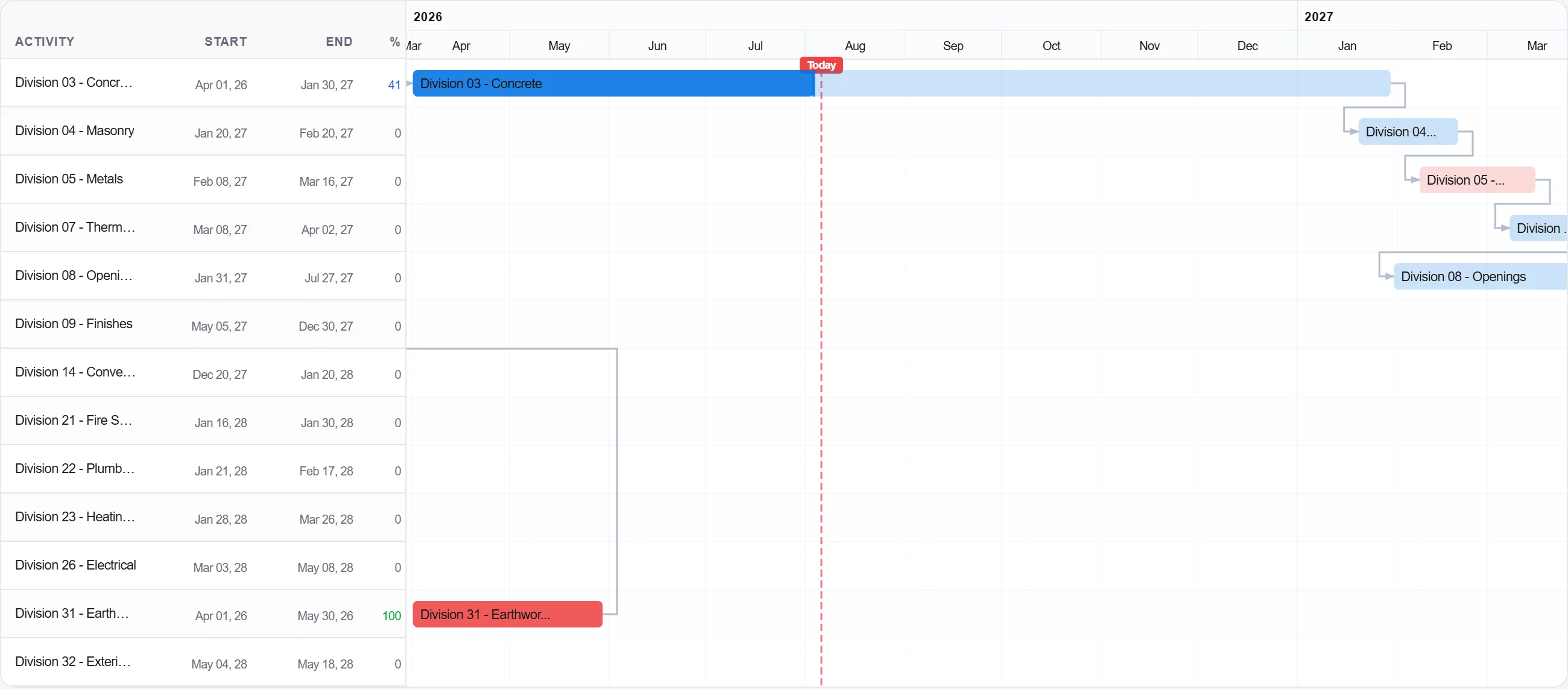
Por que: La línea base es la promesa. Sin una congelada no hay nada con lo que comparar el avance, y cada discusión sobre retrasos se vuelve cuestión de opinión en lugar de cuestión de registro.
Publica la línea base para que el equipo registre el avance frente a ella y la imagen de lo planificado frente a lo real se construya desde el primer día.
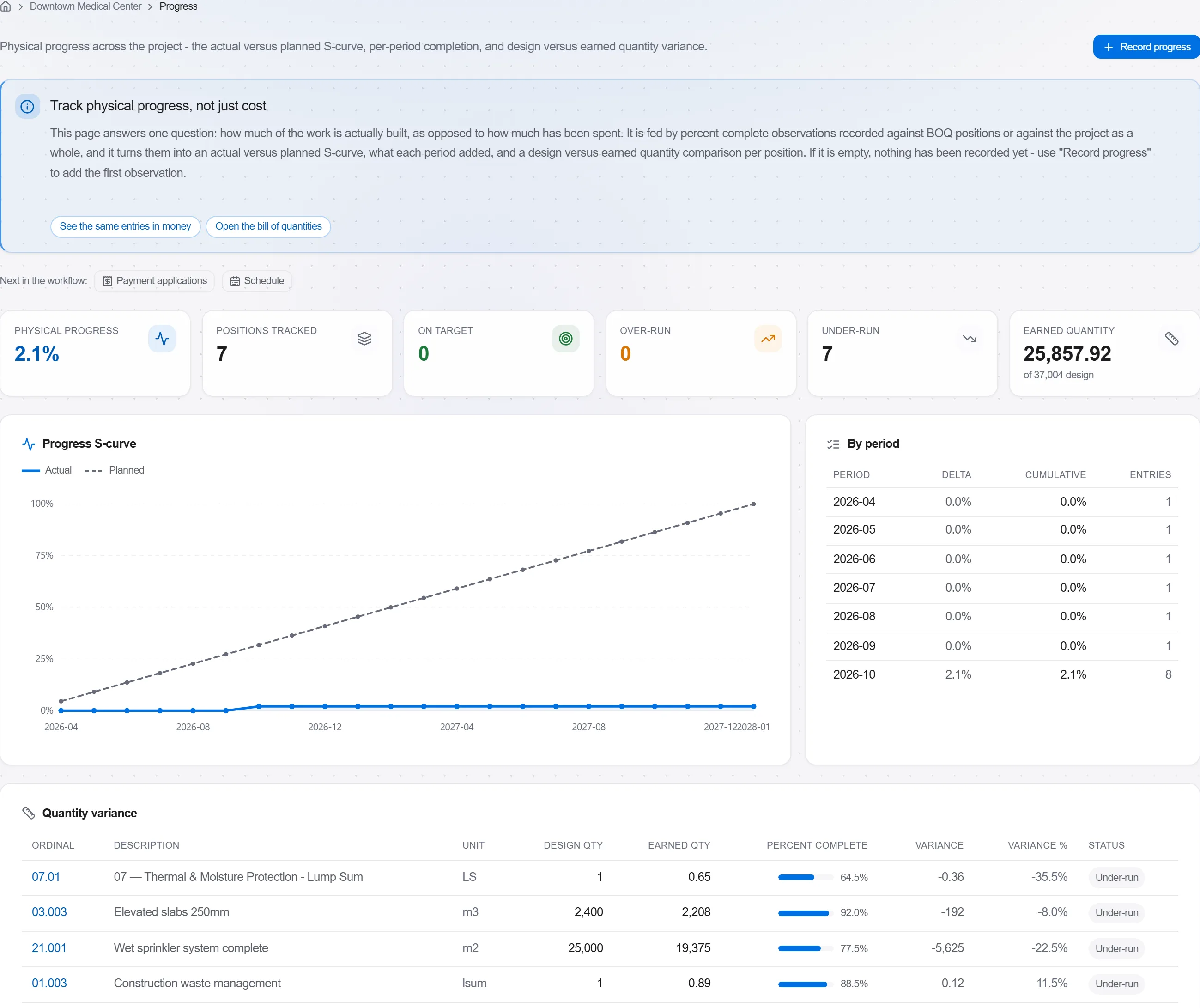
Por que: Una línea base que nadie usa para el seguimiento es un adorno de pared. Publicarla convierte el cronograma en un control vivo que te avisa pronto en lugar de un documento que se revisa a posteriori.
3 / 190 módulos de la plataforma
Take a job from the very first setup right through to handover. Create it, price the work,…
Plan the programme, freeze a baseline to measure against, feed real progress back from site…
See where the job truly stands against the plan and the budget: bring the programme current…