
Planning & controls
Set up a project and hand it over
Take a job from the very first setup right through to handover. Create it, price the work,…
5 steps20 minOpen
 ENEnglish
 DEDeutsch
 FRFrançais
 ESEspañol
 ES-MXEspañol (México)
 ITItaliano
 PTPortuguês
 NLNederlands
 PLPolski
 CSČeština
 RUРусский
 BGБългарски
 TRTürkçe
 SVSvenska
 NONorsk
 FISuomi
 DADansk
 ARالعربية
 ZH中文
ZH中文 JA日本語
JA日本語 KO한국어
KO한국어 HIहिन्दी
 THไทย
THไทย VITiếng Việt
 IDBahasa Indonesia
 RORomână
 HRHrvatski
 MNМонгол
 ETEesti
 BNবাংলা
 KKҚазақша
 KYКыргызча
 FILFilipino
 URاردو
 FAفارسی
 HEעברית
 ELΕλληνικά
Plan the programme, freeze a baseline to measure against, feed real progress back from site and read the variance so slippage surfaces early.
4 steps across the platform - what you do at each one, and why it matters.
Build out the activities, set a duration on each and link them in the order the trades follow so the critical path falls out. Group the work the way you will report it later, by trade, by zone or by phase.
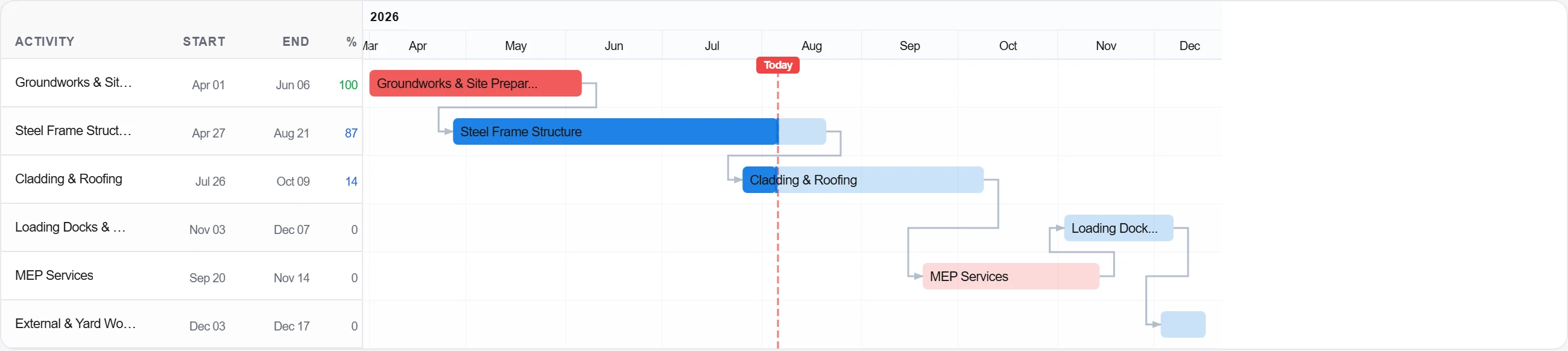
Why: The programme is your promise on when the job finishes. A clear critical path separates the delays that genuinely push the finish date from the ones that only eat float.
Save the agreed programme as a baseline before a spade goes in the ground. From here on every update is read against this frozen copy.
Why: With no baseline there is nothing to be late against. Freezing it is what converts a plan into a yardstick that holds up when an extension of time is argued.
Record actual start and finish dates and the hours booked from the field, so the schedule mirrors what the crews really did this period.
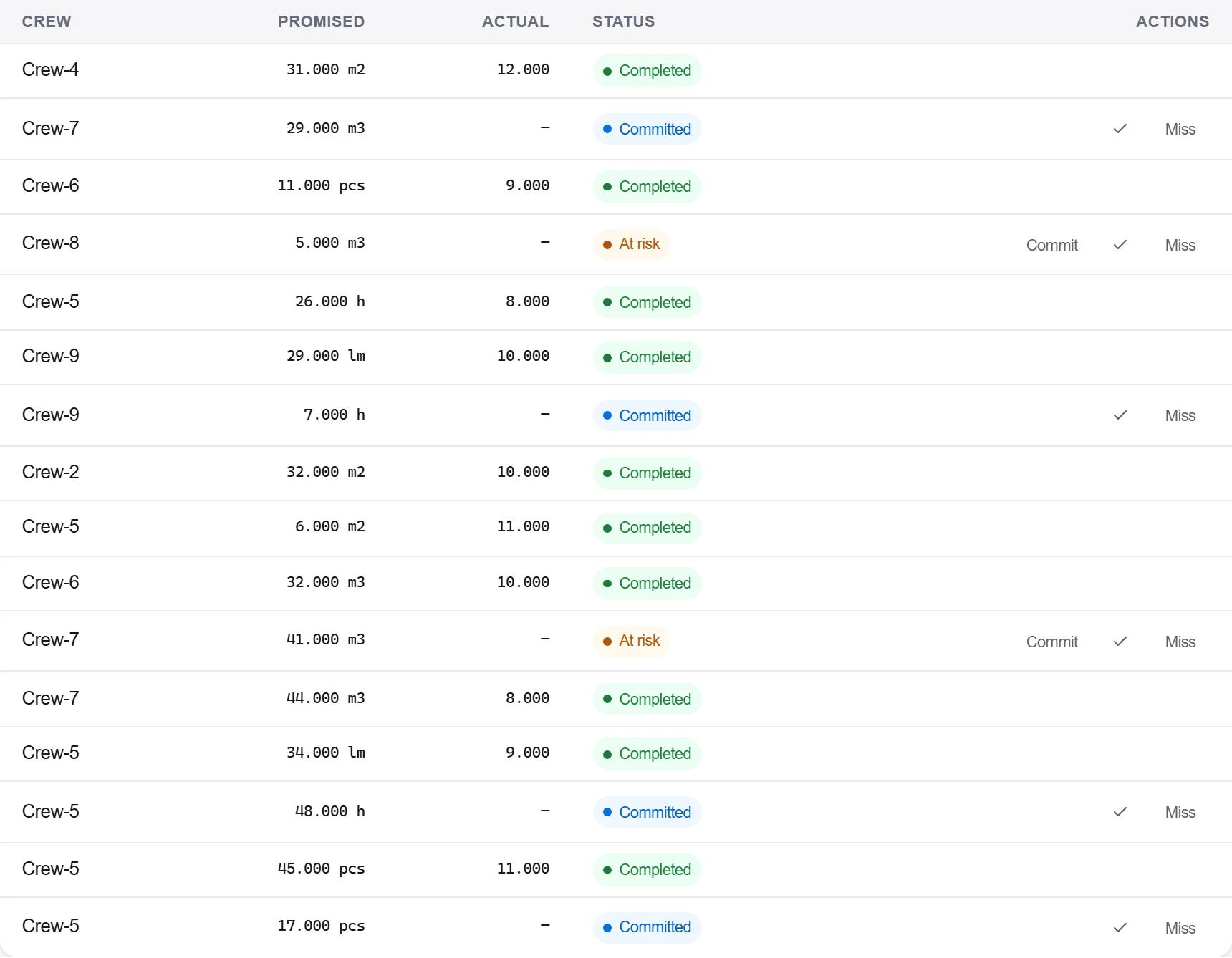
Why: A programme nobody updates is fiction by the second week. Feeding site data back is the only thing that keeps the forecast honest and the completion date believable.
Set the updated programme against the baseline and read the slippage and the remaining float. The advanced view shows the critical path shifting as each progress update lands.
Why: A variance spotted early is still a decision you can make. The whole point of tracking is to act on a two-week slip now, not to document a two-month one at the end.
3 / 190 platform modules
Take a job from the very first setup right through to handover. Create it, price the work,…
See where the job truly stands against the plan and the budget: bring the programme current…
Stand up a new job so everything downstream has one clean spine to attach to: create the re…