
Commercial & contracts
Turn a change into a paid variation
Capture a scope change while it is fresh, price it as a contract variation on your agreed r…
3 steps11 minOpen
 ENEnglish
 DEDeutsch
 FRFrançais
 ESEspañol
 ES-MXEspañol (México)
 ITItaliano
 PTPortuguês
 NLNederlands
 PLPolski
 CSČeština
 RUРусский
 BGБългарски
 TRTürkçe
 SVSvenska
 NONorsk
 FISuomi
 DADansk
 ARالعربية
 ZH中文
ZH中文 JA日本語
JA日本語 KO한국어
KO한국어 HIहिन्दी
 THไทย
THไทย VITiếng Việt
 IDBahasa Indonesia
 RORomână
 HRHrvatski
 MNМонгол
 ETEesti
 BNবাংলা
 KKҚазақша
 KYКыргызча
 FILFilipino
 URاردو
 FAفارسی
 HEעברית
 ELΕλληνικά
Hold the job to its number: fix the priced bill as the budget baseline, track committed and actual spend against it trade by trade, and report the variance while there is still time to act.
3 steps across the platform - what you do at each one, and why it matters.
Take the agreed priced bill and fix it as the cost budget, broken down by trade or cost code, so every later commitment and invoice has a target line to be measured against.
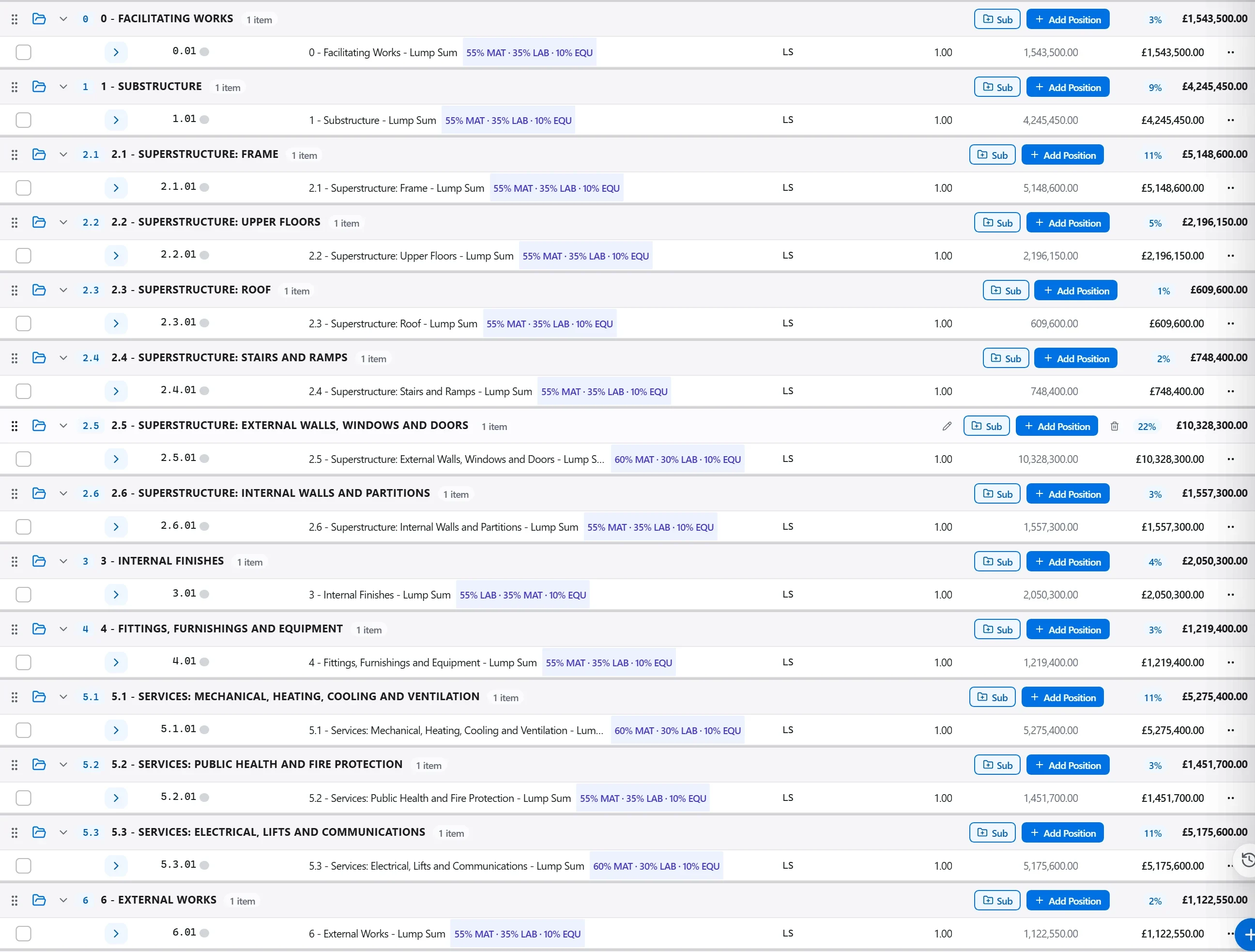
Why: You cannot control spend without a fixed line to control it against, and a budget that keeps drifting hides overruns as fast as they appear. Locking the baseline is what makes a variance mean something.
Book orders and subcontracts as committed cost and invoices and site records as actual cost, each against its budget line, so you can see budget, committed and spent side by side.
Why: Committed cost is the overrun you have already signed for but not yet paid, and it is where jobs quietly go over before a single invoice arrives. Tracking it, not just actuals, is what gives you real warning.
Produce the cost report showing budget against committed and actual with the forecast final cost per trade, and flag the lines trending over so the team can act on them by name.
Why: An overrun caught in month four can still be steered by reworking scope or renegotiating; the same number found at final account is only a loss to explain. Reporting variance early is the entire point of cost control.
3 / 190 platform modules
Capture a scope change while it is fresh, price it as a contract variation on your agreed r…
Award a trade package to a subcontractor, place it on a subcontract with a schedule of valu…
Value the work put in place this period against the contract, raise the application with th…