

Quality & safety
Inspect work and close a non-conformance
Inspect the work against its acceptance criteria, raise a non-conformance the moment it fai…
3 steps10 minOpen
 ENEnglish
 DEDeutsch
 FRFrançais
 ESEspañol
 ES-MXEspañol (México)
 ITItaliano
 PTPortuguês
 NLNederlands
 PLPolski
 CSČeština
 RUРусский
 BGБългарски
 TRTürkçe
 SVSvenska
 NONorsk
 FISuomi
 DADansk
 ARالعربية
 ZH中文
ZH中文 JA日本語
JA日本語 KO한국어
KO한국어 HIहिन्दी
 THไทย
THไทย VITiếng Việt
 IDBahasa Indonesia
 RORomână
 HRHrvatski
 MNМонгол
 ETEesti
 BNবাংলা
 KKҚазақша
 KYКыргызча
 FILFilipino
 URاردو
 FAفارسی
 HEעברית
 ELΕλληνικά
Put the product you plan to buy in front of the designer with its data behind it, get it checked against the specification, and release it to order only once it is approved.
3 steps across the platform - what you do at each one, and why it matters.
Open the submittal for the product you intend to use, attach the data sheet, samples and certificates, and name the specification clause it is offered against. Route it to the designer who has to approve it and set a needed-by date tied to when you must order to hit the programme.
Why: Ordering a material before it is approved is how you end up with a skip full of the wrong product and an argument over who pays. A dated submittal also puts the clock on the designer, so a slow approval that delays your order is on the record.
Line the submitted product up against the specified performance, finish and standards, clause by clause, and record the outcome: approved, approved with comments, or rejected with the reason. Log any deviation the designer accepts so it is not queried later.
Why: A checked submittal is the moment a substitution is caught before it is built in, not after. The recorded decision is what protects you when the client asks why the installed product differs from the drawings.
Once the submittal is approved, raise the purchase order against the exact product that was signed off, quoting the submittal reference on the order so the yard and the supplier deliver the approved item and nothing else.
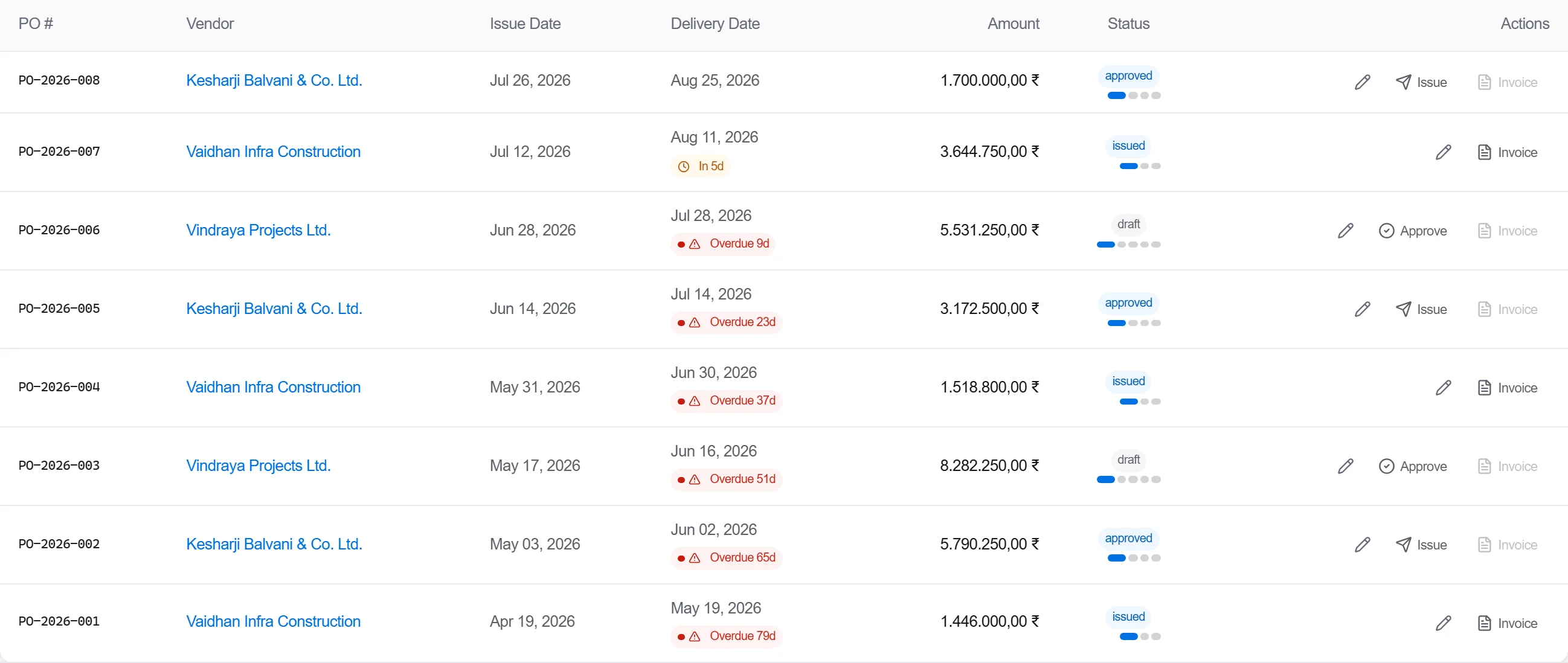
Why: The approval only holds value if what turns up on site is the thing that was approved. Tying the order back to the submittal reference is what stops a supplier quietly swapping in a cheaper equivalent.
3 / 190 platform modules
Inspect the work against its acceptance criteria, raise a non-conformance the moment it fai…
Brief the crew on the hazards this shift actually carries, capture who was there, then prov…
Agree the hold and witness points for a trade before it starts, inspect at each point as th…