

Handover & lifecycle
Hand over and close out
Finish the job cleanly: work the punch list to zero, confirm every inspection passed and no…
5 steps14 minOpen
 ENEnglish
 DEDeutsch
 FRFrançais
 ESEspañol
 ES-MXEspañol (México)
 ITItaliano
 PTPortuguês
 NLNederlands
 PLPolski
 CSČeština
 RUРусский
 BGБългарски
 TRTürkçe
 SVSvenska
 NONorsk
 FISuomi
 DADansk
 ARالعربية
 ZH中文
ZH中文 JA日本語
JA日本語 KO한국어
KO한국어 HIहिन्दी
 THไทย
THไทย VITiếng Việt
 IDBahasa Indonesia
 RORomână
 HRHrvatski
 MNМонгол
 ETEesti
 BNবাংলা
 KKҚазақша
 KYКыргызча
 FILFilipino
 URاردو
 FAفارسی
 HEעברית
 ELΕλληνικά
Get a failed asset fixed on the maker's coin: confirm it is in warranty, raise the claim against the asset, and close it once the remedy and the paper trail are in.
3 steps across the platform - what you do at each one, and why it matters.
Open the asset record, find the install date and the warranty period, and confirm the failure falls inside cover and inside the terms. Pull the serial and model while you are there.
Why: Raising a claim on an asset that is out of cover just wastes everyone's time. Checking the record first tells you in seconds whether the maker owes you a fix or whether this one is on you.
Raise the claim against the asset with the fault described, photos attached and the warranty reference quoted, and state the remedy you expect. Set a date you need it resolved by.
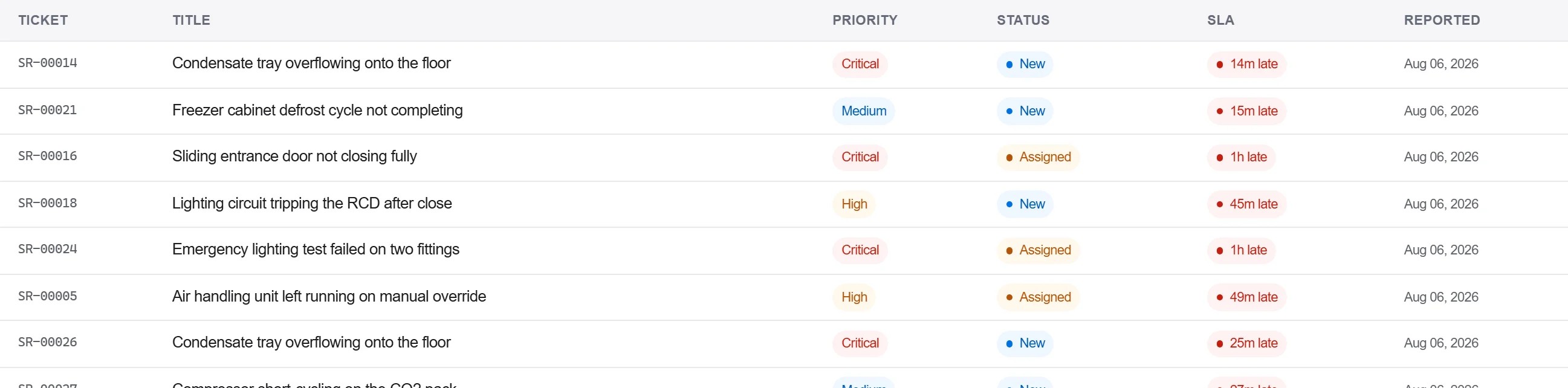
Why: A claim with the evidence and the reference attached is one the maker cannot bounce back for more detail. Logging it against the asset also keeps the failure in that unit's history for the next time.
Record the maker's response and the remedy in the correspondence log, confirm the fix in writing, and close the claim only when the acceptance is captured, not on a phone call alone.
Why: A warranty settled by phone is one you cannot prove when the same part fails again. The written trail is what holds the maker to the remedy and what backs you if the dispute reopens.
3 / 190 platform modules
Finish the job cleanly: work the punch list to zero, confirm every inspection passed and no…
Pull the as-built record together, prove the quality file has no gaps, then issue an operat…
Walk the finished works with the client, record what passes and what does not against the a…