

Primopredaja i životni ciklus
Hand over and close out
Finish the job cleanly: work the punch list to zero, confirm every inspection passed and no…
5 koraka14 minOtvori
 ENEnglish
 DEDeutsch
 FRFrançais
 ESEspañol
 ES-MXEspañol (México)
 ITItaliano
 PTPortuguês
 NLNederlands
 PLPolski
 CSČeština
 RUРусский
 BGБългарски
 TRTürkçe
 SVSvenska
 NONorsk
 FISuomi
 DADansk
 ARالعربية
 ZH中文
ZH中文 JA日本語
JA日本語 KO한국어
KO한국어 HIहिन्दी
 THไทย
THไทย VITiếng Việt
 IDBahasa Indonesia
 RORomână
 HRHrvatski
 MNМонгол
 ETEesti
 BNবাংলা
 KKҚазақша
 KYКыргызча
 FILFilipino
 URاردو
 FAفارسی
 HEעברית
 ELΕλληνικά
Popravite pokvarenu imovinu o trošku proizvođača: potvrdite da je u jamstvu, podignite zahtjev prema imovini i zatvorite ga kad su popravak i papirologija gotovi.
3 koraka kroz platformu - što radite u svakom i zašto je važno.
Otvorite zapis imovine, pronađite datum ugradnje i jamstveni rok i potvrdite da kvar pada unutar pokrića i unutar uvjeta. Uzmite serijski broj i model dok ste ondje.
Zašto: Podizanje zahtjeva na imovinu izvan pokrića samo troši svima vrijeme. Prva provjera zapisa u sekundama vam kaže duguje li vam proizvođač popravak ili je ovaj na vama.
Podignite zahtjev prema imovini s opisanim kvarom, priloženim fotografijama i navedenom jamstvenom referencom i navedite popravak koji očekujete. Postavite rok do kojeg trebate da bude riješen.
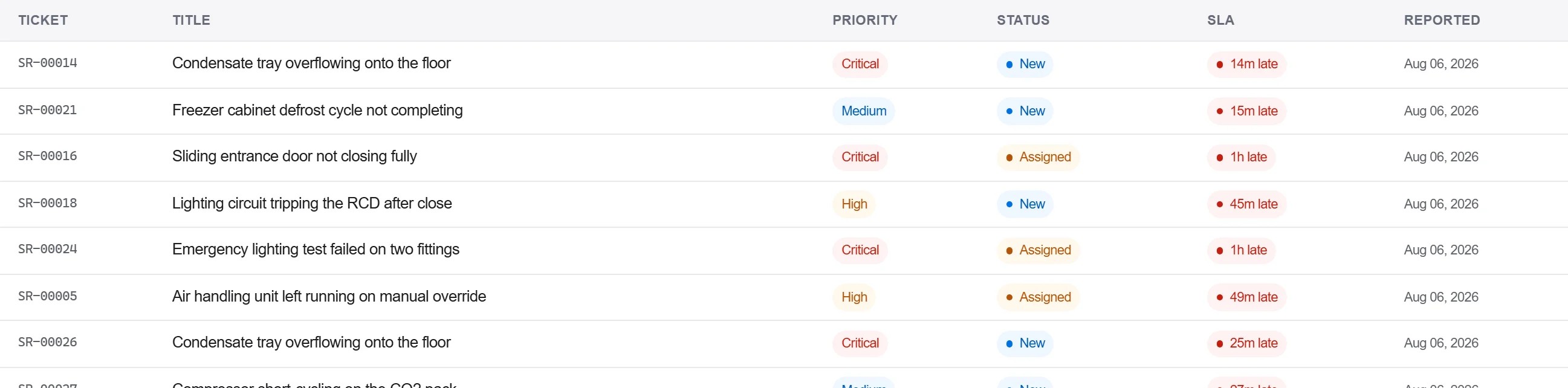
Zašto: Zahtjev s priloženim dokazima i referencom proizvođač ne može vratiti tražeći više detalja. Bilježenje uz imovinu također drži kvar u povijesti te jedinice za sljedeći put.
Zabilježite proizvođačev odgovor i popravak u dnevnik dopisivanja, potvrdite popravak u pisanom obliku i zatvorite zahtjev tek kad je prihvaćanje zabilježeno, a ne samo na telefonski poziv.
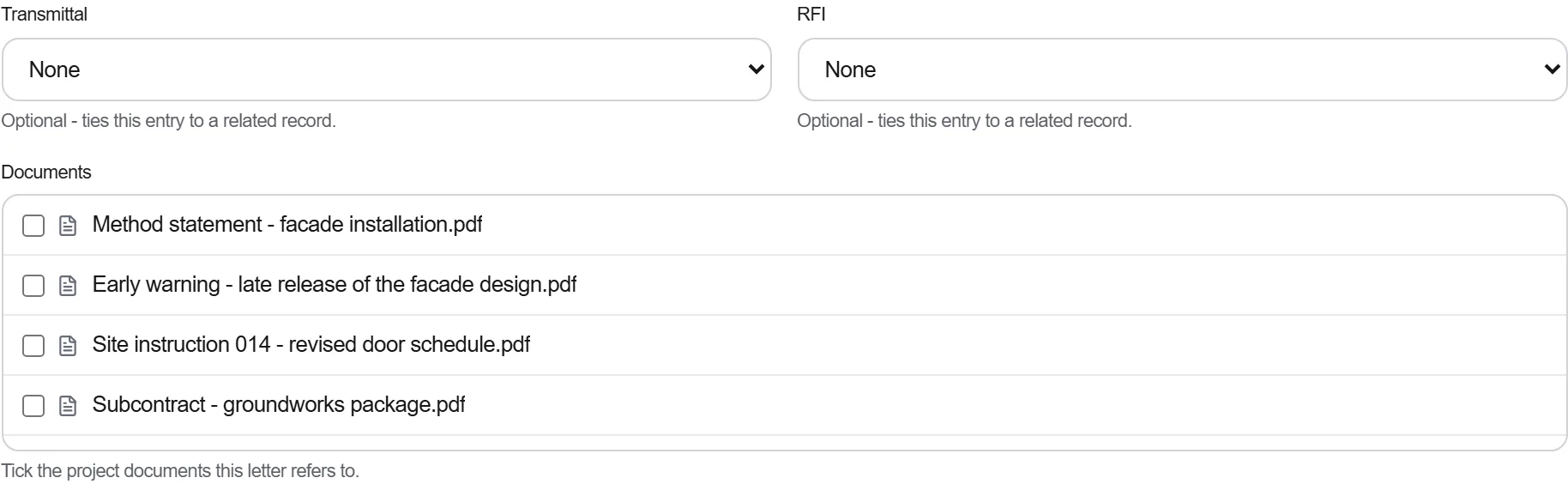
Zašto: Jamstvo riješeno telefonom je ono koje ne možete dokazati kad isti dio ponovno zakaže. Pisani trag drži proizvođača uz popravak i podupire vas ako se spor ponovno otvori.
3 / 190 modula platforme
Finish the job cleanly: work the punch list to zero, confirm every inspection passed and no…
Pull the as-built record together, prove the quality file has no gaps, then issue an operat…
Walk the finished works with the client, record what passes and what does not against the a…