

Consegna e ciclo di vita
Hand over and close out
Finish the job cleanly: work the punch list to zero, confirm every inspection passed and no…
5 passaggi14 minApri
 ENEnglish
 DEDeutsch
 FRFrançais
 ESEspañol
 ES-MXEspañol (México)
 ITItaliano
 PTPortuguês
 NLNederlands
 PLPolski
 CSČeština
 RUРусский
 BGБългарски
 TRTürkçe
 SVSvenska
 NONorsk
 FISuomi
 DADansk
 ARالعربية
 ZH中文
ZH中文 JA日本語
JA日本語 KO한국어
KO한국어 HIहिन्दी
 THไทย
THไทย VITiếng Việt
 IDBahasa Indonesia
 RORomână
 HRHrvatski
 MNМонгол
 ETEesti
 BNবাংলা
 KKҚазақша
 KYКыргызча
 FILFilipino
 URاردو
 FAفارسی
 HEעברית
 ELΕλληνικά
Fai riparare un bene guasto a spese del costruttore: conferma che sia in garanzia, solleva la richiesta rispetto al bene e chiudila una volta che il rimedio e la documentazione sono in ordine.
3 passi attraverso la piattaforma - cosa fare a ciascuno e perché conta.
Apri la scheda del bene, trova la data di installazione e il periodo di garanzia e conferma che il guasto rientri nella copertura e nei termini. Prendi il numero di serie e il modello mentre ci sei.
Perché: Sollevare una richiesta su un bene fuori copertura fa solo perdere tempo a tutti. Verificare prima la scheda ti dice in pochi secondi se il costruttore ti deve una riparazione o se questa e a carico tuo.
Solleva la richiesta rispetto al bene con il guasto descritto, le foto allegate e il riferimento di garanzia citato, e indica il rimedio che ti aspetti. Fissa una data entro cui ti serve risolto.
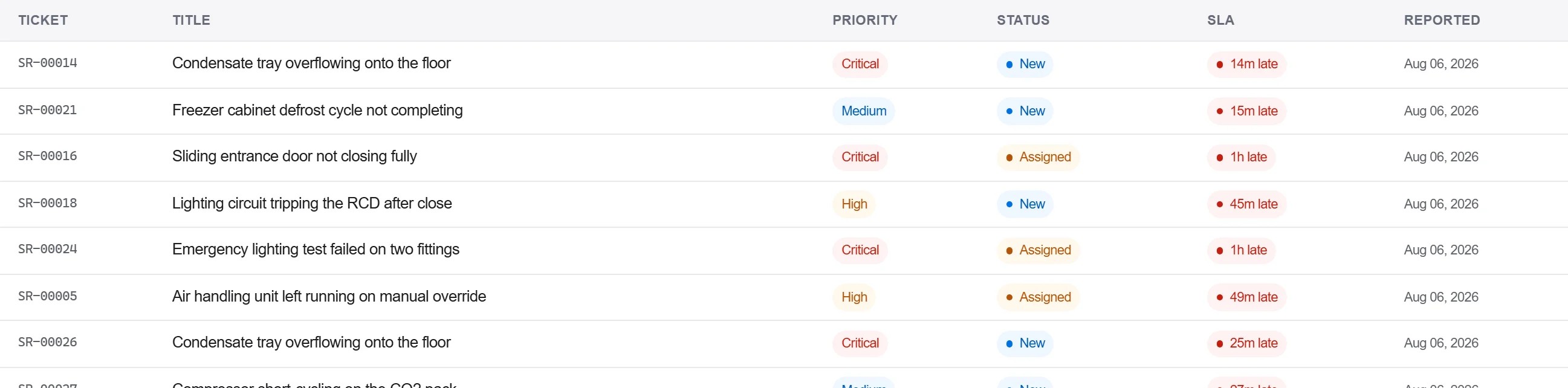
Perché: Una richiesta con le prove e il riferimento allegati è una che il costruttore non può respingere per avere più dettagli. Registrarla rispetto al bene mantiene anche il guasto nella storia di quell'unità per la volta successiva.
Registra la risposta del costruttore e il rimedio nel registro della corrispondenza, conferma la riparazione per iscritto e chiudi la richiesta solo quando l'accettazione e catturata, non su una sola telefonata.
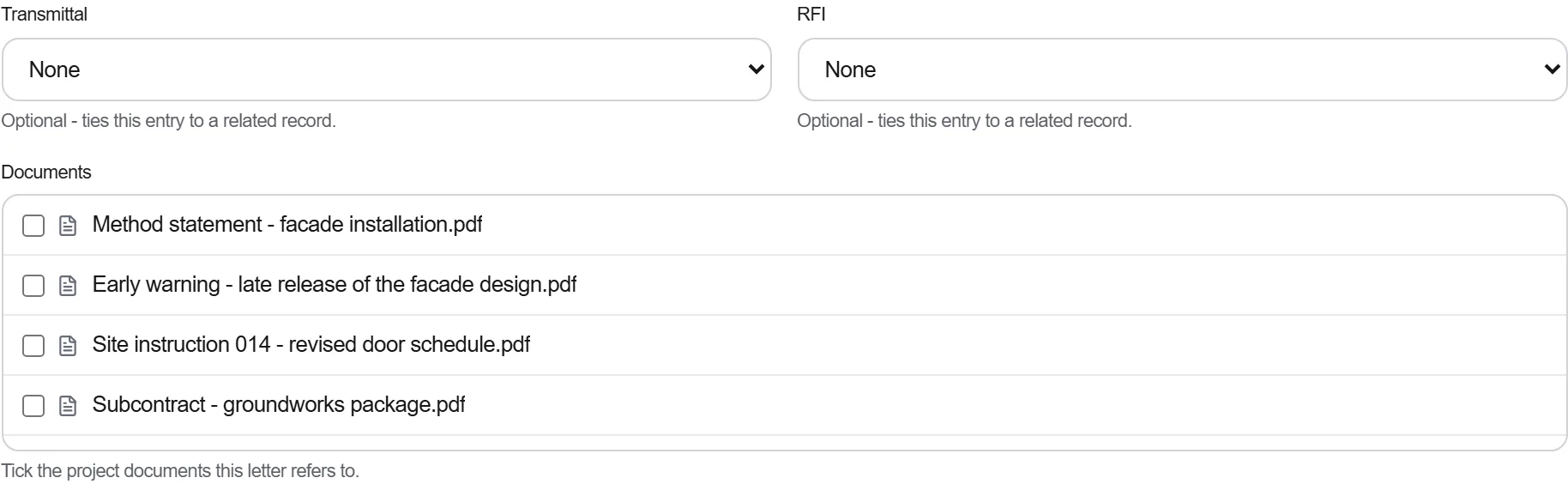
Perché: Una garanzia risolta al telefono e una che non puoi provare quando la stessa parte si guasta di nuovo. La traccia scritta e ciò che vincola il costruttore al rimedio e ti sostiene se la disputa si riapre.
3 / 190 moduli della piattaforma
Finish the job cleanly: work the punch list to zero, confirm every inspection passed and no…
Pull the as-built record together, prove the quality file has no gaps, then issue an operat…
Walk the finished works with the client, record what passes and what does not against the a…