

Bàn giao và vòng đời
Hand over and close out
Finish the job cleanly: work the punch list to zero, confirm every inspection passed and no…
5 bước14 phútMở
 ENEnglish
 DEDeutsch
 FRFrançais
 ESEspañol
 ES-MXEspañol (México)
 ITItaliano
 PTPortuguês
 NLNederlands
 PLPolski
 CSČeština
 RUРусский
 BGБългарски
 TRTürkçe
 SVSvenska
 NONorsk
 FISuomi
 DADansk
 ARالعربية
 ZH中文
ZH中文 JA日本語
JA日本語 KO한국어
KO한국어 HIहिन्दी
 THไทย
THไทย VITiếng Việt
 IDBahasa Indonesia
 RORomână
 HRHrvatski
 MNМонгол
 ETEesti
 BNবাংলা
 KKҚазақша
 KYКыргызча
 FILFilipino
 URاردو
 FAفارسی
 HEעברית
 ELΕλληνικά
Sửa một tài sản hư hỏng bằng tiền của nhà sản xuất: xác nhận nó còn bảo hành, lập yêu cầu đối với tài sản, và đóng nó khi việc khắc phục và chứng từ đã có.
3 bước xuyên suốt nền tảng - bạn làm gì ở mỗi bước và vì sao điều đó quan trọng.
Mở hồ sơ tài sản, tìm ngày lắp đặt và thời hạn bảo hành, và xác nhận sự hư hỏng nằm trong phạm vi bảo hành và trong điều khoản. Lấy luôn số sê-ri và model khi bạn đang xem.
Tại sao: Lập một yêu cầu trên một tài sản đã hết bảo hành chỉ tốn thời gian của mọi người. Kiểm tra hồ sơ trước cho bạn biết trong vài giây liệu nhà sản xuất nợ bạn một lần sửa hay cái này thuộc về bạn.
Lập yêu cầu đối với tài sản với lỗi được mô tả, ảnh đính kèm và tham chiếu bảo hành được trích dẫn, và nêu biện pháp khắc phục bạn mong đợi. Đặt một ngày bạn cần nó được giải quyết trước.
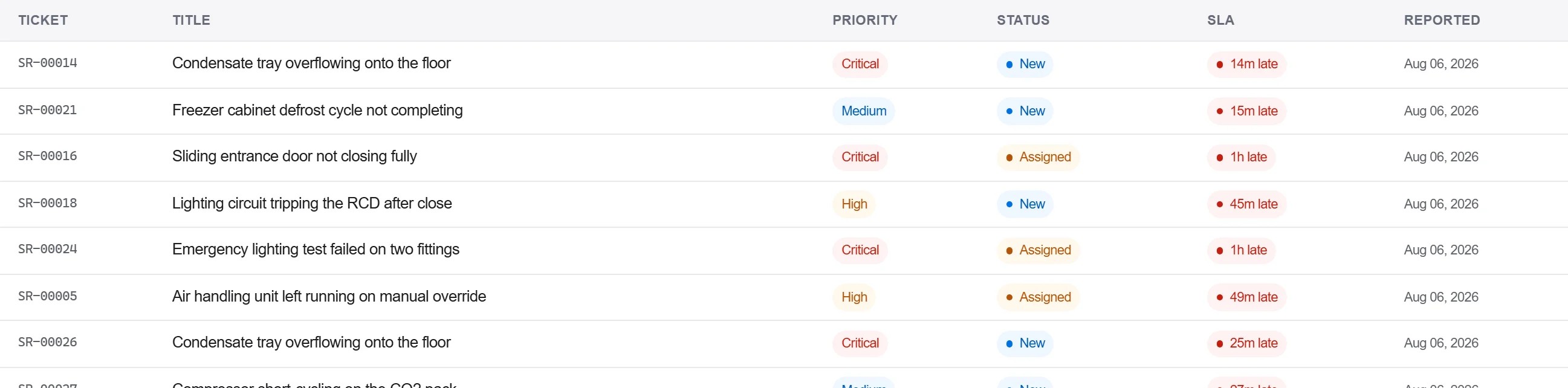
Tại sao: Một yêu cầu có bằng chứng và tham chiếu đính kèm là cái nhà sản xuất không thể trả lại để đòi thêm chi tiết. Ghi nó vào tài sản cũng giữ sự hư hỏng trong lịch sử của thiết bị đó cho lần sau.
Ghi phản hồi của nhà sản xuất và biện pháp khắc phục vào nhật ký thư từ, xác nhận việc sửa bằng văn bản, và chỉ đóng yêu cầu khi sự chấp nhận được ghi lại, không phải chỉ qua một cuộc điện thoại.
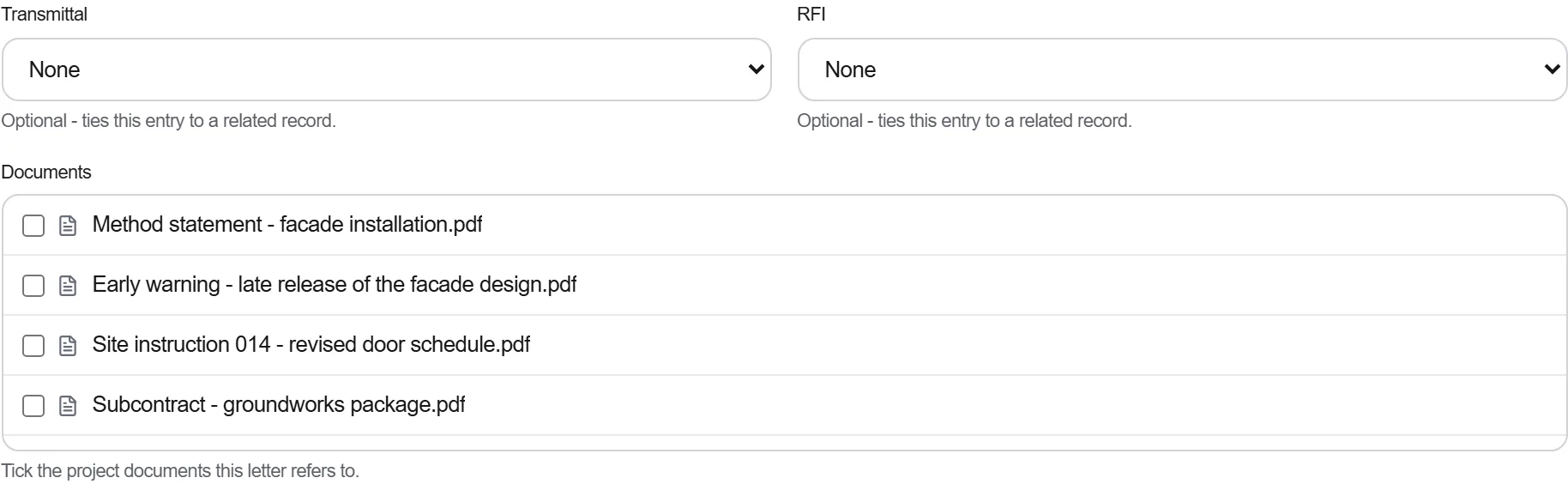
Tại sao: Một bảo hành giải quyết qua điện thoại là cái bạn không thể chứng minh khi cùng bộ phận đó hỏng lại. Chứng từ bằng văn bản là điều giữ nhà sản xuất với biện pháp khắc phục và hậu thuẫn bạn nếu tranh chấp mở lại.
3 / 190 mô-đun nền tảng
Finish the job cleanly: work the punch list to zero, confirm every inspection passed and no…
Pull the as-built record together, prove the quality file has no gaps, then issue an operat…
Walk the finished works with the client, record what passes and what does not against the a…